
AWS 013: IP addresses, CIDR and subnetting
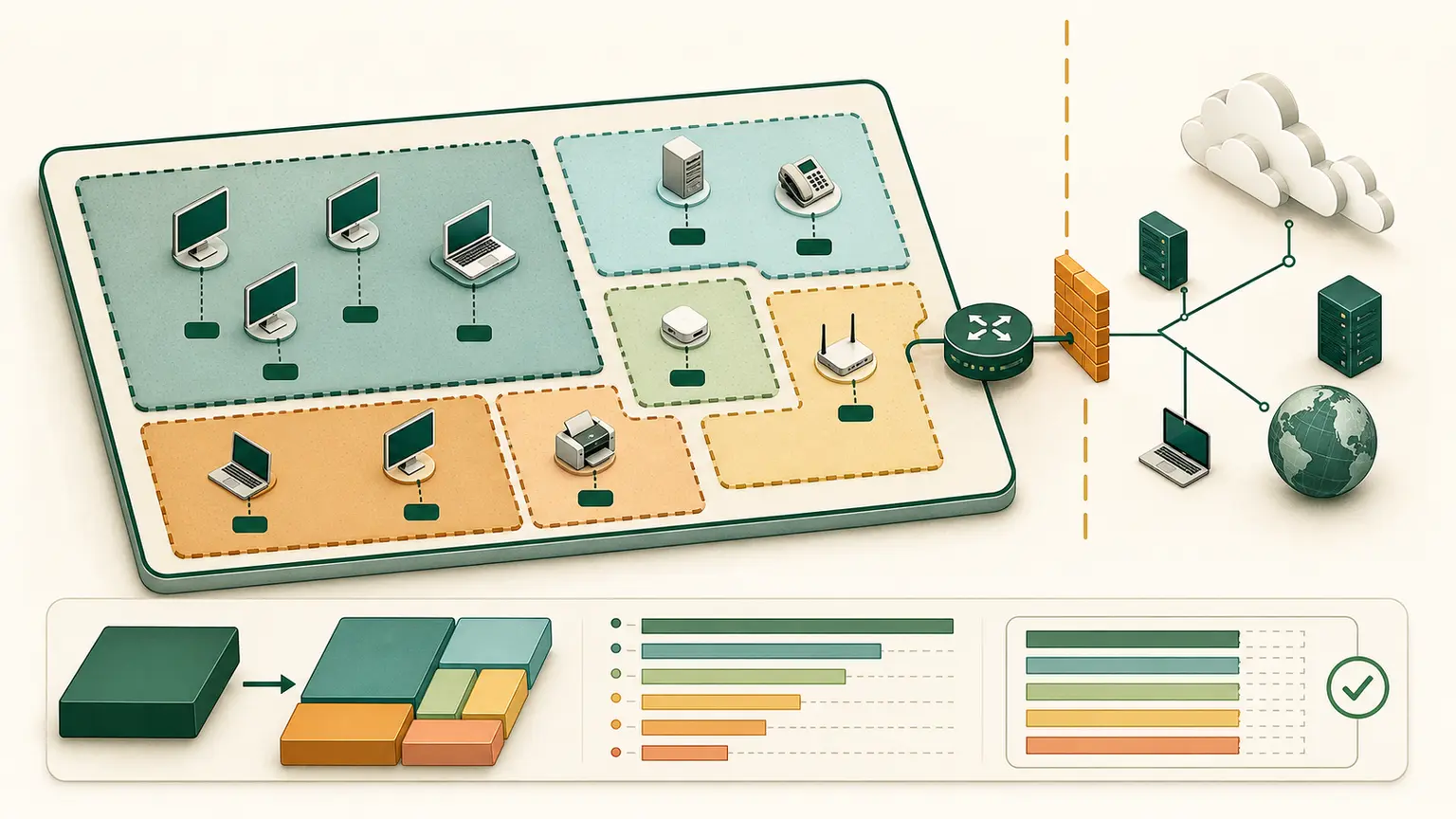
The problem
A team builds overlapping networks, chooses subnets too small for scaling, treats private addresses as security controls, and cannot explain which addresses belong to a CIDR block.
CIDR planning is an architecture skill, not an AWS Console field to guess.
Learning outcomes
You will be able to:
- explain what the private range
10.0.0.0/8represents; - trace an address plan from
10.0.0.0/8to a/16VPC and/20subnets; - explain IPv4 and IPv6 address length;
- interpret CIDR prefix notation;
- calculate IPv4 block size, range, and subnet boundaries;
- distinguish public, private, and routable behavior;
- create non-overlapping subnet ranges with room for growth;
- account for AWS-reserved subnet addresses.
Addresses and routes
An IP address identifies a network interface in an IP context. A route decides where a packet for a destination prefix should go.
IPv4 uses 32 bits, commonly written as four decimal octets:
10.20.1.25IPv6 uses 128 bits, written in hexadecimal groups:
2001:db8:1234:1::25IPv6 zero compression can replace one consecutive run of zero groups with ::. It can be used only once in an address.
Start with 10.0.0.0/8
RFC 1918 reserves this range for private IPv4 networks:
10.0.0.0/8The /8 means that the first 8 of the 32 IPv4 bits identify the network. The remaining 24 bits provide this address space:
First address:  10.0.0.0
Last address:   10.255.255.255
Total:          2^(32 - 8) = 16,777,216 addresses
Treat 10.0.0.0/8 as a private address-planning pool. Do not enter it as the CIDR of the course VPC. An Amazon VPC IPv4 CIDR must currently be between /16 and /28, so the course selects a smaller, non-overlapping /16 allocation from the private pool.
The address hierarchy used in this program is:
10.0.0.0/8          RFC 1918 private planning pool
└── 10.20.0.0/16    selected course VPC allocation
    ├── 10.20.0.0/20
    ├── 10.20.16.0/20
    ├── 10.20.32.0/20
    └── additional /20 subnet blocks
The /8 range is private, but it is not globally unique. Many companies use parts of it. Before connecting a VPC to an office, data center, partner, peered VPC, or transit network, coordinate the allocation and check for overlap.
Understand CIDR notation
CIDR writes an address followed by the number of network-prefix bits:
10.0.0.0/8For IPv4:
host bits = 32 - prefix length
block size = 2 ^ host bits
Examples:
| CIDR | Host bits | Total IPv4 addresses |
|---|---|---|
/8 | 24 | 16,777,216 |
/16 | 16 | 65,536 |
/20 | 12 | 4,096 |
/24 | 8 | 256 |
/28 | 4 | 16 |
A larger prefix number creates a smaller block. /28 is smaller than /24.
Do not use class A, B, and C thinking for modern network design. Use CIDR.
Calculate subnet boundaries
First, select 10.20.0.0/16 from the larger 10.0.0.0/8 planning pool.
Moving from /8 to /16 adds 8 network bits, so the /8 contains:
2^(16 - 8) = 256 possible /16 blocksExamples include 10.0.0.0/16, 10.1.0.0/16, and 10.20.0.0/16. Selecting one block does not mean every other block is available to your organization. The address plan must record allocations and connected-network ranges.
Next, split the selected 10.20.0.0/16 into /20 blocks.
A /20 contains 4,096 addresses. Its third octet advances by 16:
10.20.0.0/20    10.20.0.0   through 10.20.15.255
10.20.16.0/20   10.20.16.0  through 10.20.31.255
10.20.32.0/20   10.20.32.0  through 10.20.47.255
10.20.48.0/20   10.20.48.0  through 10.20.63.255
The blocks do not overlap.
Private is not the same as secure
RFC 1918 defines private IPv4 ranges:
10.0.0.0/8
172.16.0.0/12
192.168.0.0/16
These are not globally routed on the public internet. They can still be reachable through connected private networks, VPN, peering, transit, or a compromised host.
Security depends on routes, identity, security groups, network ACLs, operating-system controls, application authorization, and other layers. A private address alone is not an access-control policy.
AWS subnet behavior
AWS VPC subnet CIDRs must fit inside the VPC CIDR and must not overlap other subnets.
For ordinary Amazon-provided IPv4 subnet ranges, AWS reserves the first four addresses and the last address.
For 10.0.0.0/24, AWS reserves:
10.0.0.0     network address
10.0.0.1     VPC router
10.0.0.2     DNS-related reservation
10.0.0.3     future use
10.0.0.255   reserved; VPC does not support broadcast
So an ordinary /24 has 251 assignable IPv4 addresses in this AWS context, not 254.
AWS currently permits IPv4 VPC subnet sizes from /28 through /16. Verify current documentation when designing.
IPv6 is not large IPv4
IPv6 provides a much larger address space and restores end-to-end addressability principles. A globally unique IPv6 address can be internet-routable, but reachability still requires routing and security policy.
Do not assume:
- IPv6 is private because no IPv4 public address exists;
- NAT is a required IPv6 security control;
- every AWS service supports identical IPv6 behavior;
- an IPv4-only design can gain IPv6 later without application, DNS, logging, and security changes.
Practical subnet plan
Create:
mkdir -p "$HOME/nitwings-aws/evidence/aws-013"Begin with the RFC 1918 planning pool 10.0.0.0/8. Select 10.20.0.0/16 as the course VPC allocation, and then plan its subnets across two Availability Zones:
| Purpose | AZ A | AZ B |
|---|---|---|
| Public ingress | 10.20.0.0/20 | 10.20.16.0/20 |
| Private application | 10.20.32.0/20 | 10.20.48.0/20 |
| Isolated data | 10.20.64.0/20 | 10.20.80.0/20 |
| Reserved growth | 10.20.96.0/19 and remaining range |
Create subnet-plan.md containing:
- each CIDR;
- first and last address;
- total and AWS-assignable IPv4 count;
- purpose;
- failure-domain placement;
- routing intention;
- growth reservation;
- overlap check;
- on-premises or peer-network overlap risk.
- an explanation of why
10.0.0.0/8is a planning pool rather than the CIDR entered for this VPC.
For a /20, subtract five AWS-reserved addresses from 4,096 for ordinary assignable use.
Canonical form
If an address has host bits set, a platform can canonicalize it to the network boundary.
Example:
10.20.18.7/20belongs to:
10.20.16.0/20Do not treat the typed host address as the subnet start.
Troubleshooting
| Symptom | Likely cause | Check |
|---|---|---|
| Subnet rejected | Outside VPC, overlap, invalid size, or noncanonical expectation | parent range and boundaries |
| Resource launch says no addresses | subnet exhausted or reserved capacity | used and available addresses |
| Hybrid route behaves incorrectly | overlapping CIDRs | all connected address plans |
| Private host cannot reach internet | no valid route or egress design | full packet path |
| IPv6 host is unexpectedly reachable | route and firewall allow it | IPv6 routes and rules |
Knowledge check
- What range of addresses does
10.0.0.0/8cover? - How many total addresses are in
10.0.0.0/8? - How many
/16blocks fit inside a/8? - Why should you not enter
10.0.0.0/8as this course's VPC CIDR? - How many total addresses are in
/24? - How many ordinary AWS-assignable addresses remain after five reservations?
- Which is larger,
/20or/24? - Does a private IPv4 address prove the host is secure?
- What network contains
10.20.18.7/20?
Expected answers: 10.0.0.0 through 10.255.255.255; 16,777,216; 256; AWS VPC IPv4 CIDRs are currently restricted to /16 through /28, and the /8 is the larger planning pool; 256; 251; /20; no; 10.20.16.0/20.
Completion gate
Pass when subnet-plan.md traces 10.0.0.0/8 to the selected 10.20.0.0/16 allocation and then to six non-overlapping /20 subnets. It must contain correct ranges and counts, growth space, two Availability Zones, an overlap-risk statement, and the reason the /8 is not entered as the VPC CIDR.
No AWS resources were created.