
AWS 015: Load balancing and horizontal scaling
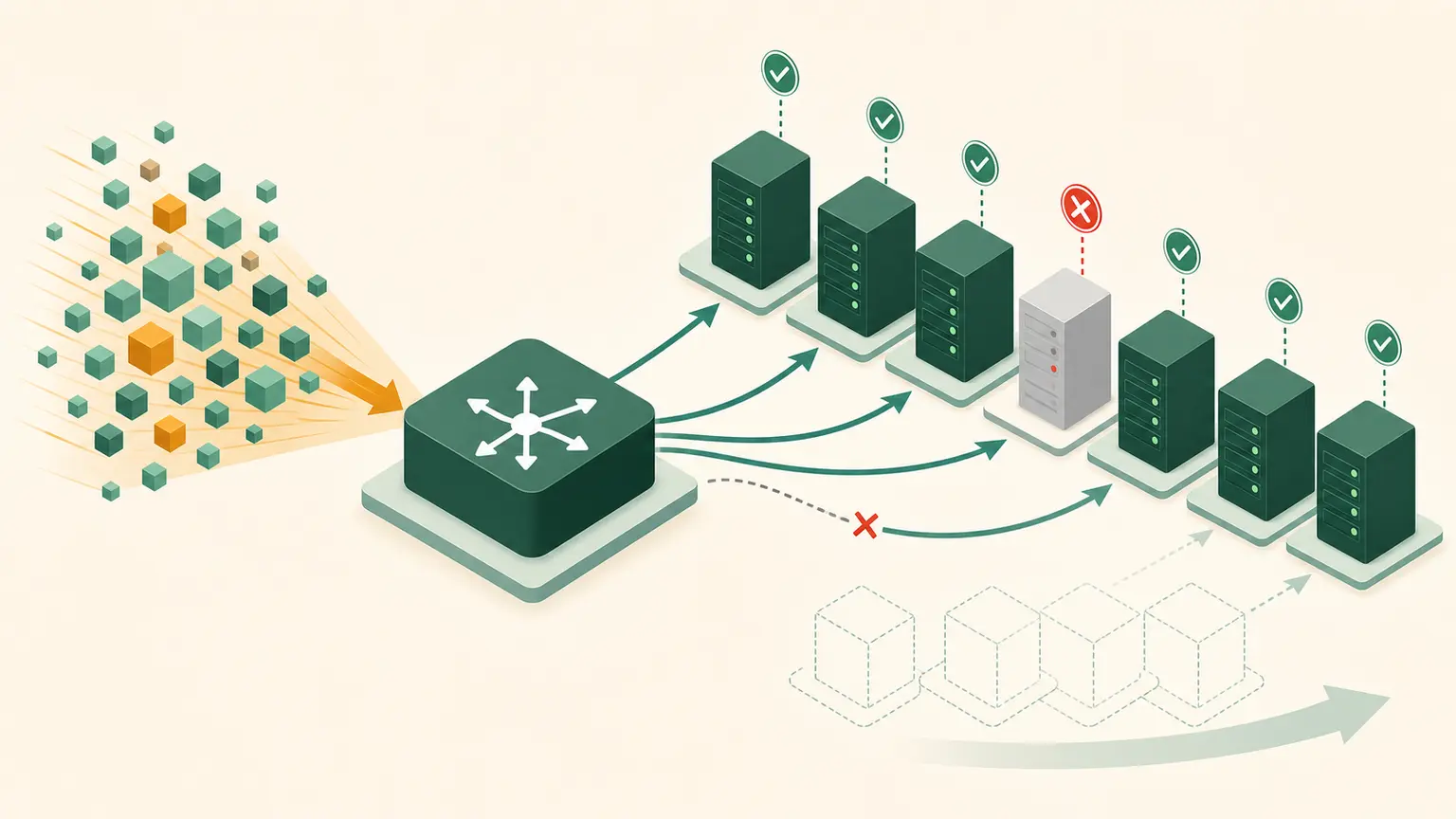
The problem
One application server is overloaded. The team places a load balancer in front of it and expects capacity to increase. It does not. A load balancer distributes eligible traffic; it does not manufacture healthy targets or make a stateful application horizontally scalable.
Learning outcomes
You will be able to:
- distinguish load distribution from capacity scaling;
- compare vertical and horizontal scaling;
- explain listeners, target groups, health checks, and connection draining;
- calculate required target capacity with failure headroom;
- identify application state that blocks safe scale-out;
- explain how Elastic Load Balancing and EC2 Auto Scaling cooperate.
Load-balancer model
Clients
   |
   v
Load balancer listener
   |
   v
Routing rule and target group
   |
   +--> healthy target A
   +--> healthy target B
   +--> healthy target C
A listener accepts configured protocol and port traffic. Rules select a target group. Health checks determine which registered targets are eligible. The exact behavior depends on load-balancer type and configuration.
Scaling directions
Vertical scaling
Change one resource to have more or less CPU, memory, storage performance, or network capability.
Advantages:
- simple for applications that cannot distribute work;
- fewer nodes.
Limits:
- finite maximum size;
- resize can require interruption;
- one node remains a failure concern;
- large sizes can be expensive.
Horizontal scaling
Add or remove parallel resources.
Advantages:
- capacity can track demand;
- failed nodes can be replaced;
- maintenance can occur across a fleet.
Requirements:
- requests can be distributed;
- state is externalized, replicated, partitioned, or intentionally sticky;
- health is meaningful;
- deployment is consistent;
- downstream systems can handle increased concurrency.
Health checks
A health check should answer whether a target can serve the intended request.
Weak check:
TCP port acceptedThis proves a process accepted a connection, not that the application or dependencies work.
Overly deep check:
Every health probe performs an expensive write through every dependency.This can create load or remove all targets during one downstream failure.
Design separate:
- liveness: process should be restarted;
- readiness: target should receive traffic;
- dependency and business health: deeper observability.
Load balancer is not Auto Scaling
Elastic Load Balancing distributes traffic to healthy registered targets.
EC2 Auto Scaling maintains group capacity:
- minimum capacity;
- desired capacity;
- maximum capacity;
- health replacement;
- optional policies that adjust desired capacity.
Together:
Metric or schedule
   |
   v
Scaling policy changes desired capacity
   |
   v
New targets launch and initialize
   |
   v
Targets pass health checks
   |
   v
Load balancer sends traffic
Scaling is not instant. Include launch, bootstrap, registration, health-check, and warm-up time.
Capacity exercise
One target safely handles 120 requests per second. Peak demand is 500 requests per second.
Basic target count:
ceil(500 / 120) = 5 targetsIf the design must survive losing one target while still serving peak:
5 + 1 = 6 targetsIf it must survive losing one Availability Zone containing half the evenly distributed fleet, six total targets are not enough. The remaining zone would have three targets and 360 requests-per-second capacity.
An eight-target, two-zone example leaves four targets:
4 x 120 = 480Still below 500. Ten targets leave five:
5 x 120 = 600Capacity planning must match the stated failure, not only normal load.
Practical architecture worksheet
Create:
mkdir -p "$HOME/nitwings-aws/evidence/aws-015"Create scaling-plan.md for:
The training portal receives 80 requests per second normally and 500 at event peak. One warmed target safely handles 120. Startup and readiness take four minutes. User progress must survive target replacement. The service must tolerate loss of one Availability Zone.
Include:
- normal, peak, and failure capacity;
- minimum, desired, and maximum fleet assumptions;
- two-zone target placement;
- scaling signal;
- warm-up treatment;
- readiness path;
- state location;
- session behavior;
- scale-in draining;
- downstream database and cache limit;
- cost consequence.
Do not choose a CPU percentage without explaining why it predicts demand. Request count, queue depth, concurrency, or latency may be better signals for some workloads.
Stateful traps
Horizontal scaling can fail when:
- sessions exist only in one process memory;
- files exist only on one target disk;
- scheduled jobs run on every target;
- target-specific IDs leak into clients;
- database connections multiply beyond limits;
- cache invalidation is incorrect;
- scale-in terminates active work.
Sticky sessions can reduce immediate redesign, but create uneven load and target dependence. Treat them as a deliberate trade-off.
Troubleshooting
| Symptom | Evidence |
|---|---|
| Targets remain unhealthy | health path, port, protocol, security path, application log |
| Load balancer has no targets | registration and target-group configuration |
| Scale-out occurs but latency stays high | downstream bottleneck, warm-up, wrong metric |
| Some users fail after scale-out | local session or inconsistent deployment |
| Requests fail during scale-in | deregistration delay and graceful shutdown |
| One zone overloads | target distribution and cross-zone behavior |
Knowledge check
- Does adding a load balancer add application capacity?
- What is desired capacity?
- Why can a TCP health check be insufficient?
- What application property makes horizontal scaling easier?
- Why include failure headroom?
Expected answers: no; the group size it attempts to maintain; it may not test application function; replaceable stateless processing; required capacity must remain after the designed failure.
Completion gate
Pass when scaling-plan.md proves normal, peak, and one-zone-failure calculations and covers health, warm-up, state, draining, downstream limits, and cost.
No AWS resource was created.