
AWS 033: Prove caller identity, Region, and account without creating resources
The problem
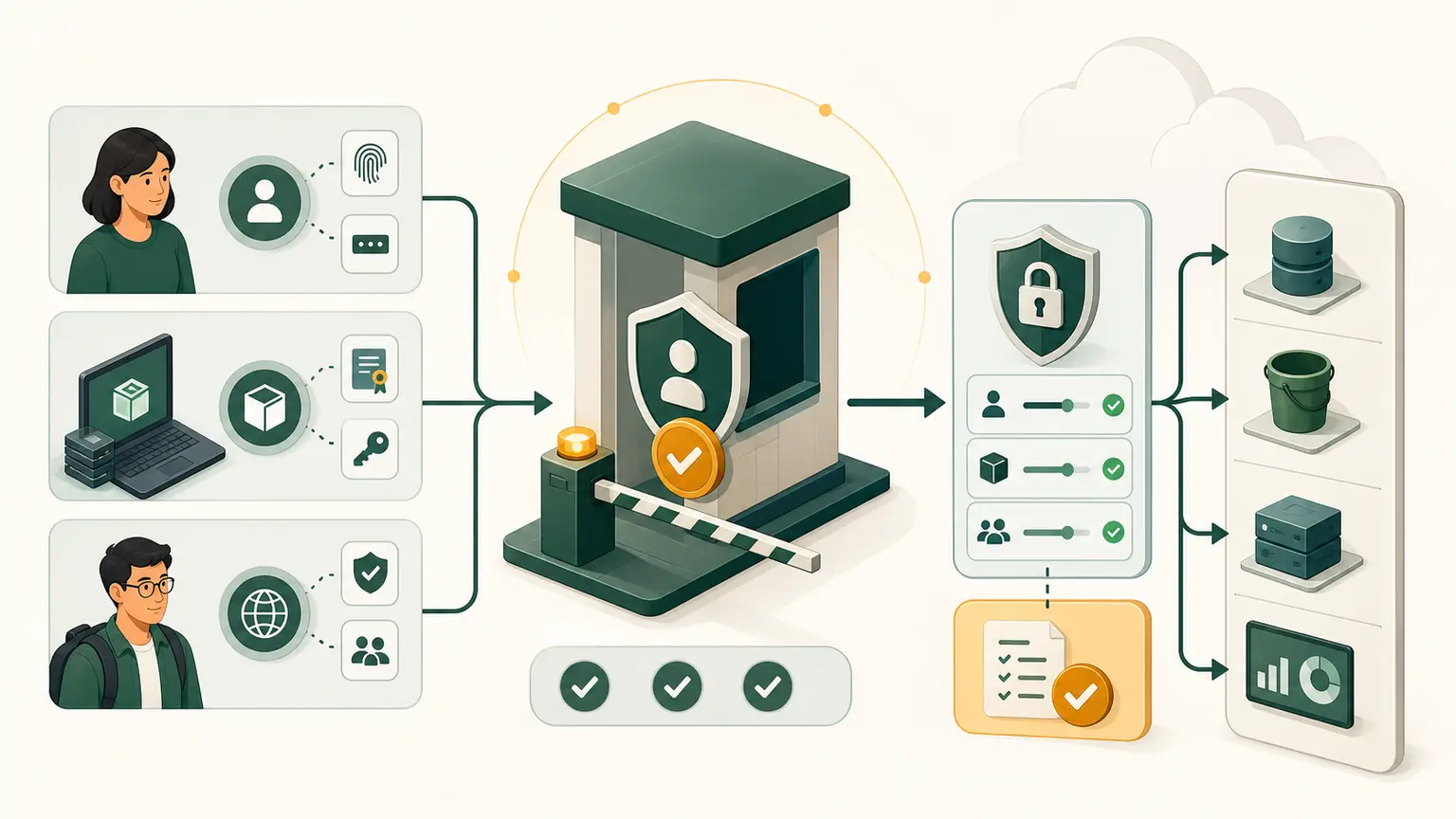
The most dangerous automation mistake is acting in the wrong account or Region with the wrong identity. A command can be valid and still modify the wrong environment.
Every later mutating lab begins with an identity-and-scope preflight.
Final outcome
You will build and run a read-only preflight that proves AWS principal, account, Region, profile source, and visible Availability Zones. You will compare the result with the Console and create a redacted baseline.
Required safety state
- Root is not used.
- AWS CLI v2 is installed or CloudShell is open.
- A temporary-authentication
courseprofile exists for local CLI. - The fixed course Region is recorded.
- No command in this lab creates, updates, or deletes a resource.
Evidence model
Who: principal ARN and session type
Where: AWS account and partition
Region: resolved default and explicit target
Interface: CloudShell or local profile
Permission: successful read-only operations
Time: evidence timestamp
GetCallerIdentity returns the identity used to sign a request. AWS documents that no permission is required for the operation itself. Even an explicit deny can still yield the same identity information in the error response. It proves caller context, not authorization to other services.
Console preflight
- Sign in with the daily identity.
- Open the account menu and record the identity type.
- Select the fixed course Region.
- Open EC2 and record the Region shown.
- Open Availability Zones and record names and IDs.
- Open Instances and confirm this is inspection only.
Keep the page open.
CLI preflight
For local CLI:
COURSE_PROFILE="course"
COURSE_REGION="ap-south-1"

aws configure list --profile "$COURSE_PROFILE"

aws sts get-caller-identity \
  --profile "$COURSE_PROFILE" \
  --output json \
  --no-cli-pager

aws ec2 describe-availability-zones \
  --profile "$COURSE_PROFILE" \
  --region "$COURSE_REGION" \
  --filters Name=zone-type,Values=availability-zone \
  --query 'AvailabilityZones[].{Name:ZoneName,Id:ZoneId,State:State}' \
  --output table \
  --no-cli-pager
For CloudShell, remove the --profile options after proving its current caller identity.
Inspect the exit status immediately after each important command:
printf 'exit=%s\n' "$?"Do not run the printf only once at the end and assume it represents every earlier command.
Add account Region status
If the daily identity has Account Management read permission:
aws account get-region-opt-status \
  --profile "$COURSE_PROFILE" \
  --region-name "$COURSE_REGION" \
  --output json \
  --no-cli-pager
If it is denied, record the exact action and continue. An access denial is valid evidence of the permission boundary. Do not switch to root just to make a read-only optional step green.
Private preflight script
Create aws-preflight.sh locally:
#!/usr/bin/env bash
set -u

course_profile="${1:-course}"
course_region="${2:-ap-south-1}"

printf 'time_utc=%s\n' "$(date -u +%FT%TZ)"
printf 'profile=%s\n' "$course_profile"
printf 'region=%s\n' "$course_region"

aws configure list --profile "$course_profile"
aws sts get-caller-identity \
  --profile "$course_profile" \
  --output json \
  --no-cli-pager
aws ec2 describe-availability-zones \
  --profile "$course_profile" \
  --region "$course_region" \
  --query 'AvailabilityZones[].{Name:ZoneName,Id:ZoneId,State:State}' \
  --output table \
  --no-cli-pager
Read it line by line before running:
bash -n aws-preflight.sh
bash aws-preflight.sh course ap-south-1
bash -n checks shell syntax but does not execute AWS calls. The script is intentionally private because raw output contains account and principal identifiers.
Redact correctly
Create preflight-evidence.md manually:
Time UTC:
Interface:
Profile:
Credential source type:
Principal type:
Account: verified and redacted
Course Region:
Region status:
Availability Zone names and IDs:
Console match:
Read permission failures:
Ready for mutation: yes or no
Do not replace identifiers with realistic-looking numbers. Use <account-redacted> and <principal-redacted>.
Redaction should preserve useful type information. For example, record assumed-role rather than copying a complete role-session ARN.
Mutation gate
Before any future create, update, or delete action, the learner must be able to answer:
- Is this the intended AWS account?
- Is this a non-root approved principal?
- Is this the intended Region?
- Is the target service regional or global?
- What resources should already exist?
- What will the command change?
- What can charge money?
- What is the verification?
- What is the cleanup and rollback?
A script that cannot prove these should stop before mutation.
Expected results
Success:
get-caller-identityexits0;- principal is not root;
- account matches the private P02 record;
- explicit Region matches Console;
- Availability Zone list matches in both interfaces;
- credential source is temporary or approved;
- evidence is redacted.
Failure examples:
- wrong account;
- root ARN;
- unexpected environment credential;
ExpiredToken;- comparison shows another Region;
- optional account status is denied.
Wrong account, root, or unknown credential source is a stop condition. An optional denied read can be documented and remediated through least privilege.
Troubleshooting
| Symptom | Check | Safe correction |
|---|---|---|
| wrong principal | profile and environment precedence | logout, unset override, use approved profile |
| wrong account | selected login/role | stop and authenticate correctly |
| wrong Region | profile, environment, command option | set explicit course Region |
| expired token | session duration | repeat approved login |
| zones differ | Region or filter | align exact scope |
| script continues after failure | shell error handling absent | add explicit status checks in later automation |
Completion gate
Pass when Console and CLI agree on non-root identity type, private account record, Region, and Availability Zones; the script passes syntax check; stop conditions are documented; and shared evidence contains no full account or principal identifier.
No resources were created, modified, or deleted.