
AWS 121: Architecture: choose object, block, file, hybrid, and backup storage
Why this lesson matters
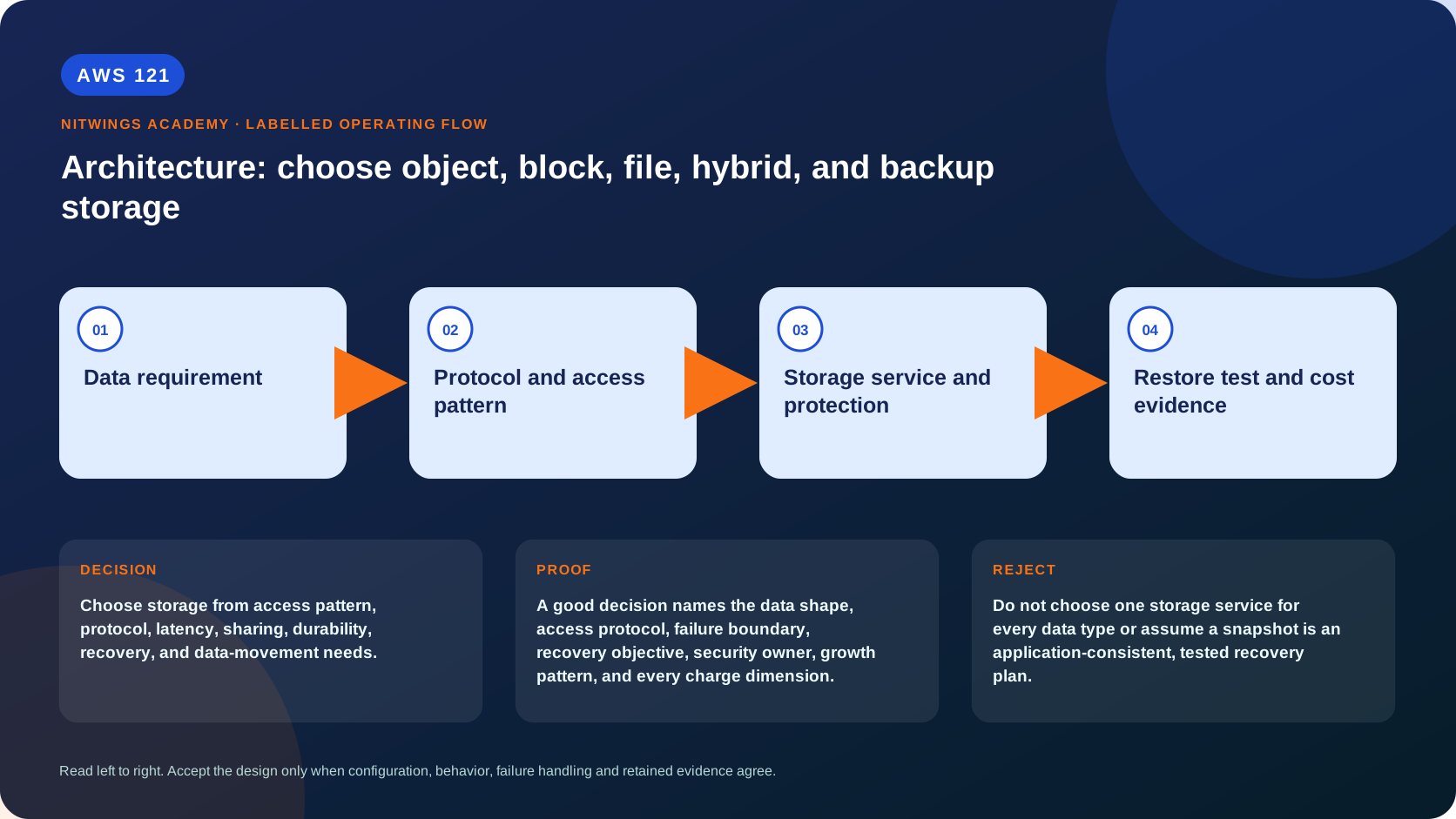
Choose storage from access pattern, protocol, latency, sharing, durability, recovery, and data-movement needs.
Storage is selected by the interface and behavior the application needs: object API, block device, shared filesystem, high-performance filesystem, hybrid protocol or coordinated recovery. A service can be durable yet wrong for the access pattern, highly available yet unrecoverable after human error, encrypted yet publicly authorized, or inexpensive per GB yet costly after requests, IOPS, retrieval and transfer.
What you will be able to do
By the end, you can:
- explain architecture: choose object, block, file, hybrid, and backup storage in plain language;
- locate the current service controls in the AWS Management Console;
- run the matching CloudShell or AWS CLI queries and explain every important field;
- draw the identity, network, data, failure, and monitoring path;
- choose the service from requirements and reject it when those requirements are absent;
- diagnose a failed or misleading result from evidence;
- state the cost owner and prove cleanup or a no-create result.
Before you start
- Use a personal AWS account only when its owner has approved the lesson. Do not use the root user for daily work.
- CloudShell is the default command environment. AWS028 explains CloudShell; AWS029 and AWS030 explain local AWS CLI installation and profiles.
- The course example Region is
ap-south-1. Global services and services with a required control Region are called out in their commands. - Run
aws sts get-caller-identityprivately. Redact the account number before sharing evidence. - Never paste access keys, passwords, secret values, private object data, presigned URLs, or full account-specific ARNs into a submission.
- This is a no-create lesson. Every Console action and AWS CLI command is read-only. Create the practical artifact locally.
- Console wording can change. Use the Console service search if a menu label has moved, then confirm the current field in the official documentation.
The core model
| Question | What it means in this lesson |
|---|---|
| Purpose | Choose storage from access pattern, protocol, latency, sharing, durability, recovery, and data-movement needs. |
| Scope and boundary | S3 is object storage, EBS is AZ-scoped block storage, EFS and FSx are managed file systems, Storage Gateway connects hybrid users, and AWS Backup coordinates supported backups. |
| Evidence of success | A good decision names the data shape, access protocol, failure boundary, recovery objective, security owner, growth pattern, and every charge dimension. |
| Cost model | Capacity, requests or IOPS, throughput, retrieval, snapshots, replication, data transfer, gateways, and retained backups can all matter. |
| Safe rejection rule | Do not choose one storage service for every data type or assume a snapshot is an application-consistent, tested recovery plan. |
How the request flows
+----------------------+
|   Data requirement   |
+----------------------+
           |
           v
+-------------------------------+
|  Protocol and access pattern  |
+-------------------------------+
               |
               v
+----------------------------------+
|  Storage service and protection  |
+----------------------------------+
                 |
                 v
+----------------------------------+
|  Restore test and cost evidence  |
+----------------------------------+
For AWS storage portfolio, the important boundary is this: S3 is object storage, EBS is AZ-scoped block storage, EFS and FSx are managed file systems, Storage Gateway connects hybrid users, and AWS Backup coordinates supported backups. A good decision names the data shape, access protocol, failure boundary, recovery objective, security owner, growth pattern, and every charge dimension. That is why the lesson pairs the Console with CLI output and a practical artifact. One interface may hide a field, use a cached view, or be scoped differently. Matching evidence is stronger than a screenshot alone.
Architecture decision table
| Situation | Direction | Reason |
|---|---|---|
| Requirement matches | Use this comparison before a design mixes object, boot disk, shared file, hybrid cache, and centralized backup requirements. | Select only after scope, behavior, security, recovery, operations, and price evidence agree. |
| Requirement does not match | Do not choose one storage service for every data type or assume a snapshot is an application-consistent, tested recovery plan. | Rejecting an attractive service is a valid architecture result. |
| No create permission or cost approval | Use supplied evidence and local design work | Learning does not depend on creating an hourly resource. |
| Existing resource is unknown or unowned | Inspect only, then stop | Never change or delete a resource merely because it resembles a course example. |
Compare the storage models
| Model/service | Application interface and scope | Strong fit | Important rejection condition |
|---|---|---|---|
| S3 object storage | HTTPS API; bucket names/objects/keys/versions, Regional | durable objects, data lakes, backup targets, static assets | application requires in-place block writes, POSIX filesystem calls or low-latency mounted boot disk |
| EBS block storage | virtual block device attached to EC2; volume and snapshot are Regional control-plane resources but a volume resides in one AZ | boot/data volumes, databases/filesystems managed by the instance | simultaneous general multi-host shared files or AZ-independent mounted storage is required; Multi-Attach is specialized and not a normal shared filesystem |
| instance store | host-attached ephemeral block device | caches, buffers and replicated scratch that can vanish | any sole durable copy, stop/start persistence or snapshot expectation |
| EFS | NFS shared filesystem with zonal mount targets and Regional/One Zone type | elastic Linux shared files across instances/AZs | Windows SMB, object-native access, or specialized parallel filesystem semantics |
| FSx family | SMB/Lustre/NFS/iSCSI according to Windows, Lustre, ONTAP or OpenZFS family | protocol/engine-specific enterprise and high-performance workloads | selecting “FSx” without choosing an engine, deployment and identity model |
| Storage Gateway | local NFS/SMB/iSCSI/VTL backed by AWS through a gateway/cache/WAN | hybrid applications that cannot immediately adopt cloud-native APIs | cloud-only workloads or WAN/cache failure behavior cannot satisfy the requirement |
| AWS Backup | policy/orchestration over supported resource recovery points | central schedules, vaults, copies, immutability evidence and restore testing | treating it as live storage, universal application consistency or automatic DR cutover |
EBS details an architect must not skip
gp3 is the general-purpose SSD starting point because capacity, baseline IOPS and throughput can be configured separately within current limits. io2 targets sustained high IOPS/durability requirements and offers Block Express capabilities on supported configurations. st1 throughput-optimized HDD fits large sequential workloads; sc1 fits colder sequential data at lower cost. HDD volumes are not boot volumes and are poor for random small I/O. gp2 performance is capacity-linked and remains relevant in existing estates, but new selection should compare it with gp3 using current price/performance evidence.
An EC2 instance type imposes its own EBS bandwidth/IOPS ceiling. Provisioning more volume performance than the instance can drive wastes money. Monitor VolumeRead/WriteOps, bytes, queue length, latency-related application evidence, burst balance where applicable and instance EBS limits. Filesystem expansion is a second OS operation after modifying a volume; Linux may require partition and filesystem growth. Encryption uses KMS and is inherited by snapshots; cross-account/Region copies need explicit snapshot/key sharing or copy controls.
EBS snapshots are incremental at the storage layer but each snapshot is a complete logical restore point. Deleting one does not normally invalidate later snapshots. Creation completion does not automatically prove application consistency: quiesce/freeze the filesystem or database, use application-aware tooling, or document crash-consistent behavior. Restore creates a new volume in a selected AZ; Fast Snapshot Restore and initialization/read warming trade cost and recovery latency. Recycle Bin and Data Lifecycle Manager/AWS Backup can help retention, but restore drills remain mandatory.
Decision sequence
- Define data owner, shape, size/growth, mutability, retention and classification.
- Define exact API/protocol and semantics: random block I/O, object GET/PUT, NFS/SMB, file locks, rename, consistency and concurrency.
- Define scope and sharing: one process, one host, multiple hosts, AZs, Regions or on premises.
- Quantify latency percentile, IOPS, throughput, object/file size distribution and burst duration.
- Define availability failure boundary separately from RPO/RTO, backup retention and restore validation.
- Map identity, authorization, network, encryption/KMS, audit and destructive-action controls.
- Model operations, migration, observability, quotas and every price dimension.
- Benchmark the closest candidates with representative data and failure tests before committing.
Never use storage durability figures as an application availability guarantee. Never call replication a backup without showing how historical corruption/deletion can be recovered. Never call a snapshot DR without a destination, dependencies, runbook, measured restore and failback.
AWS Management Console, step by step
Sign in with the normal non-root learning identity. Write the expected starting state before opening the service.
- Open S3, EC2 Volumes, EFS, FSx, Storage Gateway, and AWS Backup in separate tabs.
- For each service, locate scope, encryption, lifecycle or backup controls, and monitoring without choosing Create.
- Open AWS Backup plans and vaults, then record whether any existing plan covers the required resource type.
CloudShell and AWS CLI, step by step
Start with a known caller and Region:
export AWS_DEFAULT_REGION="ap-south-1"
aws sts get-caller-identity --query Arn --output text
aws configure list
Redact the account part of the ARN in shared evidence. Now run the topic queries:
aws s3api list-buckets --query 'Buckets[].Name' --output table
aws ec2 describe-volumes --query 'Volumes[].{Id:VolumeId,AZ:AvailabilityZone,Type:VolumeType,State:State}' --output table
aws efs describe-file-systems --query 'FileSystems[].{Id:FileSystemId,State:LifeCycleState,Encrypted:Encrypted}' --output table
aws backup list-backup-vaults --query 'BackupVaultList[].BackupVaultName' --output table
Expected interpretation
The inventories show control-plane objects in their correct scope. They do not prove an application's protocol, measured performance, restore success, or lowest cost.
Practical work
Write p06-storage-decision.md for website assets, Linux boot disks, shared uploads, Windows shares, on-premises cache, archives, and backups. Select one service per need and defend the nearest rejected option.
For each workload include protocol, scope/AZ/Region, capacity and five-year growth, read/write shape, latency/IOPS/throughput, consistency/locking, identity/network/encryption, availability design, RPO/RTO, backup/replication/restore test, metrics/alarms and dated cost model. Add a Linux database EBS case that chooses a volume type from numeric requirements, checks the instance EBS ceiling, explains filesystem growth and produces a snapshot/PITR comparison.
Perform tabletop tests for EC2 host loss with instance store, EBS volume-AZ loss, accidental S3 delete, missing EFS mount target, FSx directory outage, Storage Gateway WAN outage and compromised production-account credentials attacking backups. For each state expected user impact, preserved data, first evidence, recovery sequence, validation, RPO/RTO result and cleanup.
Diagnose this topic from its own evidence
| Symptom | Evidence-led interpretation |
|---|---|
| high EBS latency despite provisioned IOPS | check instance EBS limits, queue depth, I/O size, filesystem/database behavior and volume metrics before buying more IOPS |
| EBS snapshot completed but restored database fails | control-plane snapshot success did not prove application consistency or dependency reconstruction |
| EFS/FSx exists but mount fails | trace DNS, zonal endpoint/mount target, route/NACL/SG, protocol, IAM/directory and POSIX/share/export permission layers |
| S3 object is “missing” | verify account, Region, bucket/key byte-for-byte, version/delete marker, authorization and replication/lifecycle state |
| hybrid file close succeeded but cloud copy is absent | inspect gateway upload queue/cache and asynchronous destination evidence |
| backups are green but resource is uncovered | reconcile independent inventory against selections and recovery points, not only successful jobs |
| storage bill grows unexpectedly | decompose GB-month by class, requests, IOPS/throughput, snapshots/versions, replication, retrieval, transfer and retained idle resources |
Cost and cleanup
Capacity, requests or IOPS, throughput, retrieval, snapshots, replication, data transfer, gateways, and retained backups can all matter.
Knowledge check
- What operational purpose is this lesson solving?
Expected direction: Choose storage from access pattern, protocol, latency, sharing, durability, recovery, and data-movement needs.
- Which scope or ownership boundary must be proved first?
Expected direction: S3 is object storage, EBS is AZ-scoped block storage, EFS and FSx are managed file systems, Storage Gateway connects hybrid users, and AWS Backup coordinates supported backups.
- What evidence is strong enough to accept the result?
Expected direction: A good decision names the data shape, access protocol, failure boundary, recovery objective, security owner, growth pattern, and every charge dimension.
- Which tempting design or shortcut must be rejected?
Expected direction: Do not choose one storage service for every data type or assume a snapshot is an application-consistent, tested recovery plan.
- Which cost dimensions and retained resources need an owner?
Expected direction: Capacity, requests or IOPS, throughput, retrieval, snapshots, replication, data transfer, gateways, and retained backups can all matter.
Lesson acceptance
Pass only when the architecture maps each workload to the correct interface and failure boundary, justifies the nearest rejected service, and covers EBS types/snapshots, S3 classes/versioning, EFS/FSx protocols, hybrid behavior and AWS Backup. Every decision must include numeric performance/growth, identity/network/encryption, availability versus recovery, monitored evidence, migration/rollback, complete cost and a restore test. Fail if one service is selected for every need, an hourly/immutable dependency has no owner, replication is presented as historical recovery, or a completed snapshot/backup is accepted without application validation.