
AWS 129: Aurora Serverless v2 and Aurora Global Database
Why this lesson matters
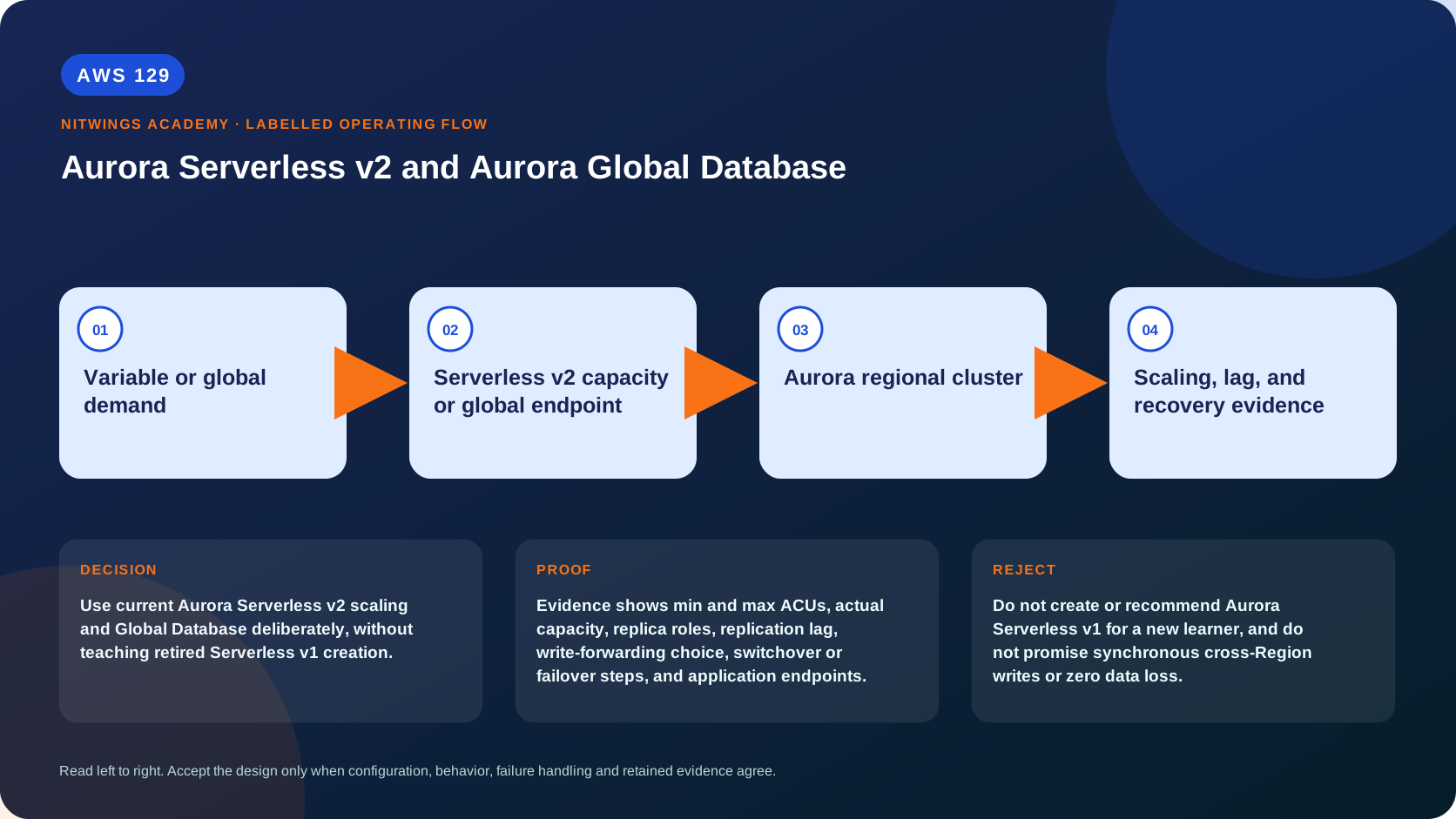
Use current Aurora Serverless v2 scaling and Global Database deliberately, without teaching retired Serverless v1 creation.
This lesson joins two separate Aurora capabilities that solve different problems. Aurora Serverless v2 changes how regional database compute capacity is provisioned and billed. Aurora Global Database changes the cross-Region replication and recovery topology. Neither capability automatically provides the other.
What you will be able to do
By the end, you can:
- explain aurora serverless v2 and aurora global database in plain language;
- locate the current service controls in the AWS Management Console;
- run the matching CloudShell or AWS CLI queries and explain every important field;
- draw the identity, network, data, failure, and monitoring path;
- choose the service from requirements and reject it when those requirements are absent;
- diagnose a failed or misleading result from evidence;
- state the cost owner and prove cleanup or a no-create result.
Before you start
- Use a personal AWS account only when its owner has approved the lesson. Do not use the root user for daily work.
- CloudShell is the default command environment. AWS028 explains CloudShell; AWS029 and AWS030 explain local AWS CLI installation and profiles.
- The course example Region is
ap-south-1. Global services and services with a required control Region are called out in their commands. - Run
aws sts get-caller-identityprivately. Redact the account number before sharing evidence. - Never paste access keys, passwords, secret values, private object data, presigned URLs, or full account-specific ARNs into a submission.
- This is a no-create lesson. Every Console action and AWS CLI command is read-only. Create the practical artifact locally.
- Console wording can change. Use the Console service search if a menu label has moved, then confirm the current field in the official documentation.
The core model
| Question | What it means in this lesson |
|---|---|
| Purpose | Use current Aurora Serverless v2 scaling and Global Database deliberately, without teaching retired Serverless v1 creation. |
| Scope and boundary | Serverless v2 scales compatible Aurora compute within configured ACU bounds. Global Database uses one primary Region and read-only secondary clusters with managed cross-Region replication. |
| Evidence of success | Evidence shows min and max ACUs, actual capacity, replica roles, replication lag, write-forwarding choice, switchover or failover steps, and application endpoints. |
| Cost model | ACU time, I/O, storage, backup, cross-Region transfer, secondary compute, monitoring, and Global Database features can charge. |
| Safe rejection rule | Do not create or recommend Aurora Serverless v1 for a new learner, and do not promise synchronous cross-Region writes or zero data loss. |
How the request flows
+-----------------------------+
|  Variable or global demand  |
+-----------------------------+
              |
              v
+---------------------------------------------+
|  Serverless v2 capacity or global endpoint  |
+---------------------------------------------+
                      |
                      v
+---------------------------+
|  Aurora regional cluster  |
+---------------------------+
             |
             v
+---------------------------------------+
|  Scaling, lag, and recovery evidence  |
+---------------------------------------+
For Aurora Serverless v2 and Aurora Global Database, the important boundary is this: Serverless v2 scales compatible Aurora compute within configured ACU bounds. Global Database uses one primary Region and read-only secondary clusters with managed cross-Region replication. Evidence shows min and max ACUs, actual capacity, replica roles, replication lag, write-forwarding choice, switchover or failover steps, and application endpoints. That is why the lesson pairs the Console with CLI output and a practical artifact. One interface may hide a field, use a cached view, or be scoped differently. Matching evidence is stronger than a screenshot alone.
Architecture decision table
| Situation | Direction | Reason |
|---|---|---|
| Requirement matches | Use Serverless v2 for variable compatible workloads that benefit from fine-grained managed capacity, and Global Database for low-latency global reads or cross-Region recovery. | Select only after scope, behavior, security, recovery, operations, and price evidence agree. |
| Requirement does not match | Do not create or recommend Aurora Serverless v1 for a new learner, and do not promise synchronous cross-Region writes or zero data loss. | Rejecting an attractive service is a valid architecture result. |
| No create permission or cost approval | Use supplied evidence and local design work | Learning does not depend on creating an hourly resource. |
| Existing resource is unknown or unowned | Inspect only, then stop | Never change or delete a resource merely because it resembles a course example. |
Part 1: Aurora Serverless v2 mental model
Aurora Serverless v2 is an Aurora DB instance class (db.serverless) whose CPU and memory capacity can scale in Aurora Capacity Units (ACUs) within a cluster-configured minimum and maximum. Storage remains Aurora cluster storage and continues to incur storage, backup, I/O/configuration, and related charges. “Serverless” means AWS manages compute-capacity adjustment; it does not mean there are no instances, connections, engine versions, subnets, security groups, parameters, maintenance, backups, or cost while active.
Current supported configurations allow half-ACU increments up to 256 ACUs, subject to engine and platform version. Supported versions can use a minimum of 0 ACUs for automatic pause; older versions/configurations may require at least 0.5 ACU. Always query supported engine versions and current capacity documentation in the target Region.
incoming connections and SQL
          |
          v
Aurora endpoint -> db.serverless instance
                       |
                       | scales inside MinCapacity..MaxCapacity
                       v
             CPU + memory + connection/cache capacity
                       |
                       v
             shared Aurora cluster volume
Capacity is not an application request count. Aurora observes resource pressure and adjusts compute. Scaling is not instantaneous, and the configured maximum is a hard workload ceiling. Too-low minimums can produce cold cache, slower scale response, memory pressure, parameter incompatibility, or connection limits. Too-high minimums preserve performance but reduce savings.
Capacity range, parameters, and monitoring
One ACU represents an approximate bundle of memory with corresponding CPU/network resources; use AWS's current definition rather than translating ACUs directly into a fixed vCPU count. Aurora automatically adjusts certain parameters based on maximum capacity. After changing maximum ACUs, inspect pending-reboot and engine-specific parameter behavior; some changes require instance reboot to use the new derived values fully.
Monitor at least:
ServerlessDatabaseCapacityfor current ACUs;ACUUtilizationrelative to the configured maximum;- CPU, free memory, connections, query load/waits, latency, deadlocks, and storage behavior;
- scale events, failover events, and application p95/p99 latency;
ServerlessV2Usageand billing dimensions where available;- missing metrics/log gaps while an instance is paused.
If capacity remains at maximum and latency rises, raising the maximum may help only when compute/memory is the bottleneck. Query plans, locks, connection storms, hot rows, storage, external calls, or downstream limits require different corrections.
Promotion tiers influence serverless reader scaling. Readers in promotion tiers 0 or 1 track the writer's capacity behavior more closely so they are prepared for failover. Higher-tier readers can scale more independently and, where supported/configured, pause independently. Design failover readiness and savings together.
Automatic pause to zero
On supported engine versions, setting cluster minimum capacity to 0 enables auto-pause capability. Configure an idle timeout. An instance pauses only after user-initiated connections are absent and no blocking condition applies. Open sessions - even idle application pools - can prevent pause. Logical/binlog replication, zero-ETL integrations, maintenance, Babelfish activity, provisioned members in a hybrid cluster, or promotion-tier relationships can change eligibility.
A connection attempt can wake a paused instance even when credentials are invalid. Writer endpoint access resumes the writer and related low-promotion-tier readers; reader endpoint access may resume writer first and the chosen reader. Resume adds connection latency, so zero-ACU auto-pause is for workloads whose SLO tolerates it. It is not the default architecture for latency-critical production traffic.
While paused, instance capacity charges stop, but storage, backup, snapshots, monitoring destinations, I/O-related storage configuration, global resources, and other cluster charges can continue. Most instance metrics/log production also pauses, so “no metrics” can be expected paused behavior rather than an outage.
Serverless v2 architecture choices
| Workload | Direction | Why |
|---|---|---|
| Variable production traffic with continuous availability | Set a tested nonzero minimum and maximum with headroom | Preserves warm capacity/cache while allowing growth |
| Development database idle overnight | Supported 0-ACU auto-pause with a tolerable wake delay | Saves compute while retaining cluster data/configuration |
| Predictable constant load | Compare provisioned Reserved DB Instances with Serverless v2 ACU cost | Automatic scaling may add no value and can cost more |
| Sudden unbounded connection burst | Add application backpressure and RDS Proxy where suitable | Scaling compute does not instantly create unlimited engine sessions |
| Reader analytics with independent variability | Higher promotion-tier serverless reader/custom endpoint | Allows different scaling but weakens immediate failover readiness if undersized/paused |
Part 2: Aurora Global Database mental model
An Aurora global database contains one primary Region with a read/write cluster and one or more secondary Regions with read-only clusters. Dedicated Aurora storage-based cross-Region replication is asynchronous. Secondary clusters can provide low-latency regional reads and are recovery candidates, but they do not imply zero RPO.
writers -> primary Region cluster (writer + readers)
                     |
                     | asynchronous storage replication
          +----------+-----------+
          v                      v
secondary Region A          secondary Region B
read-only cluster           read-only cluster
regional readers            regional readers
Each regional cluster needs its own instances/capacity, subnets, SGs, KMS key, parameters, secrets/authentication reachability, logs, alarms, quotas, and application path. Global replication does not copy all surrounding infrastructure.
Endpoints and application routing
Applications need separate write and read routing decisions. Global writer endpoint capabilities can follow the primary Region in supported configurations, while regional cluster/reader endpoints remain scoped to a cluster. Do not hard-code an instance endpoint for a failover-capable application.
Global readers can observe lag. For read-your-write business operations, route the read to the primary/writer path or use an explicit consistency design. Cache and DNS behavior, connection pools, transactions, and ORM failover handling must be tested.
Global write forwarding can allow SQL issued to a secondary cluster to be forwarded to the primary under supported Aurora/version modes. It does not make the secondary a synchronous local writer. It adds cross-Region latency, consistency-mode choices, transaction/statement restrictions, and failure dependencies. Use it only after SQL compatibility and latency tests.
Planned switchover versus unplanned failover
| Operation | Use | Data expectation and risk |
|---|---|---|
| Managed switchover | Planned maintenance, regional rotation, or migration while primary is healthy | Waits for synchronization and changes roles while preserving topology; target zero data loss under documented prerequisites |
| Managed failover | Primary Region is unavailable or cannot complete a normal switchover | Promotes a selected secondary; asynchronous lag can become data loss and split-brain/conflict controls matter |
| Detach/promote workflow | Legacy/manual recovery or topology change where managed operation is unsuitable | More manual endpoint, topology, replication, and rebuild responsibility |
Before either operation, inspect global status, target cluster health/capacity, replication lag, pending maintenance, KMS/secrets, quotas, application readiness, and current writes. Freeze or fence writers when the runbook requires it. During failover, record the last confirmed commit and accepted RPO. After promotion, prove writes/reads, reconcile missing/duplicate business operations, redirect clients, and re-establish secondary topology before declaring recovery complete.
Failback is not “switch DNS back.” The old primary can contain divergent data. Determine authoritative history, rebuild/rejoin according to supported workflow, wait for replication, test, and perform a planned switchover.
Cost and capacity model
regional serverless cost = ACU-seconds/hours per active instance
                         + regional cluster storage configuration
                         + backup/snapshot storage
                         + monitoring/logging/proxy/secrets

global additions = compute in every secondary Region
                 + replicated storage in every Region
                 + cross-Region replicated write I/O/data transfer dimensions
                 + Global Database / global write-forwarding related usage
                 + backup, logs, alarms, KMS, and network paths per Region
Auto-pause one instance does not stop the global database bill. Secondary instances maintained for recovery are intentionally paid capacity. Compare the required RPO/RTO and global-read latency against snapshot copy/restore, regional read replicas, DMS, or application-level data architectures.
Worked examples
Spiky SaaS API
Use Serverless v2 with a tested nonzero minimum, maximum based on load test plus headroom, RDS Proxy for supported connection pooling, and alarms on capacity saturation and query load. Auto-pause is rejected because wake latency violates the API SLO.
Developer preview environment
Use a supported engine with minimum 0 ACUs and a ten-minute idle timeout. Ensure CI closes sessions, accept first-connection wake delay, retain a daily deletion schedule for abandoned clusters, and remember storage/backup cost continues.
Global read-heavy catalog
Use Global Database with primary writes and regional reader endpoints. The app routes consistency-sensitive post-write reads to primary and stale-tolerant catalog browsing locally. Monitor lag and test a managed switchover quarterly.
Regional disaster during accepted writes
Compare last confirmed primary commit with secondary replication position and business event log, invoke managed failover under incident authority, fence old-primary writes, validate the promoted Region, reconcile ambiguous operations idempotently, then rebuild the old Region as secondary. Do not promise zero loss from asynchronous replication.
Required tests
- Drive a controlled load from minimum toward maximum ACUs; correlate ACUs, query latency, waits, connections, and scale time.
- Saturate the configured maximum in a bounded test and prove the alarm/runbook distinguishes capacity ceiling from slow SQL.
- For a 0-ACU lab, close every connection, prove pause, measure resume latency from writer and reader endpoints, and explain remaining charges/metric gaps.
- Introduce an open idle session that blocks pause; diagnose it without deleting the cluster.
- Measure Global Database replication lag with marker writes and local secondary reads; quantify observed RPO exposure.
- Conduct a planned managed switchover and an unplanned-failure tabletop or approved lab, recording endpoint, role, transaction, lag, and elapsed-time evidence.
- Test one unsupported/unsafe global write-forwarding SQL pattern from current engine documentation and preserve the expected rejection.
- Clean up in dependency order: global topology/secondary clusters, regional instances/clusters, snapshots/backups, proxy, secrets, logs/alarms, network resources, and retained KMS keys - only when owned and approved.
AWS Management Console, step by step
Sign in with the normal non-root learning identity. Write the expected starting state before opening the service.
- Open RDS Databases and inspect a supplied Aurora Serverless v2 cluster's Capacity range.
- Open an Aurora global database capture and identify primary and secondary Regions, clusters, and lag.
- Open Modify only to locate min and max ACU controls, then cancel without saving.
CloudShell and AWS CLI, step by step
Start with a known caller and Region:
export AWS_DEFAULT_REGION="ap-south-1"
aws sts get-caller-identity --query Arn --output text
aws configure list
Redact the account part of the ARN in shared evidence. Now run the topic queries:
aws rds describe-db-clusters --query 'DBClusters[].{Id:DBClusterIdentifier,Mode:EngineMode,MinACU:ServerlessV2ScalingConfiguration.MinCapacity,MaxACU:ServerlessV2ScalingConfiguration.MaxCapacity,Global:GlobalWriteForwardingStatus}' --output table
aws rds describe-global-clusters --query 'GlobalClusters[].{Id:GlobalClusterIdentifier,Engine:Engine,Members:GlobalClusterMembers[].DBClusterArn}' --output json
Expected interpretation
ServerlessV2ScalingConfiguration proves configured bounds, not instant scaling or application performance. Global membership proves topology, not zero RPO or tested promotion.
Practical work
Write two ADRs: one for a spiky development workload using Serverless v2 ACU bounds, and one for a global read-heavy service with a primary and two secondary Regions. Include failover and cost tests.
Diagnose this topic from its own evidence
| Symptom | Evidence first | Likely cause | Safe correction |
|---|---|---|---|
| Capacity stays at maximum | ACU/CPU/memory, DB load/waits, SQL plans, max setting | Real compute ceiling or inefficient SQL/locks | Correct proven SQL/lock issue or raise tested maximum with cost approval |
| Instance never auto-pauses | min ACU, engine version, sessions, replication/integration, member types and tiers | Ineligible configuration or active connection | Close/fix owner connection or change design; do not force-stop production |
| First connection times out after pause | resume events, client timeout/retry, endpoint and TLS logs | Client cannot tolerate wake delay | Increase timeout/retry or use nonzero minimum for the SLO |
| Secondary read lacks recent write | marker timestamp and replication-lag metrics | Expected asynchronous lag | Route consistency-sensitive read to primary or redesign consistency contract |
| Forwarded write fails | engine/version, forwarding mode, SQL/transaction restriction, primary health | Unsupported statement/mode or cross-Region dependency | Use supported transaction path; do not grant broader IAM |
| Switchover is blocked | global/cluster state, lag, target health/capacity, pending operations | Topology not synchronized/healthy | Correct target and wait within change window; do not convert to forced failover casually |
| Failover succeeds but app still uses old Region | endpoint/DNS, connection pools, secrets, SG, deployment config | Application routing/state | Fence old writer, refresh clients/config, validate transactions |
Always preserve cluster events, global topology, lag, client timestamps, endpoint answers, and last confirmed transaction before changing roles.
Cost and cleanup
ACU time, I/O, storage, backup, cross-Region transfer, secondary compute, monitoring, and Global Database features can charge.
Knowledge check
- What operational purpose is this lesson solving?
Expected direction: Use current Aurora Serverless v2 scaling and Global Database deliberately, without teaching retired Serverless v1 creation.
- Which scope or ownership boundary must be proved first?
Expected direction: Serverless v2 scales compatible Aurora compute within configured ACU bounds. Global Database uses one primary Region and read-only secondary clusters with managed cross-Region replication.
- What evidence is strong enough to accept the result?
Expected direction: Evidence shows min and max ACUs, actual capacity, replica roles, replication lag, write-forwarding choice, switchover or failover steps, and application endpoints.
- Which tempting design or shortcut must be rejected?
Expected direction: Do not create or recommend Aurora Serverless v1 for a new learner, and do not promise synchronous cross-Region writes or zero data loss.
- Which cost dimensions and retained resources need an owner?
Expected direction: ACU time, I/O, storage, backup, cross-Region transfer, secondary compute, monitoring, and Global Database features can charge.
Lesson acceptance
- Explain ACUs, min/max range, scale ceiling, promotion-tier interaction, auto-pause eligibility, wake behavior, and continuing non-compute charges.
- Demonstrate that Serverless v2 still has Aurora instances, networking, connections, parameters, maintenance, backup, and operational ownership.
- Diagram primary and secondary regional clusters and identify asynchronous replication and independent regional dependencies.
- Separate regional endpoints, global endpoint behavior, replication, global write forwarding, switchover, failover, and failback.
- Provide measured scale, pause/resume, lag, planned switch, failure, recovery, and application reconnection evidence.
- Calculate every regional instance/ACU, storage, I/O, backup, replication/transfer, KMS, logging, proxy, and retained-resource dimension.
The lesson fails if it teaches retired Serverless v1 creation, promises instantaneous scaling or zero-loss asynchronous recovery, ignores open connections that prevent pause, or treats endpoint role change as proof the application recovered.
Official sources
- Aurora Serverless v2
- Serverless v2 capacity range and administration
- Serverless v2 automatic pause to zero ACUs
- How Serverless v2 scales and uses promotion tiers
- Aurora Global Database
- Aurora Global Database planned and unplanned recovery
- Global write forwarding
- Aurora document history
- AWS databases
- Database decision guide