
AWS 153: Container and orchestration fundamentals
Why this lesson matters
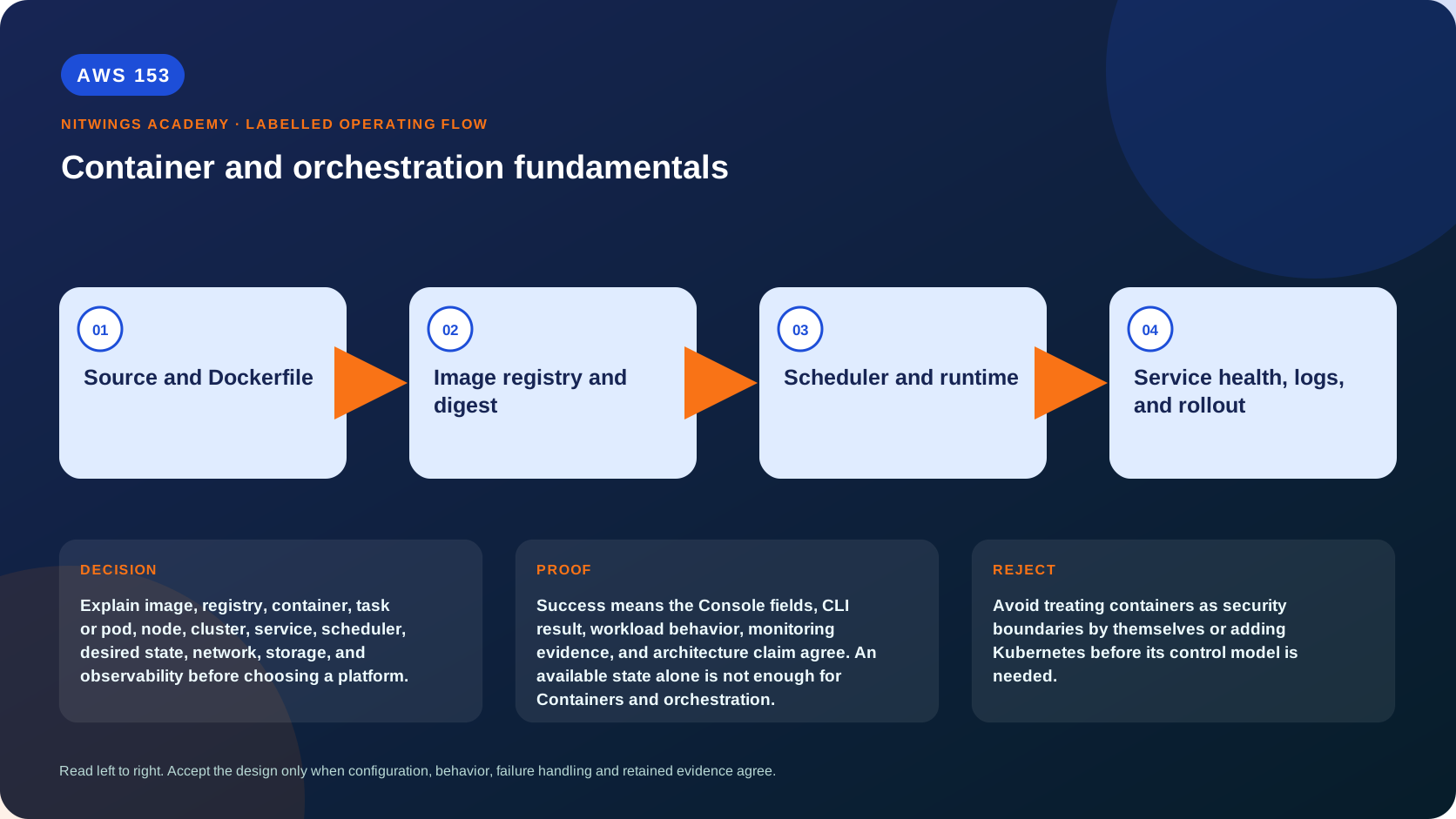
Explain image, registry, container, task or pod, node, cluster, service, scheduler, desired state, network, storage, and observability before choosing a platform.
Containers package a process and its user-space dependencies into an image while sharing a host kernel. They improve repeatability and density, but are not tiny virtual machines: kernel isolation, host capacity, storage, networking, identity and lifecycle still belong to a runtime and orchestration platform.
What you will be able to do
By the end, you can:
- explain container and orchestration fundamentals in plain language;
- locate the current service controls in the AWS Management Console;
- run the matching CloudShell or AWS CLI queries and explain every important field;
- draw the identity, network, data, failure, and monitoring path;
- choose the service from requirements and reject it when those requirements are absent;
- diagnose a failed or misleading result from evidence;
- state the cost owner and prove cleanup or a no-create result.
Before you start
- Use a personal AWS account only when its owner has approved the lesson. Do not use the root user for daily work.
- CloudShell is the default command environment. AWS028 explains CloudShell; AWS029 and AWS030 explain local AWS CLI installation and profiles.
- The course example Region is
ap-south-1. Global services and services with a required control Region are called out in their commands. - Run
aws sts get-caller-identityprivately. Redact the account number before sharing evidence. - Never paste access keys, passwords, secret values, private object data, presigned URLs, or full account-specific ARNs into a submission.
- This is a no-create lesson. Every Console action and AWS CLI command is read-only. Create the practical artifact locally.
- Console wording can change. Use the Console service search if a menu label has moved, then confirm the current field in the official documentation.
The core model
| Question | What it means in this lesson |
|---|---|
| Purpose | Explain image, registry, container, task or pod, node, cluster, service, scheduler, desired state, network, storage, and observability before choosing a platform. |
| Scope and boundary | The learner must identify the account and Region scope, resource boundary, identity path, data or network path, failure behavior, observability, and cleanup ownership for Containers and orchestration. |
| Evidence of success | Success means the Console fields, CLI result, workload behavior, monitoring evidence, and architecture claim agree. An available state alone is not enough for Containers and orchestration. |
| Cost model | Requests, running capacity, storage, logs, data transfer, retained state, and optional features must be priced for the exact design. |
| Safe rejection rule | Avoid treating containers as security boundaries by themselves or adding Kubernetes before its control model is needed. |
How the request flows
+-------------------------+
|  Source and Dockerfile  |
+-------------------------+
            |
            v
+-----------------------------+
|  Image registry and digest  |
+-----------------------------+
              |
              v
+-------------------------+
|  Scheduler and runtime  |
+-------------------------+
            |
            v
+-------------------------------------+
|  Service health, logs, and rollout  |
+-------------------------------------+
For Containers and orchestration, the important boundary is this: The learner must identify the account and Region scope, resource boundary, identity path, data or network path, failure behavior, observability, and cleanup ownership for Containers and orchestration. Success means the Console fields, CLI result, workload behavior, monitoring evidence, and architecture claim agree. An available state alone is not enough for Containers and orchestration. That is why the lesson pairs the Console with CLI output and a practical artifact. One interface may hide a field, use a cached view, or be scoped differently. Matching evidence is stronger than a screenshot alone.
Architecture decision table
| Situation | Direction | Reason |
|---|---|---|
| Requirement matches | Use containers for portable process packaging and consistent dependencies when the team can govern images and runtime operations. | Select only after scope, behavior, security, recovery, operations, and price evidence agree. |
| Requirement does not match | Avoid treating containers as security boundaries by themselves or adding Kubernetes before its control model is needed. | Rejecting an attractive service is a valid architecture result. |
| No create permission or cost approval | Use supplied evidence and local design work | Learning does not depend on creating an hourly resource. |
| Existing resource is unknown or unowned | Inspect only, then stop | Never change or delete a resource merely because it resembles a course example. |
From source to running workload
source commit -> reproducible build -> image manifest/config/layers -> registry digest -> signed/scanned release -> scheduler specification -> placement -> runtime process -> service endpoint -> telemetry. An image is immutable content addressed by digest; a tag is a mutable human label unless registry policy prevents reassignment. Deploy by digest or by a release artifact that records the resolved digest. Rebuilding the same Dockerfile can produce a different image because base tags, package repositories and timestamps move.
A container runtime creates namespaces, cgroups, filesystem mounts, capabilities and network interfaces, then starts the configured entrypoint/PID 1. PID 1 must handle signals and reap children. Use exec-form commands, graceful SIGTERM, a bounded drain period and nonzero exit codes. Run as a non-root UID, use a read-only root filesystem where possible, drop Linux capabilities, avoid privileged/host mounts, set CPU/memory/ephemeral limits and keep secrets out of layers/environment dumps.
Desired-state orchestration
A task/pod is the smallest scheduled group; containers inside it may share network/storage/lifecycle according to platform. A node supplies compute. A cluster is a scheduling boundary, not automatically a network/security boundary. A service/controller maintains desired replicas and rolls versions. The scheduler filters capacity by CPU, memory, architecture, OS, GPU, zone, taints/constraints and ports, then places work. If no capacity satisfies all constraints, desired state remains unmet even though the definition is valid.
Readiness says “send new traffic”; liveness says “restart this stuck instance”; startup protects slow initialization. Mixing them causes restart loops or traffic to unready workloads. The orchestrator replaces failed tasks but cannot guarantee application correctness. Spread replicas across failure domains, define disruption budgets/deployment minimum healthy and surge, and ensure load-balancer deregistration exceeds graceful shutdown.
Containers are ephemeral. Writable layers disappear with replacement. Use object/database services for durable application state, managed block/file volumes only where semantics require them, and define attachment/AZ/recovery. Logs go to stdout/stderr or a sidecar/agent and must leave the task before it dies. Metrics need service, task/pod, node and dependency dimensions; traces/correlation IDs cross proxies and queues.
Networking and identity
Distinguish image pull/control-plane traffic from application ingress/egress. DNS/service discovery maps a stable name to changing task/pod IPs. Ingress load balancers perform listener/routing/health; network policy/security groups control paths; TLS and application auth still protect identity/data. NAT and public IPv4 are not required when private endpoints cover ECR/S3/log/secrets dependencies correctly, but missing one endpoint can stop startup.
The node/instance role, image-pull/task-execution role and application task/pod role are different. A compromised app must not inherit broad node credentials. Use short-lived workload identity, scoped secret reads and rotation. Scan image, SBOM, runtime and IaC continuously; signed provenance does not mean vulnerability-free, and a clean build scan does not detect runtime drift or exposed credentials.
AWS Management Console, step by step
Sign in with the normal non-root learning identity. Write the expected starting state before opening the service.
- Use the Console service search and open ECR, ECS, and EKS overview pages; confirm the account and Region before reading the page.
- Inspect the supplied or owned resource's status, configuration, permissions, networking, encryption, monitoring, tags, and dependencies without changing it.
- Open the related metrics, logs, events, or history view and record one timestamped signal that would prove or disprove the expected behavior.
- Return to the resource list, clear filters, and record the final inventory. On the read-only track, do not choose Create, Save, or Delete.
CloudShell and AWS CLI, step by step
Start with a known caller and Region:
export AWS_DEFAULT_REGION="ap-south-1"
aws sts get-caller-identity --query Arn --output text
aws configure list
Redact the account part of the ARN in shared evidence. Now run the topic queries:
aws ecr describe-repositories --query 'repositories[].repositoryName' --output table
aws ecs list-clusters --output table
aws eks list-clusters --output table
Expected interpretation
The inventories show platform objects only. A container image is not a running service, and a cluster is not proof of healthy application traffic.
Practical work
Draw the path from source commit to immutable image digest, registry scan, task or pod placement, service endpoint, health check, logs, scaling, rollout, and rollback.
Create a two-container web workload specification with CPU/memory, ports, non-root UID, read-only filesystem, health probes, graceful shutdown, environment versus secret sources, ephemeral/durable mounts and telemetry. Test wrong architecture, missing image permission, image pull without NAT/endpoints, OOM kill, CPU throttle, failed readiness, failed liveness, unavailable AZ, bad release and rollback. Compare VM, container and function isolation/operations without claiming one is universally more secure.
Diagnose this topic from its own evidence
ImagePull errors start with repository/digest, architecture, execution identity, registry/network/KMS; Pending starts with scheduler constraints and available capacity; repeated exit starts with termination reason/exit code/OOM and previous logs; running but no traffic starts with readiness, target health, port and path; traffic but errors starts with app/dependency traces. Node metrics explain host pressure; task metrics explain limits. Do not fix OOM by removing limits without measuring working set and node/downstream risk.
Cost and cleanup
Requests, running capacity, storage, logs, data transfer, retained state, and optional features must be priced for the exact design.
Knowledge check
- What operational purpose is this lesson solving?
Expected direction: Explain image, registry, container, task or pod, node, cluster, service, scheduler, desired state, network, storage, and observability before choosing a platform.
- Which scope or ownership boundary must be proved first?
Expected direction: The learner must identify the account and Region scope, resource boundary, identity path, data or network path, failure behavior, observability, and cleanup ownership for Containers and orchestration.
- What evidence is strong enough to accept the result?
Expected direction: Success means the Console fields, CLI result, workload behavior, monitoring evidence, and architecture claim agree. An available state alone is not enough for Containers and orchestration.
- Which tempting design or shortcut must be rejected?
Expected direction: Avoid treating containers as security boundaries by themselves or adding Kubernetes before its control model is needed.
- Which cost dimensions and retained resources need an owner?
Expected direction: Requests, running capacity, storage, logs, data transfer, retained state, and optional features must be priced for the exact design.
Lesson acceptance
Pass when the learner traces commit to digest to scheduled process, distinguishes image/container/task/service/node/cluster, explains isolation and desired-state limits, designs health/drain/rollout/rollback, separates identities and handles network/storage/telemetry/cost. Fail if tags are treated as immutable, writable layers as durable, “running” as ready, or containers as complete VMs.