
AWS 169: Edge security with AWS WAF and Shield
Why this lesson matters
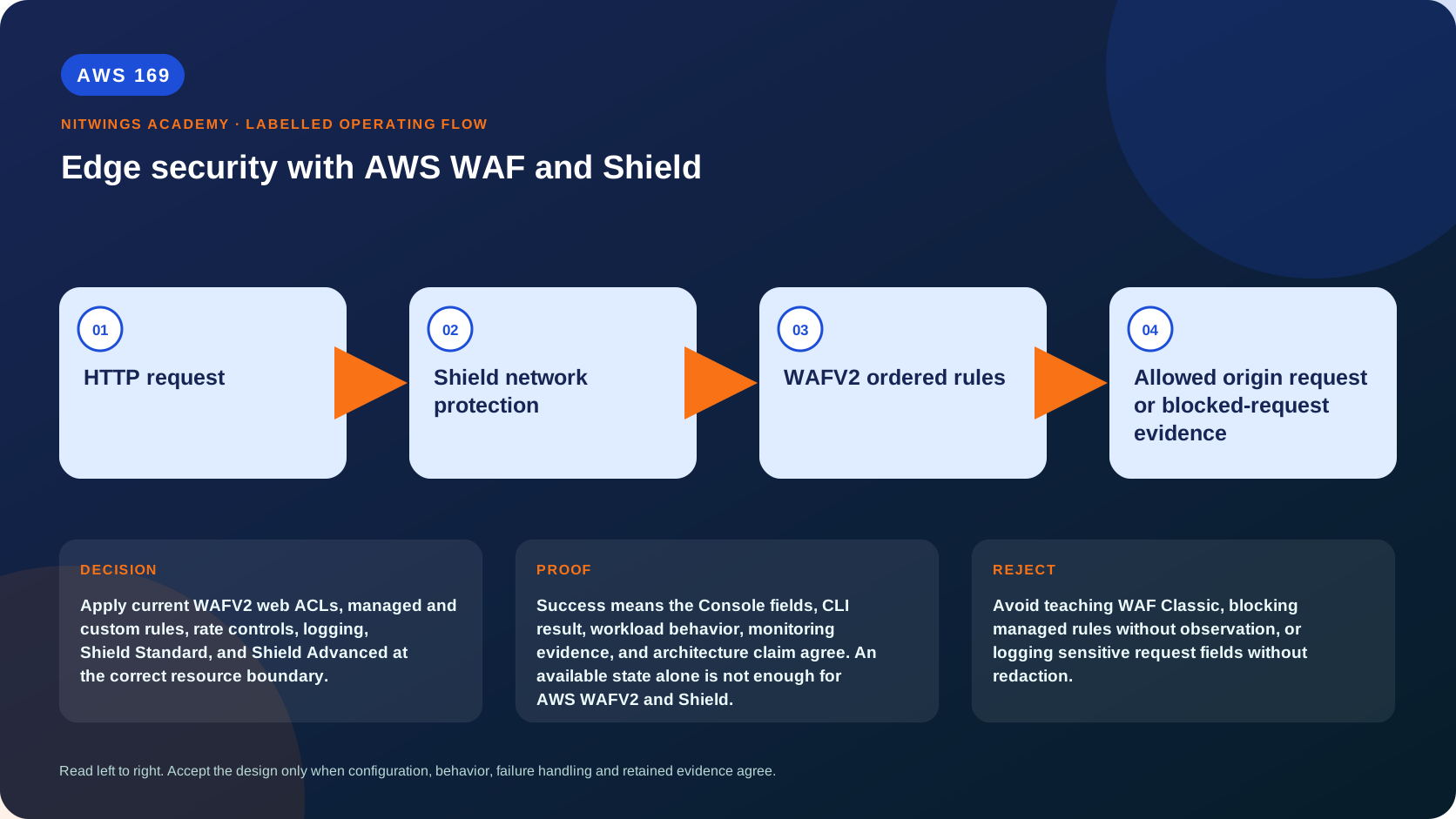
Apply current WAFV2 web ACLs, managed and custom rules, rate controls, logging, Shield Standard, and Shield Advanced at the correct resource boundary.
WAF inspects supported Layer 7 web requests; Shield mitigates distributed denial-of-service attacks at network/transport and supported application layers. Neither fixes vulnerable application authorization, business-logic abuse, exposed origins or insufficient backend scaling by itself.
What you will be able to do
By the end, you can:
- explain edge security with aws waf and shield in plain language;
- locate the current service controls in the AWS Management Console;
- run the matching CloudShell or AWS CLI queries and explain every important field;
- draw the identity, network, data, failure, and monitoring path;
- choose the service from requirements and reject it when those requirements are absent;
- diagnose a failed or misleading result from evidence;
- state the cost owner and prove cleanup or a no-create result.
Before you start
- Use a personal AWS account only when its owner has approved the lesson. Do not use the root user for daily work.
- CloudShell is the default command environment. AWS028 explains CloudShell; AWS029 and AWS030 explain local AWS CLI installation and profiles.
- The course example Region is
ap-south-1. Global services and services with a required control Region are called out in their commands. - Run
aws sts get-caller-identityprivately. Redact the account number before sharing evidence. - Never paste access keys, passwords, secret values, private object data, presigned URLs, or full account-specific ARNs into a submission.
- This is a no-create lesson. Every Console action and AWS CLI command is read-only. Create the practical artifact locally.
- Console wording can change. Use the Console service search if a menu label has moved, then confirm the current field in the official documentation.
The core model
| Question | What it means in this lesson |
|---|---|
| Purpose | Apply current WAFV2 web ACLs, managed and custom rules, rate controls, logging, Shield Standard, and Shield Advanced at the correct resource boundary. |
| Scope and boundary | The learner must identify the account and Region scope, resource boundary, identity path, data or network path, failure behavior, observability, and cleanup ownership for AWS WAFV2 and Shield. |
| Evidence of success | Success means the Console fields, CLI result, workload behavior, monitoring evidence, and architecture claim agree. An available state alone is not enough for AWS WAFV2 and Shield. |
| Cost model | Requests, running capacity, storage, logs, data transfer, retained state, and optional features must be priced for the exact design. |
| Safe rejection rule | Avoid teaching WAF Classic, blocking managed rules without observation, or logging sensitive request fields without redaction. |
How the request flows
+----------------------+
|     HTTP request     |
+----------------------+
           |
           v
+-----------------------------+
|  Shield network protection  |
+-----------------------------+
              |
              v
+-----------------------+
|  WAFV2 ordered rules  |
+-----------------------+
           |
           v
+------------------------------------------------------+
|  Allowed origin request or blocked-request evidence  |
+------------------------------------------------------+
For AWS WAFV2 and Shield, the important boundary is this: The learner must identify the account and Region scope, resource boundary, identity path, data or network path, failure behavior, observability, and cleanup ownership for AWS WAFV2 and Shield. Success means the Console fields, CLI result, workload behavior, monitoring evidence, and architecture claim agree. An available state alone is not enough for AWS WAFV2 and Shield. That is why the lesson pairs the Console with CLI output and a practical artifact. One interface may hide a field, use a cached view, or be scoped differently. Matching evidence is stronger than a screenshot alone.
Architecture decision table
| Situation | Direction | Reason |
|---|---|---|
| Requirement matches | Use WAFV2 at supported HTTP resources and Shield for DDoS protection appropriate to risk and support needs. | Select only after scope, behavior, security, recovery, operations, and price evidence agree. |
| Requirement does not match | Avoid teaching WAF Classic, blocking managed rules without observation, or logging sensitive request fields without redaction. | Rejecting an attractive service is a valid architecture result. |
| No create permission or cost approval | Use supplied evidence and local design work | Learning does not depend on creating an hourly resource. |
| Existing resource is unknown or unowned | Inspect only, then stop | Never change or delete a resource merely because it resembles a course example. |
WAFV2 evaluation model
A web ACL has scope: CLOUDFRONT resources are managed in us-east-1; Regional scope protects supported Regional resources such as ALB/API Gateway/AppSync/Cognito/App Runner or current integrations. Ordered rules consume WCUs and produce allow/block/count/CAPTCHA/challenge/custom response and labels. The first terminating action ends evaluation; Count can continue and attach labels. Default action applies if no rule terminates.
Rule statements match IP sets, regex/patterns, size, geo, SQLi/XSS, labels, rate and logical combinations. Text transformations run in specified priority and can change matching. Forwarded IP inspection must trust only known proxy headers and fallback behavior; otherwise attackers spoof addresses. Rate-based rules aggregate by configured key(s) over a moving window and are approximate protection, not precise billing quotas. Scope-down statements keep expensive/strict rules narrow.
AWS Managed Rules have versions, capacity, exclusions and false-positive/change risk. Start selected groups/rules in Count, enable sampled requests/full WAF logs with redaction and data-protection policy, compare labels/actions, then move to block in canary stages with rollback. Excluding a rule is a risk acceptance with owner/expiry, not permanent silence. Bot Control, Fraud Control, CAPTCHA/challenge and Marketplace groups have separate availability/pricing/privacy implications.
WAF logs can go to supported destinations and contain headers/query/body fragments; redact tokens and restrict retention/access. Metrics include allowed/blocked/counted/CAPTCHA/challenge by rule/label. A request blocked at CloudFront never reaches origin logs. Preserve CloudFront/API/ALB request IDs and WAF terminating rule for correlation.
Shield and origin architecture
Shield Standard is automatically included for AWS customers and protects supported resources against common network/transport DDoS attacks. Shield Advanced is a paid subscription with enhanced detection/mitigation, protected-resource enrollment, health-based detection, DDoS Response Team engagement and cost-protection conditions. Subscription alone does not automatically enroll every resource or make an application resilient; enable proactive engagement/readiness, health checks and runbooks where applicable.
Use CloudFront/GA/Route 53 and origin lockdown so attackers cannot bypass the protected edge. Scale limits, quotas, database connections and cache behavior need alarms and tested load shedding. AWS Firewall Manager can centrally apply WAF/Shield policies across Organizations, but policy scope/remediation/exclusions require governance. WAF Classic is retired/migration-only; create WAFV2 resources for current designs.
AWS Management Console, step by step
Sign in with the normal non-root learning identity. Write the expected starting state before opening the service.
- Use the Console service search and open WAF and Shield, Web ACLs and Protections; confirm the account and Region before reading the page.
- Inspect the supplied or owned resource's status, configuration, permissions, networking, encryption, monitoring, tags, and dependencies without changing it.
- Open the related metrics, logs, events, or history view and record one timestamped signal that would prove or disprove the expected behavior.
- Return to the resource list, clear filters, and record the final inventory. On the read-only track, do not choose Create, Save, or Delete.
CloudShell and AWS CLI, step by step
Start with a known caller and Region:
export AWS_DEFAULT_REGION="ap-south-1"
aws sts get-caller-identity --query Arn --output text
aws configure list
Redact the account part of the ARN in shared evidence. Now run the topic queries:
aws wafv2 list-web-acls --scope REGIONAL --region ap-south-1 --query 'WebACLs[].{Name:Name,Id:Id,Lock:LockToken}' --output table
aws wafv2 list-web-acls --scope CLOUDFRONT --region us-east-1 --query 'WebACLs[].{Name:Name,Id:Id}' --output table
aws shield list-protections --region us-east-1 --output table
Expected interpretation
WAF scope and Region rules are important: CloudFront WAFV2 calls use us-east-1. A web ACL association does not prove good rule order, low false positives, or complete DDoS resilience.
Practical work
Design a WAFV2 policy for an API with managed rules in count mode, rate limit, IP exception set, custom business rule, labels, logging redaction, sampled-request review, alarm, block rollout, and rollback.
Create positive/negative fixtures for SQLi/XSS-like strings, legitimate encoded payload, oversized body, trusted proxy IP, spoofed forwarding header, bot, login credential stuffing and rate burst. Define false-positive SLO, sampled volume, WCU and cost. Map Shield Standard/Advanced protected resources, escalation contacts, health signals, origin bypass test and DDoS tabletop. Never launch an unapproved traffic flood.
Diagnose this topic from its own evidence
For unexpected block, locate web ACL scope/resource, terminating rule/action, labels, transformed component and forwarded-IP source. For unexpected allow, check rule order, scope-down, body inspection limit/oversize handling, default action and origin bypass. Rate behavior needs aggregation key/window evidence. A DDoS incident needs Shield event/health, CloudFront/GA/ELB metrics, WAF labels, origin saturation and quotas; do not confuse a flash crowd or app retry storm with confirmed attack.
Cost and cleanup
Requests, running capacity, storage, logs, data transfer, retained state, and optional features must be priced for the exact design.
Knowledge check
- What operational purpose is this lesson solving?
Expected direction: Apply current WAFV2 web ACLs, managed and custom rules, rate controls, logging, Shield Standard, and Shield Advanced at the correct resource boundary.
- Which scope or ownership boundary must be proved first?
Expected direction: The learner must identify the account and Region scope, resource boundary, identity path, data or network path, failure behavior, observability, and cleanup ownership for AWS WAFV2 and Shield.
- What evidence is strong enough to accept the result?
Expected direction: Success means the Console fields, CLI result, workload behavior, monitoring evidence, and architecture claim agree. An available state alone is not enough for AWS WAFV2 and Shield.
- Which tempting design or shortcut must be rejected?
Expected direction: Avoid teaching WAF Classic, blocking managed rules without observation, or logging sensitive request fields without redaction.
- Which cost dimensions and retained resources need an owner?
Expected direction: Requests, running capacity, storage, logs, data transfer, retained state, and optional features must be priced for the exact design.
Lesson acceptance
Pass when the learner explains WAF scope/order/WCU/actions/labels/managed versions/rate approximation, rolls Count to Block with false-positive rollback, and distinguishes Shield Standard/Advanced enrollment/response from WAF. Fail if WAF is network firewall, Shield replaces app auth/capacity, forwarded IP is blindly trusted, or logs expose credentials.