
AWS 231: Troubleshoot stack failure, rollback, drift, agent, patch, and runbook failures
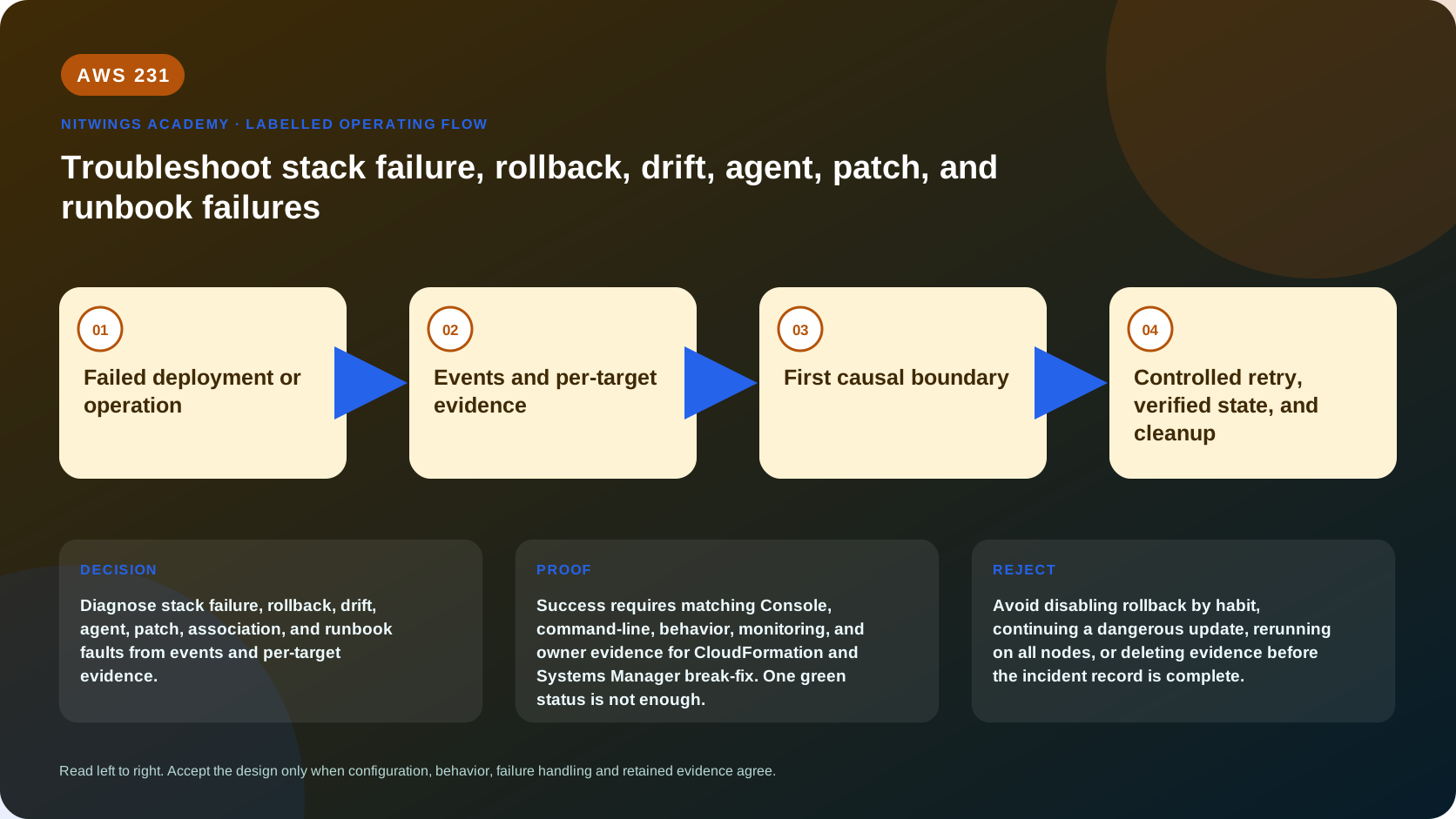
Why this lesson matters
A final red error is often a consequence, not a cause. CloudFormation may cancel dependent resources after one denial; Run Command may report aggregate success while a node plugin failed; patch compliance may describe a different baseline; and an Automation execution can start successfully before a later step fails.
An architect diagnoses from ordered evidence at the smallest failing boundary. Guessing, granting administrator access, rerunning every target, or deleting a failed stack destroys evidence and can increase damage.
Outcomes
You will be able to:
- freeze change, establish account/Region/time scope, and preserve evidence;
- construct a UTC timeline and identify first cause versus cascade;
- distinguish CloudFormation validation, change-set, handler, rollback, deletion,
drift, hook/policy, IAM and underlying-service failures;
- diagnose SSM Agent registration, credentials, DNS, route, endpoint, TLS and
service failures before blaming command content;
- trace Run Command aggregate → invocation → plugin status and output;
- prove patch execution type, baseline, snapshot, repository and node evidence;
- separate State Manager schedule/target/compliance from command execution;
- separate Automation start, assume-role, step input, API, timeout and
compensation failures;
- make one bounded repair, retry from the correct boundary, verify state, and
preserve a regression control.
Safety and evidence rules
- The supplied casebook is complete T0 work. Live investigation is read-only
unless the resource owner separately approves a repair.
- Never disable rollback by habit, skip rollback resources casually, terminate
a managed node, open SSH/RDP broadly, detach policies, rerun patches fleet-wide, or delete logs/stacks merely to clear red status.
- Record exact caller, account, Region, UTC window, resource IDs, execution IDs,
document/template versions and first error. Redact account IDs, private data, secrets and full ARNs from submissions.
- Preserve CloudTrail, stack events, command/plugin output, agent logs, patch
snapshots, Automation steps and before/after state before cleanup.
Download the real failure set
The identifiers and timestamps are fictional. Diagnose them; do not execute a repair command copied from a card.
One method for every failure
freeze mutation
  -> scope caller/account/Region/resource/time
  -> preserve raw evidence
  -> state intended owner/source and last known good
  -> order events oldest-to-newest
  -> locate first failed boundary
  -> separate cause from cancellation/rollback/retry symptoms
  -> form one falsifiable hypothesis
  -> run one read-only discriminating query
  -> approve smallest reversible repair
  -> retry from correct boundary with new execution ID
  -> prove actual state + control-plane status + telemetry
  -> restore injected fault / clean up / add regression guard
Do not start with “What command fixes this?” Start with “Which component first departed from intended state, under which identity, and what evidence disproves the alternatives?”
Build an authoritative evidence envelope
export AWS_DEFAULT_REGION="ap-south-1"
date -u +%FT%TZ
aws sts get-caller-identity --output json
aws configure list
Record resource owner tags, IaC repository/version, recent deployments/changes, CloudTrail event time, service quota state, and correlation IDs. CLI pagination matters: --max-items can produce a token, so retrieve remaining pages before claiming no earlier failure. Service clocks/timestamps are more reliable than the order screenshots happened to be captured.
CloudFormation decision tree
Boundary 1: before stack execution
validate-template checks template syntax/basic structure, not every account permission, runtime dependency, policy, hook, quota, dynamic reference, or replacement outcome. Run local lint/policy tests, AWS validation, then create and inspect a change set.
aws cloudformation validate-template --template-body file://template.yaml
aws cloudformation create-change-set --stack-name "$stack_name" \
  --change-set-name nw-diagnosis-001 --change-set-type UPDATE \
  --template-body file://template.yaml --capabilities CAPABILITY_NAMED_IAM
aws cloudformation describe-change-set --stack-name "$stack_name" \
  --change-set-name nw-diagnosis-001 --output json
Failure here means no resource handler ran. Fix template/schema/transform/size or change-set inputs; do not search instance logs.
Boundary 2: stack/resource execution
aws cloudformation describe-stacks --stack-name "$stack_name" --output json
aws cloudformation describe-stack-events --stack-name "$stack_name" \
  --max-items 100 --output json
aws cloudformation list-stack-resources --stack-name "$stack_name" --output json
Sort by timestamp ascending for causality. Find the earliest *_FAILED, its logical/physical ID and reason. “Resource update cancelled,” rollback deletion, and parent-stack failure are usually cascades. Determine which identity failed:
- caller authorizes stack/change-set actions and service-role passing;
- CloudFormation service role, if configured, calls underlying services;
- resource service-linked/execution roles may perform later work;
- SCP, permissions boundary, session policy, resource policy, KMS key policy,
VPC endpoint policy and explicit denies can override an apparent allow.
Use CloudTrail and IAM simulation carefully; a simulator does not reproduce all resource policies, SCP conditions, service behavior, or runtime context.
Boundary 3: rollback states
| State | Meaning and response |
|---|---|
ROLLBACK_COMPLETE | create failed and cleanup completed; diagnose original event; update is not allowed for a failed create stack |
UPDATE_ROLLBACK_COMPLETE | prior working stack restored; diagnose forward failure before retry |
UPDATE_ROLLBACK_FAILED | rollback itself failed; fix rollback cause, then continue |
DELETE_FAILED | at least one resource could not delete; inspect exact event/dependency/policy |
For UPDATE_ROLLBACK_FAILED, normally repair the dependency/permission first:
aws cloudformation continue-update-rollback --stack-name "$stack_name"--resources-to-skip is last-resort, owner-approved recovery. Specify the minimum logical resources that failed during rollback, not forward-update dependents. CloudFormation marks skipped resources complete while actual state remains inconsistent with the template. Reconcile before another update or the stack can fail again/become unrecoverable.
For DELETE_FAILED, retaining a failed resource can let stack deletion finish, but creates an orphan with separate security/cost/backup ownership. Record exact physical ID, tags, data retention and future deletion plan - absence of a stack does not prove absence of its resources.
Boundary 4: drift
Drift detection is asynchronous and only covers supported resource/property state. Poll its ID to DETECTION_COMPLETE; then inspect resource/property differences. NOT_CHECKED and unmodelled application data remain unknown.
drift_id="$(aws cloudformation detect-stack-drift --stack-name "$stack_name" \
  --query StackDriftDetectionId --output text)"
aws cloudformation describe-stack-drift-detection-status \
  --stack-drift-detection-id "$drift_id" --output json
aws cloudformation describe-stack-resource-drifts --stack-name "$stack_name" \
  --stack-resource-drift-status-filters MODIFIED DELETED NOT_CHECKED --output json
An unchanged source diff can coexist with actual drift. Decide whether to adopt actual state or restore intended state, encode the decision in owner source, deploy, query actual state, and rerun drift detection.
Systems Manager managed-node decision tree
A selectable managed node needs: supported SSM Agent installed/running with system privilege, valid managed-node identity/permissions, and outbound HTTPS DNS/network access to required regional endpoints.
aws ssm describe-instance-information \
  --filters Key=InstanceIds,Values="$instance_id" --output json
aws ec2 describe-instances --instance-ids "$instance_id" \
  --query 'Reservations[].Instances[].{State:State.Name,Profile:IamInstanceProfile.Arn,Vpc:VpcId,Subnet:SubnetId,IP:PrivateIpAddress}' \
  --output json
On an approved Linux console/session:
sudo systemctl status amazon-ssm-agent --no-pager
sudo journalctl -u amazon-ssm-agent --since '30 minutes ago' --no-pager
sudo tail -n 200 /var/log/amazon/ssm/amazon-ssm-agent.log
sudo tail -n 200 /var/log/amazon/ssm/errors.log
sudo ssm-cli get-diagnostics --output table
Check in this order:
- node is running and clock/TLS trust is sane;
- agent process/version/config/proxy and system/root execution;
- EC2 instance profile or hybrid activation identity and credential precedence;
- VPC DNS support/hostnames and resolver;
- route through NAT/internet or interface endpoint private DNS;
- node egress TCP 443 and endpoint security-group ingress TCP 443;
- regional
ssm/ssmmessagespath and feature-specific S3/KMS/Logs access; - agent logs followed by refreshed
PingStatus.
Modern Regions primarily use ssmmessages; endpoint needs can vary by Region and feature. An active (running) process proves neither credentials nor network. Do not add public SSH just because Session Manager is unavailable.
Run Command and State Manager
Run Command has command, per-target invocation, and per-plugin statuses. Aggregate Success can coexist with failed targets depending on delivery/error threshold; always enumerate details.
aws ssm get-command-invocation --command-id "$command_id" \
  --instance-id "$instance_id" --output json
aws ssm list-command-invocations --command-id "$command_id" \
  --details --output json
Classify delivery (Pending, delayed, undeliverable, target not connected), execution timeout, plugin response code/stdout/stderr, cancellation and error threshold. Retrying all targets can repeat successful side effects; rerun a canary or only proven failed targets with an idempotent document.
For State Manager, inspect definition, document/version, targets, schedule, apply-only-at-cron behavior, offset, concurrency/errors, association execution, target execution and compliance capture time. A successful old execution does not prove current desired state.
aws ssm describe-association --association-id "$association_id" --output json
aws ssm describe-association-executions --association-id "$association_id" --output json
aws ssm describe-association-execution-targets --association-id "$association_id" \
  --execution-id "$execution_id" --output json
Patch Manager decision tree
Separate four questions: Was the node targeted? Which operation executed? Which baseline/snapshot made patches eligible? Did the OS package manager install them?
aws ssm list-command-invocations --command-id "$command_id" --details --output json
aws ssm describe-instance-patch-states --instance-ids "$instance_id" --output json
aws ssm describe-instance-patches --instance-id "$instance_id" --output json
Record Operation (Scan or Install), ExecutionType (Command or PatchPolicy), baseline ID, snapshot ID, OS/product/classification/severity, approval delay, rejected patches, install override list, reboot option, command and association IDs, per-plugin output and compliance timestamp.
Common boundaries:
- patch-group tag not registered to expected classic baseline;
- Quick Setup patch policy association/override differs from assumed baseline;
- patch is not yet approved, rejected, superseded or wrong OS/product/class;
- repository DNS/network/proxy/S3 access or package-manager lock fails;
/varlacks space;- overlapping commands/windows/associations race the patch payload;
NoRebootleaves pending reboot and incomplete application state;- stale compliance is mistaken for current state.
Run one Scan first; install only with change/reboot approval. A snapshot ID keeps an operation's node set evaluating the same approved snapshot; do not reuse an arbitrary old snapshot across unrelated operations.
Automation runbook decision tree
aws ssm get-automation-execution --automation-execution-id "$automation_id" --output json
aws ssm describe-document --name "$document_name" \
  --document-version "$document_version" --output json
aws ssm get-document --name "$document_name" \
  --document-version "$document_version" --document-format YAML --output text
Classify:
- start denied: caller lacks scoped
ssm:StartAutomationExecution; - pass-role denied: caller cannot pass the exact Automation role to SSM;
- role assumption fails: malformed/missing role or trust lacks
ssm.amazonaws.com; - validation fails: missing/wrong type/pattern/value or unresolved output;
- step API denied/fails: Automation role lacks action or resource precondition;
- timeout/retry/cancel: inspect
timeoutSeconds, attempts and step status; - branch/output mismatch: JSONPath or type does not match payload;
- partial side effects: completed steps remain unless compensation is modelled.
Use exact document version and step execution evidence. A new retry creates a new execution; preserve the original. Do not assume approval or rollback adds permissions or reverses arbitrary API calls.
Correlation and smallest-repair table
| Evidence | Proves | Does not prove |
|---|---|---|
stack *_COMPLETE | CloudFormation operation completed | workload health/data correctness |
| command aggregate success | command met aggregate semantics | every target/plugin succeeded |
PingStatus=Online | recent agent service communication | document can execute successfully |
| patch compliant | evaluated items comply with recorded baseline/time | every possible package is current |
Automation Success | defined runbook path completed | external business outcome unless verified |
| no alarm | alarm expression/state has not breached | metric exists or system is healthy |
One change per hypothesis keeps cause and effect observable. Record before/after, approval, blast radius and rollback. Retry at the failed boundary - not by rebuilding unrelated resources - and give every new command/Automation/deployment its own correlation ID.
Cost and cleanup
Read-only APIs are usually low cost but logs, Insights queries, retained stack resources, Automation steps, Run Command fleet execution, patch downloads, snapshots, NAT traffic and idle failure resources can charge. Repeated retries multiply both cost and side effects. Preserve required evidence according to retention policy, remove only approved lab resources, and prove exact negative inventory; never delete incident evidence to reduce the bill without approval.
Practical casebook work and acceptance
Complete all eight cards, not a subset. For each, fill the worksheet with scope, timeline, first cause, cascade, identity/network/data boundary, one discriminating read-only query, smallest repair, retry boundary, success proof, regression guard, cleanup and rejected unsafe shortcut.
Acceptance requires technically correct classification for every card and must explicitly explain:
- why cancelled/rollback events are not automatically root cause;
- why rollback resource skipping creates inconsistency;
- why empty source diff can coexist with drift;
- why agent-running does not prove managed-node readiness;
- why aggregate command success can hide a target failure;
- why patch baseline/execution type/snapshot must be evidenced;
- why Automation start success and step success are different;
- why completed runbook side effects are not automatically rolled back.
Reject broad privilege, fleet-wide retries, unsupported “fixed” claims, missing UTC/correlation IDs, screenshots without raw fields, or cleanup without evidence.
Knowledge check
- First CloudFormation event to inspect? Earliest failed resource event in
time order; later cancellation/rollback may be effects.
- When use resources-to-skip? Only owner-approved last resort for minimum
resources failed during rollback, followed by explicit reconciliation.
- Agent process is active but node is offline - next boundary? Credentials,
DNS, route/endpoints, security groups, proxy, TLS/clock and agent logs.
- Patch Success but wrong baseline? The operation succeeded under recorded
inputs; it does not prove compliance with the intended policy.
- Automation started but API step denied - which identity? Usually the
Automation assume role at that step, after confirming exact execution data.
Official sources
- CloudFormation troubleshooting
- Stack events and statuses
- Continue update rollback
- CloudFormation drift
- Troubleshoot managed-node availability
- Troubleshoot SSM Agent
- SSM Agent technical details and credentials
- Run Command status
- Patch Manager troubleshooting
- 0
- Automation troubleshooting
- Maintenance-window troubleshooting