
AWS 261: Tag policies, backup policies and cost allocation
Why this matters to an architect
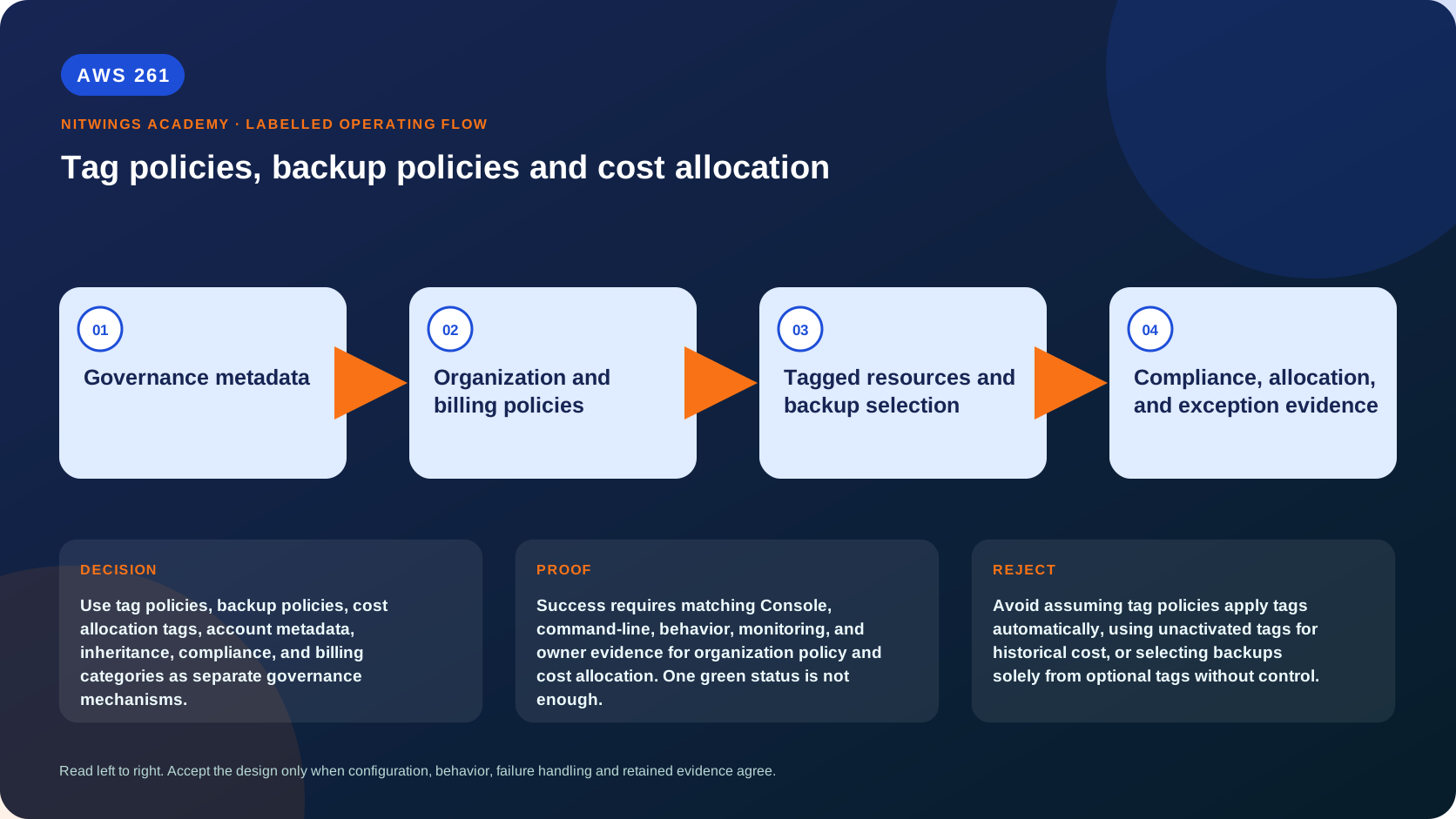
The word “tag” hides several independent systems. A resource tag can support ownership, automation, ABAC, operations, and cost analysis - but only if the service/resource supports that use and the tag is correctly governed. An Organizations tag policy standardizes or reports/enforces supported tagging behavior; it does not automatically attach tags to every resource. A cost allocation tag must be activated in Billing before it becomes a billing dimension. An Organizations backup policy builds effective AWS Backup plans; it neither proves that tagged resources were selected nor that a recovery works.
Architects must keep these mechanisms separate, then connect them through evidence. Otherwise a dashboard may report compliant spelling while resources are untagged, bills remain unallocated, or a backup policy references a vault/role that does not exist.
Outcomes
By the end, you can:
- design a stable enterprise tag dictionary and ownership model;
- distinguish resource, account, AWS-generated, cost-allocation, policy, and cost-category metadata;
- explain declarative policy inheritance and inspect an account's effective policy;
- use tag-policy basic compliance, required-tag reporting, and supported enforcement safely;
- combine tag policies, IaC, SCPs, Config, and remediation without confusing their roles;
- design complete effective backup policies with plans, rules, selections, roles, Regions, vaults, copies, lifecycle, and advanced settings;
- prove backup selection, jobs, copies, retention, restore, and cleanup;
- activate and backfill cost allocation tags and handle untaggable/untagged/shared charges;
- use account tags and Cost Categories for durable allocation;
- build compliance, exception, change, cost, and recovery evidence.
One label, six different mechanisms
| Mechanism | Main job | What it does not prove |
|---|---|---|
| resource tag | key/value metadata on a supported resource | correctness, billing activation, or protection |
| Organizations tag policy | standard key/value/case and report/enforce supported operations | automatic tagging of all resources |
| account tag | metadata on an Organizations account; can allocate all account usage when activated | resource-level ownership inside a shared account |
| cost allocation tag | activated billing dimension derived from AWS/user/resource/account metadata | historical coverage without supported backfill |
| Cost Category | ordered billing rules mapping charges to business values; optional shared-cost split view | changing invoices or resource tags |
| backup policy | inherited organization policy that produces AWS Backup plans/selections | successful job, copy, retention, or restore |
Never put secrets, personal data, credentials, incident details, or sensitive architecture in tags. Tags can appear in APIs, billing exports, inventory, logs, and broad operational views.
Build the tag dictionary first
Use a controlled catalog rather than allowing each team to invent keys:
| Field | Example decision |
|---|---|
| canonical key/case | CostCenter, not costcenter or cost-center |
| purpose | finance allocation, automation, access, data handling, ownership |
| owner/source of truth | Finance system, CMDB/service catalog, identity/HR, platform |
| value syntax | enumerated values or validated pattern; no free-form sensitive data |
| scope | resource types, accounts, Regions, environments, exceptions |
| required time | create-time, post-provisioning window, or optional |
| mutable by | pipeline/service role only, owner role, central automation |
| downstream users | CUR, budgets, backup, ABAC, scheduler, Config, incident routing |
| missing/invalid behavior | prevent, quarantine, report/remediate, allocation fallback |
| lifecycle | rename/migration, owner departure, project closure, expiry |
A practical base might include ApplicationId, Environment, CostCenter, Owner, DataClass, Criticality, ManagedBy, and BackupTier. Do not require every key on every resource. Tags per resource are limited, service support differs, inherited/generated tags vary, and ephemeral child resources may need propagation rather than direct creation tags.
For security-sensitive automation such as ABAC or deletion exemptions, protect who can set/change the tag. An attacker who can self-assign DataClass=Public or Backup=No can bypass policy built on untrusted metadata.
Declarative policy inheritance
Tag and backup policies are declarative Organizations policies. Policies attached to the organization root, parent OUs, child OUs, and account combine into an account's effective policy. Attachment alone does not reveal the result.
Inheritance operators include:
@@assign: replace an inherited scalar or array, or add it when absent;@@append: add values to a multi-valued inherited setting;@@remove: remove specified inherited array values;@@operators_allowed_for_child_policies: permit selected operators or@@noneto lock a parent setting.
The Console visual editor generally exposes @@assign; advanced merging requires carefully authored JSON. A restrictive child-control operator inherited from a parent cannot be loosened lower in the tree. Test effective policies for representative accounts before broad attachment and after every OU move.
aws organizations describe-effective-policy \
  --policy-type TAG_POLICY --target-id replace-with-account-id
aws organizations describe-effective-policy \
  --policy-type BACKUP_POLICY --target-id replace-with-account-id
An OU move can change tag standards, backup schedule, vault, retention, and selection. Treat it as a production control change with pre/post effective-policy diff and behavior checks.
Tag policies: standardize, report, and selectively enforce
Basic compliance rules
Define canonical key case and permitted values. Example intent: Environment must use exact case and one of Production, NonProduction, or Sandbox. On supported resource types, enforced_for can prevent a create/tag operation that supplies a noncompliant key/value.
Crucial limitation: basic compliance does not reject creation when the request supplies no tag at all. It validates tags that are present. Enforcement support is resource-type-specific and can interfere with services that create or propagate tags to child resources such as Auto Scaling/EMR. Start in reporting, test representative service workflows, canary enforcement, then expand.
Required-tag reporting
Current tag policies can mark keys required for reporting. The organization-wide report can identify selected supported resources missing them, but the account-level Resource Groups compliance view has limitations. Use resourcegroupstaggingapi list-required-tags and the organization report for required-key evidence.
Reporting is not runtime denial. For supported create APIs, use reviewed IaC validation and carefully scoped SCP/IAM conditions on request tags/tag keys where the service supports them. Some services cannot tag on creation, create resources asynchronously, or use service-linked roles; test before enforcement. AWS Config/custom inventory and approved remediation cover post-create gaps.
Compliance blind spots
Historically, untagged resources were invisible to basic tag-policy noncompliance because no tag existed to evaluate. Required-tag reporting improves that use case but remains support- and report-dependent. The organization-wide report is generated from the management account in us-east-1, writes to an approved S3 bucket, allows one report at a time, and changes can take up to 48 hours to appear. It is evidence for trends and remediation - not a synchronous creation gate.
Define denominator: all expected taggable resources by account/Region/type from Resource Explorer, Config, service APIs, or inventory - not only resources returned by a tagging API. Handle resources whose tags are retrieved through service-specific APIs.
A layered tagging control
service catalog/account vending -> validated metadata
-> IaC modules apply canonical tags and propagation
-> policy-as-code rejects missing/invalid values
-> tag policy reports/enforces supported operations
-> SCP/IAM prevents selected untagged create/tag mutation
-> Config/inventory detects drift and approved automation remediates
-> Billing activation/CUR proves allocation
Each layer has different coverage. Preserve an exception register with resource/account, unsupported reason, risk owner, compensating allocation/control, expiry, and review. Never auto-tag an unknown production resource with guessed ownership or data class.
Backup policies: inherited plans, not backup proof
An Organizations backup policy combines through inheritance into an effective policy for each account. AWS Backup materializes it as an immutable policy-created plan visible in that member account. Local users cannot edit the policy plan, though supported plan tags can be changed. A policy can be partial at one hierarchy level, but the final effective policy must contain every required element; otherwise resources are not protected.
A complete design covers:
- plan name and Regions;
- rule schedule and start/completion windows;
- target backup vault;
- lifecycle to cold storage and deletion where supported;
- continuous backup/point-in-time recovery where supported;
- cross-Region copy actions and lifecycle;
- selections by supported resource types and/or tags;
- exclusions where syntax/support permits;
- IAM role AWS Backup assumes;
- recovery-point tags and plan tags;
- advanced settings such as Windows VSS or supported malware scanning;
- copy destination, encryption, vault policy/lock, retention, and restore ownership.
Backup policies select broad resource types or tags - not individual resource ARNs. Use a local backup plan for exact individual-ARN selection.
Prerequisites the policy does not create
Before policy deployment, every target account/Region needs the named vault and IAM role with correct trust/permissions. Use StackSets or controlled account-baseline automation and verify completion before attaching the backup policy. The role must discover/access selected resources and perform backup. Service opt-in/support, keys, vault access, quotas, Region availability, and feature compatibility must also exist.
For cross-account copies, the organization feature must be enabled, source/destination must meet support rules, destination vault policy must allow backup:CopyIntoBackupVault, and KMS policy/grants must support copy. Many resource types require a customer-managed key because an AWS-managed key policy cannot be shared. Restrict approved destination accounts/vaults with organization controls; “same organization” alone may be too broad.
Use Vault Lock or logically air-gapped vaults according to ransomware/regulatory requirements, but understand modes, change windows, minimum/maximum retention, key recovery, cost, and restore access before immutability.
Backup selection and tag trust
Tag-based selection is scalable but dangerous when tagging is optional or mutable. A removed BackupTier can silently remove future protection. Controls should include:
- trusted pipeline/role ownership of protection tags;
- deny or alert unauthorized tag removal/value downgrade;
- type-based baseline for mandatory classes, with tags adding stricter tiers;
- daily comparison of expected resources, selected/protected resources, and recovery points;
- detection for newly created resources outside any plan;
- exception approval with expiry;
- restore tests independent of job success.
The management account's resource opt-in settings can override member settings for organization policy-created plans. Record this authority and service/Region support. Delegated administration and cross-account monitoring do not transfer every management-account-only setting.
Prove backup behavior end to end
For each account/Region/tier, capture:
- attached hierarchy and effective backup-policy JSON;
- policy-created plan, rules, selection, role, and vault;
- expected resource inventory versus selected/protected inventory;
- job completion and failure evidence;
- recovery-point vault, key, tags, retention, lock, and copy;
- cross-account/Region copy completion;
- isolated restore, application consistency, identity/network/DNS/key/quota readiness;
- measured RPO/RTO and cleanup.
Backup job success proves a recovery point was produced, not that the application can recover. Test restore and failback with data-owner acceptance.
Cost allocation tags
Applying a tag and activating it for cost allocation are separate operations. The management/payer context controls activation for the organization. AWS-generated and user-defined tags are activated separately; account tags also require activation. Tags can take up to 24 hours to appear for management, and activation/reporting has processing delay.
User-defined resource tags normally affect cost records after they are applied and activated. Current Billing supports requesting cost-allocation-tag backfill for up to 12 months, subject to documented eligibility/processing; it cannot invent historical values that were never present. Record the requested period, status, reports affected, and reconciliation.
Tag keys are case-sensitive and billing exports use source-specific prefixes. Null/empty values and services with no resource-level tagging can create misleading gaps. Do not rename a key casually: migration may require dual-tagging, activation of the new key, reporting transition, downstream query updates, and retirement after backfill/retention decisions.
Account tags and allocation coverage
Organizations account tags can allocate all metered usage in an account after activation, including many untaggable resources, credits/refunds, and account-level charges. They are strong for one workload/business unit per account. They are too coarse for shared accounts with many applications, so combine account and resource dimensions.
Recommended hierarchy:
- account identity and account tags for durable owner/business unit/environment;
- resource tags for application/product/data/technical ownership;
- cost categories to map changing business structures and fallback rules;
- allocation rules for shared platform/support/network/security cost;
- explicit
UnallocatedandUnknowncategories with owner/SLO.
Allocation percentage must use total eligible cost as denominator - not only taggable or successfully tagged charges. Track direct, shared, commitment/discount, tax/support/Marketplace, credit/refund, data transfer, and unallocated treatment.
Cost Categories and shared charges
Cost Categories apply ordered rules over dimensions such as account, service, Region, charge type, usage type, active tags, and other categories. Rules are evaluated top down; define default/fallback values. Inherited-value rules can derive category values from a tag.
Split charge rules can distribute a shared source category to targets by proportional, fixed, or even allocation. These split results are a Cost Categories presentation and do not alter invoices; AWS documentation notes they do not appear in CUR, Cost Explorer, and other Cost Management tools in the same way. Keep the FinOps ledger/query logic explicit and reconcile to Bills/CUR.
Version allocation rules with effective dates and approvals. A retroactive organization reorg can distort trend comparisons unless reports preserve both historical and current management views.
Read-only evidence audit
Use approved management/payer roles; redact organization/account/policy IDs, business tags, costs, vault/key ARNs, and resource inventory:
aws organizations list-policies --filter TAG_POLICY
aws organizations list-policies --filter BACKUP_POLICY
aws organizations list-policies-for-target --target-id replace-with-id --filter TAG_POLICY
aws organizations list-policies-for-target --target-id replace-with-id --filter BACKUP_POLICY
aws organizations describe-effective-policy --policy-type TAG_POLICY --target-id replace-with-account
aws organizations describe-effective-policy --policy-type BACKUP_POLICY --target-id replace-with-account
aws resourcegroupstaggingapi list-required-tags --region ap-south-1
aws backup list-backup-plans --region ap-south-1
aws backup list-protected-resources --region ap-south-1
aws backup list-backup-jobs --by-created-after replace-with-iso-time --region ap-south-1
aws ce list-cost-allocation-tags --max-results 100
aws ce list-cost-category-definitions
Follow pagination and inspect representative service APIs. Lists prove inventory, not effective behavior; correlate policy, resource, backup job/restore, and billing-line evidence.
Troubleshooting matrix
| Symptom | Evidence order | Likely cause |
|---|---|---|
| policy attached, report still shows old state | effective policy, report timestamp/status, 48-hour window | inheritance/report latency |
| untagged creation succeeds | request tags, required-tag/report mode, supported enforcement, SCP/IaC | tag policy mistaken for mandatory gate |
| compliant tag but cost is unallocated | Billing activation/status/date, CUR columns/line item | apply mistaken for activate |
| backup policy exists, no plan/job | effective completeness, role/vault/Region/service opt-in | missing prerequisite or invalid merge |
| tagged resource not protected | exact key/value/case, selection, resource support, role | tag drift or unsupported selection |
| job succeeds, copy fails | destination vault policy, KMS, organization feature, support | cross-account prerequisites missing |
| copy succeeds, restore misses RTO | restore job, key, network/DNS/quota/application consistency | backup confused with recovery |
| account moves OU, retention changes | pre/post effective policy and generated plan | OU move changed inheritance |
| allocation exceeds/omits total | denominator, shared/credits/support/tax, fallback | incomplete allocation model |
| enforcement breaks scaling service | CloudTrail deny, propagated tags/resource support | no service-workflow canary |
Change, cost, and lifecycle
Canary tag rules and backup policies in a test OU with representative provisioning, Auto Scaling, service-linked roles, billing exports, backups/copies, and restore. Diff effective policies before/after; roll out in bounded batches; monitor denials, compliance, job failures, allocation, and cost. Rollback must restore the previous parent/child operators and verify service-side state.
Price AWS Backup storage/copies/restore/testing, KMS, Config/inventory, automation, report S3, CUR/Athena, and operational labor. Tag policies themselves may not be the major bill; the actions they drive are. Retention changes can create minimum-storage and immutable-vault commitments.
On resource/account retirement, retain billing mapping, recovery points, legal holds, keys, reports, and policy history for required periods. Remove selections only after final backup/restore decision. Deactivate obsolete billing tags only after downstream reports migrate; preserve semantic history.
Practical lab
Download the AWS261 governance and allocation pack. It contains a tag dictionary, inheritance/effective-policy workbook, backup-proof matrix, FinOps allocation ledger, eight failure cases, and answer directions.
Submit policies for ApplicationId, Environment, CostCenter, Owner, DataClass, and BackupTier; enforcement/support matrix; effective-policy examples for root/Production/Sandbox; complete backup prerequisites and restore proof; activation/backfill plan; account/resource/category allocation; exception/change/cost model; and all supplied diagnoses.
Knowledge check
- Why are a resource tag, tag policy, and cost allocation tag different?
- How do
@@assign,@@append,@@remove, and child controls change inheritance? - Why must you inspect the effective policy after an OU move?
- Why can basic tag-policy enforcement still permit untagged creation?
- Which layers can enforce or remediate missing tags?
- Why can a compliance report lag or miss part of the denominator?
- What makes an effective backup policy complete?
- Which vault/role/key prerequisites must already exist?
- Why is tag-only backup selection risky?
- What evidence distinguishes job, copy, and recovery success?
- When do tags become billing dimensions?
- What can and cannot be achieved by 12-month backfill?
- Why do account tags improve untaggable-cost allocation?
- How do Cost Categories and split charges differ from invoices/CUR?
- What makes policy rollout reversible and safe?
Lesson acceptance
Pass requires a governed tag dictionary; mechanism comparison; tested inheritance/effective policies; reporting/enforcement/coverage model; IaC/SCP/Config integration; complete backup policy and prerequisites; resource-selection/job/copy/restore proof; billing activation/backfill evidence; account/resource/Cost Category allocation with unallocated/shared costs; exceptions; canary/rollback; cost/lifecycle; and eight supplied diagnoses.