
AWS 268: AWS Direct Connect
Why this lesson matters
AWS Direct Connect provides a dedicated network path from a customer or partner network into AWS at a Direct Connect location. It can give more predictable capacity and network behavior than an internet VPN and can change data-transfer economics. It does not automatically provide encryption, end-to-end redundancy, private addressing to every AWS service, or a complete route from the data center to an application.
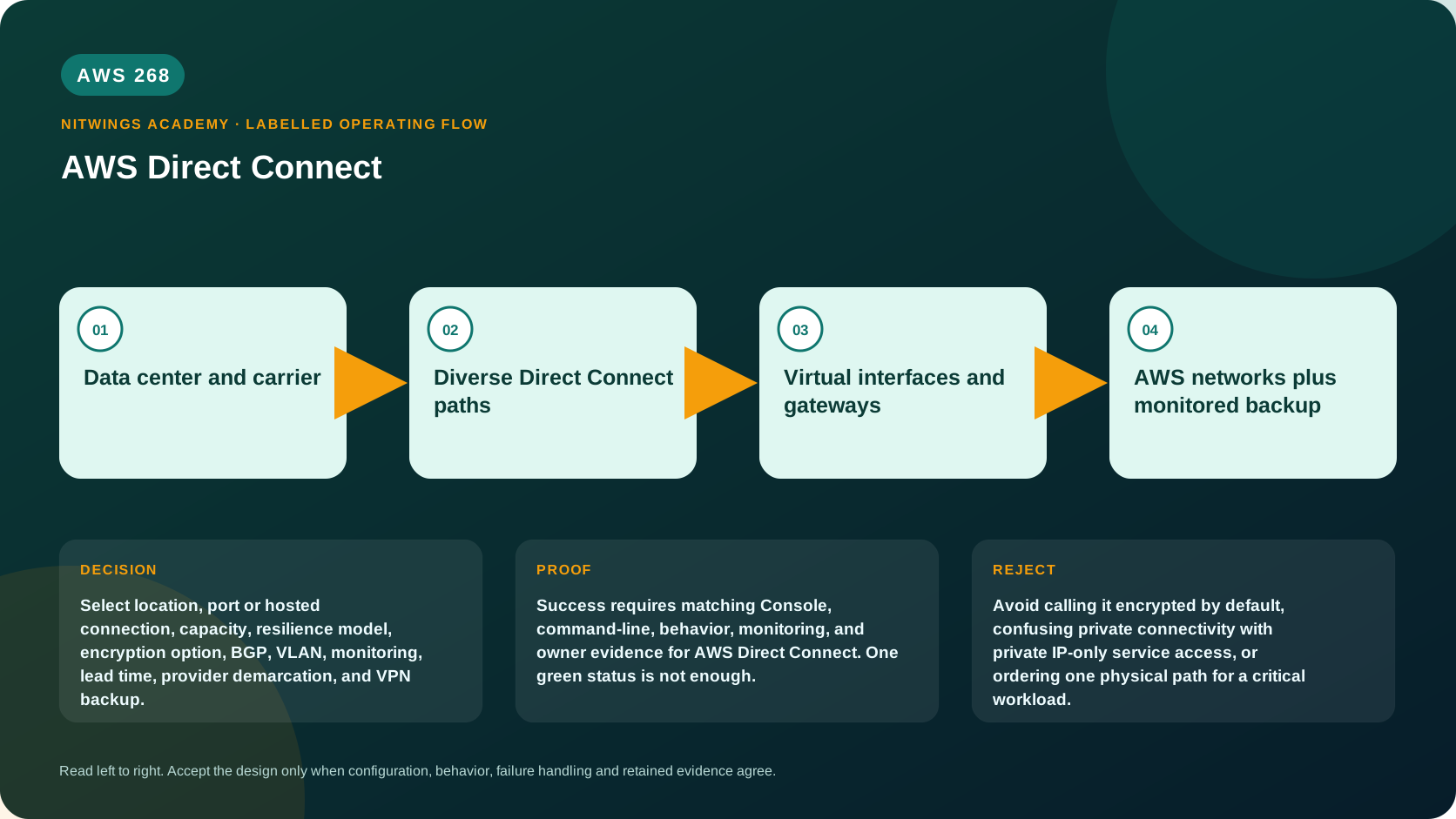
An architect must assemble a chain: facilities and carrier circuits, a cross-connect, the AWS connection port, 802.1Q VLANs, virtual interfaces (VIFs), BGP sessions and accepted prefixes, a virtual/Direct Connect/Transit gateway, VPC routes, security controls, DNS, and the workload. Each segment has a different owner, lead time, evidence source, failure mode, and bill.
This lesson starts with that physical-to-application chain, then covers dedicated versus hosted connectivity, capacities, LAGs, resiliency models, encryption, routing, monitoring, failover, maintenance, cost, and a production order workbook. AWS269 goes deeper into Direct Connect gateways and VIF behavior; here you learn enough to select and govern the whole service safely.
Outcomes
By the end, you can:
- explain why Direct Connect exists and how its capabilities evolved beyond one private VPC circuit;
- distinguish a location, cross-connect, dedicated connection, hosted connection, LAG, VIF, and gateway;
- choose dedicated or hosted capacity and understand ownership, policing, and upgrade implications;
- design maximum, high, or development/test resilience without confusing a LAG with path diversity;
- explain VLAN, BGP, prefixes, communities, route filters, MTU, and failover at a useful operations level;
- select private, public, or transit reachability without treating a public VIF as internet access;
- compare unencrypted transport, TLS, MACsec, public-VIF IPsec, and private-IP VPN over Direct Connect;
- inspect connections, LAGs, VIFs, gateways, metrics, routes, and operational events read-only;
- diagnose physical, data-link, BGP, routing, security, MTU, congestion, and application failures;
- calculate AWS, partner, facility, carrier, monitoring, and support costs; and
- produce an order-to-operations design without provisioning a paid port.
Why Direct Connect developed this way
Direct Connect began with dedicated Ethernet ports and VIFs for customers who needed a managed alternative to sending all hybrid traffic over the public internet. Hosted connections let delivery partners divide their interconnect capacity into smaller customer connections. LAGs added link aggregation for dedicated ports at one endpoint. Direct Connect gateways enabled broader Regional reach, transit VIFs connected to Transit Gateway and Cloud WAN designs, and SiteLink enabled location-to-location paths over the AWS network. MACsec added supported Layer 2 encryption on eligible physical links. Higher port speeds, prefix controls, per-VIF rate limiters, deeper metrics, resiliency tooling, and additional billing models address modern scale and operations.
That history explains why the service has layers rather than one “DX tunnel.” A physical port can carry many logical VIFs; a VIF can be healthy while an application route is wrong; and newer global or transit capabilities depend on gateways rather than changing the underlying Ethernet/BGP model.
The complete ownership chain
on-premises application and LAN/VRF
  -> customer edge router pair
  -> customer/telecom last-mile circuit
  -> carrier or partner network
  -> meet-me room and cross-connect
  -> AWS Direct Connect physical port
  -> 802.1Q VLAN / virtual interface
  -> BGP peering and accepted prefixes
  -> VGW, Direct Connect gateway, TGW, or Cloud WAN
  -> VPC/TGW route, security controls, DNS, workload
-> complete return path through the same routing domain| Segment | Typical owner | Minimum proof |
|---|---|---|
| LAN/VRF and customer router | Enterprise network team | interface, VRF, route and packet evidence |
| Last mile and provider cloud | Carrier/Direct Connect Partner | circuit ID, demarcation, SLA, path map, NOC contact |
| Cross-connect | Colocation/facility | LOA-CFA completion, patch references, optical levels |
| AWS connection/LAG | AWS and owning AWS account | connection state, endpoint/device, capacity, metrics |
| VLAN/VIF/BGP | Shared customer/AWS responsibility | VLAN, peer state, accepted/advertised prefixes |
| Gateway and AWS routes | Cloud network team | associations, propagations and route lookup |
| Security/DNS/application | Security/platform/application teams | positive/negative application and return-path tests |
Write actual owner names and escalation contacts. “AWS,” “carrier,” or “network team” is not enough during an outage involving three organizations.
Locations, dedicated connections, and hosted connections
A Direct Connect location is a facility where customer/partner equipment can connect to AWS equipment. It is not an Availability Zone and need not be inside an AWS Region. A connection is associated with an AWS Region for its control plane, while gateway capabilities can reach approved resources in other Regions.
Dedicated connection
A dedicated connection is a physical Ethernet port for one customer. Current supported single-mode-fiber port speeds are 1, 10, 100, and 400 Gbps where the selected location supports them. The customer orders through AWS, receives a Letter of Authorization and Connecting Facility Assignment (LOA-CFA), and arranges the cross-connect with the facility/provider. Port-hour charges begin according to the service's provisioning/billing rules even if no useful VIF traffic exists, so ordering and cancellation ownership matters.
Dedicated ports suit larger capacity, multiple VIFs/accounts, direct operational control, eligible MACsec, LAGs, and long-lived designs. They bring facility, optics, router, carrier, lead-time, and 24x7 operations responsibilities.
Hosted connection
A hosted connection is capacity provisioned by a Direct Connect Partner from its interconnect. Current offered sizes can range from 50 Mbps through 25 Gbps, subject to partner qualification and location. The partner creates it and the customer accepts it in AWS. Hosted connections are policed to the purchased speed; excess or bursty traffic can be dropped rather than temporarily borrowing unused parent capacity. A hosted connection supports one VIF, and jumbo-frame capability depends on the parent interconnect.
Hosted connectivity can shorten procurement and fit smaller bandwidth, but the partner controls important lifecycle actions, physical diversity, and sometimes capacity changes. Ask for the exact AWS device/location, partner router, last-mile path, oversubscription/policing behavior, DDoS/incident boundaries, maintenance notifications, upgrade process, and evidence. Two differently named products from one partner can still share the same building, conduit, router, or AWS endpoint.
Physical delivery: from order to usable port
The common dedicated workflow is:
- choose business Regions, Direct Connect locations, resilience model, capacity, and encryption requirements;
- order dedicated connections with the Resiliency Toolkit or approved workflow;
- wait for AWS provisioning/review and download each LOA-CFA securely;
- give the LOA-CFA to the colocation provider and order the exact cross-connect;
- verify connector/fiber standard, optics, customer demarcation, and patching;
- configure customer interfaces, optional LAG/MACsec, VLANs, VIFs, and BGP;
- verify physical light, Ethernet, VIF, BGP, prefixes, routes, security, DNS, and application behavior;
- run failover and capacity tests before production acceptance.
The LOA-CFA authorizes and identifies a physical connection assignment. Treat it as sensitive infrastructure information, not a public attachment. A connection stuck in ordering, requested, pending, down, or another state needs state-specific ownership; creating the same order again can add cost without fixing the facility task.
Link aggregation groups are capacity, not site resilience
A Direct Connect LAG uses LACP to treat eligible dedicated connections as one logical interface. Members must have the same bandwidth, terminate at the same Direct Connect endpoint, and meet current member-count limits. Traffic distribution is flow-hash based; one flow does not automatically consume the sum of all links.
LAGs can add capacity and tolerate an eligible member loss when remaining capacity and minimum-links settings permit. They do not protect against loss of the shared AWS device, location, facility, meet-me room, carrier path, or customer chassis. A LAG in one building must never be presented as maximum resilience across locations.
Check minimumLinks: when available active members fall below the threshold, the LAG can go down intentionally to avoid operating in an unsafe reduced-capacity state. Capacity plans must calculate normal and failed-member utilization, not just nominal aggregate bandwidth.
Resiliency models and actual failure domains
The Direct Connect Resiliency Toolkit provides design patterns and validation for dedicated connections:
| Model | Typical topology | Intended use |
|---|---|---|
| Maximum resilience | Connections at more than one location terminating on separate devices | Critical workloads and the path toward documented 99.99% SLA eligibility |
| High resilience | Redundant connections, usually using separate devices at one location | Critical connectivity with documented 99.9% SLA eligibility requirements |
| Development/test | Separate connections on separate devices in one location | Non-critical workloads and testing |
The SLA is conditional; drawing the pattern does not award a percentage. Verify the current Direct Connect SLA's complete technical, account, monitoring, and claim requirements. For maximum resilience, independently prove location, AWS device, customer router, carrier, conduit, power, and facility diversity. A single data center or enterprise core can remain the dominant failure domain.
AWS recommends a backup path such as Site-to-Site VPN when business requirements need connectivity during wider Direct Connect failure. VPN capacity, routes, MTU, security, monitoring, and convergence must be tested. A 1.25-Gbps backup tunnel does not preserve a 10-Gbps critical workload without traffic prioritization or degraded-mode requirements.
VIFs, VLANs, BGP, and gateways
One physical connection carries logical virtual interfaces separated by IEEE 802.1Q VLAN tags. A VIF includes a unique VLAN on that connection/LAG, BGP peer addresses, customer and Amazon ASNs, address family, optional BGP authentication key, MTU, and a gateway relationship.
| VIF type | Reachability | Key boundary |
|---|---|---|
| Private VIF | Private IP access to VPCs through a VGW or Direct Connect gateway association | Not a path to every AWS service endpoint |
| Public VIF | Public IP prefixes for AWS public services | Not general internet transit; customer public prefixes require validation |
| Transit VIF | Direct Connect gateway to TGW or Cloud WAN | Central routing/segmentation and quotas must be designed |
Hosted VIF and cross-account acceptance workflows separate physical/VIF ownership from resource ownership. Do not accept an unknown proposal; validate account, VLAN, capacity, peer values, gateway, and change record.
BGP exchanges reachability, not permission. Prefix filters should allow only the approved corporate and AWS routes. Exceeding a VIF's route limit can take the BGP session down. Current private/transit defaults and prefix-control allocations must be checked before migrations or acquisitions. Use maximum-prefix safeguards, route maps, explicit communities, and route-change monitoring on the customer routers.
For active/passive designs, use documented BGP policy such as local preference, AS path, and AWS communities, then test both directions. Forward and return paths may choose differently. For active/active, confirm both devices and stateful firewalls tolerate asymmetric traffic. Never depend on a provider's undocumented BGP default.
MTU and packet behavior
Default VIF MTU is 1500. Private VIFs can support a 9001-byte IP MTU and transit VIFs an 8500-byte IP MTU when the complete path is capable. Public VIFs remain a different service boundary. Hosted jumbo frames depend on the parent connection; enabling jumbo capability can update the underlying connection and temporarily disrupt all VIFs on it.
Every hop must agree: server ENI, VPC/TGW path, VIF, AWS port, partner network, carrier, customer interface, intermediate firewall, and destination. Mixed routes can force 1500. Test do-not-fragment payloads and real applications in both directions. “Jumbo enabled in AWS” is not end-to-end proof.
Encryption choices and their exact coverage
Direct Connect is a private dedicated path, but traffic on the customer-facing link is not encrypted by default. BGP authentication protects the peering session from unauthorized updates; it does not encrypt application payloads.
| Method | Protects | Does not protect / constraint |
|---|---|---|
| Application TLS | Application session end to end when correctly validated | Non-TLS protocols and metadata outside that session |
| MACsec | Layer 2 point-to-point link from capable customer/partner device to AWS Direct Connect device | Other carrier segments if Layer 2 is not extended end to end; unsupported on hosted connections |
| IPsec over public VIF | IP traffic through Site-to-Site VPN using AWS public endpoints over DX | Adds VPN throughput/MTU/operations and public addressing requirements |
| Private IP VPN over DX | IPsec overlay over private transit connectivity with TGW design | Requires the supported TGW/DX architecture and separate VPN operations |
MACsec is currently supported on eligible 10, 100, and 400 Gbps dedicated connections at selected locations, with compatible customer equipment. High-speed ports require supported extended packet numbering. It uses static CKN/CAK material to derive session keys, supports controlled key rotation, and exposes encryption state. must_encrypt fails closed if MACsec is unavailable; should_encrypt can fall back to unencrypted forwarding. That availability/confidentiality tradeoff must be an explicit approved decision.
MACsec terminates at the two Layer 2 peers. If a carrier hands off routed service at the Direct Connect location and transports traffic onward to the data center, inspect which segments are actually protected. For sensitive protocols, application-layer TLS remains valuable even with MACsec or IPsec.
SiteLink and multi-Region reach
Direct Connect gateway associations can extend approved private connectivity across supported Regions; the connection's location does not limit traffic to only the geographically associated Region. Routing preference, data-transfer price, latency, gateway quotas, and failure domains still apply.
SiteLink allows supported private or transit VIFs at Direct Connect locations to exchange traffic through the AWS network without forcing the path through a Region. It can connect sites, but it is not automatic transitive routing. Enablement, allowed prefixes, BGP policy, segmentation, MTU, supported VIF/gateway combinations, and SiteLink data-transfer charges must be explicit. Avoid accidentally turning a cloud connectivity design into an uncontrolled branch WAN.
Capacity and billing design
Capacity has at least four dimensions: bits per second, packets per second, flow distribution, and failure-state headroom. A 10-Gbps port can still drop traffic because a hosted/partner policer, VIF rate limiter, customer interface, firewall, or small-packet PPS ceiling is lower. Per-VIF rate limiters can partition a dedicated connection, but unbounded VIFs can otherwise compete for port capacity.
Baseline ingress/egress bitrate, packet rate, discards, errors, and application latency. Define warning/critical thresholds against the failed-path capacity, not only the full topology. Capacity upgrades may require new ports, partner action, optics, cross-connects, or migration; they are procurement projects, not instant EC2 resize operations.
Current billing may involve pay-as-you-go port hours and data transfer out, or eligible flat-rate tiers for dedicated connections. Flat-rate coverage depends on selected tier/location-to-Region paths and does not absorb every charge. Always include:
- AWS dedicated port or hosted-connection charges and applicable data transfer;
- redundant ports/connections and idle disaster capacity;
- SiteLink, TGW, Cloud WAN, VPN, public IPv4, logs/alarms, and other service charges;
- partner hosted-connection and managed-router charges;
- carrier circuits, cross-connects, meet-me-room, colocation, optics, and remote hands;
- router/firewall hardware and licenses, support plans, monitoring, and staff; and
- taxes, contract terms, cancellation notice, installation, and upgrade lead time.
Data transfer into AWS is commonly uncharged by Direct Connect, while outbound pricing depends on source Region, location, owner/payer relationships, and billing model. Do not apply an EC2 internet egress price or a remembered DX price without modeling the exact path in current pricing tools.
Monitoring every layer
| Layer | AWS/customer evidence | Alarm direction |
|---|---|---|
| Physical connection | ConnectionState, optical Tx/Rx levels, interface state | down or light outside engineered baseline |
| Ethernet quality | ConnectionErrorCount, discard metrics, customer errors/discards | non-zero error rate or sustained discards |
| Capacity | connection/VIF ingress and egress bps/pps | sustained failed-path utilization threshold |
| MACsec | ConnectionEncryptionState and customer MACsec session | down, especially in must_encrypt mode |
| BGP | VirtualInterfaceBgpStatus | peer down per IPv4/IPv6 family |
| Routes | accepted/advertised prefix metrics and router RIB/FIB | unexpected count/change, max-prefix risk |
| Active path | CloudWatch Network Monitor/synthetic probes | latency/loss/reachability SLO breach |
| Control plane | CloudTrail and Config/change system | unapproved connection/VIF/gateway change |
| Provider/AWS events | AWS Health, partner NOC, facility/carrier notices | maintenance/fault with topology impact |
Metrics are commonly aggregated at five-minute intervals; a one-minute query does not guarantee one-minute source updates. Retain router logs, BGP changes, interface counters, synthetic probes, CloudWatch metrics, AWS Health events, provider ticket times, and application SLOs on one UTC incident timeline.
AWS planned maintenance can drain a connection to redundant paths, but a single-connection design will be interrupted. Health notifications go to resource owners and relevant hosted partners; configure monitored alternate contacts and EventBridge routing. Regular failover tests are stronger than assuming a dormant path works.
Read-only console and CLI investigation
In the Direct Connect console select the intended Region, then inspect Connections, LAGs, Virtual interfaces, Direct Connect gateways, and Resiliency Toolkit. Record resource owner/account, location, AWS device, partner, capacity, state, VLAN, VIF type, address family, BGP state, gateway association, MTU/jumbo capability, MACsec state, tags, and maintenance/Health evidence. Do not accept, create, delete, associate, or start failover testing in this lesson.
Use read-only commands:
export AWS_DEFAULT_REGION="ap-south-1"
aws sts get-caller-identity --query Arn --output text

aws directconnect describe-connections \
  --query 'connections[].{Name:connectionName,Id:connectionId,State:connectionState,Bandwidth:bandwidth,Location:location,Partner:partnerName,Device:awsDeviceV2,Jumbo:jumboFrameCapable,MacSec:macSecCapable,Encryption:portEncryptionStatus}' \
  --output table

aws directconnect describe-lags \
  --query 'lags[].{Name:lagName,Id:lagId,State:lagState,Location:location,Bandwidth:connectionsBandwidth,MinimumLinks:minimumLinks,Members:length(connections)}' \
  --output table

aws directconnect describe-virtual-interfaces \
  --query 'virtualInterfaces[].{Name:virtualInterfaceName,Id:virtualInterfaceId,Type:virtualInterfaceType,State:virtualInterfaceState,Vlan:vlan,Asn:asn,AmazonAsn:amazonSideAsn,AddressFamily:addressFamily,Bgp:bgpStatus,Mtu:mtu,Connection:connectionId,Gateway:directConnectGatewayId}' \
  --output table

aws directconnect describe-direct-connect-gateways --output json
aws cloudwatch list-metrics --namespace AWS/DX --output json
Redact account IDs, peer addresses, public prefixes, circuit/location details, BGP authentication keys, MACsec material, LOA-CFAs, and topology before sharing. The CLI inventory does not prove carrier diversity, physical patching, accepted routes, data-plane performance, or application health; correlate with customer/provider evidence.
Evidence-led troubleshooting
Diagnose from the lowest failed layer upward. Never flap all redundant paths simultaneously to “see if it clears.”
| Symptom | Evidence to compare | Likely causes |
|---|---|---|
| Connection down/no light | AWS/customer optical levels, interface state, facility ticket | wrong patch/optic/fiber polarity, carrier/facility fault, maintenance |
| Light up, errors rising | error/discard counters and optical baseline | dirty fiber, marginal optics, duplex/config, physical degradation |
| Connection up, VIF down | VLAN, VIF state, ownership/acceptance | wrong VLAN, unaccepted hosted VIF, missing logical config |
| VIF available, BGP down | peer IP/ASN/auth, ACL, packet capture | wrong ASN/address/key, VLAN mismatch, BGP blocked |
| BGP up, prefixes missing | advertised/accepted counts, filters, limits, communities | prefix filter, ownership validation, max-prefix, wrong address family |
| Correct routes, no application | VPC/TGW route, SG/NACL, firewall, DNS, listener | routing/security/DNS/workload failure beyond DX |
| One-way traffic | both-direction RIB/FIB and packet counters | asymmetric stateful firewall, missing return advertisement, preference mismatch |
| Large traffic fails | MTU at every hop and sized DF tests | partial jumbo support or mixed 1500/jumbo paths |
| Drops during bursts | bps/pps, discards, hosted policer, VIF limiter | policing, congestion, insufficient failure-state capacity |
| Failover does not converge | BGP policy/timers, backup routes, synthetic probes | dormant path broken, wrong preference, stale route, capacity overload |
| “Encrypted” requirement fails | exact segment and encryption-state evidence | private path mistaken for encryption, MACsec fallback/coverage gap |
Capture a before state: UTC timestamp, connection/VIF/BGP states, prefixes, route selection, optical/errors/discards, throughput, current changes, Health/provider events, and application probes. Change one controlled layer, verify positive and negative behavior, and retain rollback evidence.
No-create architecture and order workbook
Design Direct Connect for Northwind's Mumbai data center and two production VPCs in ap-south-1. Requirements: 4 Gbps sustained normal traffic, 6 Gbps peak, 3 Gbps minimum during any single-path failure, regulated payload encryption, 99.99% target eligibility, private S3/API consumption, a TGW segmentation model, VPN backup for wider DX failure, and a six-month launch deadline.
Submit:
- requirements, assumptions, dependencies, exclusions, RTO/RPO, latency/loss and capacity SLOs;
- dedicated-versus-hosted decision with current available locations/capacities and lead times;
- physical topology naming buildings, meet-me rooms, AWS devices, customer routers, carriers, conduits, power, and demarcations;
- normal and each-single-failure capacity calculation;
- connection/LAG/VLAN/VIF/BGP/ASN/IP/MTU/gateway inventory;
- route advertisements, filters, communities, max-prefix, forward and return path tables;
- encryption threat model selecting TLS, MACsec, IPsec, or layers and proving exact coverage;
- monitoring dashboard, alarms, Health/event routing, retention, NOC/RACI/escalation matrix;
- turn-up acceptance, route-leak, MTU, congestion, maintenance, failover, VPN degraded-mode, and rollback tests;
- AWS plus partner/facility/carrier five-year cost model and contract risks; and
- decommission plan for VIFs, gateways, ports, cross-connects, circuits, secrets/keys, monitoring, evidence, and contracts.
Reject a proposal if both links share one location/device/carrier path while claiming maximum resilience, if encryption coverage is assumed from “private,” if failure capacity misses 3 Gbps, or if no team owns the LOA-to-cross-connect and provider escalation process.
Safe failover and maintenance operations
The Direct Connect failover test can deliberately take selected BGP peering sessions out of service to verify redundant routing. It is a production-impacting change, not a read-only diagnostic. Before approval, prove alternate path state/routes/capacity, define application probes and abort thresholds, notify all owners, freeze conflicting changes, capture baselines, and set the shortest useful duration. During the test, watch both directions, errors/discards, BGP/routes, VPN/TGW paths, and application SLOs. Afterward, verify full restoration and detect any flow pinned to a degraded path.
For maintenance, map every AWS Health event to resources and failure domains. If the event affects one member of a truly redundant design, planned convergence should be automatic and observed. If it exposes a shared dependency or insufficient degraded capacity, treat that as an architecture defect rather than repeatedly requesting maintenance postponement.
Cost and no-change proof
This lesson creates nothing. Save a redacted before/after inventory showing the same connection, LAG, VIF, and gateway IDs/states. Do not accept hosted resources, run a failover test, download/share LOA material, request a port, change MTU, attach a gateway, or delete a connection.
In a future approved build, deleting a VIF does not necessarily stop physical port/circuit billing. Teardown must coordinate AWS connection/LAG, VIF and gateway associations, customer routes, MACsec/BGP keys, partner hosted service, cross-connect, carrier contract, monitoring, and evidence retention. Confirm the billing stop event with every provider.
Knowledge check
- Why can a Direct Connect connection be
upwhile the application is unreachable?
Physical state proves only one layer; VLAN/VIF, BGP, routes, security, DNS, return path, and application can still fail.
- What does a LAG protect?
It adds capacity/member redundancy at one Direct Connect endpoint; it does not provide location or device diversity.
- Is Direct Connect encrypted by default?
Not across the customer-facing path. Select end-to-end TLS, eligible MACsec, or an IPsec overlay based on threat boundaries.
- Why is a public VIF not internet transit?
It reaches AWS public prefixes under documented advertisement/filtering rules; AWS does not provide general non-AWS internet transit through it.
- Why can a hosted 1-Gbps connection drop a short burst below average capacity?
Hosted connections are policed to purchased capacity; excess burst traffic can be discarded.
- What evidence proves path diversity?
Different buildings/locations, AWS devices, customer equipment, carriers/conduits, power domains, and tested route convergence, not two console rows.
Lesson acceptance
The lesson is complete only when the learner can:
- trace and assign ownership for every physical, logical, routing, security, and workload layer;
- justify location, dedicated/hosted, capacity, LAG, VIF, gateway, MTU, and billing choices;
- distinguish the three resilience models and prove, rather than assume, failure-domain diversity;
- explain BGP peer inputs, prefixes, route limits, filtering, communities, path selection, and return routing;
- map TLS, MACsec, and IPsec to their actual protected segments;
- interpret physical, connection, VIF, BGP, prefix, error, discard, capacity, encryption, synthetic, and Health evidence;
- diagnose every scenario in the troubleshooting table without destroying evidence;
- complete Northwind's order-to-operations workbook, failover plan, five-year cost, and decommission plan; and
- attest that no AWS, partner, facility, carrier, or customer network resource was changed.
Official sources
- What is AWS Direct Connect?
- Dedicated and hosted connections
- Hosted connections
- Direct Connect Resiliency Toolkit
- Maximum resilience configuration
- Link aggregation groups
- Virtual interfaces
- Routing policies and BGP communities
- MACsec
- CloudWatch monitoring
- Direct Connect maintenance
- Direct Connect quotas
- Direct Connect pricing