
AWS 270: AWS Transit Gateway
Why this lesson matters
AWS Transit Gateway (TGW) is a Regional network hub for VPCs and hybrid networks. It replaces a growing mesh of pairwise connections with attachments and centrally governed route tables. That simplification can also enlarge the blast radius: one default association or propagation can connect environments that were meant to remain isolated.
TGW is a router, not a firewall, NAT device, DNS resolver, packet inspector, or global network by itself. A working path requires a source subnet route, a VPC attachment in the correct Availability Zone, the attachment's associated TGW route table, a matching route to another attachment, a destination-side return path, and security/application permission. This lesson teaches that full path before AWS271 applies it in a detailed segmentation design.
Outcomes
By the end, you can:
- explain TGW's purpose, Regional scope, and evolution from basic VPC/VPN hub to peering, Connect, multicast, inspection, security-group referencing, and flexible cost allocation;
- distinguish attachments, association, propagation, static routes, prefix-list routes, and blackholes;
- choose VPC, VPN, Direct Connect gateway, peering, Connect, or network-function attachment paths;
- select attachment subnets by Availability Zone and explain appliance mode;
- design shared-account ownership through AWS Resource Access Manager (RAM);
- describe TGW peering, Connect, multicast, IPv6, ECMP, MTU, and security boundaries;
- inspect TGW state, routes, metrics, Flow Logs, and cost ownership read-only;
- diagnose no-route, blackhole, asymmetric, MTU, route-leak, and capacity faults; and
- create an auditable production hub design without provisioning resources.
Mental model: two route lookups, not one
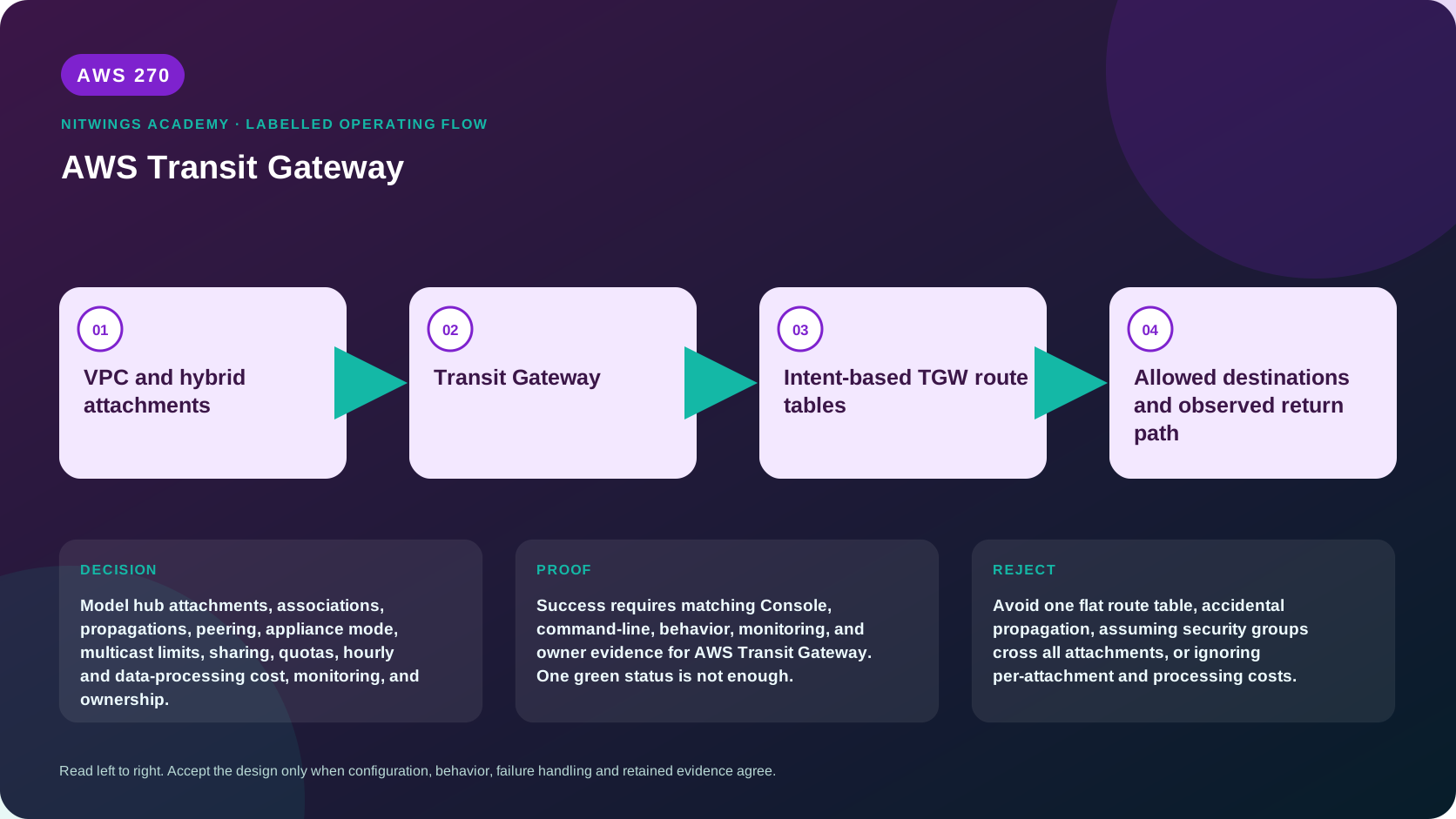
For VPC A to reach VPC B:
VPC A workload
  -> VPC A subnet route table: destination -> TGW
  -> VPC A attachment in the workload's Availability Zone
  -> route table associated with VPC A attachment
  -> destination route -> VPC B attachment
  -> VPC B attachment subnet and VPC local routing
  -> VPC B workload security group, NACL, host, listener
  -> complete reverse path
The VPC route chooses TGW. The TGW route table then chooses an attachment. A TGW route does not insert a corresponding VPC subnet route, and a propagated route does not modify a security group.
Core objects and language
| Object | Function | Common mistake |
|---|---|---|
| Transit gateway | Regional routing hub | Treating it as a global firewall |
| Attachment | Connects a VPC, VPN, DXGW, peer TGW, Connect transport, or supported network function | Assuming an available attachment proves traffic |
| TGW route table | Routing domain similar to a VRF | Using one default table for every trust zone |
| Association | Selects the one route table used to look up traffic entering from an attachment | Confusing it with learned routes |
| Propagation | Installs an attachment's routes into one or more TGW tables | Assuming propagation can be prefix-filtered inside TGW |
| Static route | Administrator-created destination and attachment target | Forgetting it outranks an equal propagated route |
| Blackhole route | Deliberately drops a matching destination | Treating it as an alarm instead of routing behavior |
Each attachment associates with exactly one TGW route table. It may propagate to multiple route tables. A table may have many associations and propagations. This asymmetry is the foundation of segmentation.
Attachment types and when they fit
| Attachment | Routing behavior | Architecture boundary |
|---|---|---|
| VPC | VPC CIDRs can propagate; VPC subnet tables need explicit TGW routes | One attachment subnet per selected AZ; no overlapping VPC CIDRs |
| Site-to-Site VPN | Static or BGP; optional VPN ECMP | VPN tunnel throughput, MTU, internet/underlay, and customer router remain separate |
| Direct Connect gateway | BGP routes arrive through transit VIF/DXGW | DXGW allowed prefixes and TGW routes must both agree |
| TGW peering | Static routes only | No automatic route propagation or ECMP across the peer |
| Connect | GRE transport plus MP-BGP to SD-WAN/appliances | Depends on a transport attachment; static routes are not supported |
| Network function | Managed middlebox integration where supported | Inspection policy, symmetry, service charges, and ownership still apply |
TGW is Regional. Inter-Region or cross-account TGW peering creates an encrypted AWS-backbone path, but both sides require explicit static routes. Route design and data-transfer charges remain Regional responsibilities.
VPC attachment subnet design
When attaching a VPC, select one subnet in every Availability Zone that needs TGW connectivity. AWS places TGW attachment network interfaces in those subnets. A resource in an AZ without an attachment subnet cannot use that VPC attachment to reach TGW.
Dedicated small attachment subnets make route intent and IP capacity easier to govern. Their route tables must permit TGW-delivered traffic to reach destination subnets inside the VPC. Workload subnet route tables need routes back to TGW for external destinations. Merely placing an attachment ENI in a subnet does not forward all VPC traffic automatically.
Design across AZ IDs, not only account-specific names such as ap-south-1a, because AZ letter mappings can differ between accounts. Preserve enough free IP addresses for attachment interfaces and operations.
Association, propagation, and segmentation
Consider three route tables:
production: production attachments associate here; it contains shared-services, inspection, and approved hybrid routes;nonproduction: nonproduction attachments associate here; no production propagation exists;inspection: the inspection attachment associates here; it receives explicit return routes to protected zones.
A source attachment uses only its associated table. Propagating VPC B into the production table lets sources associated with that table find B; it does not let B initiate traffic unless B's associated table has a route back.
Disable automatic default association and propagation in governed environments. Automate explicit association/propagation from approved metadata. Use blackhole routes as guardrails for disallowed aggregates, but test longest-prefix behavior: a more-specific allowed route can outrank a broader blackhole.
TGW propagation does not offer arbitrary inbound route filtering for every attachment. Filter at BGP/DXGW/VPN boundaries, control which table receives propagation, use summaries carefully, and monitor route changes.
Route selection and ECMP
TGW first chooses the longest prefix. For an equal destination, documented route-type priority applies: static routes outrank equal propagated routes, and attachment types have a defined propagated-route order. Never infer preference from console display order.
ECMP support differs:
- VPC attachments do not provide ECMP for overlapping/equal VPC CIDRs;
- BGP VPN attachments can use ECMP when enabled and routes are eligible;
- Connect automatically supports eligible ECMP paths;
- DXGW paths can use ECMP when prefix, length, and AS path meet requirements;
- peering and VPN Concentrator paths do not provide the same ECMP model; and
- ECMP is not performed across unrelated attachment types merely because prefixes match.
Design failover from documented priority and live route evidence. A VPN backup route might be hidden while the preferred DX route is present and appear only after withdrawal.
Centralized inspection and appliance mode
Stateful firewalls must see both directions of a flow. Without appliance mode, TGW tries to keep VPC-to-VPC traffic in the originating AZ, which can send the return direction through another firewall instance/AZ. Enabling appliance mode on the inspection VPC attachment makes TGW keep a flow on the selected attachment ENI/AZ for its lifetime and permits traffic to use any enabled AZ in that inspection VPC.
Appliance mode is not a complete inspection design. You still need:
- TGW routes that steer both directions through inspection;
- inspection-subnet and workload-subnet routes;
- Gateway Load Balancer or AWS Network Firewall routing where selected;
- source/destination check settings for self-managed appliances where required;
- autoscaling, health, fail-open/fail-closed, SNAT, MTU, and asymmetric-flow decisions; and
- negative tests proving that direct bypass routes do not exist.
Sharing and cross-account ownership
The network account can share TGW through AWS RAM. A participating account can create a VPC attachment after accepting or automatically receiving the organization share, but the TGW owner controls route tables and core policy. Either account can delete an attachment, so CloudTrail detection and change ownership are essential.
Maintain a contract containing account/VPC/CIDRs, attachment subnets/AZ IDs, environment and trust zone, associated table, permitted propagations, expected routes, security owner, cost allocation, incident contacts, review date, and deletion approval. A RAM share grants the ability to attach; it does not authorize every route or application flow.
Security-group referencing
TGW security-group referencing can allow inbound rules in one attached VPC to reference a security group in another VPC attached to the same TGW. It must be enabled on both the TGW and each participating VPC attachment. Only inbound references are supported; outbound rules cannot use this cross-VPC reference.
It is not supported across TGW peering and has service/location limitations. It also does not work through inspection paths using Gateway Load Balancer or AWS Network Firewall. Use CIDRs or another policy model when unsupported, and test actual traffic. Referencing a group expresses workload membership, not a route or firewall inspection policy.
Connect attachments
Transit Gateway Connect integrates supported SD-WAN and third-party appliances with GRE and MP-BGP. A Connect attachment uses an existing VPC or DXGW attachment as its transport. Connect peers establish GRE/BGP paths, propagate learned routes, and can use ECMP when AS path/ASN requirements match.
The GRE outer path needs routes to TGW CIDR addresses. MP-BGP requires IPv4 unicast capability even when carrying IPv6 unicast. Account for GRE overhead in MTU; for a 1500-byte underlay, a common IPv4 GRE starting point is 1476 before any additional encapsulation. Connect is not a generic VPN and does not encrypt GRE by itself; evaluate the underlay and application encryption.
Multicast is a separate feature
TGW multicast routes one stream to group members across associated VPC subnets. It must be enabled when a new TGW is created. Multicast domains segment membership, and ENIs are registered as static sources/members or use supported IGMPv2 dynamic membership. Only static multicast supports IPv6.
Important limits:
- multicast does not traverse Direct Connect, VPN, TGW peering, or Connect attachments;
- fragmented multicast packets are dropped;
- IGMP query/join/leave protocols and UDP data need SG/NACL permission;
- it is not positioned for every high-frequency or latency-sensitive workload; and
- source/member lifecycle and quotas need monitoring.
Do not add multicast to a unicast architecture merely because an application says “broadcast.” First determine protocol, group membership, rates, packet size, loss tolerance, and modernization options.
MTU, DNS, IPv6, and encryption
TGW supports IPv4 and IPv6 routing, but every VPC, attachment, route table, security control, and hybrid path must support the chosen family. An IPv6 route does not provide NAT or internet egress.
TGW supports jumbo frames up to its documented path limit for applicable VPC/DX traffic, while VPN paths have smaller MTUs and Connect adds GRE overhead. The smallest path wins. TGW Flow Logs expose packets-lost-mtu-exceeded, which is stronger evidence than guessing from a stalled upload.
DNS resolution across VPCs is not automatically centralized. Route 53 Resolver endpoints/rules, private hosted-zone associations, DNS Firewall, and return routes require a separate design.
Traffic on AWS's backbone has infrastructure protections, but “uses TGW” is not an end-to-end encryption control. Use TLS/IPsec/MACsec as required by the threat model and identify every termination point.
Monitoring and evidence
| Evidence | What it proves |
|---|---|
| TGW/attachment state | Control-plane lifecycle only |
| Association and propagation lists | Intended table relationships |
| TGW route search | Active/blackhole destination and target |
| VPC subnet routes | Entry and return path to TGW |
| TGW Flow Logs | Source/destination attachment context and loss counters |
| VPC Flow Logs | ENI-level accept/reject evidence |
| VPN/DX/BGP telemetry | Hybrid adjacency and learned-route health |
| Synthetic probes | Reachability, latency and loss from the application path |
| CloudTrail/Config/change record | Who changed the control plane and whether it was approved |
TGW Flow Logs can publish to CloudWatch Logs, S3, or Firehose without sitting in the packet path. Useful fields include source/destination VPC, subnet, ENI and attachment IDs, bytes/packets, TCP flags, direction, and packet losses from no route, blackhole, MTU exceeded, or TTL expiry. NODATA is not the same as logging failure; SKIPDATA requires capacity/error investigation.
Read-only console and CLI investigation
Inspect Transit gateways, Attachments, Route tables, Multicast domains, Flow Logs, and RAM shares in the correct Region and owner account. Do not modify associations, propagations, routes, appliance mode, SG referencing, ECMP, multicast, or sharing.
export AWS_DEFAULT_REGION="ap-south-1"
aws sts get-caller-identity --query Arn --output text

aws ec2 describe-transit-gateways \
  --query 'TransitGateways[].{Id:TransitGatewayId,State:State,Owner:OwnerId,Asn:Options.AmazonSideAsn,DefaultAssociation:Options.AutoAcceptSharedAttachments,AssociationTable:Options.AssociationDefaultRouteTableId,PropagationTable:Options.PropagationDefaultRouteTableId,VpnEcmp:Options.VpnEcmpSupport,Multicast:Options.MulticastSupport}' \
  --output json

aws ec2 describe-transit-gateway-attachments \
  --query 'TransitGatewayAttachments[].{Id:TransitGatewayAttachmentId,Type:ResourceType,Resource:ResourceId,Owner:ResourceOwnerId,State:State,Association:Association}' \
  --output json

aws ec2 describe-transit-gateway-route-tables --output table
aws ec2 describe-flow-logs --filter Name=resource-type,Values=TransitGateway,TransitGatewayAttachment --output json
For each explicitly owned route table, use get-transit-gateway-route-table-associations, get-transit-gateway-route-table-propagations, and search-transit-gateway-routes with its ID. Search exact and covering prefixes; a broad sample can hide a more-specific route. Redact account IDs, VPC/CIDRs, resource IDs, security architecture, and partner paths.
Troubleshooting by failed layer
| Symptom | Evidence | Likely cause |
|---|---|---|
| Workload cannot enter TGW | workload subnet route and attachment AZ | missing route or no attachment subnet in that AZ |
| TGW Flow Log says no route | source attachment's associated table | missing destination route/propagation |
| TGW Flow Log says blackhole | longest matching blackhole/static route | intentional guardrail or stale route |
| One direction works | both source-associated tables and VPC return routes | missing reverse route or asymmetric stateful device |
| New VPC talks to everything | default association/propagation | attachment admitted to flat default table |
| Inspection is intermittent | AZ path and appliance flow logs | appliance mode off or asymmetric route chain |
| DX preferred, VPN invisible | route priority and BGP presence | normal preferred-route suppression, not absent backup |
| Peering attachment available but unreachable | static routes on both TGWs | peering does not propagate routes |
| Cross-VPC SG reference fails | TGW/attachment feature flags and path | feature disabled, outbound rule, peering, or inspection limitation |
| Large packets fail | loss counters and path MTUs | VPN/GRE/inspection path smaller than VPC path |
| Unexpected bill | attachment owners, sender path, metering policy | hourly attachments, data processing, inter-Region or middlebox charges |
Capture route/attachment state and flow evidence before changing anything. Route-table edits can alter many accounts at once.
Production hub design exercise
Design one Regional TGW for production, nonproduction, shared services, centralized inspection, two VPN sites, Direct Connect, and a peer TGW in another Region. Submit:
- attachment/account/AZ-ID inventory and failure domains;
- route-table association and propagation matrix;
- every forward and return route for six representative flows;
- inspection steering and appliance-mode proof;
- RAM onboarding/offboarding contract and least-privilege IAM;
- VPN/DX preference, ECMP, MTU and degraded-capacity decisions;
- peering static routes on both sides and inter-Region cost;
- SG-referencing eligibility and fallback controls;
- Flow Logs, metric/alarm, route-change and synthetic-test design;
- positive tests plus denied production/nonproduction and bypass tests;
- quota/capacity, cost-allocation and five-year cost model; and
- rollback, attachment quarantine, disaster and decommission runbooks.
Reject a flat default table, missing AZ attachments, broad automatic propagation, untested inspection symmetry, or a design that assumes peering routes propagate automatically.
Cost and cleanup
Costs can include hourly attachment charges, data processing for traffic sent into TGW, inter-Region data transfer, VPN and Direct Connect, Network Firewall/GWLB/NAT processing, Flow Logs destinations, CloudWatch/S3/Firehose, multicast receivers, Network Manager, and support/operations. By default, sender-side attachment ownership drives processing allocation; current flexible metering policies can assign qualifying costs to source owner, destination owner, or TGW owner through ordered rules. Reconcile the policy to CUR/billing evidence rather than assuming tags alone explain shared cost.
This lesson creates nothing. Cleanup evidence is an unchanged TGW, attachment, route-table, route, Flow Log, and RAM inventory. In an approved teardown, drain traffic and remove VPC routes before deleting attachment/core resources; preserve logs/change evidence and verify all dependent hourly resources and cross-account contracts are closed.
Knowledge check
- What is the difference between association and propagation?
Association chooses the table used for traffic entering an attachment; propagation installs that attachment's routes in selected tables.
- Why can a workload in one AZ fail while another works?
The VPC attachment might not include a subnet in the failing workload's AZ.
- Why is appliance mode important?
It preserves the selected inspection-VPC AZ for both directions of a flow, supporting stateful symmetry.
- Do TGW peering routes propagate?
No. Configure static routes on both peer TGW route tables.
- Can cross-VPC SG references be used everywhere?
No. They are inbound-only and exclude peering and several inspection/location paths.
- Which Flow Log fields directly expose routing loss?
No-route, blackhole, MTU-exceeded, and TTL-expired packet counters.
Lesson acceptance
The lesson is complete only when the learner can:
- trace both route lookups and the complete return path;
- explain every attachment type and ownership boundary;
- distinguish association, propagation, static, prefix-list, blackhole, and propagated route priority;
- design AZ-complete VPC attachments and stateful inspection symmetry;
- apply RAM, SG-reference, peering, Connect, multicast, IPv6, MTU, DNS, and encryption constraints;
- interpret attachment/route state, Flow Logs, hybrid telemetry, and synthetic tests;
- diagnose every troubleshooting scenario without unsafe mutation;
- complete and defend the production hub exercise and cost model; and
- prove that no TGW resource or connected environment changed.