
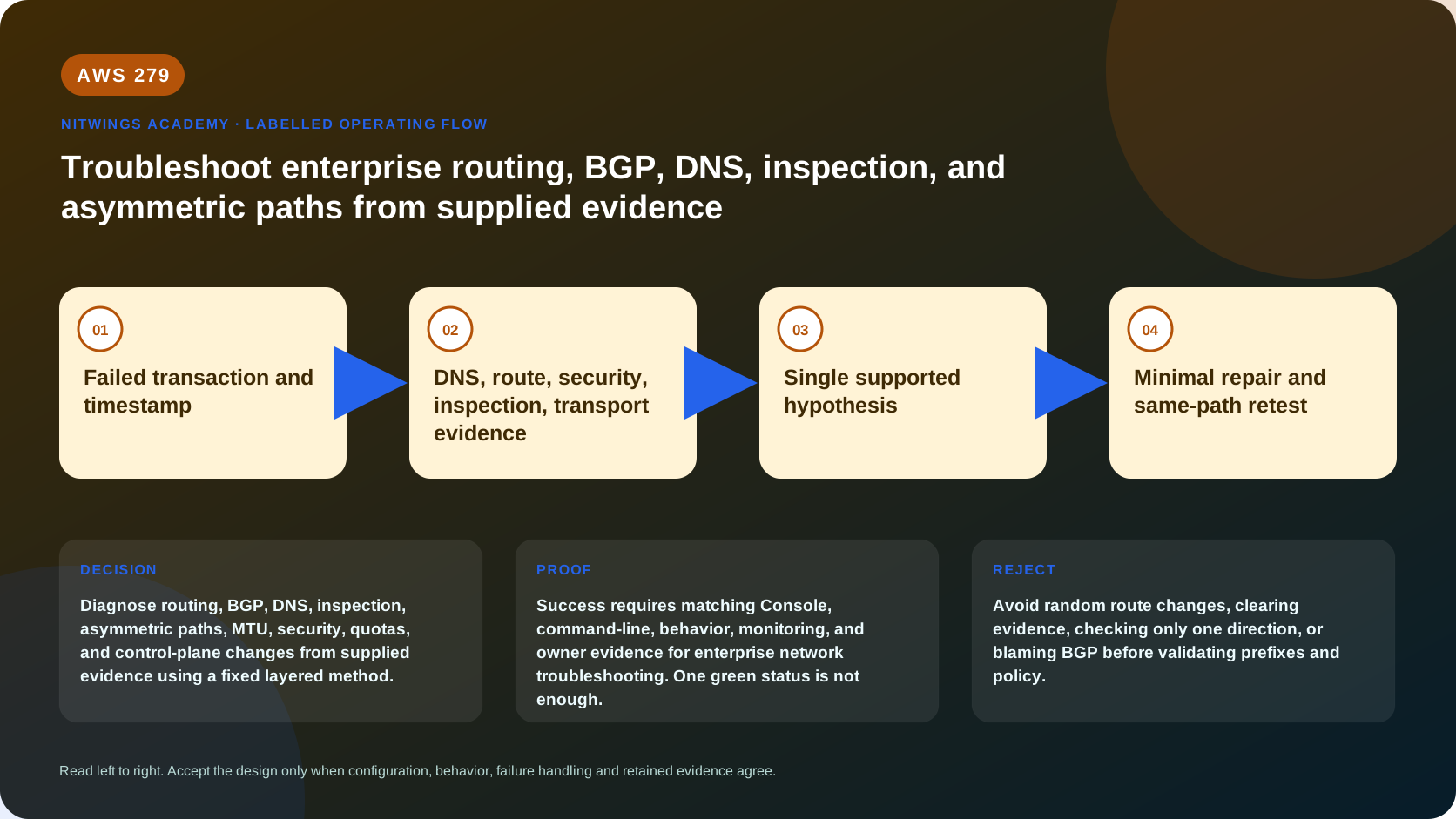
AWS 279: Troubleshoot enterprise routing, BGP, DNS, inspection, and asymmetric paths from supplied evidence
Why this lesson matters
Enterprise network incidents rarely fail at one obvious control. A user reports “VPN is down,” but the tunnel is healthy and the destination prefix was withdrawn. A DNS record resolves, but to an address in the wrong private view. A SYN reaches the server, but the reply crosses another firewall endpoint. Randomly adding routes, widening security groups, flushing caches, or restarting BGP destroys evidence and can turn a contained defect into an outage.
This capstone supplies six incident packs. You will preserve the timeline, calculate forward and return paths, distinguish control-plane intent from data-plane behavior, state competing hypotheses, and propose one minimal repair with rollback and retest. No live network changes are allowed.
Outcomes
By the end, you can:
- establish a precise symptom, scope, timestamp, and last-known-good baseline;
- separate DNS, routing, BGP, security, inspection, transport, application, and control-plane evidence;
- calculate longest-prefix and route-type selection in both directions;
- interpret BGP session, advertised/received prefix, path, and policy evidence;
- correlate VPC/TGW Flow Logs, Network Firewall logs, Resolver logs, metrics, and CloudTrail;
- identify asymmetric stateful paths, MTU/PMTUD defects, stale cache, and unauthorized egress;
- use Reachability Analyzer without mistaking configuration analysis for a packet test;
- reject unsupported hypotheses and avoid evidence-destroying actions;
- write a minimal repair, risk, rollback, and changed retest; and
- produce six incident reports suitable for peer review.
The incident method
Use the same sequence every time:
- Define the failed transaction. Record client, resolver, FQDN/address, source/destination IP and port, protocol, address family, UTC time, expected result, actual result, and business scope.
- Preserve evidence. Export routes, BGP state, DNS answer/TTL, security policy, logs, metrics, and changes before touching anything.
- Bound the blast radius. Compare working and failing clients, AZs, VPCs, Regions, prefixes, record types, protocols, sizes, and new versus established sessions.
- Draw the expected forward path. Resolve DNS, then apply every subnet, TGW/Cloud WAN, inspection, NAT/load balancer, and destination lookup.
- Draw the independent return path. Include customer routers/BGP and stateful endpoint/AZ.
- Find the first divergence. The first hop where evidence differs from the expected path is more useful than the final timeout.
- State competing hypotheses. For each, write evidence that would confirm or reject it.
- Select one root cause. Cite direct evidence; distinguish contributing conditions.
- Design the smallest repair. State blast radius, approval, prechecks, and why it corrects the first divergence.
- Define rollback and changed retest. Repeat the original probe plus negative, reverse, alternate-AZ/path, and monitoring checks.
- Record prevention. Add an invariant, test, alarm, policy, or runbook improvement.
Do not ask “is the network up?” Ask “can source tuple X resolve and complete transaction Y through expected path Z at time T?”
Evidence reliability
| Evidence | Proves | Does not prove |
|---|---|---|
| API/console configuration | control-plane state at collection time | packets followed it or target was healthy |
| Reachability Analyzer | modeled configuration path | packet transmission, reverse path, target health, all firewall semantics |
| VPC Flow Log ACCEPT | ENI policy accepted recorded flow | firewall/app accepted or response returned |
| TGW Flow Log | attachments/direction and route-loss counters | full workload/app result |
| Network Firewall flow/alert | firewall observed/acted on traffic | client received response |
| BGP Established | peer session is up | required prefix is advertised, accepted, preferred, or usable |
| DNS NOERROR/A answer | resolver returned data | address is reachable/current or application is healthy |
| ping | ICMP path/response | TCP/UDP app, MTU for larger packets, authorization |
| traceroute | some TTL-expired responses | exact forward and reverse path |
| application 401/403 | network/TLS likely reached application | caller was authorized |
Logs are delayed, sampled/aggregated, and can show NODATA or SKIPDATA. Use common UTC windows, 5-tuples, attachment/ENI IDs, and request IDs.
Read-only collection commands
export AWS_DEFAULT_REGION="ap-south-1"
aws sts get-caller-identity --query Arn --output text
aws ec2 describe-route-tables --output json
aws ec2 describe-transit-gateway-route-tables --output json
aws directconnect describe-connections --output json
aws directconnect describe-virtual-interfaces --output json
aws ec2 describe-vpn-connections --output json
aws route53resolver list-resolver-rules --output json
aws route53resolver list-resolver-query-log-configs --output json
aws network-firewall list-firewalls --output json
For approved IDs:
TGW_RTB_ID="tgw-rtb-approved-id"
FIREWALL_NAME="approved-firewall"
aws ec2 get-transit-gateway-route-table-associations +  --transit-gateway-route-table-id "$TGW_RTB_ID" --output json
aws ec2 get-transit-gateway-route-table-propagations +  --transit-gateway-route-table-id "$TGW_RTB_ID" --output json
aws ec2 search-transit-gateway-routes +  --transit-gateway-route-table-id "$TGW_RTB_ID" +  --filters Name=state,Values=active,blackhole --output json
aws network-firewall describe-firewall +  --firewall-name "$FIREWALL_NAME" --output json
Use exact destination searches as well as covering routes. Redact sensitive identifiers, addresses, domains, and topology.
Reachability tools and their limits
Reachability Analyzer models configuration; it does not send packets. It can include NAT gateways, TGW, Network Firewall, load balancers, and endpoints in supported paths, but important limits remain:
- source/destination are in one Region and analysis is IPv4;
- TGW TCP analysis can be forward-only;
- TGW Connect and policy tables have limitations;
- GWLB endpoint paths do not analyze the GWLB/appliance targets;
- registered-target health is not evaluated;
- only supported firewall rule forms are modeled, not every Suricata/domain/rule option; and
- transformed packet headers and unsupported components require human interpretation.
Run a separate reverse analysis where supported and still use data-plane evidence. Network Access Analyzer answers broad unintended-access questions from a scope, but it is also modeled, unidirectional, IPv4, and has cross-account/Region/component limitations.
Evidence pack 1: BGP is up, production prefix is missing
Symptom: At 09:12 UTC, on-premises clients lose 10.64.8.0/21; other AWS production prefixes work. Both DX physical connections and VIFs show available; BGP is up.
Supplied evidence:
09:02 change: customer export policy PROD-OUT v41 -> v42
BGP neighbor: Established, uptime 10d04h
AWS advertised toward customer: 10.64.0.0/14
Customer advertised toward AWS before: 172.20.0.0/16, 172.21.0.0/16
Customer advertised toward AWS now:   172.20.0.0/16
TGW route 172.21.0.0/16: absent
TGW route 172.20.0.0/16 -> dxgw attachment: active
The user complaint names an AWS destination, but the missing route is for the client's return network 172.21.0.0/16. Requests reach AWS; replies have no hybrid return route.
Hypotheses:
| Hypothesis | Evidence result |
|---|---|
| DX physical outage | rejected: connection/VIF/BGP and other prefixes work |
| AWS destination missing | rejected: destination route and ingress packets exist |
| customer prefix filtered | supported: prefix disappears immediately after export-policy change |
Root cause: customer BGP export policy v42 omitted 172.21.0.0/16, removing the TGW return route. Minimal repair: restore the approved prefix in customer export policy, after validating ownership and summary limits. Rollback: reapply v42 if unexpected route leakage occurs. Retest: confirm received prefix/TGW route, original TCP flow, reverse initiation policy, both DX paths, and no unauthorized adjacent prefix.
Lesson: Established BGP is transport for routes, not proof of required reachability.
Evidence pack 2: wrong TGW propagation domain
Symptom: A new shared patch service 10.72.5.20:443 works from development but not production.
shared attachment associated table: shared-ingress
shared attachment propagation: dev-ingress only
prod source attachment associated table: prod-ingress
prod-ingress search 10.72.5.20: no matching route
dev-ingress search 10.72.5.20: 10.72.0.0/16 -> tgw-attach-shared
TGW Flow Log prod: packets-lost-no-route=18
security group allows approved prod and dev client SG/CIDRs
Root cause: shared attachment propagation was enabled only for dev-ingress; production's associated TGW table has no route. This is not a security-group failure because the packet never reaches the destination.
Minimal repair: after segment owner approval, enable the shared attachment propagation into prod-ingress or add the exact approved static/prefix route according to route governance. First calculate every prefix the propagation introduces; broad propagation can expose unrelated shared subnets. Rollback: disable that propagation/restore route set. Retest: original production flow, return path, other shared prefixes, prod-to-dev negative test, and route-count/Flow Log alarms.
Evidence pack 3: stale negative DNS answer
Symptom: api.aws.corp.example works for new containers but fails for a long-running application after the record was created.
10:00 app queried A api.aws.corp.example -> NXDOMAIN
10:02 Route 53 private A record created: 10.64.20.15 TTL 60
10:05 dig @VPC_RESOLVER api.aws.corp.example A -> NOERROR 10.64.20.15
10:06 app still reports UnknownHost
SOA negative cache field used by local caching resolver: 900 seconds
10:16 app resolution begins succeeding without network/config change
Root cause: the application/local resolver retained the pre-creation negative answer. The new record TTL controls positive data, not the already cached negative response. Resolver query logs may not show every repeated request because cache hits are not logged as unique upstream queries.
Minimal repair: for the incident, safely refresh only the affected application/local resolver according to its runtime procedure, or wait for negative TTL; do not flush organization-wide DNS. Prevention: precreate records, understand SOA negative caching, use deployment readiness checks, and test exact resolver/FQDN/type. Retest: cold-cache A/AAAA from affected runtime, wrong-name negative result, both inbound endpoint IPs, and application transaction.
Evidence pack 4: asymmetric firewall endpoint
Symptom: TCP SYN reaches an east-west service; SYN-ACK is observed in the destination VPC but the client retransmits until timeout.
forward: spoke-a AZ-a -> TGW -> inspection attachment AZ-a
         -> firewall endpoint vpce-fw-a -> TGW -> spoke-b
return:  spoke-b -> TGW -> inspection attachment AZ-b
         -> firewall endpoint vpce-fw-b -> TGW -> spoke-a
inspection attachment ApplianceModeSupport: disable
Firewall a: SYN flow event, no SYN-ACK
Firewall b: SYN-ACK stream exception/drop
Network Firewall requires both directions through the same endpoint/state context. Root cause: appliance mode is disabled and the return flow selects another inspection AZ/endpoint.
Minimal repair: enable appliance mode through reviewed IaC and verify per-AZ inspection VPC route tables; this is a high-impact attachment option. Do not simply allow the stream exception. Rollback: restore prior option only if alternate safe path is approved. Retest: new connections in every AZ/direction, long-lived sessions, endpoint failure, no direct bypass, firewall bidirectional flow logs, and Reachability Analyzer forward/reverse caveats.
Evidence pack 5: small packets work, large TLS stalls
Symptom: ping and small HTTP response work over VPN; TLS upload and large responses stall. No route/security changes occurred.
ICMP echo 56 bytes: success
ping -M do -s 1372 destination: success
ping -M do -s 1400 destination: fails
TCP SYN/SYN-ACK/ACK: success
large TLS segment: retransmissions
TGW Flow Log: packets-lost-mtu-exceeded increases
customer firewall: ICMP fragmentation-needed blocked
VPN/encapsulation lowers effective path MTU
Root cause: packets exceed effective MTU while Path MTU Discovery feedback is blocked, producing a black-hole PMTUD failure. Ping success does not prove application-size transport.
Minimal repair: permit required ICMP PMTUD messages and apply evidence-based TCP MSS adjustment on the correct customer edge if needed. Avoid arbitrary tiny MTU everywhere. Rollback: restore prior MSS/firewall rule if measured side effects occur. Retest: do-not-fragment size sweep, TCP upload/download, IPv4 and IPv6 Packet Too Big behavior, both VPN tunnels/DX path, retransmission and TGW loss counters.
Evidence pack 6: unauthorized internet egress bypass
Symptom: A development instance reaches an unapproved public IP even though centralized DNS Firewall and Network Firewall should deny it.
application connects directly to 198.51.100.44:443; no DNS query occurs
dev subnet routes:
  0.0.0.0/0 -> local public NAT gateway
  10.0.0.0/8 -> TGW
approved design expected:
  0.0.0.0/0 -> TGW centralized inspection/egress
Network Firewall logs: no matching 5-tuple
NAT metrics/Flow Logs: connection and bytes observed
CloudTrail 07:40: CreateRoute by emergency-admin
Root cause: a local default route to NAT bypasses TGW inspection; direct-IP use also bypasses DNS filtering. The firewall did not fail because the flow never reached it.
Minimal repair: under incident/change authority, restore the approved default to TGW after confirming centralized path capacity/health. Preserve CloudTrail and determine whether the emergency route was authorized. Rollback: only to a documented alternate inspected path, not the bypass. Retest: approved domain, denied domain, direct IP, external DoH, IPv6 ::/0, AWS service endpoint, NAT/TGW/firewall logs, and route-drift alarm.
BGP troubleshooting ladder
Work bottom-up:
- physical connection state, optics/light, cross-connect and provider;
- VLAN/802.1Q and LAG/LACP;
- peer IP reachability;
- TCP 179, MD5 key, local/remote ASN, BGP TTL/GTSM;
- BGP Established and flap timeline;
- exact advertised and received prefixes, prefix limits, filters and communities;
- route selected into customer/TGW/VGW tables;
- more-specific, static, local-preference, AS-path and return policy;
- data-plane probe/Flow Logs/application; and
- failover capacity and alternate path.
Direct Connect VIF status up does not show every route. Exceeding hard prefix limits or a filter can affect BGP/routes. A backup VPN may advertise more specifics and unexpectedly win. Preserve router show output and policy versions with UTC timestamps.
Routing and security diagnosis
For every destination list exact and covering routes. Apply longest prefix first, then documented equal-prefix priority. Identify source attachment's associated TGW table; propagation elsewhere does not help it. Static routes can suppress propagated alternatives. Blackhole and no-route are different outcomes with different TGW counters.
Then evaluate security in path order: NACL, security group, firewall, load balancer/target health, host firewall/listener, TLS, and application identity. A security group is stateful but cannot repair a missing route. A NACL is stateless and needs return ephemeral traffic. An HTTP 403 generally proves more network progress than a timeout.
Change correlation without blame
Build a timeline with:
| Time | Event | Evidence | Relevance |
|---|---|---|---|
| last known good | successful transaction | synthetic/app log | baseline |
| first failed | exact client/error | app/packet log | incident start |
| preceding change | actor/API/resource/diff | CloudTrail/IaC | hypothesis, not automatic cause |
| observed divergence | first failed hop | route/log/metric | direct cause evidence |
| repair/canary | controlled action | ticket/pipeline | intervention |
| recovery | changed retest | app and network | validates cause |
Temporal correlation is not enough. A change is causal only when its mechanism matches the failed path and reversal/correction changes the result. Preserve CloudTrail, Config history, pipeline diff, device commit, DNS change, and policy version.
Repair safety and incident communication
Before repair state:
- exact resource/field and current/desired value;
- flows improved and potentially exposed;
- capacity/route/security side effects;
- approver and maintenance/incident authority;
- canary source/destination;
- success and abort thresholds;
- rollback action and owner; and
- evidence retention.
Communicate facts separately from hypotheses. Example: “SYN reaches firewall endpoint A; SYN-ACK reaches endpoint B and is dropped as a stream exception. Appliance mode is disabled. Proposed repair enables appliance mode on attachment X; expected impact is new-flow AZ selection. Existing sessions may reset.”
Troubleshooting report template
For each pack submit:
- incident ID, severity, owner, UTC timeline;
- exact failed transaction and business impact;
- expected architecture and forward/return path;
- evidence inventory with source and timestamp;
- working versus failing comparison;
- at least three hypotheses and reject/confirm tests;
- first divergence, root cause and contributing conditions;
- minimal repair, risk, approval and canary;
- rollback and abort threshold;
- changed positive/negative/degraded retests;
- recovery evidence and remaining uncertainty; and
- prevention action, owner and due date.
Do not receive credit for naming the supplied answer without path calculations and rejected hypotheses.
Cost and cleanup
Troubleshooting has cost: Flow Logs, firewall/query logs, CloudWatch ingestion/query/retention, Reachability Analyzer analyses, Traffic Mirroring, packet capture appliances, support plans, incident labor, and data transfer. Logging everything indefinitely may expose sensitive DNS/traffic data and create large bills. Define event fields, sampling/aggregation, retention, encryption, privacy access, archive, and incident override.
This lesson creates nothing. Prove no route, BGP policy, DNS record/cache, firewall rule, attachment option, NAT, endpoint, log configuration, or production resource changed. Local written reports are the only outputs.
Knowledge check
- Does BGP Established prove a required route exists?
No. Advertisement, filter, acceptance, selection, and return use must be verified.
- Does Reachability Analyzer send test packets?
No. It models supported configuration and has documented limitations.
- What does
packets-lost-no-routeprove?
TGW could not select a usable route for those packets.
- Why can ping work while TLS stalls?
Small ICMP can fit while larger packets fail MTU/PMTUD.
- Why might Firewall logs be empty during a policy bypass?
Routing may never send traffic through the firewall.
- What validates a root-cause hypothesis?
Mechanism-matching evidence plus a controlled correction and changed retest.
Lesson acceptance
The lesson is complete only when the learner can:
- execute the eleven-step incident method without random changes;
- solve all six packs using bidirectional path and timeline evidence;
- reject at least two plausible hypotheses per incident;
- interpret BGP, TGW route/counter, DNS/cache, firewall state, MTU and NAT evidence;
- explain Reachability/Network Access Analyzer strengths and limitations;
- propose minimal approved repairs with canary, risk, rollback and abort thresholds;
- run changed positive, negative, alternate-path/AZ, IPv4/IPv6 and degraded retests;
- correlate changes causally without erasing evidence or assigning unsupported blame;
- submit six complete 12-section incident reports and prevention actions; and
- attest that no staging or production AWS resource changed.