
AWS 283: AWS Application Migration Service
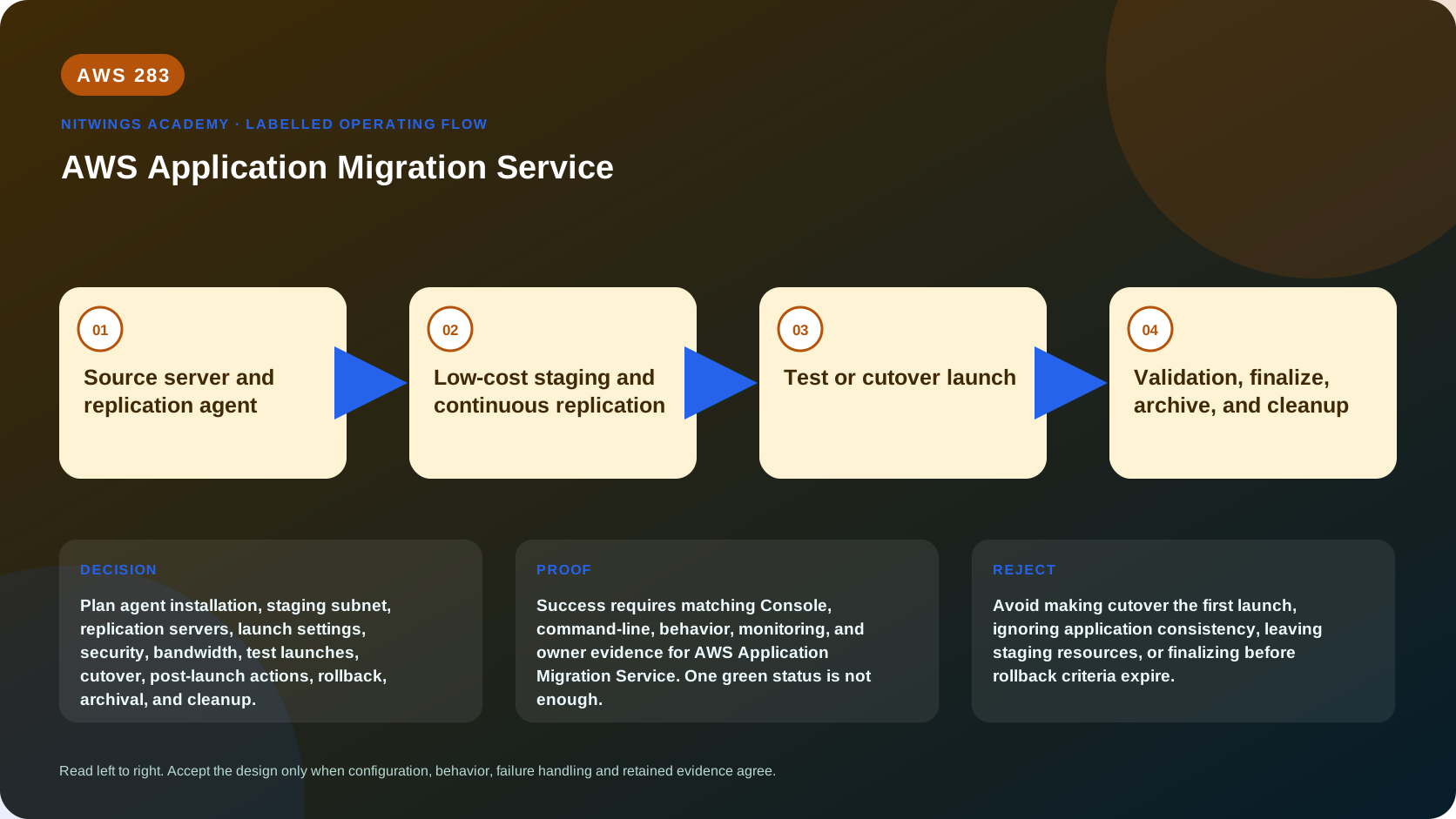
Why this lesson matters
AWS Application Migration Service, shown in current documentation as AWS Transform MGN, rehosts supported physical, virtual, cloud, and EC2 source servers onto Amazon EC2. A replication agent reads source disk blocks, sends encrypted changes to temporary replication infrastructure in a staging subnet, and keeps recoverable point-in-time state until operators launch test or cutover instances.
That mechanism solves only part of migration. A replicated disk is not proof that the operating system boots, the application is consistent, network paths work, users can authenticate, licensing is valid, or rollback can preserve writes. An architect must understand every control-plane and data-plane boundary before authorizing cutover.
Outcomes
By the end, you can:
- explain what MGN does and when rehost is or is not appropriate;
- trace source blocks through agent, network, staging resources, snapshots and EC2 launch;
- distinguish replication, launch and migration lifecycle states;
- check Linux agent, disk, boot, network, identity and quota prerequisites;
- configure replication, launch and post-launch templates without confusing their scope;
- protect credentials, replicated data and test environments;
- estimate initial-sync duration and recognize lag/backlog risk;
- design test, cutover, revert, finalize, archive and decommission gates;
- investigate installation, replication and launch failures from evidence; and
- produce a complete three-tier rehost runbook from supplied evidence.
What MGN is and is not
MGN performs continuous block-level replication and launches EC2 instances from replicated server state. It supports a rehost strategy: the source operating system and installed workload largely move together.
MGN does not by itself:
- discover the business application boundary or choose the correct migration strategy;
- convert an application into a managed database or serverless architecture;
- prove transaction-level consistency across several independently replicated servers;
- redesign overlapping networks, identity, DNS, certificates or software licensing;
- guarantee that an unsupported OS, architecture, boot layout or driver will run on EC2;
- synchronize writes made on a launched cutover instance back to the source; or
- authorize shutdown and disposal of source infrastructure.
Choose MGN after AWS280 strategy and AWS281/AWS282 evidence show that server rehosting is appropriate. Use database, file, container or application-specific migration tools when their semantics are required.
End-to-end architecture
Source server
  application + file systems + disks
           |
           | AWS Replication Agent reads changed blocks
           | encrypted/compressed TLS, TCP 1500
           v
Target-Region VPC staging subnet
  temporary replication EC2 + staging EBS/FSx for ONTAP
           |
           | point-in-time state and conversion workflow
           v
Test or cutover launch
  target subnet + EC2 launch settings + post-launch actions
           |
           v
Application tests -> traffic change -> finalize -> archive
The agent also needs control access to MGN and installer artifacts, generally through HTTPS 443 and the documented service/S3 paths. Replication servers need 443 to the MGN service. Private connectivity, proxy or public/NAT paths are design choices; prove DNS, routing, endpoint policy and TLS for the selected path.
AWS encrypts and compresses replicated data before it crosses TCP 1500 and uses TLS 1.2 to the replication server. Use EBS encryption, approved KMS ownership and least-privilege access as separate controls. Transport encryption does not excuse an unencrypted staging volume or overbroad snapshot permissions.
Three settings layers
| Layer | Controls | Scope trap |
|---|---|---|
| Replication template/settings | staging subnet, replication server type, data routing, throttling, security group, storage and tags | template normally affects newly added sources; inspect server-specific effective values |
| Launch template/settings | target instance type, subnet, SGs, disks, license, tenancy, IP and boot behavior | test and cutover can fail even while replication is healthy |
| Post-launch template/settings | Systems Manager actions after test/cutover launch | account activation and per-server settings differ; scripts can change production state |
A template is not retroactive proof. After editing an account template, verify whether already registered servers retained older values. Record effective settings per source server before launch.
Initialize the target safely
Initialization creates service roles and default templates in one Region/account. Before it:
- identify migration and target account/Region owners;
- review required IAM and service-linked roles against SCPs and permissions boundaries;
- choose a dedicated staging VPC/subnet or approved shared design;
- verify subnet addresses, routes, DNS, security groups, endpoints/NAT and quotas;
- select encryption keys, tags, logs, budgets and incident ownership;
- prepare target VPC/subnets, security groups and operational controls; and
- capture initialization and template changes through approved change management.
Never initialize or reinitialize permissions merely to make an error disappear. Determine which denied action and policy layer caused the failure.
Source-server and Linux prerequisites
Check the current supported-OS table for the exact version and kernel. Support changes over time. Current general requirements include x86 architecture, a stable MAC address, at least 2 GB free on the root directory, at least 300 MB free RAM, and no replicated volume larger than 16 TiB. Fully paravirtualized sources and some boot/storage arrangements are unsupported.
Linux checks include:
- supported distribution, kernel and x86_64 architecture;
- GRUB 1 or 2, with required modules for GPT/UEFI combinations;
/tmpwritable and executable during installation;- Python available for the installer;
- root or controlled sudo capability;
- supported disk/LVM/multipath layout and every required whole disk selected;
- stable MAC identity through reboot;
- required network access and trusted proxy/CA path; and
- enough CPU, memory and disk headroom for agent activity.
Useful read-only evidence:
uname -a
uname -m
cat /etc/os-release
findmnt / /tmp
lsblk -e7 -o NAME,TYPE,SIZE,FSTYPE,MOUNTPOINTS
df -hT / /tmp
free -m
ip -brief link
sudo grubby --default-kernel 2>/dev/null || true
Do not copy output containing private addresses, host names or mount data into a public submission. These commands do not prove AWS support; compare results with current MGN requirements.
Agent installation and identity
The Linux installer needs elevated privileges because the agent reads block devices. It creates an aws-replication user/group and installs a persistent agent. Plan installation as a controlled production change: checksum the Region-specific installer against AWS's published SHA-512 value, inventory files/services/users added, monitor resource use, and document uninstall/rollback.
Use temporary installation credentials with only the documented permissions. Do not embed long-lived access keys in scripts, shell history, process arguments, tickets or configuration management output. Revoke/delete installation credentials after enrollment and verify that the agent uses its issued identity. If a secured network uses a private MGN endpoint, use the documented endpoint installer option and prove S3/installer access separately.
Disk selection is consequential. MGN replicates whole disks, even when a partition is selected, and the root disk must be included. Compare selected block devices and capacities with application/data-owner records. Adding/removing disks, hard crashes or certain changes can trigger rescans; reconnected disks may need re-enrollment and full replication.
Replication network and staging subnet
The source agent sends block data to replication servers on TCP 1500. Scope inbound rules to approved source ranges or paths; do not open the port to the internet. Replication servers need outbound control connectivity on 443. Check return routing, firewall state, MTU/MSS, proxy behavior, DNS and inspection impact in both directions.
AWS recommends a dedicated staging subnet per account for typical migrations. It must have enough addresses and routes for automatically managed replication servers. Very large programs may use more than one subnet, but document placement and blast radius.
The default MGN replication security group permits required TCP 1500 traffic and can be monitored/repaired by the service. If policy requires custom groups, own rule correctness and drift. An SCP or permissions boundary that prevents MGN from creating/repairing infrastructure can appear as a network problem.
Replication server, storage and bandwidth design
Replication servers are lightweight EC2 instances launched and terminated automatically. Staging disks are not normal target application disks. Select instance/storage options from source change rate, disk performance, concurrency and network capacity, then observe rather than assume.
Estimate an ideal lower bound:
seconds = bytes to seed / usable bytes per second
usable rate = link rate x efficiency x available migration share
Example: 4 TiB over an effectively available 400 Mbit/s path is roughly 23.3 hours before protocol overhead, source-read limits and continued writes. If the source changes at 80 Mbit/s during synchronization, the effective catch-up margin is smaller. Model daily change rate and cutover lag, not only total capacity.
Throttling protects production and WAN links but can prevent convergence. Define bandwidth owner, business-hour limits, expected completion, lag alarm and escalation. Test contention with backup and batch windows.
Replication versus lifecycle state
Two state families answer different questions.
Replication evidence includes initial-sync percentage, healthy/stalled/paused/disconnected status, lag, backlog, last snapshot, rescan and alerts. Migration lifecycle commonly progresses:
Not ready -> Ready for testing -> Test in progress
-> Ready for cutover -> Cutover in progress -> Cutover complete -> Archived
“Ready for testing” means initial replication is sufficiently established for launch. “Healthy” means replication health, not application health. “Cutover complete” is reached after finalization and stops replication. Archiving hides completed source records from the normal view; it does not delete EC2, shut down the original server, or prove data-retention completion.
Read-only control-plane evidence:
aws mgn describe-source-servers \
  --query 'items[].{ID:sourceServerID,Life:lifeCycle.state,Replication:dataReplicationInfo.dataReplicationState,Lag:dataReplicationInfo.lagDuration,LastSnapshot:dataReplicationInfo.lastSnapshotDateTime}' \
  --output table

aws mgn describe-jobs \
  --query 'items[].{Job:jobID,Type:type,Status:status,Started:initiatedBy}' \
  --output table
Run only with approved read permission in the correct account and Region. An empty result may mean wrong scope, not no servers.
Launch settings and EC2 compatibility
Before test launch, resolve and verify:
- EC2 instance architecture/type, capacity and quota;
- AMI conversion/boot mode and required drivers;
- target subnet/AZ, private IP policy, security groups and routes;
- EBS type, capacity, IOPS/throughput, KMS key and deletion behavior;
- tenancy and Windows/Linux/SQL/vendor license terms;
- instance profile, tags, hostname and user-data ownership;
- ENI count and any static-IP or MAC assumptions; and
- backup, monitoring, patching, vulnerability and access onboarding.
Do not launch production tests into a subnet where duplicate host identity, schedulers, queue consumers, directory registration or monitoring automation can affect live systems.
Post-launch actions
MGN can install Systems Manager Agent and run predefined or custom SSM documents after a test or cutover launch. Examples include connectivity/volume/process checks, time synchronization, CloudWatch Agent installation, domain join, licensing/OS conversion and custom validation.
Treat actions as privileged automation:
- review the exact document version, parameters, IAM instance profile and order;
- test idempotency, timeout, failure and rollback;
- distinguish actions that run on test, cutover or both;
- encrypt sensitive parameters and tightly restrict Parameter Store/KMS access;
- never place passwords or API keys in ordinary string parameters;
- mark truly mandatory actions as cutover blockers; and
- retain command output as evidence without exposing secrets.
Template changes do not necessarily alter existing source-server settings. Verify each server. A successful SSM command is not business acceptance.
Application and data consistency
Block replication captures storage state, but multi-server applications need consistency design. A database may have writes in memory/logs; web/API/database servers can reflect different instants; a queue can deliver messages while test or cutover is happening.
Define:
- whether crash-consistent state is acceptable;
- application quiesce, database checkpoint or native replication steps;
- source write freeze and final lag threshold;
- ordering for load balancer, app, database and schedulers;
- transaction and reconciliation tests;
- treatment of target writes if rollback occurs; and
- authoritative system during every transition phase.
For demanding RPO/consistency requirements, combine or replace MGN with application/database-native mechanisms. Do not claim near-zero data loss solely from low block-replication lag.
Test before cutover
AWS recommends testing well before the planned migration. Launch into an isolated target where you can prove boot, filesystems, processes, network, identity, DNS, certificates, application transactions, performance, monitoring, backup/restore and security controls.
Use positive and negative tests. Confirm an allowed request works and an unauthorized or prohibited path fails. Record source-server ID, launch job, EC2 instance/volume IDs, snapshot time, effective settings, test data, expected/actual result, defect and approver.
When testing is accepted, mark the server ready for cutover and intentionally terminate obsolete test resources. Revert it to ready for testing if material settings or evidence change.
Cutover, revert and finalize
Before cutover, require healthy replication, acceptable lag, passed tests, approved window, staffed owners, frozen configuration, communication and a rollback runbook.
A typical order is:
- stop or quiesce source writes and background work;
- wait for the agreed replication lag/snapshot point;
- launch the latest cutover instance;
- validate EC2 and mandatory post-launch actions;
- switch DNS/load balancer/routes/integrations;
- run technical and business acceptance tests;
- observe against explicit error/latency/integrity thresholds; and
- either revert/restore source traffic or approve finalization later.
Reverting a cutover returns the MGN lifecycle to ready for cutover and can delete the launched instance. It does not merge target writes back into the source. Rollback must account for target-created orders, files, messages and database changes.
Finalization is intentionally late. It stops replication, discards replicated staging data and terminates replication resources. Only finalize after the rollback window and owner acceptance. Turn on termination protection for accepted EC2 instances as appropriate. Then archive the MGN record separately.
Troubleshooting by evidence
| Symptom | Likely evidence/cause | Safe next action |
|---|---|---|
| Source never appears | installer log, credentials, Region, 443/S3 path, unsupported OS | correct one cause; do not expose credentials in logs |
| Agent not seen | service/process, identity, MGN endpoint, clock/DNS/TLS | prove agent-to-service path and registration |
| Failed to pair | TCP 1500 route/SG/firewall, replication server state | trace source-to-staging path and return traffic |
| Stalled/not converging | bandwidth, write rate, source read error, staging disk/EC2, quota | compare backlog trend and bottleneck metrics |
| Snapshot failure | EBS/KMS/IAM/quota/staging errors | inspect job/CloudTrail and exact denied/resource event |
| Test launch fails | conversion, capacity, subnet/IP, KMS, EC2 quota, launch template | inspect launch job and target events before retry |
| Boots but service fails | disks/mounts, hostname, identity, license, DNS, dependency | compare test checklist and application logs |
| Post-launch action fails | SSM connectivity/profile/document/parameter/order | preserve output, repair/test action, relaunch if needed |
| Unexpected bill | old tests, volumes/snapshots, replication, NAT/transfer, logs | inventory by tags/IDs; remove only owner-approved artifacts |
Do not repeatedly reinstall agents or relaunch instances without preserving the first failure evidence. Retries can hide causality and add cost.
Quotas, cost and cleanup
Current defaults include 20 concurrent jobs per Region, one concurrent job per source server, and 150 actively replicating source servers per Region; several limits are adjustable or have separate application/wave limits. Validate current quotas before each wave.
Cost includes replication EC2, staging EBS or FSx, snapshots, network transfer/connectivity, NAT/endpoints, KMS, logs, test/cutover EC2 and EBS, licenses, support and source/target parallel run. “Low-cost staging” is not “free migration.” Use tags and Cost Explorer/account allocation.
After acceptance, reconcile every source ID to replication resources, test instances, cutover instances, EBS volumes, snapshots, ENIs, security groups, temporary IAM/credentials, logs and source agents. Finalize and archive through MGN only when approved; retire source servers, backups, DNS, firewall rules and licenses through their separate owners and retention gates.
Hands-on workshop: three-tier rehost dossier
Using supplied evidence for Linux web, API and PostgreSQL servers, produce:
- a suitability decision explaining why rehost beats or loses to alternatives;
- prerequisite matrix for OS/kernel/boot/disks/MAC/free space/network;
- source-to-staging and staging-to-service packet paths;
- replication template with subnet, SG, storage, throttle, encryption and tags;
- per-server launch settings and dependency ordering;
- secure temporary agent-install plan with hash verification and rollback;
- sync-time estimate for 4 TiB and a backlog/lag acceptance graph;
- isolated test plan with positive, negative, restore and performance tests;
- data-consistency and source/target write-authority timeline;
- minute-by-minute cutover and rollback runbook;
- finalize/archive/decommission gates and RACI; and
- cost, quota, evidence and cleanup registers.
Inject failures: the API has /tmp mounted noexec, one server's MAC changed, TCP 1500 is blocked, backlog grows during backup, the test database sends email, and users write two orders after target traffic starts. Diagnose each from evidence and decide stop, repair, retry or rollback.
Knowledge check
- Does healthy replication prove the application is ready?
No. It proves a replication condition, not boot, dependency, security, data consistency or business behavior.
- Why is TCP 1500 required?
Source agents send encrypted/compressed replicated block data to staging replication servers over it.
- What is lost when cutover is finalized?
Ongoing replication stops and replicated staging data/resources are discarded/terminated, so finalization is a late approval gate.
- Does revert copy target writes back to source?
No. The rollback plan must reconcile or intentionally discard those writes.
- What does archive do?
It changes MGN record visibility/state after completion; it does not decommission the source or target EC2 instance.
- Why inspect effective per-server settings?
Templates commonly seed newly added servers and may not retroactively change existing records.
- When is MGN a poor fit?
When rehost is the wrong strategy, the source is unsupported, whole-server block replication is unsuitable, or application-level consistency/modernization needs another mechanism.
Lesson acceptance
Pass only if the dossier traces identity, blocks, packets, lifecycle, evidence, cost and ownership from source enrollment through approved decommissioning. Reject it if it exposes credentials, assumes template values are effective, treats low lag as application consistency, uses cutover as the first test, omits target-write rollback, finalizes immediately, or treats archive as resource cleanup.
Official sources
- What is AWS Application Migration Service
- MGN installation requirements
- Install the Linux replication agent
- MGN replication template reference
- MGN migration lifecycle dashboard
- MGN post-launch template
- Launch and revert a cutover
- Finalize and archive a cutover
- MGN service quotas
- MGN common replication errors