
AWS 302: Amazon EMR
Why this lesson matters
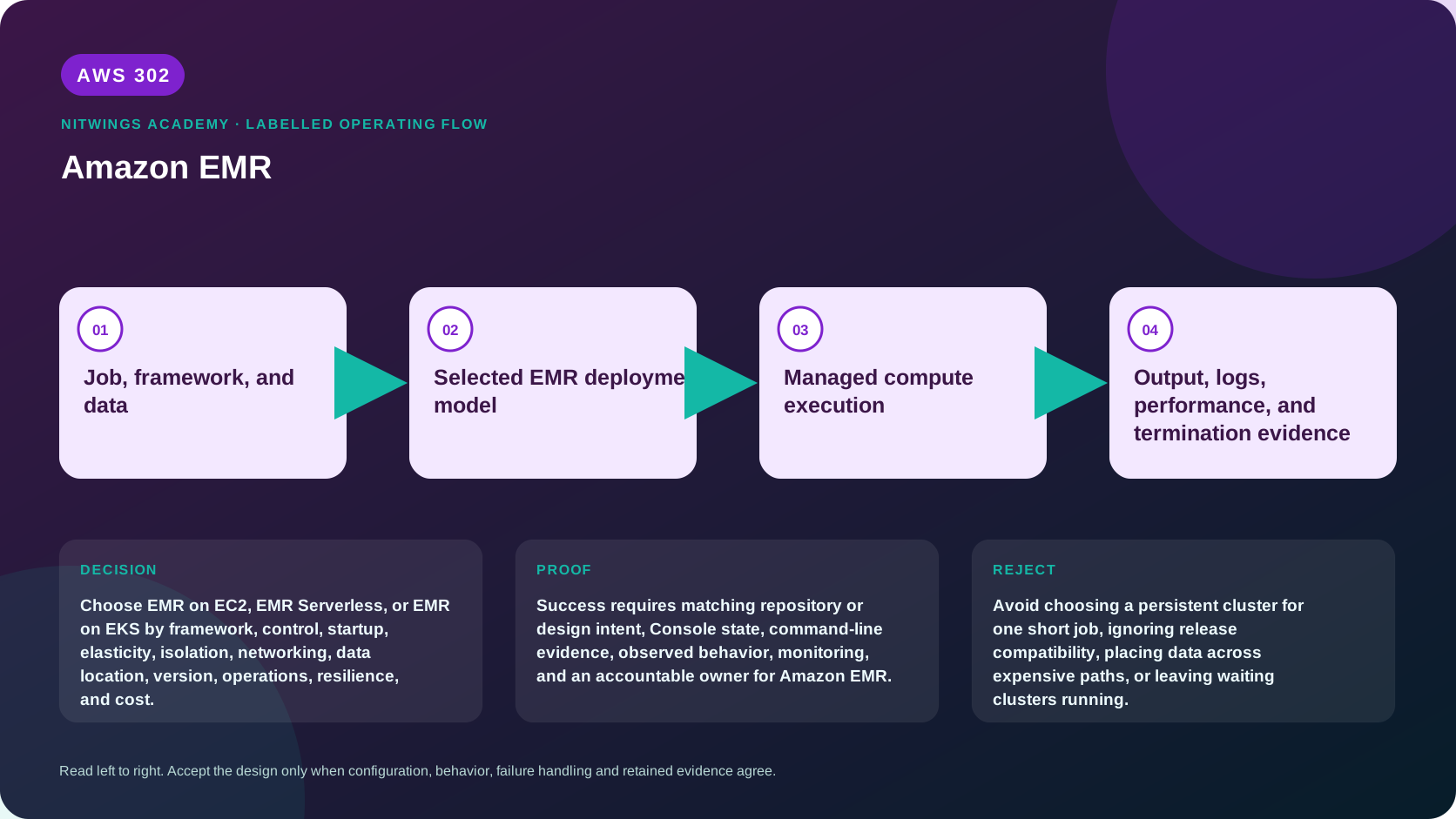
Amazon EMR is not one cluster product. It is a family of ways to run open-source analytics frameworks such as Apache Spark. EMR on EC2 gives deep cluster and instance control. EMR Serverless provisions workers for applications and jobs without exposing a cluster. EMR on EKS runs EMR-managed jobs against an existing Amazon EKS platform. Selecting only by the word “serverless,” an existing Kubernetes mandate, or the lowest instance price usually ignores startup, isolation, release compatibility, storage, network paths, operator skill, interruption behavior, and idle cost.
A Spark program also behaves differently from a normal Linux process. A driver builds and coordinates work; executors process partitions; shuffles move intermediate data; skew can leave one task running long after the rest; retries can duplicate unsafe writes; and memory failures can appear far from the line that created the pressure. EMR manages infrastructure, but the architect still owns these distributed-system consequences.
This workshop teaches the common execution model first, then compares all three deployment choices. You will build a decision dossier for three workloads, size capacity, map identity and network paths, design Spot and retry safety, interpret supplied failure evidence, model cost, and write termination/cleanup proof. The required path creates no cloud resources. An optional approved path runs one tiny EMR Serverless Spark job.
What you will be able to do
By the end, you can:
- explain Spark driver, executor, stage, task, partition, shuffle, checkpoint, and output-commit behavior;
- distinguish EMR release labels from Spark and other application versions;
- compare EMR on EC2, EMR Serverless, and EMR on EKS from requirements;
- design primary, core, and task capacity without treating all nodes as interchangeable;
- choose instance groups or instance fleets, On-Demand or Spot, and manual or managed scaling;
- bound EMR Serverless initial and maximum capacity, auto-start, auto-stop, and job concurrency;
- explain EKS virtual clusters, namespaces, execution roles, scheduling, and platform ownership;
- map service, runtime, instance, Kubernetes, S3, Glue, Lake Formation, KMS, and network permissions;
- keep durable data and recovery evidence outside ephemeral compute;
- diagnose provisioning, bootstrap, dependency, memory, skew, shuffle, network, and output failures;
- model complete cost rather than comparing one vCPU or EC2 rate; and
- defend a deployment decision, operational runbook, and cleanup result.
Before you start
- Complete AWS300 and AWS301 so that S3 layout, Glue metadata, Athena, IAM, and Lake Formation are familiar.
- Use the T0 path unless a learner-owned account, budget, runtime role, logs bucket, and cleanup owner are approved.
- The example Region is
ap-south-1. Verify release and feature availability in the chosen Region. - Never launch a cluster merely to inspect the console. EMR, EC2, EBS, NAT, logs, and public IPv4 can all incur charges.
- Do not use
aws emr create-default-rolescasually in an established account. It creates IAM resources with account-wide implications. - Redact account numbers, role ARNs, bucket names, private addresses, customer data, and signed URLs.
- Do not store the only copy of durable output in HDFS, container disk, or node-local storage.
Create a local evidence directory and record the current caller:
mkdir -p "$HOME/aws302-evidence"
cd "$HOME/aws302-evidence"

export AWS_DEFAULT_REGION="ap-south-1"
aws sts get-caller-identity --query Arn --output text
aws configure list
1. Learn the execution model before choosing a product
submitted Spark application
          |
          v
driver: builds plan, requests resources, coordinates stages and retries
          |
          +------------+------------+
          v            v            v
      executor      executor      executor
      tasks/data    tasks/data    tasks/data
          \            |            /
           +------ shuffle --------+
                       |
                       v
        durable output, logs, metrics, and checkpoints
A job contains actions and transformations. Spark builds a directed acyclic graph, divides it into stages at shuffle boundaries, and creates tasks for data partitions. More partitions can improve parallelism until scheduling, object count, and shuffle overhead dominate. Too few partitions underuse capacity. A skewed key can make one partition enormous.
The driver is a control dependency. If it is undersized, loses network access, or terminates, adding executors does not solve the problem. Executors need CPU, heap, off-heap and overhead memory, local disk, network, and access to source/output systems. “Executor lost” is a symptom, not a diagnosis.
| Evidence | What it helps answer |
|---|---|
| Spark event log and UI | stage duration, skew, spill, failed tasks, executors |
| Driver log | planning, dependency, permission, serialization, final failure |
| Executor log | task exception, out-of-memory, disk, fetch, native library |
| YARN or Kubernetes events | scheduling, eviction, container/node behavior |
| EMR job/step state | platform lifecycle and failure reason |
| CloudWatch metrics | capacity, health, pending work, storage, network |
| S3 inventory and checksum | whether durable output is complete |
Retries are safe only when reads and writes are replay-safe. Use unique run IDs, temporary output, atomic or transactional commit patterns where supported, deterministic keys, and reconciliation. A successful platform state does not prove exactly-once business output.
2. Treat an EMR release as a software bill of materials
An EMR release label selects tested versions of Spark, Hadoop, Hive, Hudi, Iceberg, operating-system components, connectors, and EMR patches. “Spark 3” is not precise enough. Code, JARs, Python packages, table formats, serializers, JVM behavior, and configuration keys can change across releases.
As of this review, the current documentation lists EMR 7.13.0 as the latest 7.x release, while older maintained branches have different latest labels. Region rollout can lag. Never derive a production label from this sentence alone. Query the target Region and consult release notes at implementation time.
aws emr list-release-labels --max-results 20 --output json \
  | tee emr-release-labels.json

aws emr-serverless list-release-labels --max-results 20 --output json \
  | tee emr-serverless-release-labels.json
Pin the release label in infrastructure code. Maintain an upgrade test set with representative inputs, schema changes, dependencies, output checksums, performance baseline, security configuration, and rollback. Standard, extended, bridge, end-of-support, and end-of-life windows are lifecycle constraints, not documentation trivia.
3. Compare the three deployment models
| Dimension | EMR on EC2 | EMR Serverless | EMR on EKS |
|---|---|---|---|
| Primary abstraction | Cluster | Application and job run | Virtual cluster mapped to EKS namespace |
| Infrastructure control | Highest | Lowest | Shared with EKS platform |
| Framework scope | Broad EMR applications | Supported Serverless application types | Supported EMR container releases |
| Startup | Cluster provisioning/bootstrap | Worker provisioning; warm capacity optional | Pod/image/scheduler and EKS capacity path |
| Scaling | Manual, custom, or EMR managed | Automatic workers within maximum | Spark dynamic allocation plus Kubernetes capacity |
| Isolation | Cluster/account/network boundaries | Application, runtime role, VPC settings | Namespace, RBAC, IAM, nodes, runtime classes |
| Customization | Bootstrap actions, AMI and configuration options | Runtime configuration and job dependencies | Container image and EKS platform controls |
| Idle cost | Cluster instances remain until termination | No active workers unless pre-initialized; other resources remain | Existing EKS and node capacity can remain |
| Operator burden | EC2, YARN, OS, fleet, patch/release operations | Job/application operations | EMR plus Kubernetes platform operations |
| Best fit | Deep control, broad apps, long-lived or specialized clusters | Intermittent Spark/Hive with low cluster burden | Existing mature EKS platform and Kubernetes integration |
Do not select EMR on EKS simply because the organization has EKS. Confirm platform tenancy, namespace isolation, scheduling capacity, image governance, upgrades, observability, and which team owns an overnight failed job.
4. Design EMR on EC2 correctly
An EMR on EC2 cluster commonly uses:
- primary nodes for cluster coordination;
- core nodes for compute and HDFS data; and
- task nodes for compute without HDFS data-node responsibility.
Task nodes are usually the safer place for interruptible capacity. Losing core capacity can affect HDFS and shuffle state. Durable source, output, checkpoints, logs, scripts, and bootstrap artifacts should live in S3 or another resilient service.
Instance groups use one type and market option per group. Instance fleets allow multiple instance types and separate On-Demand and Spot target capacity. Fleets improve capacity flexibility but require weighted-capacity reasoning, subnet IP capacity, diversification, and clear allocation strategies.
| Decision | Safer starting direction |
|---|---|
| Primary capacity | On-Demand; consider multi-primary only for justified long-running availability |
| Core capacity | Stable On-Demand baseline sized for required state and shuffle |
| Task capacity | Diversified Spot where replay and deadlines tolerate interruption |
| Data | S3 for durable data; HDFS/local disk for temporary processing |
| Scaling | Bounded managed scaling after workload tests |
| Termination | Auto-termination for transient clusters plus alarm and owner |
| Protection | Termination protection for critical long-lived clusters, not as backup |
Termination protection prevents ordinary EMR termination until disabled, but it does not preserve node-local data against every failure or manual EC2 action. It also does not make HDFS a backup.
Managed scaling observes workload and changes capacity within configured limits. Minimum, maximum, core limits, On-Demand limits, node labels, decommissioning behavior, subnet IPs, EC2 quotas, and Spot capacity all affect outcomes. Scaling cannot repair a serial algorithm, skewed key, blocked external database, or undersized driver.
5. Design EMR Serverless as bounded applications and jobs
An EMR Serverless application selects a release and application type. A job uses a runtime role and creates driver and worker capacity. Auto-start can start a stopped application when a job arrives. Auto-stop can release capacity after idle time. Maximum capacity bounds aggregate CPU, memory, and disk.
Pre-initialized capacity is a warm pool for faster startup. It is billed while the application is started even when workers are idle. Use it only when latency value exceeds idle cost, and retain auto-stop unless there is a documented reason not to.
submitter IAM identity
       |
       v
EMR Serverless application and job API
       |
       +--> job runtime role --> S3, Glue, Lake Formation, KMS
       |
       +--> optional VPC subnets/security groups --> private dependencies
       |
       v
driver and workers scale up to application maximum
       |
       v
S3/CloudWatch logs, durable output, job state, cost evidence
Maximum capacity is a financial and dependency safety control, but it must align with worker sizes. A 3-vCPU remainder cannot schedule a 4-vCPU worker. Bound concurrency and downstream connections as well as compute. Fifty concurrent Spark jobs can overwhelm a database even if EMR has capacity.
Use the job runtime role for data access, not the human submitter's credentials. Scope it to exact input, output, Glue/Lake Formation resources, KMS keys, logs, and secrets. VPC access is needed for private resources; then subnet address capacity, security groups, routes, DNS, NAT or endpoints, and source-system allowlists become part of the job.
6. Understand EMR on EKS ownership boundaries
An EMR on EKS virtual cluster registers an EKS namespace with EMR. It does not create a separate EKS control plane. A job run uses an EMR release, execution role, Spark configuration, and Kubernetes resources scheduled into that environment.
job submitter
    |
    v
EMR Containers API and virtual cluster
    |
    +--> IAM job execution role and role trust
    +--> EKS namespace, RBAC, admission policy, quota
    +--> scheduler, nodes/Fargate, CNI IPs, storage, DNS
    +--> image registry and optional custom image
    |
    v
Spark driver/executor pods --> data, logs, and outputs
The EMR team and EKS platform team share failure ownership. EMR can accept a job while Kubernetes leaves pods pending because of quotas, taints, affinity, unavailable node types, CNI address exhaustion, admission rejection, image pull failure, or autoscaler delay.
The job execution role controls AWS-resource access for job workloads. Kubernetes RBAC controls operations in the cluster. The submitter needs permission to use the virtual cluster and pass the approved role. Keep these identities separate and constrain confused-deputy paths. Custom images need provenance, vulnerability management, compatible base requirements, signing policy, and rebuild ownership.
7. Map storage, catalog, and table-format behavior
EMR workloads commonly read S3 through EMRFS or framework connectors and use the Glue Data Catalog. Lake Formation can add governed access for supported engines and modes. KMS keys must trust the effective runtime path.
Choose file and table format from update semantics:
| Need | Direction |
|---|---|
| Immutable batch analytics | Partitioned Parquet or ORC |
| ACID table updates and snapshots | Evaluate Iceberg, Hudi, or Delta support for exact release/engine |
| Temporary shuffle | Local/EBS/container ephemeral storage |
| Durable checkpoint | S3 path separated by application and run |
| Shared metadata | Glue Data Catalog with explicit schema ownership |
Open table formats add metadata files, snapshots, compaction, vacuum/expiration, concurrency rules, and engine compatibility. “Stored in S3” does not remove database-like operations. Never let two engines write concurrently until their interoperability is proven.
Small files increase listing, planning, and task overhead. Giant files reduce parallelism. Partition by common selective predicates with controlled cardinality. Repartitioning, coalescing, compaction, and adaptive query execution should be tested with real distributions.
8. Build identity, encryption, and network controls
EMR on EC2 can involve the EMR service role, EC2 instance profile, per-step runtime roles where supported, auto-scaling role, and human/operator identity. Serverless and EKS use job runtime/execution roles. Each role has a different trust path and should not be collapsed into one administrator role.
Security configurations can govern in-transit and at-rest encryption for EMR on EC2. S3 bucket encryption, EBS encryption, local disk, HDFS, Kerberos, TLS certificates, KMS key policy, Secrets Manager, and application-level authentication remain distinct. Never put database passwords in bootstrap scripts, command arguments, or logs.
For private subnets, draw every dependency:
compute subnet
  -> S3 data/logs/scripts
  -> Glue and Lake Formation APIs
  -> KMS, STS, CloudWatch, Secrets Manager
  -> package/image repositories
  -> source/target database
  -> EMR service path required by deployment model
Resolve each path through a VPC endpoint, NAT, transit path, or approved public route. Include DNS, endpoint policies, security groups, NACLs, proxy rules, MTU, route symmetry, subnet IP capacity, and cross-AZ or transfer cost. A private subnet without an egress design is isolation and also a likely bootstrap failure.
9. Plan reliability and safe retries
Classify state before deciding recovery:
- immutable source data can be reread;
- shuffle and executor cache can usually be recomputed;
- driver state may require whole-job retry;
- streaming checkpoints define recovery position;
- external side effects can duplicate;
- partial output may need quarantine or atomic commit; and
- HDFS-only data can disappear with cluster loss.
Spot interruption is not inherently unsafe if capacity is diversified, critical roles stay stable, tasks are replayable, and the deadline tolerates replacement. Use interruption-aware allocation and decommissioning supported by the chosen release. Test forced executor loss and capacity shortage.
For streaming, document checkpoint location, trigger interval, source offset semantics, watermark and late-data policy, state-store growth, sink idempotency, schema evolution, and recovery from a corrupted or incompatible checkpoint. A restart that processes data again can be correct only if the sink handles it.
For batch, use run manifests with input snapshot, code/version, release, parameters, output prefix, row counts, checksums, quality results, and terminal state. Publish final output only after validation.
10. Observe performance before resizing
Start with the critical path:
- prove input volume, object count, format, compression, and partition pruning;
- inspect stage timeline and identify the longest stage;
- compare task durations and input/shuffle sizes for skew;
- inspect driver and executor CPU, memory, garbage collection, spill, disk, and network;
- identify pending capacity or scheduler delay;
- check external-service latency and throttling;
- change one variable and rerun the same workload; and
- compare duration, correctness, resource time, and cost.
| Symptom | Likely directions to test |
|---|---|
| One task runs far longer | key skew, unsplittable input, partition imbalance |
| Executors repeatedly lost | memory overhead, node loss, Spot, disk, network |
| Driver out of memory | large collect/broadcast, metadata, too many tasks |
| Heavy disk spill | insufficient execution memory or wide shuffle |
| Low CPU and high duration | I/O, scheduler, external dependency, under-parallelism |
| High CPU and no progress | serialization, compression, bad algorithm, GC |
| Pods pending | EKS quota, affinity, taint, IPs, node capacity, admission |
| Serverless job queued | application/concurrency capacity or account quota |
Adding memory can hide poor partitioning. Adding executors can increase shuffle and source pressure. Tune only after the evidence identifies the bottleneck.
11. Diagnose platform-specific failures
| Failure | Evidence | Safe diagnosis order |
|---|---|---|
| EC2 cluster provisioning fails | EMR events, EC2 quota/capacity, subnet IPs, roles | request validity, IAM, subnet, capacity, bootstrap |
| Bootstrap action fails | bootstrap stderr in S3, network/DNS, package path | immutable artifact, checksum, endpoint, command exit |
| Step remains pending | cluster state, YARN resources, prior steps | concurrency, capacity, dependency, queue |
| Serverless job fails before driver | job state details, runtime role, script URI | release, role trust, S3/KMS, configuration |
| Serverless workers never reach demand | maximum capacity, quotas, worker shape | arithmetic, quota, concurrency, availability |
| EKS driver pod pending | pod event, quota, node selector, taint, CNI | admission, scheduling, nodes, network |
| Shuffle fetch failures | executor/node history, disk/network, scale events | lost blocks, decommissioning, disk, retry storm |
| Output is duplicated | run IDs, retries, sink commits | idempotency and commit protocol |
| Job succeeds with missing records | control totals, rejected data, partition list | schema, filters, late data, silent bad records |
| Cluster will not terminate | protection, active steps, API event | owner approval, disable exact guard, terminate, verify |
Preserve logs before terminating ephemeral compute. Never “fix” a failure by adding broad IAM, opening all egress, disabling encryption, and increasing every capacity limit at once.
12. Select a platform for three workloads
Produce an ADR for each:
Workload A: nightly finance reconciliation
Two-hour deadline, 4 TB Parquet input, strict control totals, JDBC reference lookup, month-end spike, no interactive users, replay-safe output. Compare transient EMR on EC2 fleets with EMR Serverless. Address database connection limits and late capacity.
Workload B: daytime exploratory genomics
Long interactive sessions, specialized native packages, large temporary storage, unpredictable researchers, sensitive data, reproducible environments. Compare long-lived EMR on EC2, EMR Studio, and Serverless interactive choices. Address idle policy and dependency provenance.
Workload C: shared EKS streaming platform
Existing mature EKS team, Kafka input, continuous Spark Structured Streaming, strict namespace quotas, custom image, 30-minute recovery objective. Compare EMR on EKS against Serverless and a dedicated EMR cluster. Address checkpoint compatibility, platform-team on-call, and node upgrades.
Score each option from 1 to 5 for framework fit, startup, elasticity, customization, isolation, networking, reliability, operations, skill, release lifecycle, observability, and total cost. Weight requirements before scoring. A high unweighted total is not an architecture decision.
13. Cost and quota model
EMR on EC2 cost includes EMR charge, EC2 On-Demand/Spot or commitments, EBS, snapshots, S3, public IPv4, load balancers if any, NAT, transfer, logs, metrics, KMS, and idle time. Serverless charges for worker CPU, memory, and storage dimensions plus connected services; pre-initialized capacity adds idle cost. EMR on EKS adds EMR job cost to EKS control plane, nodes/Fargate, autoscaling headroom, storage, observability, image registry, and platform labor.
Model:
monthly cost =
  successful runs
  + failed and retried runs
  + idle or warm capacity
  + storage and requests
  + network and NAT
  + logs, metrics, keys, catalog
  + support and operator time
Include quotas for EC2 instances and vCPUs, Spot, EBS, subnet IPs, EMR clusters, Serverless applications/concurrency/capacity, EKS pods/nodes, ENIs, API rates, Glue partitions, and downstream connections. Capacity unavailable at the deadline is a reliability failure even if average cost is low.
14. Read-only inventory and cleanup proof
aws emr list-clusters \
  --cluster-states STARTING BOOTSTRAPPING RUNNING WAITING \
  --output json | tee active-emr-clusters.json

aws emr-serverless list-applications \
  --output json | tee emr-serverless-applications.json

aws emr-containers list-virtual-clusters \
  --states RUNNING ARRESTED \
  --output json | tee emr-eks-virtual-clusters.json
Inventory alone does not prove zero spend. For every owned experiment verify:
- EMR on EC2 cluster is
TERMINATEDorTERMINATED_WITH_ERRORS; - related EC2 instances and EBS volumes are gone unless independently owned;
- Serverless jobs are terminal, applications stopped, and unwanted applications deleted;
- EMR on EKS jobs are terminal and virtual clusters deleted if lab-owned;
- lab namespaces, nodes, load balancers, ENIs, logs, S3 outputs, and custom images follow retention policy;
- Glue, Lake Formation, KMS grants, secrets, and IAM roles are removed only if lab-owned; and
- delayed billing evidence is reviewed.
Never delete a shared EKS cluster, shared logs bucket, Catalog database, or service-linked role as lesson cleanup.
15. Practical submission
Submit a p18-emr-selection/ package containing:
- Spark execution-model explanation and failure boundaries;
- pinned release/application dependency matrix and support lifecycle;
- three complete workload briefs;
- weighted model comparing all three EMR deployments;
- EMR on EC2 node, fleet, market, scaling, storage, and termination design;
- Serverless application, worker, maximum, concurrency, auto-stop, and runtime-role design;
- EKS namespace, RBAC, execution-role, scheduler, image, and owner design;
- S3, Catalog, Lake Formation, KMS, and table-format map;
- dependency-by-dependency network path;
- retry, Spot, idempotency, checkpoint, and output-commit strategy;
- baseline and optimized Spark evidence from supplied metrics or an approved run;
- diagnosis of one failure from each deployment model;
- monthly cost model with failure and idle sensitivity;
- quota and capacity-risk register;
- operational runbook and escalation map; and
- termination, retained-state, and delayed billing evidence.
Knowledge check
- Why is an EMR release label more than a Spark version? It pins a tested software and patch combination.
- Which EC2 nodes are usually safest for Spot? Replayable task capacity, not critical primary state.
- Does termination protection preserve HDFS? No; it is an accidental-termination guard, not backup.
- What can Serverless pre-initialized capacity cost? It remains billed while ready in a started application.
- What bounds a Serverless application's scale? Maximum CPU, memory, and disk plus quotas and worker shapes.
- Does a virtual cluster create EKS? No; it registers an EKS namespace with EMR.
- Why can an EKS job stay pending after EMR accepts it? Kubernetes scheduling, admission, nodes, quota, or CNI capacity can block pods.
- Why can more executors make a job worse? They can increase shuffle, overhead, and downstream pressure.
- What makes retry safe? Idempotent or transactional output, durable checkpoints, and reconciliation.
- What proves cleanup? Terminal compute plus absence or governed retention of every connected billable resource.
Lesson acceptance
Pass only when all are true:
- Spark driver/executor/task/shuffle behavior is explained before platform selection;
- exact release labels, dependencies, Region availability, and support lifecycle are recorded;
- all three EMR deployment models are compared against the same requirements;
- EC2 primary/core/task, group/fleet, On-Demand/Spot, scaling, storage, and termination decisions are justified;
- Serverless role, worker shape, maximum, concurrency, warm capacity, network, and auto-stop are bounded;
- EKS virtual cluster, namespace, RBAC, IAM, scheduling, image, network, and ownership are complete;
- durable state is outside ephemeral compute and recovery semantics are testable;
- identity, encryption, KMS, Lake Formation, and every private network dependency are mapped;
- failure diagnosis uses logs, metrics, events, and output behavior before resizing;
- retries, interruption, partial output, and streaming checkpoints have explicit safety;
- three workload ADRs use weighted evidence and reject unsuitable options;
- cost includes idle, failure, storage, network, logs, keys, platform, and labor;
- quotas and capacity-at-deadline risk are recorded; and
- cleanup proves compute termination and handles all connected resources.
Official sources
- What is Amazon EMR?
- Amazon EMR releases
- Amazon EMR support policy
- EMR instance fleets
- EMR managed scaling
- EMR termination protection
- What is EMR Serverless?
- EMR Serverless application behavior
- EMR Serverless pre-initialized capacity
- What is EMR on EKS?
- EMR on EKS job execution roles
- EMR security configurations