
AWS 305: Amazon Quick Suite and AWS Data Exchange
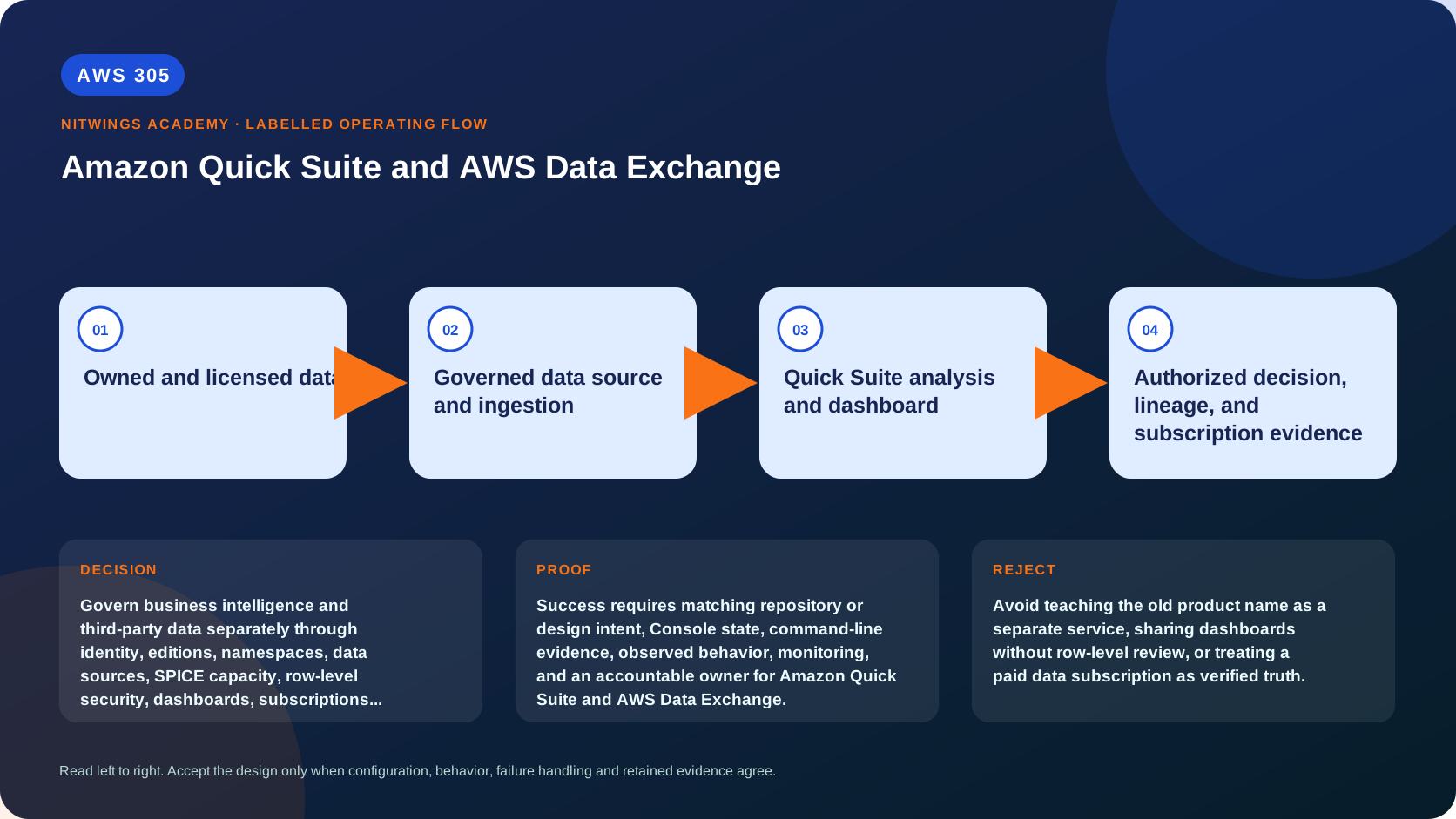
Why this lesson matters
Amazon QuickSight evolved into Amazon Quick Suite in October 2025. Quick Sight remains the business-intelligence capability inside the broader suite, while Quick Research, Quick Flows, Quick Automate, Quick Index, chat, spaces, and apps extend the product into research and agentic work. Existing QuickSight APIs, SDKs, datasets, analyses, dashboards, and integrations continue to work, which is why the AWS CLI still uses the quicksight service name.
AWS Data Exchange solves a different problem. It manages data grants, marketplace subscriptions, entitlements, revisions, assets, access periods, and provider/receiver workflows. A subscription gives contractual and technical access under defined terms. It does not prove that a dataset is accurate, lawful for the intended use, representative, current, unbiased, or suitable for an executive decision.
Combining the services can create a governed decision experience: licensed external data and owned internal data feed controlled datasets, Quick Sight publishes dashboards, and Quick agents help users research or act. It can also create a fast path from a flawed third-party field to a persuasive chart and then to an automated business action. This workshop therefore treats source rights, lineage, semantics, row/column security, generated answers, action approval, export, and deletion as one architecture.
What you will be able to do
By the end, you can:
- explain the QuickSight-to-Quick Suite transition without teaching two separate BI services;
- distinguish Quick Sight, Research, Flows, Automate, Index, chat, spaces, and apps;
- trace a BI asset from data source through dataset, analysis, dashboard, sharing, export, and embedding;
- choose SPICE import or direct query from freshness, source load, performance, security, and cost;
- design authors, readers, admins, groups, namespaces, folders, and identity federation;
- implement row-level and column-level controls without confusing sharing with data authorization;
- build a semantic layer and test generated answers against source evidence;
- put approval, idempotency, and audit boundaries around AI-assisted actions and automations;
- distinguish Data Exchange grants, marketplace products, offers, subscriptions, datasets, revisions, assets, jobs, and entitlements;
- compare Files, API, Redshift, S3 data access, and Lake Formation permission dataset types;
- assess licensing, privacy, provenance, quality, schema drift, access expiry, export, and deletion;
- diagnose stale dashboards, failed SPICE ingestion, RLS gaps, source timeouts, missing revisions, and entitlement loss; and
- produce a defensible governed-insight and third-party-data decision dossier.
Before you start
- Complete AWS300 and AWS301 for analytics metadata and authorization foundations.
- Use synthetic data unless a data owner and license explicitly approve the fields.
- Do not activate a paid subscription, auto-renewal, Quick user tier, SPICE allocation, agent connector, or automation for this lesson.
- The Quick account has a home Region and resource/feature availability varies. Data Exchange resources and entitled datasets are Regional even though the marketplace catalog is broadly visible.
- Redact account IDs, user ARNs, source credentials, dashboard IDs, embed URLs, product terms, sensitive values, and provider contacts.
- Never give a generated answer or automation broader data/action permission than its requesting user should have.
- Preserve the data subscription agreement and approval evidence before any licensed data is exported.
Create a local evidence directory:
mkdir -p "$HOME/aws305-evidence"
cd "$HOME/aws305-evidence"

export AWS_DEFAULT_REGION="ap-south-1"
export QUICK_ACCOUNT_ID="replace-locally-and-redact"

aws sts get-caller-identity --query Arn --output text
aws configure list
1. Understand the product history and boundaries
Amazon Quick Suite
  |
  +--> Quick Sight: datasets, analyses, visuals, dashboards, embedding
  +--> Quick chat: natural-language questions across permitted context
  +--> Quick Research: cited research across approved sources
  +--> Quick Index: governed enterprise knowledge foundation
  +--> Quick Flows: user-oriented workflow automation
  +--> Quick Automate: multi-step agentic process automation
  +--> Apps and spaces: tailored experiences and collaboration

AWS Data Exchange
  |
  +--> data grants and marketplace subscriptions
  +--> datasets, revisions, assets, entitlements, jobs
  +--> contractual access and delivery, not truth certification
Quick Suite is the current product family. Quick Sight is not deprecated; it is the BI component. Existing resources retain their behavior, and automation should continue using documented quicksight APIs where applicable. A learner who searches only for a new “Quick Suite CLI” can miss this compatibility model.
The suite's agentic features expand the threat model. Reading a dashboard is different from indexing documents, searching the public web, calling an action connector, creating a ticket, sending a message, or modifying a business system. Every capability needs its own data, action, approval, logging, and revocation boundary.
2. Build the Quick Sight BI asset model
source system
   |
data source: connection and credentials/network path
   |
dataset: tables, joins, SQL, calculated fields, filters, security
   |
SPICE import and refresh OR direct query
   |
analysis: author workspace, visuals, parameters, calculations
   |
dashboard: published reader artifact
   |
sharing, embedding, export, alerts, chat, and audit| Asset | Purpose | Common mistake |
|---|---|---|
| Data source | Connection to S3, Athena, Redshift, RDS, SaaS, file, or other source | Treating source credentials as dashboard permissions |
| Dataset | Curated query, joins, fields, calculations, and security | Hiding lineage in one large custom SQL statement |
| Analysis | Editable authoring workspace | Sharing it as if it were a controlled publication |
| Dashboard | Published, read-focused version of an analysis | Assuming publish freezes source data |
| Topic/semantic context | Business names, relationships, instructions for questions | Treating generated SQL/answers as automatically correct |
| Folder | Organizes and shares assets | Assuming folder membership enforces row filtering |
An analysis and dashboard can display technically correct arithmetic with a wrong denominator, duplicated join, stale refresh, hidden filter, timezone mismatch, or misleading aggregation. Define each KPI with owner, grain, dimensions, exclusions, unit, source, refresh SLO, effective date, and reconciliation test.
3. Choose SPICE or direct query deliberately
SPICE is the in-memory analytical engine used by Quick Sight. Imported datasets query SPICE instead of repeatedly hitting the source. Direct query sends queries to the underlying source when users interact with content.
| Requirement | SPICE direction | Direct-query direction |
|---|---|---|
| Dashboard performance | Predictable fast interaction after ingestion | Depends on source, SQL, concurrency, and network |
| Freshness | Limited by full/incremental refresh | Closer to source at query time, with caching behavior considered |
| Source protection | Isolates reader queries from source | Each interaction can load the source |
| Data residency/copy | Creates managed imported copy | Data remains queried at source but results still flow to users |
| Failure mode | Stale/failed ingestion | Live timeout, throttling, or source outage |
| Cost | SPICE capacity and ingestion plus source load | Source compute, concurrency, transfer, and query cost |
| Features | Some capabilities are SPICE-specific | Some features/data sources have limitations |
SPICE freshness must be measured from source watermark to successful ingestion, not merely from the schedule time. A scheduled refresh can fail and leave a dashboard available but stale.
Direct query needs source workload management, read replicas or warehouses where appropriate, timeout/concurrency tests, VPC connectivity, DNS, security groups, credentials, query limits, and cost controls. It is not “free real time.”
Create a decision for every dataset. Mixed designs are normal: frequently viewed aggregates in SPICE and a governed drill-through using direct query.
4. Design identity, users, groups, and namespaces
Quick access levels commonly include reader, author, and admin roles, with Pro capabilities where subscribed. Readers consume published content. Authors create datasets, analyses, and dashboards within permissions. Admins manage the service, but should not automatically own business data.
Federate workforce identity rather than creating unmanaged local identities where possible. Map groups to job functions, use least privilege, and define joiner/mover/leaver behavior. Separate:
- IAM permission to call Quick APIs or use the AWS administrative console;
- Quick user role and namespace;
- asset-level permissions on datasets, analyses, dashboards, folders, and data sources;
- source-system credentials and network path;
- row/column security inside datasets; and
- embed-session identity and allowed domains.
Namespaces isolate user/group discovery for multitenancy, but Quick assets exist outside namespaces and can be shared across namespaces when resource permissions allow. The Quick administrative console relies on IAM and has a different permission model. Namespace alone is not a complete tenant boundary.
Use read-only inventory:
aws quicksight list-namespaces \
  --aws-account-id "$QUICK_ACCOUNT_ID" --output json \
  | tee quick-namespaces.json

aws quicksight list-users \
  --aws-account-id "$QUICK_ACCOUNT_ID" --namespace default --output json \
  | tee quick-users.json

aws quicksight list-groups \
  --aws-account-id "$QUICK_ACCOUNT_ID" --namespace default --output json \
  | tee quick-groups.json
An incomplete list can reflect caller permissions. Inventory as an authorized administrator and validate behavior as a normal reader.
5. Apply row-level and column-level security
Sharing a dashboard determines who can open it. Row-level security (RLS) determines which rows a reader can see. Column-level security (CLS) restricts fields. Source authorization and exports are additional layers.
Example RLS rules:
| GroupName | SalesRegion | Segment |
|---|---|---|
| EMEA-Sales | EMEA | Enterprise |
| APAC-Sales | APAC | Enterprise,SMB |
| Corporate-Reporting |
A blank/NULL rule can mean broad access under specific RLS semantics, so treat rules as code. Current rules datasets have explicit flagging and ingestion constraints. Test:
- user with one direct rule;
- user with multiple group rules;
- user with no rule;
- user with an all-values rule;
- NULL and empty strings;
- case mismatch;
- inherited child dataset;
- dashboard export;
- author/owner behavior; and
- revoked group membership.
RLS permissions can combine across user/group records. A dataset owner can have broader visibility than a reader. Verify with impersonation or controlled test identities, never with only an admin screenshot.
CLS prevents a field from appearing to unauthorized viewers but does not anonymize the source, previous exports, cached screenshots, or another dataset. If users can infer protected information from aggregates or small groups, add suppression/privacy rules.
6. Build trusted datasets and dashboards
For an executive dashboard combining owned spend with licensed market data, define:
- owned source and licensed source lineage;
- row grain and join cardinality;
- currency, unit, timezone, and effective date;
- missing/late provider revision behavior;
- data-quality checks before publication;
- KPI definitions and approval;
- SPICE/direct mode and freshness label;
- RLS/CLS and export policy;
- drill-through and filter defaults;
- accessible visual design;
- reader feedback and incident owner; and
- deprecation and replacement.
Reconcile before publishing:
source control totals
  -> dataset row counts and distinct keys
  -> join match/unmatched/duplicate rates
  -> KPI totals by an independent calculation
  -> analysis filters and parameters
  -> dashboard rendered values for each persona
Version dashboards through templates, asset bundles, or other supported deployment methods where appropriate. Separate development, test, and production. A manual “Save and publish” click is not sufficient release evidence for regulated reporting.
7. Govern chat, topics, research, and generated answers
Natural-language BI converts user intent into semantic interpretation, SQL or equivalent queries, and generated explanations. Test it as a probabilistic interface over governed data.
Build a question suite with:
- simple lookup;
- aggregation with explicit denominator;
- time comparison and fiscal calendar;
- ambiguous business term;
- forbidden column/row;
- empty result;
- stale data;
- conflicting sources;
- prompt attempting to override instructions; and
- a question that cannot be answered from available evidence.
For every answer capture selected source/topic, filters, generated query where exposed, result values, citations for research, freshness, and a human-verified expected result. The correct behavior for insufficient evidence is to say so, not invent a number.
Quick Index and knowledge connections expand available unstructured context. Apply connector scopes, document ACL synchronization, deletion propagation, source freshness, classification, prompt-injection defenses, and citation validation. A cited document can still be obsolete or untrusted.
8. Put action safety around Flows and Automate
An agent that reads a dashboard has confidentiality risk. An agent that sends an email, updates CRM, creates a purchase request, or closes an incident adds integrity and operational risk.
user intent
  -> authenticated principal and approved space
  -> read only the minimum context
  -> construct proposed action
  -> validate policy, target, amount, and duplicate key
  -> human approval for material action
  -> execute with scoped connector identity
  -> verify outcome, log evidence, and compensate if possible
Define allowed and forbidden actions, per-action role, target allowlist, amount/risk threshold, approval separation, idempotency key, rate limit, dry-run, secret storage, output filtering, timeout, retry classification, compensation, and kill switch. Do not allow an untrusted document or web page to supply executable instructions without policy validation.
Generated research and automation must not make a licensed data use that the subscription terms forbid. Rights propagate into prompts, reports, exports, downstream models, and actions.
9. Understand Data Exchange resources
provider or sender
  -> data set
      -> revision
          -> one or more assets
  -> data grant to receiver
     OR marketplace product + offer to subscriber
             |
             v
receiver entitlement in one Region| Resource | Meaning |
|---|---|
| Data grant | Sender grants a receiver account time-bounded access without marketplace purchase |
| Product | Marketplace listing containing one or more datasets |
| Offer | Price, duration, payment, DSA, refund, renewal, and terms |
| Subscription | Subscriber's accepted offer and access period |
| Dataset | Versioned logical collection |
| Revision | Provider-defined version/container of assets |
| Asset | File, API, Redshift share, S3 access, or Lake Formation permission |
| Entitled dataset | Receiver's read-only view of provider-owned data |
| Job | Import/export operation with state and details |
A revision may be a full snapshot, incremental data, or an entirely different provider-defined update. Never append revisions blindly. Read the provider's dictionary and update semantics.
Finalized published revisions are immutable under normal workflow, with a distinct revocation process. EventBridge can notify subscribers of new revisions, schema change, delay, deprecation, export success/failure, grant changes, and other events. Automation must handle duplicates, ordering, and provider corrections.
10. Compare dataset delivery types
| Type | Access pattern | Subscriber concerns |
|---|---|---|
| Files | Export revision/assets through Data Exchange jobs to S3 | copies, KMS, version mapping, deletion terms |
| API | Invoke provider API through managed entitlement | quota, latency, schema, uptime, caching, expiry |
| Redshift | Read-only datashare | Region/account setup, object changes, compute cost |
| S3 data access | Read provider objects through managed access point | no owned copy by default, KMS child grant, provider change |
| Lake Formation permission | Governed catalog/data permissions, currently documented as preview | LF-tags, resource links, engine support, preview risk |
Files are copies and can remain after subscription expiry, but the DSA may require deletion. Direct S3 access avoids copying and retires the related KMS child grant when access ends, but a downstream export can create a new governed copy. Redshift/API/direct-access types have different availability and recovery behavior from files.
Choose from workload needs, legal rights, freshness, operational control, Region, encryption, and cost. Do not choose “files” solely because they are familiar.
11. Perform subscriber due diligence before accepting
Create a review with legal, privacy, security, data owner, procurement, finance, and architecture:
| Domain | Evidence required |
|---|---|
| Rights | DSA permits intended users, transformations, exports, models, regions, and retention |
| Provenance | collection method, source authority, consent, lineage, update process |
| Sensitive data | declared categories, PHI/PII restrictions, residency, re-identification risk |
| Quality | sample, dictionary, coverage, nulls, duplicates, bias, corrections, SLA |
| Commercial | price, duration, payment, refund, auto-renew, changed renewal terms |
| Operations | delivery type, revisions, delay/deprecation notification, support |
| Exit | expiry behavior, retained files, derived data, backups, deletion certificate |
Marketplace review is not your due diligence. A provider sample is not a production-quality guarantee. Do not subscribe until the intended use and exit obligations are written.
If auto-renewal is enabled, changed offer terms can apply at renewal. Assign a review date before renewal and an owner authorized to disable it.
12. Build safe revision ingestion
For file revisions:
revision-published EventBridge event
   -> deduplicate dataset_id + revision_id
   -> fetch metadata and dictionary
   -> approved export job to versioned S3 prefix
   -> verify job terminal success and asset inventory
   -> checksums, malware/format/schema/quality validation
   -> quarantine or promote immutable landing version
   -> update Catalog/dataset only after acceptance
   -> publish freshness and lineage
Automatic export can target approved S3 buckets. Bucket policy and KMS grants must allow Data Exchange; requester-pays constraints and service test objects need to be understood. A completed export proves transfer, not quality.
Store provider dataset/revision/asset IDs, source product/offer, DSA version, export job, object version/checksum, schema version, quality result, approval, and downstream consumers. Never overwrite the only copy of the prior accepted revision.
For a revoked revision, stop promotion, identify every downstream copy/dashboard/model, assess legal and quality impact, preserve audit evidence according to counsel, and execute the approved withdrawal runbook.
13. Connect licensed data to Quick safely
Use a controlled landing or governed direct-access path:
Data Exchange entitlement
  -> approved delivery/access type
  -> validation and licensed-use metadata
  -> governed S3/Redshift/API/Lake Formation source
  -> Quick data source and dataset
  -> SPICE/direct-query decision
  -> RLS/CLS, analysis, dashboard, chat/research
  -> export/action controls and usage evidence
Do not expose provider fields directly because they are convenient. Rename with business definitions, retain source IDs, and distinguish provider estimates from company facts. Show “as of” time, coverage, confidence, and known limitations on the dashboard.
If the subscription expires or a grant is revoked, direct access can stop while SPICE or exported S3 copies remain. The revocation runbook must disable refresh, assess existing copies, unpublish affected dashboards, prevent agent use, and follow the DSA for deletion or permitted retention.
14. Diagnose failures from evidence
| Symptom | Evidence | Likely direction |
|---|---|---|
| Dashboard opens but is stale | ingestion history and source watermark | failed or delayed SPICE refresh |
| Direct visual times out | generated query/source workload/network | source or SQL/concurrency bottleneck |
| Reader sees too much | asset share, RLS/CLS, group rules | sharing or rule expansion |
| Reader sees nothing | RLS rule, case/NULL, membership | missing or malformed permission row |
| KPI differs from finance | grain, join, filter, timezone, definition | semantic/data-model error |
| Chat gives wrong number | selected context, filters, SQL, freshness | ambiguous topic or unsupported inference |
| Automation repeats action | execution IDs and retry logs | missing idempotency/terminal-state check |
| Entitled dataset absent | Region, subscription/grant state | wrong Region or inactive entitlement |
| Export job fails | job details, bucket policy, KMS | destination permission/encryption |
| New revision breaks dashboard | schema diff, quality gate, dataset ingestion | ungoverned provider change |
| Subscription ended but data remains | S3/SPICE/backups and DSA | retained copy needs disposition |
| Provider revokes revision | EventBridge and lineage graph | downstream withdrawal required |
Repair the exact failed layer. Do not remove RLS, broaden bucket policies, switch all data to SPICE, or grant Quick admin just to make one visual render.
15. Cost, quotas, inventory, and cleanup
Quick costs can include readers/authors/admins and Pro tiers, capacity or session pricing, SPICE, reporting, embedding, generative/agentic capabilities, infrastructure fees where applicable, source queries, data transfer, VPC connectivity, and connected services/actions. Data Exchange cost includes subscription offers through Marketplace plus S3, Athena, Redshift, API, transfer, KMS, jobs, Lake Formation, and downstream analytics.
Never copy a universal price into an ADR. Record current Region, edition/tier, users/sessions, SPICE volume and refreshes, generated usage, action volume, subscription price/duration/renewal, source compute, and exit cost.
Read-only inventory:
aws quicksight list-data-sources \
  --aws-account-id "$QUICK_ACCOUNT_ID" --output json \
  | tee quick-data-sources.json
aws quicksight list-data-sets \
  --aws-account-id "$QUICK_ACCOUNT_ID" --output json \
  | tee quick-data-sets.json
aws quicksight list-dashboards \
  --aws-account-id "$QUICK_ACCOUNT_ID" --output json \
  | tee quick-dashboards.json
aws dataexchange list-data-sets --origin ENTITLED --output json \
  | tee adx-entitled-data-sets.json
aws dataexchange list-jobs --output json | tee adx-jobs.json
Cleanup must respect licensing and shared ownership. Remove only lab-owned dashboards, analyses, datasets, data sources, users/groups, namespaces, topics/indexes/connections, flows/automations, exported files, event actions, jobs' outputs, temporary grants, logs, secrets, and KMS grants. Disable paid renewal through the approved commercial process, not an ad hoc API experiment. Verify delayed billing and required deletion.
16. Practical submission
Submit a p18-governed-insight/ package containing:
- Quick Suite capability and action-risk map;
- Quick Sight source-to-dashboard lineage;
- SPICE versus direct-query ADR and freshness SLO;
- reader/author/admin/group/namespace/federation model;
- ten-persona RLS/CLS test matrix;
- KPI catalog, grain, joins, filters, and independent reconciliation;
- generated-answer test set with expected evidence;
- agent connector/action approval, idempotency, compensation, and kill switch;
- Data Exchange grant/product/subscription/resource model;
- five delivery-type comparison;
- provider legal/privacy/quality/commercial due diligence;
- revision ingestion and provider-notification state machine;
- entitlement-expiry/revocation and licensed-copy disposition runbook;
- twelve failure diagnoses;
- full cost/quota/renewal model; and
- cleanup and delayed billing evidence.
Knowledge check
- Did Quick Sight disappear? No; it remains the BI capability inside Quick Suite and existing APIs continue.
- What is the difference between an analysis and dashboard? Analysis is authoring; dashboard is the published artifact.
- Does sharing a dashboard enforce row security? No; RLS/CLS must be configured on governed datasets.
- Is direct query always fresher and cheaper? No; source caching, latency, load, transfer, and compute matter.
- Can a cited generated answer be wrong? Yes; its source or interpretation can be wrong or stale.
- What is a Data Exchange revision? A provider-defined immutable version container holding assets.
- Does subscription prove quality or lawful intended use? No; the subscriber performs due diligence.
- What happens to exported files after expiry? Technical copies may remain, but the DSA can require deletion.
- Why record dataset/revision/asset IDs? They provide exact lineage and withdrawal scope.
- What must happen when entitlement ends? Disable new access and govern every SPICE/export/backup/derived copy under the agreement.
Lesson acceptance
Pass only when all are true:
- Quick Suite history and Quick Sight API/resource continuity are accurate;
- each suite capability has a distinct data and action boundary;
- datasets, analyses, dashboards, topics, SPICE, direct query, sharing, and embedding are separated;
- identity includes IAM, Quick role, namespace, asset, source, RLS/CLS, and embed context;
- freshness, KPI semantics, joins, filters, and source reconciliation are testable;
- generated answers are evaluated with adversarial and insufficient-evidence cases;
- automations have least privilege, approval, idempotency, audit, compensation, and kill switch;
- Data Exchange grants, products, offers, subscriptions, datasets, revisions, assets, jobs, and entitlements are correct;
- all five delivery types are compared from legal and technical requirements;
- due diligence covers DSA, privacy, provenance, quality, bias, renewal, expiry, and deletion;
- revision ingestion is immutable, validated, event-aware, and reversible;
- entitlement loss reaches dashboards, SPICE, exports, research, backups, and derived data;
- cost includes user/capacity/generative/source/subscription/downstream/exit dimensions; and
- cleanup respects shared assets, licensing, retained evidence, and delayed billing.
Official sources
- What is Amazon Quick?
- Quick Suite document history
- Quick Sight BI concepts
- Create Quick datasets
- Quick row-level security
- Quick namespaces
- Quick chat with datasets and topics
- What is AWS Data Exchange?
- Data Exchange datasets, revisions, and assets
- Data Exchange product subscriptions
- Automatically export revisions
- Data Exchange EventBridge events