
AWS 308: Amazon WorkSpaces and AppStream 2.0
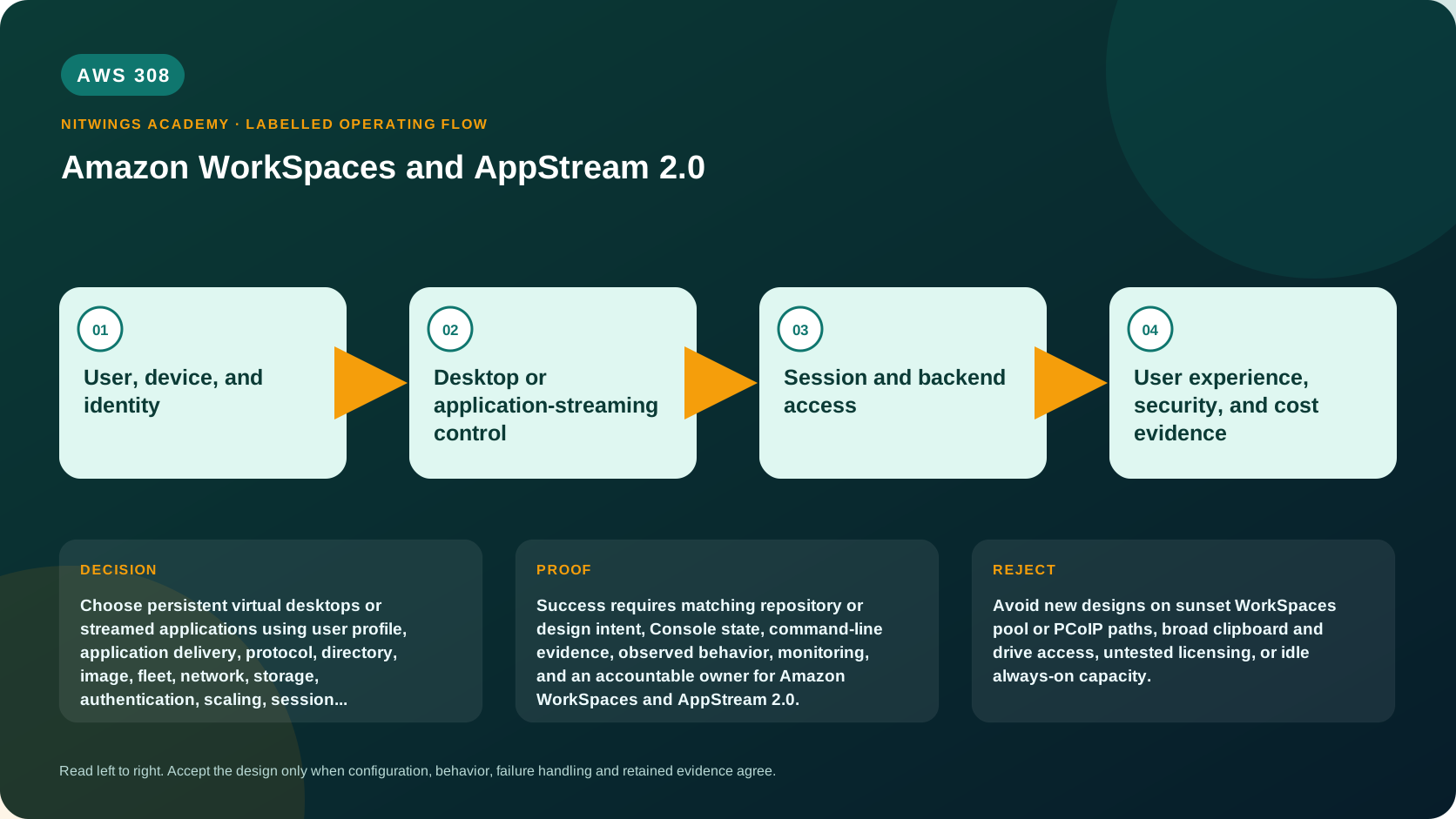
Why this lesson matters
End-user computing moves a desktop or application execution environment into AWS and streams pixels, keyboard, mouse, audio, and peripheral interactions to a user's endpoint. It can centralize data and software management, but it does not make an unmanaged home computer trusted or remove identity, licensing, network, profile, patching, and support responsibilities.
Amazon WorkSpaces Personal supplies a persistent desktop assigned to one user. Amazon WorkSpaces Applications, formerly AppStream 2.0, streams centrally managed applications or non-persistent desktops from fleet instances. Their user state, capacity, image, session, and billing models differ.
The portfolio is changing. WorkSpaces Pools stopped accepting new customers on July 31, 2026 and ends support December 31, 2027; AWS directs migration to WorkSpaces Applications. PCoIP-based WorkSpaces Personal stopped accepting new customers on July 31, 2026 and ends support October 31, 2027; current designs use Amazon DCV and existing estates need tested migration. Amazon Linux 2 WorkSpaces reached end of life on June 30, 2026. An architect must not design from an old product diagram.
What you will be able to do
By the end, you can:
- explain persistent desktop, application streaming, non-persistent fleet, image, bundle, directory, profile, session, and streaming protocol;
- select WorkSpaces Personal or WorkSpaces Applications from user and application requirements;
- design identity, VPC, DNS, directory, internet, application, profile, and streaming paths;
- compare AlwaysOn and AutoStop Personal billing and fleet capacity/autoscaling;
- manage image and application changes through test rings and rollback;
- control clipboard, files, printing, USB, web, camera, and local-device redirection;
- plan DCV, PCoIP, Pools, and operating-system lifecycle migrations;
- monitor connection, session, fleet, image, directory, and user-experience failures;
- model license, compute, storage, transfer, directory, NAT, and idle-capacity costs; and
- produce an evidence-based 500-user end-user-computing design.
Before you start
- Use synthetic users and non-production applications. Do not provision a real employee desktop without identity, licensing, security, cost, and support approval.
- The default path is read-only. A pilot needs budget approval, a dedicated directory or approved integration, two test users, license review, and cleanup ownership.
- Never publish registration codes, usernames, directory IDs, IP addresses, image names, customer files, or session URLs.
- Confirm Region, supported operating system, client, protocol, instance family, directory choice, and application license.
- Do not assume that an application license permits cloud, shared, multi-session, or bring-your-own-license use.
mkdir -p "$HOME/aws308-evidence"
cd "$HOME/aws308-evidence"
export AWS_DEFAULT_REGION="ap-south-1"
aws sts get-caller-identity --query Arn --output text
aws configure list
1. Build the end-user computing model
user endpoint
  | identity sign-in + encrypted pixel stream
  v
AWS streaming gateway
  |
  +--> WorkSpaces Personal: one persistent desktop per assigned user
  |
  +--> WorkSpaces Applications: session placed on a managed fleet
                 |
                 +--> image/application catalog
                 +--> profile and home-folder storage

desktop/application network interface
  +--> directory, DNS, application, database, internet, update services
The client usually receives rendered pixels, not direct block-storage access. However, clipboard, file upload/download, drive mapping, printing, USB, camera, microphone, and browser links can move data across the boundary. Each feature needs a business reason and a data-loss test.
The user authentication path and the desktop's application network path are separate. A user may authenticate but see an unhealthy desktop; a healthy desktop may fail to reach DNS, Active Directory, a license server, or an internal application.
2. Select Personal or Applications
| Requirement | Direction | Reason |
|---|---|---|
| One named user needs a personalized persistent desktop | WorkSpaces Personal | Root/user volumes and desktop assignment persist across sessions. |
| Users need a controlled catalog of applications | WorkSpaces Applications | Fleet sessions stream centrally managed applications. |
| Non-persistent desktop with pooled capacity | WorkSpaces Applications | WorkSpaces Pools is closing and is not a new-customer choice. |
| Offline use or direct workstation hardware | Local managed endpoint or another design | Streaming depends on network and supported redirection. |
| Specialized GPU application | Test appropriate graphics bundle/fleet | Driver, codec, latency, peripheral, and license compatibility must be proven. |
| Administrator needs ordinary server RDP access | EC2 or managed server pattern | A user-desktop service is not a server administration shortcut. |
WorkSpaces Personal can use Windows or supported Linux options and a directory-backed user identity. Compute bundles define CPU, memory, graphics, and volumes. AlwaysOn keeps the desktop running for predictable immediate availability and monthly pricing; AutoStop uses hourly metering plus a monthly component and stops after configured disconnection time. Measure actual usage instead of assuming AutoStop is always cheaper.
WorkSpaces Applications uses an image, fleet, stack, and user/access assignment. The image holds operating system and applications. A fleet supplies session capacity. A stack exposes fleet applications and controls storage and user settings. Non-persistent session instances are replaceable, so durable user data must live in an approved home folder, profile solution, or application backend.
3. Design identity and directory dependencies
WorkSpaces Personal supports current documented directory options such as a WorkSpaces-managed directory, AD Connector, or AWS Managed Microsoft AD according to Region and customer status. Directory choice controls authentication, computer objects, group policy, DNS, trust, availability, and failure ownership. AD Connector proxies to existing Active Directory; it is not a copy of that directory.
WorkSpaces Applications can use supported user-pool, SAML, or streaming-URL patterns. Federated access needs audience, recipient, role/session policy, attribute, duration, and logout testing. A signed streaming URL is a bearer capability: keep it short-lived and out of logs and tickets.
Use MFA where supported and required. Separate end-user authentication, application authentication inside the session, and administrator authorization to change fleets or desktops. A directory administrator should not automatically be a WorkSpaces service administrator.
4. Trace every network path
Personal desktops use VPC subnets and security groups for application traffic, while the service maintains managed interfaces and streaming infrastructure. WorkSpaces Applications fleet instances also need subnets, security groups, DNS, and routes to their applications and dependencies.
Document:
- endpoint to authentication and streaming gateway;
- service control plane to directory and managed desktop;
- desktop/fleet to DNS and directory controllers;
- desktop/fleet to internal applications, databases, file services, and license servers;
- update, activation, telemetry, object storage, and internet paths; and
- administrator control and logging paths.
Use at least two suitable Availability Zones for directory and fleet dependencies. Size NAT gateways, proxies, firewalls, and DNS for update and login bursts. TLS inspection, proxy behavior, UDP blocking, MTU, packet loss, and high round-trip time can damage interactive sessions even when a basic TCP test passes.
DCV is the current WorkSpaces streaming direction. It uses different network requirements from PCoIP. Before protocol migration, test clients, browser access, audio/video, USB, printing, graphics, and corporate firewall paths with representative users.
5. Control persistence and data movement
For Personal, distinguish the root volume from user volume and understand rebuild, restore, migrate, snapshot, and retention behavior. Rebuild can replace the system volume and restore user data only according to documented snapshots; it is not an application-consistent backup of every SaaS or database state. Users must store data in approved locations.
For Applications, session-local changes disappear when the session ends unless redirected to approved durable storage. Test profile startup and logoff, file-locking, cache size, simultaneous sessions, and corruption recovery. Never place a shared database file in a profile container merely because it persists.
Apply least privilege to:
- clipboard direction and format;
- local drive upload/download;
- printing and print-to-PDF;
- USB, camera, microphone, and smart cards;
- home folders and application settings;
- browser and URL redirection; and
- screen capture and watermarks where applicable.
Controls need negative tests. If clipboard is disabled, try text, image, rich text, and browser paste. If file transfer is blocked, test printing, web upload, email, screenshots, and application export. No single control prevents all exfiltration.
6. Engineer images and application releases
Treat images like server artifacts. Start from an approved base, patch it, install licensed software, remove secrets and temporary data, scan it, run a user acceptance suite, record checksums/versions, and publish immutably. Never capture domain credentials, API keys, personal files, or a developer's browser state.
base image -> build -> patch/scan -> application test -> image version
    -> pilot users -> limited ring -> broad ring
         | failure
         v
previous image/fleet or desktop migration rollback
Application compatibility includes multi-user behavior, activation, per-user configuration, graphics, file associations, plugins, print drivers, browser dependencies, and background services. For a non-persistent fleet, test fresh-session startup every time. For Personal, test in-place update and replacement/migration behavior.
Do not update all users at once. Preserve the prior image, define rollback time, and identify data created after change. Image rollback cannot reverse a database schema or external SaaS change.
7. Capacity, availability, and user experience
For WorkSpaces Applications, model desired, minimum, and maximum fleet capacity, sessions per instance where supported, scale-out time, disconnect timeout, session duration, and peak login burst. Too little spare capacity produces no-capacity errors; too much creates idle cost. Scheduled scaling helps predictable workdays, while target tracking handles changing demand.
For Personal, monitor available, stopped, impaired, unhealthy, error, and maintenance states. Design user communication and replacement procedures. A persistent desktop is still a Regional service and is not automatically a disaster-recovery solution. Define whether users wait, receive a replacement, or use an independently prepared alternate Region.
Measure registration-to-desktop time, authentication time, session launch, application launch, interaction latency, frame loss, disconnects, reconnect success, and task completion. CPU looks normal does not prove a usable desktop.
8. Handle current lifecycle changes
- WorkSpaces Pools: no new customers since July 31, 2026; support ends December 31, 2027. Existing customers should inventory pools, images, identities, profiles, capacity, URLs, redirection, and licenses, then pilot migration to WorkSpaces Applications.
- PCoIP Personal: no new customers since July 31, 2026; support ends October 31, 2027. Migrate suitable WorkSpaces to DCV, with prechecks and pilot rings. Zero-client hardware cannot simply become DCV-capable.
- Amazon Linux 2 WorkSpaces: reached end of life June 30, 2026. Migrate to a current supported Linux option and test home-directory preservation versus root-volume replacement.
- Operating systems and applications: track vendor dates independently. A running bundle can contain software no longer receiving security updates.
For every migration, record pre-state, snapshot/backup behavior, application/peripheral tests, maintenance window, user communication, rollback conditions, and post-state. Do not wait for the service end date.
9. Read-only inventory
aws workspaces describe-workspaces --output table
aws workspaces describe-workspace-directories --output table
aws workspaces describe-workspace-bundles --owner AMAZON --output table
aws workspaces describe-workspaces-pools --output table

aws appstream describe-fleets --output table
aws appstream describe-stacks --output table
aws appstream describe-images --output table
aws appstream describe-image-builders --output table
The CLI retains the appstream namespace even where customer-facing documentation uses WorkSpaces Applications. An empty result can mean wrong Region, account, permissions, or genuinely no resources. Record caller, Region, time, pagination, and errors.
10. Diagnose from evidence
| Symptom | Evidence | Likely cause and response |
|---|---|---|
| Registration/authentication fails | directory health, username format, MFA, registration code, service status | Correct identity or directory path; do not bypass MFA. |
| Desktop is unhealthy | state, system/user volume, agent/service logs, directory/DNS reachability | Isolate, preserve user data, repair or restore/rebuild according to runbook. |
| Black screen after login | profile, shell, image, graphics driver, policy, resource metrics | Test known user/image and roll back image or policy. |
| Internal application cannot connect | DNS, route, SG/NACL/firewall, proxy, app auth, license server | Trace both directions and correct the smallest path. |
| Session is blurry or laggy | RTT, loss, UDP/TCP path, client, protocol, CPU/GPU, codec | Compare network health and representative workload; do not only resize compute. |
| Applications fleet has no capacity | desired/actual/pending capacity, sessions, scaling events, quota | Add justified headroom and repair scaling/quota. |
| User settings disappear | persistence configuration, mount/profile logs, session termination | Repair approved profile/home path; do not promise local persistence. |
| Cost spikes | running modes, idle desktops, fleet capacity, storage, NAT/transfer, licenses | Attribute per user/session and enforce owner/schedule/termination rules. |
11. Build the 500-user design
Design for 300 task workers needing three Windows applications, 150 engineers needing persistent Linux desktops, and 50 graphics users. Include:
- persona-to-service decision and rejected alternatives;
- directory and federation design;
- all six network paths and ports;
- current DCV strategy and no new Pools/PCoIP dependency;
- images, licenses, release rings, rollback, and vulnerability ownership;
- profile/home/user-volume and backup expectations;
- peripheral/data-redirection matrix;
- peak capacity and login-storm test;
- monitoring, help-desk evidence, incident routing, and DR expectation;
- monthly/usage cost with idle and peak scenarios; and
- joiner, mover, leaver, lost-device, and legal-hold procedures.
Inject directory DNS loss, blocked DCV UDP, corrupted profile, expired license, bad image, fleet exhaustion, and lost contractor endpoint. Explain detection, containment, recovery, evidence, and user communication.
Cost and cleanup
Costs include desktop bundles and running mode, fleet instance time, stopped/idle rules, root/user volumes, profile/home storage, directory services, image builders, streaming and data transfer, NAT/firewalls, logs, licenses, support labor, and retained snapshots/images.
For an approved pilot, remove only recorded users and assignments, stop/delete image builders, disassociate stacks/fleets, delete fleets and owned images when retention permits, terminate pilot WorkSpaces, remove owned directories only after proving no dependencies, delete profiles/home data under approval, and verify billing later. Never delete a shared directory or user volume by name alone.
Practical submission
Submit: glossary; persona matrix; architecture diagram; identity/directory design; network path table; redirection controls; image release/rollback; Personal persistence/restore contract; Applications capacity model; DCV and lifecycle migration plan; seven failure diagnoses; monitoring/help-desk runbook; license review; cost/quota worksheet; security review; and cleanup/no-create proof.
Knowledge check
- Personal versus Applications? Persistent assigned desktop versus centrally managed application/non-persistent fleet sessions.
- Why is authentication separate from application access? Different identity, directory, network, and authorization paths can fail.
- Why does disabling drive mapping not prevent all export? Clipboard, print, browser, screenshot, email, and application APIs remain possible.
- AlwaysOn versus AutoStop? Predictable continuously running monthly model versus hourly usage plus monthly component and stop behavior.
- Why retain the prior image? A new image can break application, agent, driver, license, or profile behavior.
- What happens to Pools? It is closed to new customers and ends December 31, 2027.
- What replaces PCoIP directionally? Amazon DCV, after network, client, peripheral, and workload testing.
- Why is CPU not enough for UX? Network loss/latency, protocol, graphics, profile, and application dependencies affect task completion.
Lesson acceptance
Pass when a reviewer can trace each persona from endpoint and identity through protocol, desktop/fleet, profile, application dependencies, controls, monitoring, recovery, lifecycle migration, licensing, and cost. Fail if the design starts new Pools or PCoIP dependency, assumes streaming prevents exfiltration, ignores directory/DNS, captures secrets in an image, provides no capacity/load test, or leaves idle desktops/fleets ownerless.