
AWS 331: Architecture diagrams and decision records
Why this lesson matters
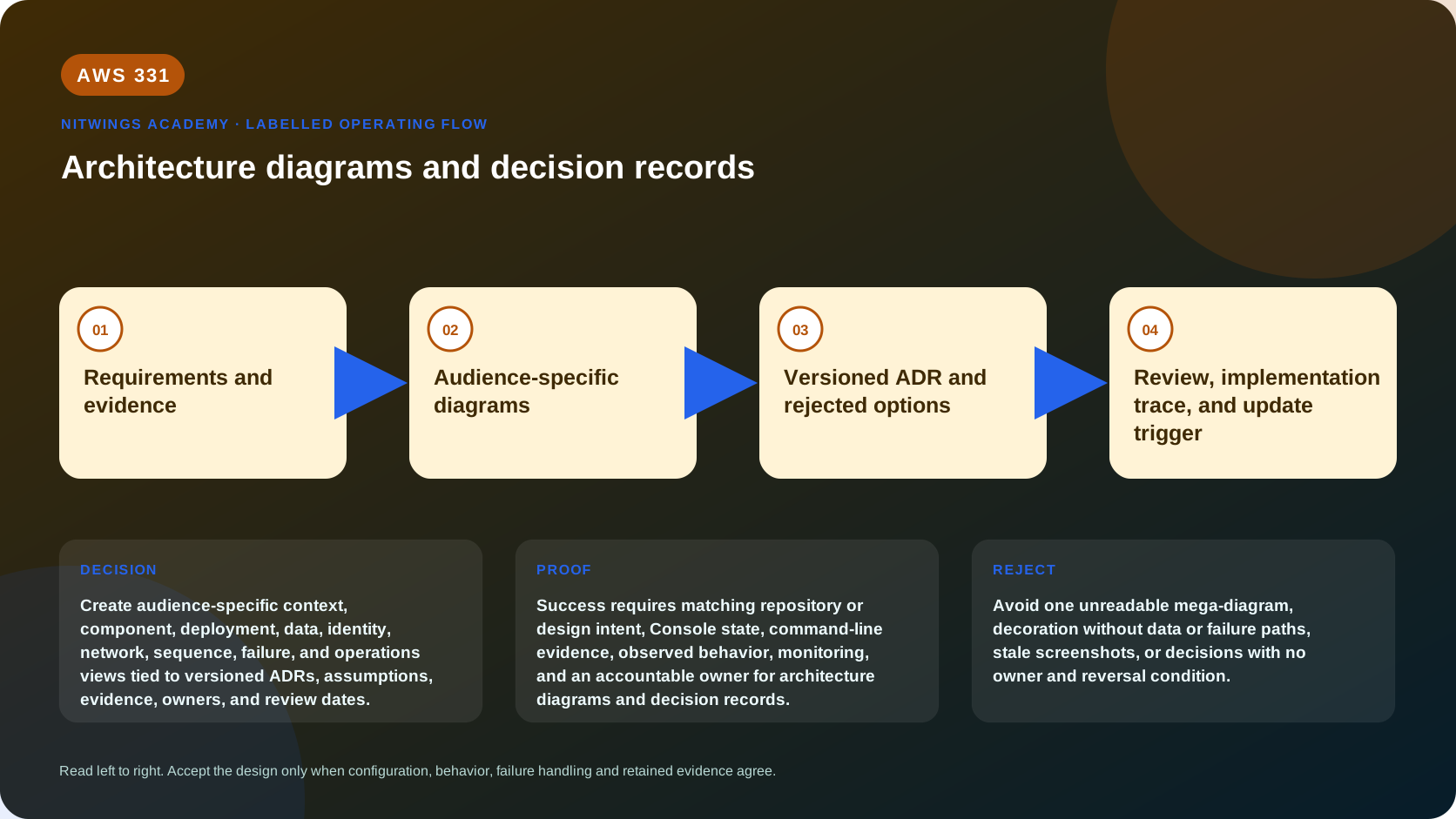
A diagram communicates structure or behavior; it does not preserve why a choice was made. An architectural decision record (ADR) preserves context, alternatives, decision, and consequences; it does not replace deployable configuration. Together, versioned diagrams, ADRs, requirements, infrastructure code, and operational evidence let people build, review, operate, and change a system without relying on one person's memory.
One mega-diagram cannot serve executives, developers, security, network, data, operations, and incident responders. Use the smallest set of views that answers each audience's questions.
Learning outcomes
By the end, you can:
- select a diagram type from audience and decision purpose;
- create context, container/component, deployment, data, identity, network, sequence, failure, and operations views;
- label ownership, scope, protocol, data, trust, and failure explicitly;
- distinguish intended architecture from discovered current state;
- write and govern architecturally significant ADRs;
- connect requirements, diagrams, ADRs, code, tests, risks, and runbooks;
- detect stale or misleading architecture documentation;
- run a peer walkthrough and correct ambiguity.
1. Documentation model
| Artifact | Primary question | Evidence it should link |
|---|---|---|
| Requirement | What outcome or constraint must be met? | Source, owner, acceptance test |
| Diagram | What exists, where, and how does it interact? | Inventory, configuration, telemetry |
| ADR | Why was this consequential option selected? | Requirements, alternatives, experiments |
| Infrastructure/code | What is actually deployed or executed? | Repository, pipeline, artifact version |
| Test/runbook | Does behavior meet the claim, including failure? | Result, metric, log, owner |
| Risk register | What remains uncertain or accepted? | Impact, treatment, review date |
No single artifact is authoritative for everything. State repository, owner, version, observed date, environment, and status.
2. Choose the audience and question
Before drawing, write one sentence: “This view helps [audience] decide/operate [question].” If a symbol does not support that purpose, remove it or move it to another view.
- Executives need outcome, major capability, risk, cost range, delivery stage, and decision.
- Product teams need journeys, dependencies, data ownership, and degraded behavior.
- Developers need contracts, components, sequence, state, and deployment boundaries.
- Security needs actors, trust boundaries, identity, authorization, data class, keys, and evidence.
- Network teams need accounts, Regions, VPCs, subnets, routes, DNS, ports, protocols, inspection, and return paths.
- Operations need failure domains, telemetry, SLOs, alarms, runbooks, ownership, recovery, and change paths.
- Finance needs demand assumptions, cost drivers, allocation, commitments, and sensitivity.
3. Core views
System context
Show the workload as one boundary, its human/system actors, external systems, and key flows. Label business purpose, identity source, data class, protocol, ownership, and dependency. Do not show every AWS service.
Container or component
Show deployable/runtime responsibilities and owned data. Use business names before AWS product names. Make synchronous and asynchronous calls visually distinct. Include interfaces and ownership.
Deployment
Map components to organization, account, Region, Availability Zone, VPC/subnet, service, scaling unit, and environment. Include edge, shared services, hybrid systems, logs, backup, security tooling, and delivery paths. Clarify when an icon represents one resource versus a horizontally scaled group.
Network
Show CIDRs, route domains, ingress/egress, DNS resolution, load balancers, endpoints, security boundaries, inspection, hybrid/inter-Region links, protocols, ports, source/destination, and return route. Security groups are not routes; private subnets are not authorization.
Identity and trust
Show human/workload identity, token or role assumption, trust policy, authorization checkpoints, resource policy, key access, secrets, session boundary, and audit. Draw administrative paths separately from user data paths.
Data and lifecycle
Show system of record, writes, replicas, caches, events, analytics copies, backups, archive, retention, deletion, classification, encryption/key ownership, consistency, RPO, and residency. A line labeled “replication” must state direction and behavior.
Sequence
Show time-ordered interactions for a critical journey. Include authentication, timeout, retry, duplicate, asynchronous handoff, state change, response, and correlation. Create separate failure sequences rather than crowding every branch into one view.
Failure and recovery
Redraw the system during instance, AZ, dependency, quota, identity, data-corruption, deployment, and Region failure. Label detection, degraded mode, failover authority, fencing, recovery source, RTO/RPO, and failback.
Operations and delivery
Show source repository, build, test, artifact, deployment, approvals, configuration, secrets, telemetry, incident flow, backup, restore, and rollback/forward repair. This exposes invisible management dependencies.
4. Diagram notation and accessibility
Create a legend. Use official AWS architecture icons for AWS services and neutral shapes for people, external systems, logical components, and data. Icons are vocabulary, not architecture.
Use consistent direction, line styles, arrowheads, color meaning, and boundary nesting. Label every important flow with protocol/event/data and direction. Do not rely on color alone; use text, shape, or line style for accessibility. Keep contrast and font readable at presentation and printed size.
Record title, purpose, scope, environment, author/owner, version, date, status (proposed, current, target, retired), assumptions, and links. Avoid screenshots as durable architecture because they go stale, expose data, and hide relationships.
5. Evidence-driven current-state diagrams
A diagram can represent intent or observed state. Never confuse them. Mark components:
- verified: current configuration/telemetry supports the claim;
- declared: owner or repository states it, but runtime is not verified;
- inferred: evidence suggests it;
- unknown: investigation required.
Safe discovery may include:
git status --short
git log --oneline --decorate -n 10
aws sts get-caller-identity --query Arn --output text
aws resourcegroupstaggingapi get-resources --resources-per-page 50 --output json
aws cloudformation list-stacks \
  --stack-status-filter CREATE_COMPLETE UPDATE_COMPLETE \
  --output table
The tagging API and CloudFormation do not cover every resource or manual change. Correlate Config, service APIs, DNS/routes, deployment repositories, metrics, traces, logs, and owner interviews. Redact sensitive IDs and addresses.
6. ADR scope
Create an ADR for an architecturally significant choice affecting structure, nonfunctional requirements, dependencies, interfaces, or construction technique. Examples: account strategy, relational versus key-value state, synchronous versus event integration, recovery pattern, tenant isolation, or infrastructure delivery approach.
Do not create an ADR for every reversible implementation detail. Use lighter records for local choices. The cost of documentation should match consequence and reversibility.
7. ADR template
ADR-NNN: imperative decision title
Status: Proposed | Accepted | Rejected | Superseded
Owner and stakeholders:
Date and review trigger:
Context and problem:
Requirements and constraints:
Decision drivers:
Options considered:
Evidence and experiments:
Decision: We use ...
Positive consequences:
Negative consequences and trade-offs:
Risks and compensating controls:
Implementation/migration/rollback:
Validation and links:
Supersedes / superseded by:
Changelog:
Write the decision unambiguously. Include rejected alternatives and why they lost. Consequences include new operations, cost, skills, coupling, failure, and future constraints, not only benefits.
8. ADR lifecycle
Proposed ADRs invite review. Accepted or rejected ADRs become immutable historical records. If evidence changes the choice, create a new ADR and mark the previous one superseded, preserving history. Link implementation pull requests and reviews back to applicable ADRs.
Triggers include demand threshold, repeated incident, service feature/lifecycle change, regulatory change, cost variance, dependency change, or failed assumption. Assign an owner to schedule review. A repository full of forgotten ADRs is not governance.
9. Traceability
Maintain links:
requirement -> ADR -> diagram element -> infrastructure/code
-> test/evidence -> runbook -> risk/improvement item
Use stable IDs. A diagram component should identify owning team and deployment source. An ADR should link the diagram version it changed. A test should identify the requirement and environment. This allows impact analysis when a requirement, dependency, or service changes.
10. Quality review
Walk through diagrams using real questions:
- Where does an unauthenticated request enter and become authorized?
- Which component owns each write and encryption key?
- What happens on retry, duplicate, timeout, and partial failure?
- Which account, Region, AZ, and team own every component?
- How are deploy, observe, restore, fail over, and rollback performed?
- Which data crosses trust, account, or national boundaries?
- Which claim is current, proposed, assumed, or unknown?
- Which ADR explains each consequential design?
If reviewers interpret a line differently, the diagram is ambiguous even if the author understands it.
11. Guided workshop
Use the order-platform design from AWS325 or AWS330. Produce:
- documentation index with owners/versions;
- executive system-context view;
- capability/component view;
- deployment view;
- network and DNS view;
- identity/trust view;
- data lifecycle and residency view;
- checkout success sequence;
- timeout/duplicate failure sequence;
- AZ/Region recovery view;
- delivery and operations view;
- current-versus-target difference map;
- ADR for data-store selection;
- ADR for recovery strategy;
- traceability matrix;
- evidence/assumption/unknown register;
- peer walkthrough notes with at least three corrected ambiguities;
- update/review automation and ownership plan.
12. Common failures
Reject unreadable mega-diagrams, unexplained icon clouds, arrows without direction/protocol, missing data or admin paths, stale “current” views, mixed current/target state, color-only meaning, secrets/account IDs in public artifacts, ADRs that only praise the winner, and accepted decisions edited in place.
Cost and cleanup
This T0 lesson creates no resources. Store sanitized source files in version control. Remove temporary exported inventories containing account-specific data. Documentation maintenance needs explicit capacity and ownership.
Knowledge check
- Why are multiple views needed? Different audiences and decisions require different detail.
- What is the minimum ADR content? Context, decision, consequences, status, and ownership, with considered options.
- Should an accepted ADR be rewritten? No; supersede it with a new record.
- What proves a current-state diagram? Dated configuration/runtime evidence and owner validation.
- Why draw failure views? Normal-path diagrams hide resilience and recovery behavior.
Lesson acceptance
Submit all 18 artifacts. Every view must declare audience, scope, state, version, owner, boundaries, and evidence; every significant flow must be labeled; ADRs must include disadvantages and lifecycle; and peer review must produce documented corrections and traceability.