
AWS 348: Git repositories, commits, branches, merges, tags, and release history
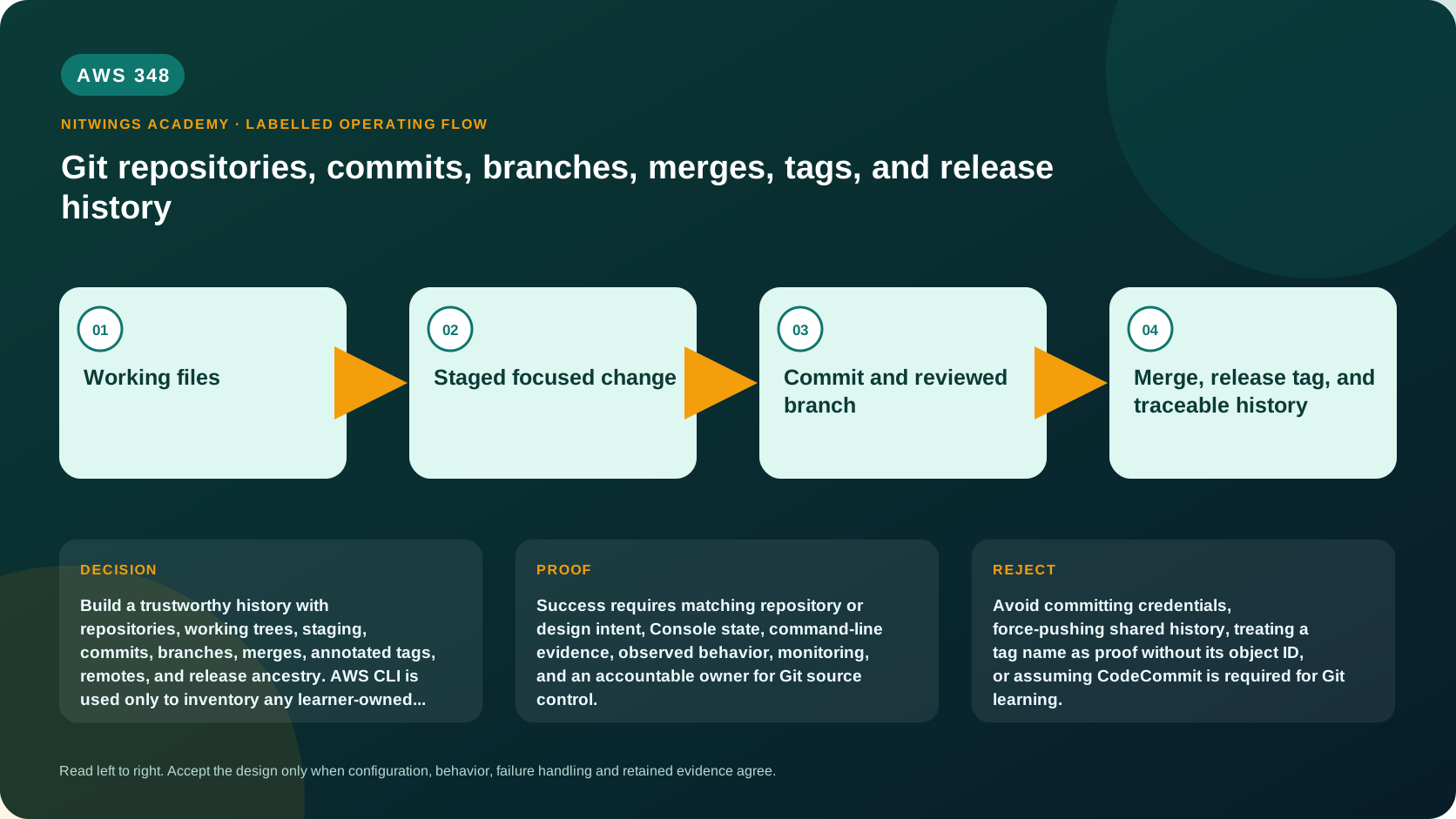
Why this lesson matters
AWS delivery systems consume source revisions, but Git defines what a revision means. A deployment is reproducible only when the team can identify the exact commit, review its ancestry, associate it with an immutable release tag, and recover safely from mistakes.
This lesson starts from Linux knowledge. You will create a repository, inspect Git's object/reference model, stage partial work, build diverging branches, resolve a real conflict, create an annotated release tag, use a local bare remote, diagnose divergence, revert a defect, and prove release ancestry. Nothing is created in AWS.
Learning outcomes
You will be able to:
- distinguish working tree, index, commit, branch, tag, remote-tracking reference, and remote;
- explain why a branch is a movable reference and a commit is a content-addressed snapshot plus metadata and parents;
- inspect changes before staging, after staging, and between revisions;
- create focused commits and preserve useful history;
- merge branches, diagnose conflicts, abort safely, and verify ancestry;
- use annotated tags as release references without treating them as deployment proof;
- fetch, push, and reconcile remote divergence without unsafe history rewriting;
- recover with restore, revert, reflog, and backup references.
Safety and prerequisites
Install a current supported Git package for your Linux distribution. Work only in a new lab directory. Never run cleanup, reset, or history-rewrite commands in an unrelated repository. Read each path with pwd before mutation.
git --version
mkdir -p "$PWD/aws348-git-lab"
cd "$PWD/aws348-git-lab"
git init -b main app
cd app
git status
If your Git does not support git init -b, run git init app, enter it, and use git branch -m main after the first commit. Set identity only in this lab, not globally:
git config user.name "AWS Academy Learner"
git config user.email "[email protected]"
git config --local --list --show-origin
Do not use a real address in shared evidence.
Mental model: three local states and an object graph
working tree --git add--> index --git commit--> commit object
     ^                        |                    |
     |                    git diff --cached       +-- parent commit(s)
 git diff                                           |
                                                    +-- branch ref points here
The working tree is the checked-out file content. The index is the proposed next snapshot, not simply a vague “staging area.” A commit stores a tree, parent reference(s), author/committer metadata, and message. A branch such as main is a movable name pointing at one commit. HEAD normally points symbolically to the current branch. An annotated tag is a separate object that names another object and contains tagger/message metadata.
Inspect the empty repository:
git rev-parse --show-toplevel
git symbolic-ref --short HEAD
git status --short --branch
find .git -maxdepth 2 -type f -o -type d | sort | sed -n '1,35p'
Build a focused history
Create a tiny deployment manifest and documentation:
mkdir -p config scripts
printf '%s\n' 'service=orders' 'version=1' 'region=ap-south-1' > config/release.env
printf '%s\n' '# Orders deployment' '' 'Local training repository.' > README.md
printf '%s\n' '#!/usr/bin/env bash' 'printf "deploy %s version %s\n" "$1" "$2"' > scripts/deploy.sh
chmod 0755 scripts/deploy.sh

git status --short
git diff -- README.md config/release.env scripts/deploy.sh
git add README.md config/release.env scripts/deploy.sh
git diff --cached --stat
git diff --cached
git commit -m "feat: add initial deployment manifest"
Verify the commit instead of trusting the success message:
git status --short --branch
git show --stat --decorate HEAD
git log --oneline --decorate --graph --all
git cat-file -p HEAD
git ls-tree -r HEAD
Notice that git diff now shows unstaged changes and git diff --cached shows staged changes. Create both states deliberately:
printf '%s\n' 'owner=platform' >> config/release.env
printf '%s\n' '' 'Release evidence is tied to a commit.' >> README.md
git add config/release.env
git status --short
git diff
git diff --cached
git commit -m "chore: record platform ownership"
git add README.md
git commit -m "docs: explain release evidence"
Small commits separate decisions and make review, revert, and diagnosis easier. Do not commit secrets, generated credentials, environment state, or private keys. .gitignore prevents untracked files from being proposed; it does not erase a secret already committed.
Branches and independent work
Create two branches from main:
git switch -c feature/retry-policy
printf '%s\n' 'retry_limit=3' 'retry_backoff_seconds=5' >> config/release.env
git add config/release.env
git commit -m "feat: add bounded retry policy"

git switch main
git switch -c docs/runbook
printf '%s\n' '' '## Recovery' '' 'Revert the defective commit, then redeploy the prior validated revision.' >> README.md
git add README.md
git commit -m "docs: add recovery direction"

git log --oneline --decorate --graph --all
Both branch names moved independently. Merge the documentation branch first with an explicit merge commit so the exercise retains topology:
git switch main
git merge --no-ff docs/runbook -m "merge: add recovery runbook"
git log --oneline --decorate --graph --all
Fast-forward, three-way, and squash integration produce different histories. A fast-forward moves a branch when no divergent commit exists. A three-way merge creates a commit with two parents when histories diverge. A squash applies a combined change but does not preserve the feature branch as ancestry. Choose policy intentionally.
Create and resolve a conflict
Change the same line differently on main and the feature branch:
sed -i 's/version=1/version=2/' config/release.env
git add config/release.env
git commit -m "release: prepare version 2"

git switch feature/retry-policy
sed -i 's/version=1/version=2-rc1/' config/release.env
git add config/release.env
git commit -m "test: mark retry build release candidate"

git switch main
git branch safety/pre-conflict-merge
git merge feature/retry-policy
The merge should stop with conflict markers. Inspect all three index stages:
git status
git diff --name-only --diff-filter=U
git ls-files -u
git diff<<<<<<<, =======, and >>>>>>> are evidence requiring a domain decision, not text to delete blindly. Keep version=2, retain both retry settings, remove all markers, then verify and finish:
sed -n '1,20p' config/release.env
git add config/release.env
git diff --cached
git commit -m "merge: integrate bounded retry policy"
git log --oneline --decorate --graph --all
If you cannot resolve confidently, git merge --abort attempts to return to the pre-merge state. The safety branch preserves the known commit. Never use git reset --hard as a reflex because it discards tracked working-tree and index changes.
Tags and release ancestry
Create an annotated tag only after inspecting the release commit:
git status --porcelain
git show --stat HEAD
git tag -a v2.0.0 -m "Orders deployment training release v2.0.0"
git show v2.0.0
git rev-parse v2.0.0
git rev-parse v2.0.0^{}
git merge-base --is-ancestor v2.0.0^{} main
printf 'ancestry_status=%s\n' "$?"
The first revision may identify the annotated tag object; ^{} peels it to the commit. Exit status zero from merge-base --is-ancestor proves that release commit is reachable from current main. A tag does not prove tests passed, an artifact was built, or production deployed it. Those require separate signed/immutable evidence.
Treat a published release tag as immutable. If the release is wrong, create a corrective commit and new version rather than silently moving the tag.
Build a local remote safely
Create a bare repository beside the working clone:
cd ..
git init --bare remote.git
cd app
git remote add origin ../remote.git
git remote -v
git push -u origin main
git push origin v2.0.0
git branch -vv
A remote is a repository location; origin is only a conventional local name. origin/main is your last fetched knowledge of the remote branch, not a live network pointer.
Clone a second workspace to simulate another contributor:
cd ..
git clone remote.git reviewer
cd reviewer
git config user.name "Reviewer"
git config user.email "[email protected]"
printf '%s\n' '' 'Reviewer note.' >> README.md
git add README.md
git commit -m "docs: add reviewer note"
git push origin main
Back in app, inspect before integrating:
cd ../app
git fetch --prune origin
git status --short --branch
git log --oneline --left-right --graph main...origin/main
git diff main..origin/main
git merge --ff-only origin/main
fetch updates remote-tracking references without modifying your branch or working tree. pull combines fetch with an integration method, so use explicit fetch plus inspect while learning.
Revert a released defect
Create a bad but harmless commit, then revert it:
printf '%s\n' 'retry_limit=999' >> config/release.env
git add config/release.env
git commit -m "feat: increase retry limit"
bad_commit=$(git rev-parse HEAD)
git revert --no-edit "$bad_commit"
git log -3 --oneline
git diff "$bad_commit^"..HEAD -- config/release.env
revert creates a new commit that applies an inverse patch, preserving shared history. reset moves a reference and can rewrite visible ancestry; it is usually inappropriate for already shared commits.
Recovery toolkit
Use the narrowest tool that matches the state:
| Situation | Safer first action |
|---|---|
| Unstaged file edit is unwanted | Inspect, then git restore -- path |
| Staged content should be unstaged | git restore --staged -- path |
| Merge is unresolved and should stop | git merge --abort |
| Shared commit is defective | git revert <commit> |
| Branch name was moved or deleted | Inspect git reflog; create recovery branch at known commit |
| Remote rejected non-fast-forward push | Fetch, inspect divergence, then merge/rebase per policy |
| Secret was committed | Revoke/rotate first; coordinate history remediation and clones |
Practice recovering a pointer without deleting anything:
git reflog --date=iso -8
git branch recovery/current-head HEAD
git show --stat recovery/current-head
AWS and CodeCommit boundary
Git is the source-control protocol and object model; CodeCommit is an AWS-hosted Git repository service with IAM-integrated access and APIs. AWS documentation records that CodeCommit became available to new customers again on November 25, 2025. Verify service availability and organizational platform standards before selecting it.
Optional read-only inventory for an authorized account:
aws sts get-caller-identity
aws codecommit list-repositories --region ap-south-1 --output table
Do not create a repository for this lesson. GitHub, GitLab, Bitbucket, CodeCommit, and self-managed Git differ in policy, identity, availability, audit, cost, and integration, but they all retain the Git concepts practiced here.
Independent challenge and acceptance
Without copying the commands, build a local repository containing a service manifest and test script. Create two divergent branches, resolve one genuine conflict, make an annotated version tag, push to a local bare remote, clone it, create remote divergence, reconcile it, revert one shared defect, and prove tag ancestry.
Submit command transcript, final status, graph log, conflict evidence, resolution diff, tag object and peeled commit, remote/reference map, divergence evidence, revert proof, reflog recovery branch, and cleanup path. Explain every command that changes history or the working tree.
Acceptance requires a clean working tree, meaningful commits, correct two-parent merge, immutable annotated tag, successful ancestry test, no secret material, and evidence that the local remote contains main and the tag.
Cleanup
Leave the lab for review or remove only the exact parent directory after verifying it:
cd ..
pwd
find aws348-git-lab -maxdepth 2 -type d -print
# After review, remove only this owned lab directory using your normal safe deletion process.