
AWS 356: CodeBuild and CodeDeploy
Why this lesson matters
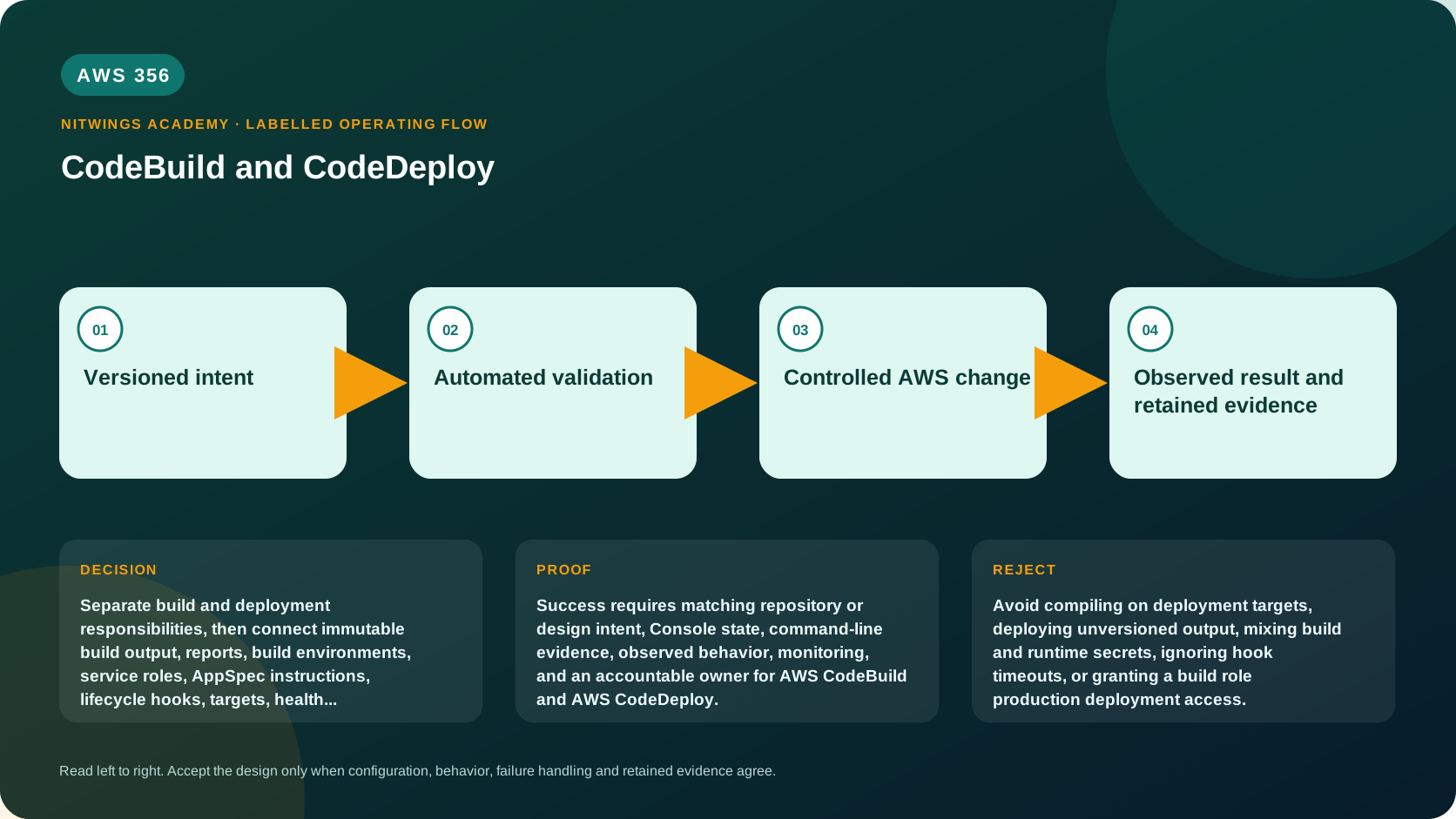
CodeBuild turns source and dependencies into test evidence and artifacts. CodeDeploy moves an application revision to EC2/on-premises instances, Lambda versions, or ECS task sets. Joining them safely requires an immutable contract: the reviewed source produces one identified artifact, and deployment consumes exactly that artifact with target-specific lifecycle validation.
Service boundaries
| Concern | CodeBuild | CodeDeploy |
|---|---|---|
| Primary job | Execute build/test commands in managed build environment | Coordinate revision installation or traffic shift |
| Input | Source/artifacts, buildspec, environment/config | Revision/AppSpec, deployment group/configuration |
| Output | Artifacts, logs, reports, status, metadata | Deployment state, hook results, traffic/instance state |
| Identity | CodeBuild service role | CodeDeploy service role plus target instance/task/Lambda roles |
| Does not prove | Runtime production correctness | Source review or reproducible build |
Do not give the build role production deployment access simply because one pipeline invokes both services.
CodeBuild execution model
The project defines source, environment image/compute, service role, network, cache, artifacts, logs, timeout, concurrency, and encryption. A buildspec defines phases and commands. Build environments are temporary, but caches, logs, reports, and artifacts persist according to their services.
Buildspec 0.2 runs commands in a shared shell context within a phase. Use finally for evidence/cleanup that must run after phase commands, but understand that an infrastructure termination may still prevent it.
version: 0.2

env:
  variables:
    PYTHONUNBUFFERED: "1"

phases:
  install:
    runtime-versions:
      python: 3.12
    commands:
      - python -m pip install --requirement requirements-lock.txt
  pre_build:
    commands:
      - python -m compileall -q src tests
      - pytest --junitxml=reports/junit.xml
  build:
    commands:
      - python -m build
      - sha256sum dist/* > dist/SHA256SUMS
  post_build:
    commands:
      - test -s dist/SHA256SUMS

reports:
  unit-tests:
    files:
      - reports/junit.xml

artifacts:
  files:
    - dist/**/*
  discard-paths: no
Treat this as a starting point: package installation must be compatible with the lock format/tool, the image must actually include required tooling, and dist/* must not include signatures/checksum recursion unexpectedly. Test locally and in the exact managed image.
Build identity, network, and secrets
The service role needs only source/artifact, logs/reports, KMS, package repository, and read-only validation operations required by that project. VPC attachment adds ENI/subnet/security-group/routing/DNS/NAT or endpoint dependencies; it does not automatically make the build more secure.
Use Parameter Store/Secrets Manager integrations or workload federation as designed. Do not put plaintext secrets in project variables, buildspec, logs, exported variables, cache, report, or artifact. A secret retrieved by the build role can still be exfiltrated by untrusted build commands, so privileged builds must not run arbitrary fork code.
Use digest-pinned container images where governance requires reproducibility. Record image digest, source revision, dependency lock digest, build ID, artifact digest, and test report. Caches improve speed but can contaminate reproducibility; scope keys and verify dependencies.
CodeDeploy compute platforms
- EC2/on-premises supports in-place and blue/green. In-place deployment configuration controls minimum healthy hosts, including optional per-zone behavior where supported.
- Lambda deployments are blue/green traffic shifts between versions via an alias, using all-at-once, canary, or linear configurations.
- ECS deployments are blue/green between task sets with load balancer integration, using supported all-at-once/canary/linear behavior. Current NLB limitations must be checked; official documentation notes all-at-once for the predefined NLB path.
Choose based on target, failure domain, capacity, session/data behavior, validation, rollback, and cost.
AppSpec and lifecycle contracts
AppSpec syntax and hooks differ by compute platform. For EC2/on-premises, it maps files/permissions and lifecycle scripts such as stop/install/start/validate phases. Scripts run with target-host privileges defined by configuration, so they require strict ownership, timeouts, idempotency, logs, and rollback behavior.
For Lambda/ECS, AppSpec identifies the version/task definition and traffic target; validation hooks are Lambda functions at supported lifecycle points. A successful hook means only that the hook returned success under its test scope.
Never use an AppSpec hook to fetch “latest” code. The revision must already identify the content being deployed.
Deployment configurations and health
EC2 minimum healthy host settings are availability constraints during an in-place deployment, not proof of application health. Ensure load balancer health checks, CodeDeploy agent state, instance tags/Auto Scaling membership, and application validation agree.
Lambda/ECS canary shifts an initial percentage then the remainder after an interval; linear shifts equal increments repeatedly; all-at-once moves all traffic. CloudWatch alarms can stop/rollback based on configured behavior, but alarm evaluation delay, missing data, low traffic, composite dependencies, and metric dimensions affect safety.
Automatic rollback boundaries
CodeDeploy can create a new deployment using a prior known-good revision when configured for qualifying events. This does not undo schema changes, queue messages, external transactions, feature-flag changes, or data written by the new version.
Use expand/contract schema changes, backward-compatible APIs/events, reversible flags, idempotency, and reconciliation. Define the last point at which traffic rollback remains data-safe.
Read-only inspection
aws codebuild list-projects --region ap-south-1
aws codebuild batch-get-projects --names PROJECT_NAME --region ap-south-1
aws codebuild list-builds-for-project --project-name PROJECT_NAME --region ap-south-1
aws deploy list-applications --region ap-south-1
aws deploy list-deployment-groups --application-name APPLICATION_NAME --region ap-south-1
aws deploy get-deployment-group --application-name APPLICATION_NAME --deployment-group-name GROUP_NAME --region ap-south-1
Use only authorized names. Redact repository, role, subnet, security-group, bucket, key, target, and environment details.
Build-to-deploy evidence chain
Create a manifest:
source_commit
source_archive_sha256
dependency_lock_sha256
build_image_digest
build_id
test_report_id/result
artifact_uri/version_id/sha256
signature_or_attestation
deployment_id/group/configuration
target_revision_digest
runtime_release_marker
verification_result
At each handoff verify the digest. S3 version ID or ECR image digest is stronger than a mutable key/tag alone. Preserve evidence according to audit and privacy requirements.
Failure diagnosis
| Symptom | Evidence path |
|---|---|
| Build cannot download dependency | DNS/route/proxy, repository token, policy, upstream state |
| Build succeeds but artifact missing | Buildspec paths/base directory, phase status, artifact config |
| Report absent | Report group ARN/name, file path/format, service-role permission |
| Deploy cannot download revision | Target identity, S3/KMS policy, Region/version, agent log |
| EC2 hook timeout | AppSpec order, script executable/interpreter/user, hook log/time limit |
| ECS green unhealthy | Task definition, container/port, target group, SG, health endpoint/log |
| Lambda canary alarm | Alias/version, hook result, metric dimensions/evaluation window |
| Rollback “succeeds” but errors remain | Data/schema/external side effects not reversed |
Workshop
Design build and deployment for the AWS354 package plus a fictional API on one target platform. Produce project settings, least-privilege roles, complete buildspec, AppSpec, artifact manifest, deployment configuration, alarms, validation hooks, rollback/data strategy, logs, cost model, and cleanup.
Inject ten failures: poisoned cache, dependency unavailable, test report path wrong, secret in log, artifact digest mismatch, KMS denial, missing AppSpec, hook permission failure, health check mismatch, and post-write rollback. State detection, owner, containment, recovery, and retest.
Acceptance
Pass requires build and deploy role separation, reviewed immutable artifact promotion, no secrets in build output, exact source/build/deployment correlation, target-specific AppSpec reasoning, positive/negative/failure validation, alarm limitations, and data-aware rollback.