
Postfix TLS, SMTP AUTH and Dovecot SASL
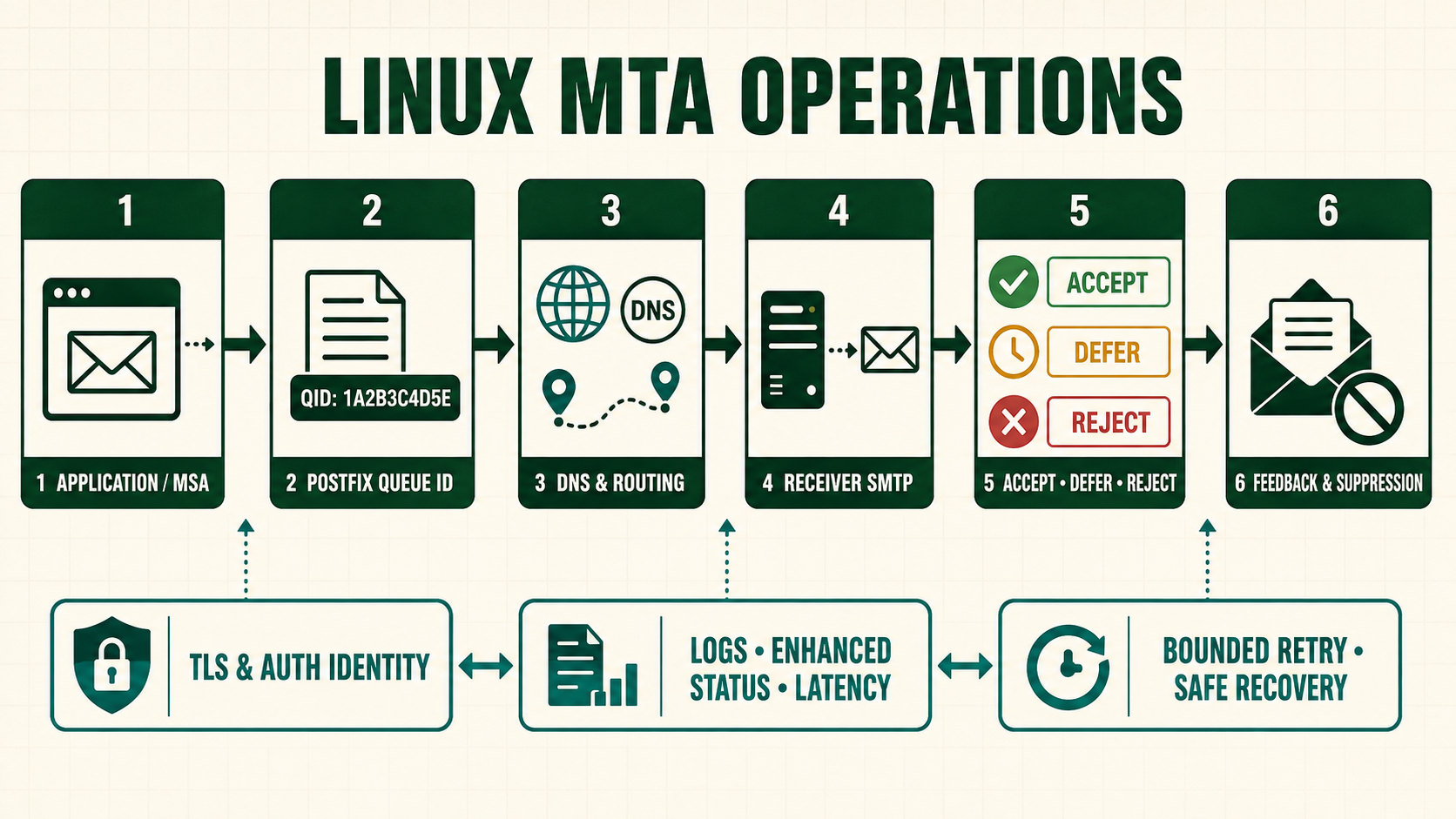
TLS protects submission credentials in transit while SASL proves which account may relay; neither control replaces sender-identity authorization. This lesson treats Postfix TLS with Dovecot SASL as one decision point in a longer message path. The configuration is useful only when an operator can show which message entered it, which identity and rule matched, what the next daemon returned, and how a failure is retried or contained.
Prerequisites and inherited lab checkpoint
Lesson 8 authentication must pass doveadm tests. Lesson 7 submission policy stays isolated from port 25.
For the Postfix TLS with Dovecot SASL lab, use reserved domain example.test, documentation addresses and disposable messages. Preserve postconf -n, postconf -M, package versions, DNS answers and a queue baseline before changing the lab. Keep console access and do not copy credentials, private keys or customer messages into the evidence record.
Install and prepare the required components
sudo dnf info postfix dovecot openssl
sudo dnf install -y postfix dovecot openssl
sudo cp -a /etc/dovecot/conf.d/10-master.conf /etc/dovecot/conf.d/10-master.conf.before-nitwings
rpm -q postfix dovecot openssl- Confirm package availability and ownership in the enabled RHEL repositories before adding a third-party source. Record the repository, signing key fingerprint, version and support lifecycle.
- A package install creates files and service identities; it does not establish safe relay, authentication, delivery or filtering behavior.
- Back up only the files this lesson changes and record modes, owners and SELinux labels so rollback restores more than text.
- Use
systemctl cat, package file lists and local manual pages to identify paths on the installed build instead of assuming a path from another distribution.
Build the Postfix TLS with Dovecot SASL configuration and understand every boundary
Create a chroot-visible private auth socket and require encrypted submission before advertising credential mechanisms.
# Dovecot 10-master.conf
service auth {
  unix_listener /var/spool/postfix/private/auth {
    mode = 0660
    user = postfix
    group = postfix
  }
}
# Postfix submission overrides
  -o smtpd_tls_security_level=encrypt
  -o smtpd_sasl_auth_enable=yes
  -o smtpd_sasl_type=dovecot
  -o smtpd_sasl_path=private/auth
  -o smtpd_sasl_security_options=noanonymous
The socket lives below the Postfix queue so a chrooted smtpd can reach it. Certificate paths must contain the full served chain and a private key readable only by the required service context.
Verify the working path
sudo doveconf -n
sudo postfix check
sudo systemctl restart dovecot
sudo test -S /var/spool/postfix/private/auth
sudo stat -c '%A %U:%G %n' /var/spool/postfix/private/auth
sudo postfix reload
openssl s_client -starttls smtp -connect mail.example.test:587 -servername mail.example.test -verify_return_error- Run the syntax or lookup test before reload. A reload must never be the first parser of a production configuration.
- The positive test proves the intended path. The negative test proves an unauthorized sender, recipient or client is not accidentally accepted.
- Stop the named dependency in the disposable lab and verify temporary failure or controlled bypass matches the documented policy.
- Repeat the accepted path after restart and reboot, then compare effective configuration rather than only source files.
Production decisions before continuing
| Decision | Choose deliberately | Evidence to retain |
|---|---|---|
| Failure policy | Dovecot auth failure temporarily blocks submission but never permits unauthenticated relay; inbound port 25 remains independent. | SMTP transcript, queue state and dependency alert |
| Trust boundary | Certificate validation authenticates the server channel, SASL authenticates the user, and sender-login mapping authorizes the envelope sender. | Matching client, sender, recipient or daemon identity |
| Secrets and data | Restrict credentials, message samples and keys to the minimum service identity. | Owner, mode, label and secret rotation record |
| Activation | Validate, reload, run positive and negative tests, then watch one complete message. | Syntax output, queue ID and linked log events |
| Rollback | Restore the exact files and map/database state changed by this lesson. | Rollback command and repeated acceptance result |
Place Postfix TLS with Dovecot SASL in the message path
TLS, SASL and relay authorization are three controls. Test each separately instead of treating an encrypted successful login as permission to use any From identity.Understand the component before configuring it
| Layer | Question to answer | Evidence |
|---|---|---|
| Input | TLS handshake, SNI, SASL mechanism, login and envelope sender | SMTP transcript, lookup input or message header |
| Decision | Certificate trust, passdb result, relay rule and sender-login match | Effective configuration and exact matched rule |
| Output | Encrypted authenticated message accepted into queue | Queue state, delivery status or downstream response |
| Dependency | Certificate renewal, auth socket, SQL passdb and system time | Socket, timeout, journal and controlled outage test |
| Recovery | Can processing resume without duplicate, loss or unauthorized delivery? | Retained queue ID, backup and repeated acceptance |
Build it step by step
- Draw the path. Mark the connection, envelope, content and authenticated identities available at this stage.
- Inventory the effective state. Capture package version, active service, sockets, Postfix parameters, master services and lookup results.
- Prepare one coherent configuration. Substitute documented lab values and verify ownership, mode and SELinux context.
- Validate before activation. Run component syntax checks, map queries and a non-delivering test where supported.
- Exercise three outcomes. Send an intended message, an intended denial and a message while the named dependency is unavailable.
- Trace one queue ID. Join ingress, policy, filtering, routing and final delivery events without relying on subject text.
- Close the change. Restart or reboot where relevant, repeat tests, check queue age and document rollback.
Operate and inspect the component
postconf smtpd_tls_cert_file smtpd_tls_key_file
postconf -P | grep submission
sudo doveconf -n
sudo ss -lntp | grep ':587 '
openssl s_client -starttls smtp -connect 127.0.0.1:587 -servername mail.example.test -crlf
journalctl -u postfix -u dovecot --since '-15 minutes'- Replace sample hostnames, addresses and queue IDs only after resolving them from the lab. Do not paste production identities into a public command transcript.
postconf -nshows non-default global parameters;postconf -Mandpostconf -Pexpose master service and field overrides.- A successful lookup proves only that input. Test present, absent, disabled and dependency-unavailable results separately.
- Use the queue ID as the correlation key. Message subjects and recipient addresses are not unique and may contain sensitive information.
Evidence and acceptance criteria
| Evidence | Healthy result | Failure meaning |
|---|---|---|
| Syntax | All component validators succeed before activation | The running service would parse an unreviewed or invalid state |
| Positive path | A valid account completes verified TLS and submits an allowed sender. | The intended message cannot complete this decision point |
| Negative path | Plain submission, bad password, anonymous relay and sender mismatch are rejected. | The configuration may relay, authenticate, route or deliver too broadly |
| Dependency failure | An unavailable auth socket fails closed on 587 without disrupting hosted receipt on port 25. | Messages may be lost, permanently rejected or silently bypass controls |
| Persistence | Effective state and tests agree after restart and reboot | Only transient state was changed |
Renewed certificate is not the certificate being served
Automation replaces certificate files and reports success but Postfix is not reloaded. Clients continue seeing the expiring serial. A complete renewal check records the externally served serial, SAN, chain and expiry after reload.Troubleshooting by symptom
| Symptom | Inspect first | Defensible next action |
|---|---|---|
| AUTH absent | STARTTLS state, override and socket | Inspect capabilities after TLS |
| Socket denied | parent path, mode and SELinux AVC | Correct the narrow listener definition |
| Name mismatch | SNI and SAN of served certificate | Install the certificate for the public hostname |
| Spoof accepted | sender-login restriction | Bind authenticated account to allowed senders |
Unsafe operations and recovery boundaries
- Unsafe: mode 0666 on the auth socket exposes an authentication oracle.
- Unsafe: disabling certificate verification hides interception and wrong-host failures.
- Unsafe: bypassing AUTH during outage converts availability trouble into abuse.
Rewritten knowledge checks
Cumulative lab checkpoint
- Capture the inherited checkpoint and state the exact sender, recipient, client address and expected SMTP result.
- Install the required package from a recorded source and save the package/file/service inventory.
- Apply the complete lab configuration, including permissions, socket paths, map generation and service ownership.
- Run syntax and lookup validation, then activate without closing the recovery session.
- Complete positive, negative and dependency-outage tests while retaining queue IDs and UTC logs.
- Restart the participating services, repeat the accepted path and confirm no unexplained deferred mail remains.
- Execute rollback once, prove the previous behavior, then reapply the reviewed state as the checkpoint for the next lesson.