
RHEL Administrator Scenarios, Interview Questions and Capstone
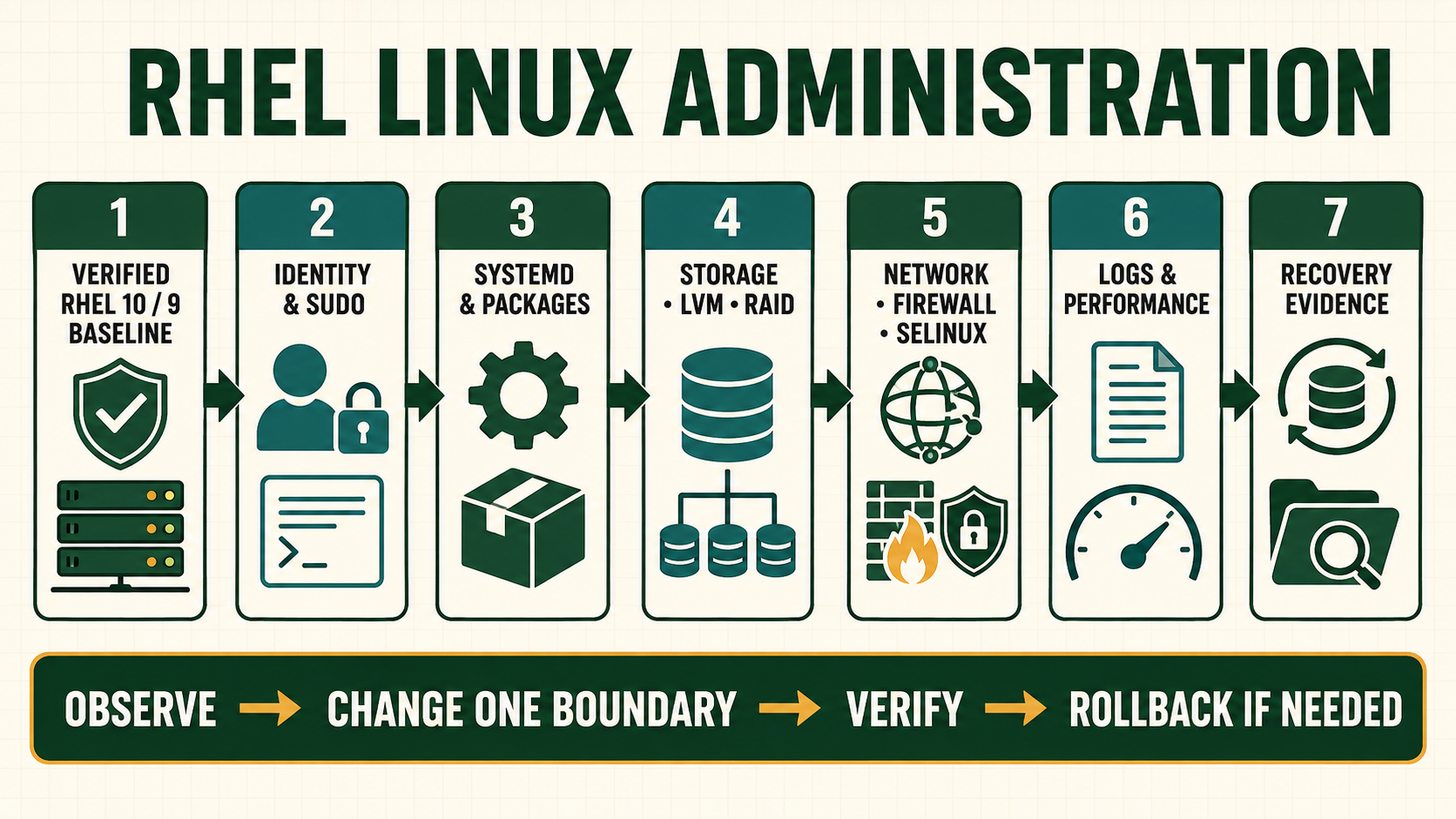
A professional assessment should reveal how an administrator thinks when evidence is incomplete and change has consequences. Memorizing a command is not enough. A strong answer states assumptions, identifies the responsible layer, protects access and data, selects a bounded action and defines proof. This capstone joins the course into one small service with deliberate failures and a recovery record.
Define the capstone service and failure budget
Build one RHEL 9 or 10 VM providing an internal HTTPS status page and a restricted shared-data path. Use named administration, a dedicated service identity, LVM-backed data, NetworkManager, firewalld, SELinux enforcing, systemd, journald/rsyslog and an SSH recovery path. Keep the service isolated from real customer data and public networks.
The assessment includes injected failures in configuration, permissions, capacity, DNS or dependency state. Every failure must be reversible and authorized. The evaluator scores diagnosis and evidence, not how quickly the learner restarts or disables controls.
Capstone control record
| Layer | Question to answer | Evidence |
|---|---|---|
| Design | What service, identities, data and SLO exist? | Approved diagram and acceptance matrix |
| Build | Can another operator reproduce it? | Release/package/network/storage manifest |
| Protect | Which least-privilege and security decisions apply? | sudo, firewall, SELinux, SSH and ownership evidence |
| Operate | How are health, capacity and logs observed? | baseline, alerts and retained UTC events |
| Recover | Can one injected failure and data loss be reversed? | runbook, backup/restore and final acceptance |
Operating sequence
- Write the architecture, data classification, recovery objective and expected ports.
- Build from verified media/repositories and capture the initial baseline.
- Create named and service identities with narrow sudo and filesystem access.
- Create LVM-backed XFS data and persistent UUID mount.
- Configure network, DNS, firewall, SELinux and HTTPS service.
- Add monitoring evidence, persistent/remote logs and a tested backup.
- Inject three approved failures one at a time and diagnose from symptoms.
- Restore service/data, run positive and negative tests and write the final review.
Commands and expected evidence
cat /etc/redhat-release
systemctl --failed
findmnt --verify
pvs; vgs; lvs
nmcli connection show --active
ip route
ss -lntup
firewall-cmd --get-active-zones
firewall-cmd --list-all
getenforce
ausearch -m AVC -ts recent
journalctl -p warning..alert -b --no-pager
dnf history info last
curl --fail --show-error --resolve status.lab.example:443:192.0.2.20 https://status.lab.example/- Replace documentation names/addresses only inside the isolated lab.
- The command set is an evidence index, not a script to run without interpreting each result.
- The HTTPS test should validate the lab CA/host identity; do not use
-kas acceptance. - Preserve failure evidence before repair and reset one injection before introducing the next.
Evidence and acceptance criteria
| Evidence | Healthy result | Failure meaning |
|---|---|---|
| Reproducibility | Manifest rebuilds expected host without secrets | Manual undocumented state |
| Least privilege | Named user/service and denied tests match policy | Shared/broad access |
| Availability | Boot, mount, network, policy and application tests pass | Layer dependency failure |
| Observability | Symptoms correlate with logs and resource evidence | Blind restart-only operations |
| Recovery | Restore meets data and time objective | Backup exists but is unusable |
Worked operating scenario
The evaluator changes the custom web root label and removes one route while leaving the service process active. The learner sees an active unit but a failed client request. They test name resolution, route selection, listener, firewall and AVC evidence, correct the route through NetworkManager and restore the documented SELinux label.
They do not disable SELinux, flush the firewall or reboot. Final tests prove the intended client succeeds, an unapproved source remains denied and the configuration survives reboot.
Practical how-to cases
Case 1: Recover a failed web service
Diagnose unit, socket, firewall, SELinux, storage and application response in order. Treat each scenario as an unfamiliar production ticket: inventory first, preserve access and state, then make one reversible correction.
systemctl status httpd --no-pager
journalctl -u httpd -b --no-pager
httpd -t
ss -lntp | grep ':80'
getenforce
sudo ausearch -m AVC -ts recent
curl -v http://127.0.0.1/| Checkpoint | What to establish |
|---|---|
| Expected result | One causal layer is corrected and both local success and unauthorized-path behavior are verified. |
| If it fails | Restarting until active can hide configuration, storage or policy failure. |
| Safe recovery | Execute the written rollback, repeat all acceptance checks, and leave an incident record another administrator can reproduce. |
Case 2: Recover a boot mount failure
Use console/rescue access to identify a bad persistent mount without deleting evidence. Treat each scenario as an unfamiliar production ticket: inventory first, preserve access and state, then make one reversible correction.
systemctl --failed
journalctl -b -p warning..alert --no-pager
findmnt --verify
lsblk -f
blkid
systemctl status local-fs.target| Checkpoint | What to establish |
|---|---|
| Expected result | The exact fstab source, UUID or option error is corrected and a normal reboot succeeds. |
| If it fails | Commenting every mount may boot the host but silently remove application data dependencies. |
| Safe recovery | Execute the written rollback, repeat all acceptance checks, and leave an incident record another administrator can reproduce. |
Case 3: Recover remote access safely
Use console evidence to distinguish address, route, firewall, sshd and authentication. Treat each scenario as an unfamiliar production ticket: inventory first, preserve access and state, then make one reversible correction.
nmcli connection show --active
ip -brief address
ip route
sshd -t
ss -lntp | grep ':22'
firewall-cmd --get-active-zones
journalctl -u sshd -n 50| Checkpoint | What to establish |
|---|---|
| Expected result | A fresh named-user key login succeeds while root and unauthorized authentication remain denied. |
| If it fails | Changing several layers together makes rollback ambiguous and can widen access. |
| Safe recovery | Execute the written rollback, repeat all acceptance checks, and leave an incident record another administrator can reproduce. |
Case 4: Deliver a production-readiness record
Capture identity, updates, storage, network, security, services, logs, backup and recovery evidence. Treat each scenario as an unfamiliar production ticket: inventory first, preserve access and state, then make one reversible correction.
date -u --iso-8601=seconds
hostnamectl
dnf check-update || test $? -eq 100
findmnt --verify
systemctl --failed
ss -lntup
getenforce
firewall-cmd --get-active-zones
journalctl -p warning..alert -b --no-pager| Checkpoint | What to establish |
|---|---|
| Expected result | Every expected service has an owner, test, monitor, backup scope and documented recovery path. |
| If it fails | A green command list without business acceptance, denial tests or restore evidence is not readiness. |
| Safe recovery | Execute the written rollback, repeat all acceptance checks, and leave an incident record another administrator can reproduce. |
Independent practice tasks
- Complete a timed identity, package, storage and network configuration exercise.
- Repair five injected faults while preserving a causal incident log.
- Perform and document a file restore plus one service recovery.
- Present a capstone handoff containing build, monitoring, backup, rollback and open-risk evidence.
For this lesson on RHEL Administrator Capstone, complete each task without copying the worked command sequence. Record the initial state, exact change, verification, negative test and recovery command. A task is unfinished if it works now but does not survive a reboot where persistence is required.
Troubleshooting by symptom
| Symptom | Inspect first | Defensible next action |
|---|---|---|
| HTTPS timeout | DNS, route, listener, firewall/upstream and return path | Locate first failing layer |
| 403/permission denied | Application logs, traversal, ACL and SELinux AVC | Correct exact content policy |
| Boot enters emergency | fstab, device/LVM availability and journal | Restore required mount identity or recover storage |
| Writes fail with free bytes | Inodes, quota, read-only and service identity | Repair actual constraint |
| Recovery exceeds objective | Backup age, transfer/restore speed and runbook gaps | Re-engineer recovery capacity and test |
Unsafe operations and recovery boundaries
- Unsafe: injecting failures on production or shared infrastructure is not a training exercise. Use disposable isolated systems.
- Unsafe: disabling firewall/SELinux or granting world write to pass the capstone fails the security and diagnosis gates.
- Unsafe: storing passwords, subscription credentials or private keys in the submitted evidence package creates a new incident.
Rewritten knowledge checks
Guided lab and acceptance test
- Create the architecture and acceptance matrix before provisioning.
- Build and harden the isolated service using lessons 1 through 19.
- Have a reviewer select three bounded failure cards without revealing the responsible layer.
- Record hypothesis, evidence and decision before every change.
- Restore a backup to a separate target and compare checksums/application behavior.
- Deliver a final operations pack with no secrets and remove all lab resources.