
RHEL SSH Administration and Secure Remote Access
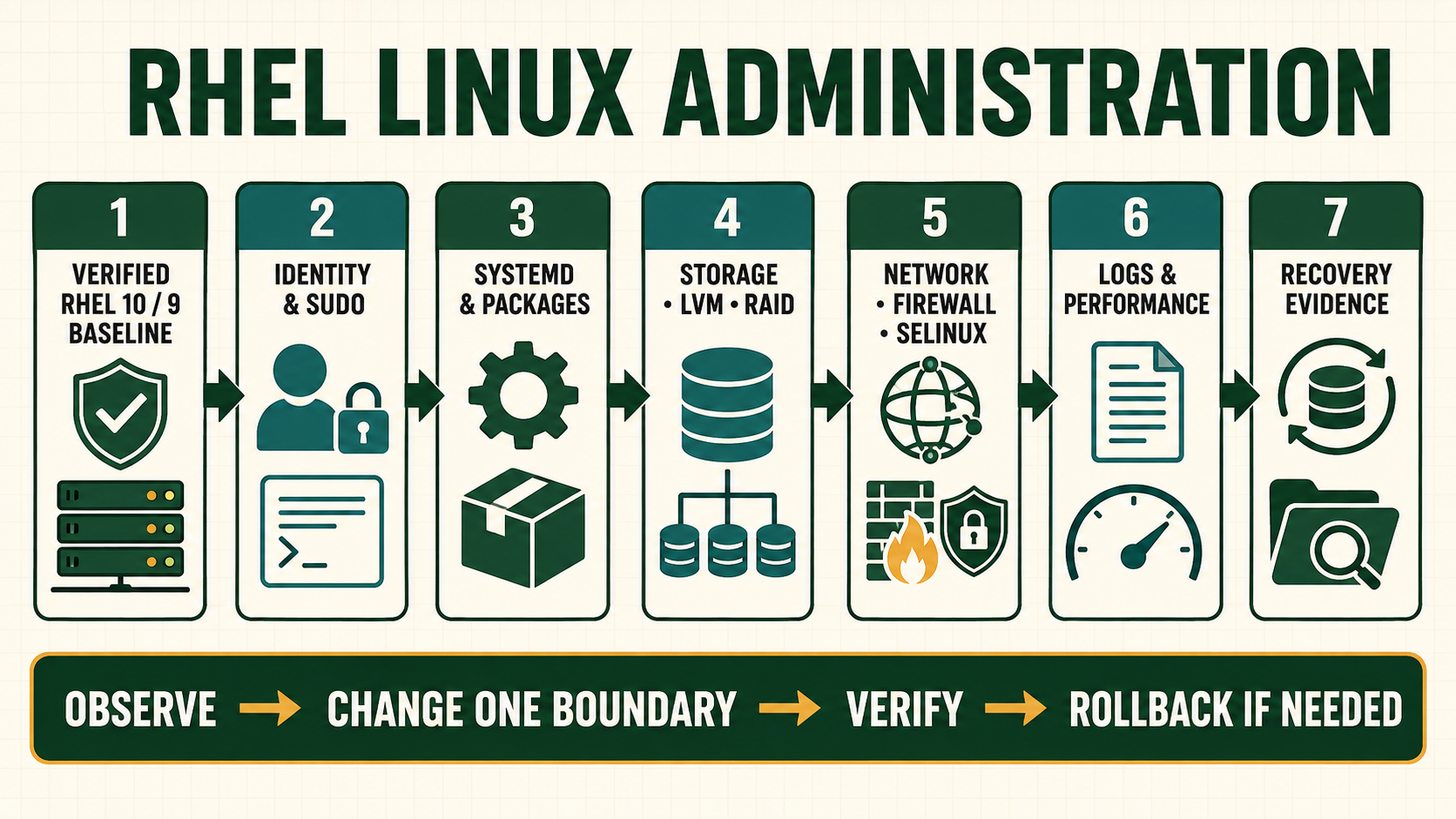
SSH protects a connection only when both sides make trustworthy identity decisions. A client that accepts an unexplained host-key change loses server authentication. A server that accepts a copied private key from many people loses individual attribution. Secure administration combines verified host identity, named users, scoped authentication, least privilege, current cryptography, session evidence and a console-backed change procedure.
Separate server identity from user authentication
Host keys identify the server to clients. User public keys or certificates authenticate a principal to the server. They are different trust chains. Rebuilds, load-balanced endpoints and host certificates require an owned distribution method so clients can distinguish planned identity change from interception.
Agent and port forwarding extend trust across boundaries. Keep them disabled unless the workflow and destination are controlled. A bastion reduces exposed entry points but becomes a high-value identity and audit boundary.
Build an evidence map
| Layer | Question to answer | Evidence |
|---|---|---|
| Server identity | How does the client verify this endpoint? | Host-key fingerprint, CA or managed known_hosts |
| User identity | Which named principal authenticated? | Account and key/certificate fingerprint |
| Authorization | Which source, command and privilege are allowed? | sshd Match rules, authorized_keys options and sudo |
| Path | Direct, ProxyJump or forwarded connection? | Client config, bastion logs and destination evidence |
| Recovery | How is bad policy reversed? | Console, retained session and tested config backup |
Operating sequence
- Inventory listeners, host keys, users, keys, bastions and automation dependencies.
- Back up exact configuration and retain console plus two privileged sessions.
- Validate a proposed drop-in with
sshd -tand inspect effective values withsshd -T. - Add one control at a time, preferably through a Match block with known scope.
- Reload rather than restart when supported, keeping the existing session open.
- Test new login, intended denial, sudo and automation from the real source.
- Remove superseded keys only after every owner and job has migrated.
Commands and expected evidence
ss -lntp | grep ':22'
sshd -t
sshd -T | grep -E '^(passwordauthentication|pubkeyauthentication|permitrootlogin|allowagentforwarding|allowtcpforwarding)'
ssh-keygen -lf /etc/ssh/ssh_host_ed25519_key.pub
ssh-keygen -lf ~/.ssh/authorized_keys
ssh -G host.example | grep -E '^(hostname|user|proxyjump|identityfile)'
ssh -o StrictHostKeyChecking=yes host.example
journalctl -u sshd --since '-30 minutes' --no-pager- Use
sshd -T -C user=...,host=...,addr=...when Match rules depend on connection context. - Never print private-key material; fingerprints of approved public keys are adequate inventory evidence.
- Strict host checking should fail an unrecognized change until identity is verified independently.
- Reload only after syntax passes and the recovery session remains usable.
Evidence and acceptance criteria
| Evidence | Healthy result | Failure meaning |
|---|---|---|
| Host identity | Fingerprint/CA matches inventory through trusted channel | Possible interception, wrong host or unmanaged rebuild |
| Effective policy | Context-specific sshd output matches design | Include/Match ordering differs from file reading |
| Authentication | Named user and approved key/cert fingerprint succeed | Wrong account, key, permissions or policy |
| Denial | Password/root/unapproved source behavior fails as intended | Unintended fallback remains |
| Recovery | Console and retained session restore known config | Policy mistake can strand the host |
Worked operating scenario
After a rebuild, automation reports a host-key mismatch. Deleting the known-host entry would restore connectivity but erase the only warning that server identity changed. The operator checks the rebuild record and console-displayed fingerprint through a trusted inventory path, then updates the centrally managed host identity.
The old fingerprint is retained in the change record. Automation resumes only after strict verification, and no user is told to disable host-key checking.
Practical how-to cases
Case 1: Create and install a user key
Generate a modern key with a passphrase and install only its public half. Keep console and a second authenticated session until syntax, new login and intended denial all pass.
ssh-keygen -t ed25519 -a 64 -f ~/.ssh/id_ed25519_lab
ssh-copy-id -i ~/.ssh/id_ed25519_lab.pub student@servera
ssh-keygen -lf ~/.ssh/id_ed25519_lab.pub
ssh -i ~/.ssh/id_ed25519_lab student@servera| Checkpoint | What to establish |
|---|---|
| Expected result | The server authenticates the intended account and the private key never leaves the client. |
| If it fails | Permission or label errors on .ssh and authorized_keys can make a correct key unusable. |
| Safe recovery | Restore the saved sshd drop-in from console, validate with sshd -t, restart the service, and reconcile the verified host fingerprint. |
Case 2: Harden with a drop-in
Disable root and password login only after key access succeeds in another session. Keep console and a second authenticated session until syntax, new login and intended denial all pass.
printf '%s\n' 'PermitRootLogin no' 'PasswordAuthentication no' | sudo tee /etc/ssh/sshd_config.d/40-site-policy.conf
sudo sshd -t
sudo sshd -T | grep -E 'permitrootlogin|passwordauthentication'
sudo systemctl reload sshd| Checkpoint | What to establish |
|---|---|
| Expected result | Effective configuration reports both controls and a fresh key login works. |
| If it fails | A Match block or lexically earlier file can alter effective values; inspect sshd -T in context. |
| Safe recovery | Restore the saved sshd drop-in from console, validate with sshd -t, restart the service, and reconcile the verified host fingerprint. |
Case 3: Use a bastion
Define ProxyJump and prove final host identity remains independently verified. Keep console and a second authenticated session until syntax, new login and intended denial all pass.
ssh -J [email protected] [email protected]
ssh -G serverb.example.test | grep -E 'hostname|user|proxyjump|identityfile'
ssh-keyscan -t ed25519 serverb.example.test| Checkpoint | What to establish |
|---|---|
| Expected result | Traffic traverses the bastion while serverb authentication and host-key checking remain end to end. |
| If it fails | ssh-keyscan collects a key but does not authenticate it; compare through a trusted inventory path. |
| Safe recovery | Restore the saved sshd drop-in from console, validate with sshd -t, restart the service, and reconcile the verified host fingerprint. |
Case 4: Diagnose authentication
Run a verbose client attempt and correlate the server journal without weakening policy. Keep console and a second authenticated session until syntax, new login and intended denial all pass.
ssh -vvv student@servera
sudo journalctl -u sshd --since '-10 minutes' --no-pager
sudo sshd -T -C user=student,host=servera,addr=192.0.2.50
namei -om /home/student/.ssh/authorized_keys
ls -ldZ /home/student/.ssh /home/student/.ssh/authorized_keys| Checkpoint | What to establish |
|---|---|
| Expected result | Client offer, server decision, file traversal and SELinux evidence identify the rejection. |
| If it fails | Enabling passwords or root login hides the cause and expands attack surface. |
| Safe recovery | Restore the saved sshd drop-in from console, validate with sshd -t, restart the service, and reconcile the verified host fingerprint. |
Case 5: Transfer files securely
Use scp or sftp with strict host-key checking and verify the received digest. Keep console and a second authenticated session until syntax, new login and intended denial all pass.
sha256sum package.tar.gz
scp -o StrictHostKeyChecking=yes package.tar.gz student@servera:/tmp/
ssh student@servera 'sha256sum /tmp/package.tar.gz'
sftp -b batch.txt student@servera| Checkpoint | What to establish |
|---|---|
| Expected result | The local and remote SHA-256 values match and the verified server identity is used. |
| If it fails | Encryption does not prove the file is complete or sent to the intended host when host identity is ignored. |
| Safe recovery | Restore the saved sshd drop-in from console, validate with sshd -t, restart the service, and reconcile the verified host fingerprint. |
Independent practice tasks
- Configure key-only access and prove password rejection.
- Use Match Address for a lab subnet and inspect contextual output.
- Configure local and remote forwarding, then state the exposure risk.
- Recover from an invalid sshd drop-in through console.
For this lesson on RHEL SSH Administration, complete each task without copying the worked command sequence. Record the initial state, exact change, verification, negative test and recovery command. A task is unfinished if it works now but does not survive a reboot where persistence is required.
Troubleshooting by symptom
| Symptom | Inspect first | Defensible next action |
|---|---|---|
| Permission denied publickey | Account, offered fingerprint, file modes and effective policy | Correct exact key/account or Match rule |
| Host-key changed | Inventory, rebuild/change and console fingerprint | Verify identity before updating trust |
| Config test passes, login fails | Context-specific sshd -T -C, PAM and journal | Diagnose actual source/user path |
| ProxyJump fails | Each hop identity, forwarding policy and destination DNS | Test and verify hops separately |
| Existing session works, new fails | Do not close recovery session; inspect latest journal/policy | Restore reviewed drop-in or correct bounded rule |
Unsafe operations and recovery boundaries
- Unsafe: disabling host-key verification permits silent redirection or interception.
- Unsafe: replacing sshd configuration remotely without console and retained sessions can lock out every operator.
- Unsafe: shared private keys and unrestricted agent forwarding expand impersonation across hosts.
Rewritten knowledge checks
-C evaluates Match context.Guided lab and acceptance test
- Record lab server host-key fingerprints at the console.
- Create a named lab user and a new protected key pair; install only the public key.
- Verify strict host checking and record the accepted fingerprint.
- Add a scoped sshd drop-in, validate and reload while retaining one session.
- Test approved login plus password/root denial.
- Remove the lab key/account only after checking files, jobs and sessions.