
AWS 025: Free Tier, billing alerts and budgets
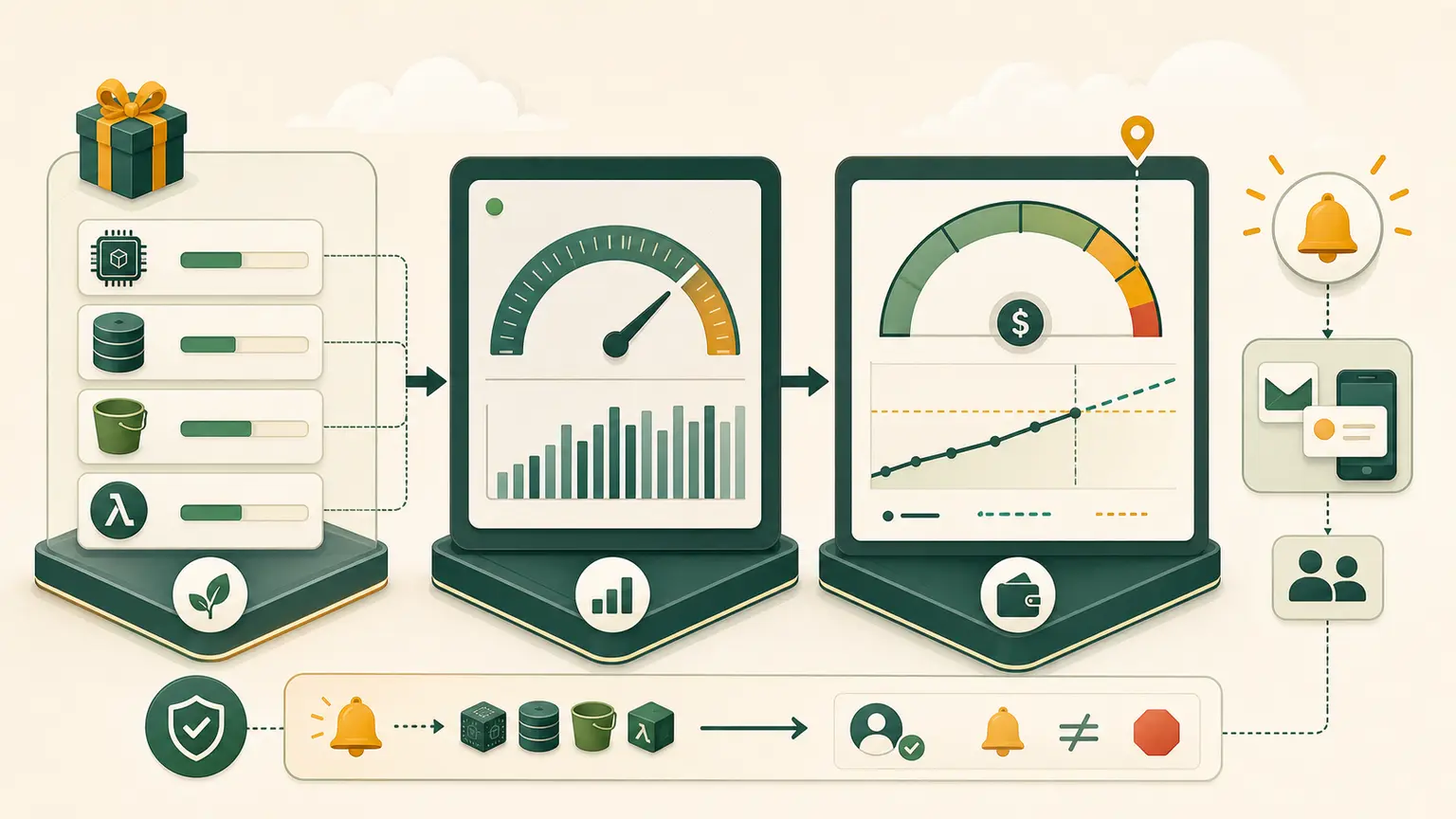
The problem
"Free Tier" is often misunderstood as a guarantee that an AWS account cannot be charged. Eligibility, credits, plan type, service limits, Regions, data transfer, public IPv4, storage, snapshots, and forgotten resources all affect cost.
A budget is an alerting control. It is not a real-time circuit breaker.
Final outcome
You will identify the exact Free Tier or account-plan state shown in your account, create a small monthly cost budget with actual and forecast alerts, enable appropriate billing notifications, and document how to investigate a charge.
Current Free Tier model
AWS changed the new-customer Free Tier model on July 15, 2025. New customers can choose a Free account plan or Paid account plan, receive sign-up credits, and may earn additional credits through listed activities. The Free plan ends when its duration or credits are exhausted, whichever happens first. Paid accounts can incur pay-as-you-go charges beyond remaining credits.
Accounts created earlier can have different eligibility and offers. Do not memorize one dollar amount as a permanent exam fact. Open your account's Billing and Cost Management pages and use the values and dates shown there.
For a Free account plan, do not create or join AWS Organizations or set up AWS Control Tower as an unplanned lab action. Current AWS documentation states that these actions automatically upgrade the account to a Paid plan and expire Free Tier credits.
Important distinctions:
| Item | Meaning |
|---|---|
| Credit | reduces eligible charges until used or expired |
| Always-free offer | monthly free usage within service-specific limits |
| Trial | free usage for a limited duration |
| Free account plan | restricted plan for eligible new customers |
| Paid account plan | standard pay-as-you-go access |
| Budget | compares billing data with thresholds and sends notifications |
Credits do not make poor architecture free. Some purchases, Marketplace items, taxes, support, or services may be excluded.
Inspect the account first
Use the separate daily identity from AWS 024. Do not use root for routine billing inspection.
- Open Billing and Cost Management.
- Review Billing home for month-to-date estimated cost, forecast, credits, and alerts.
- Open Free Tier and record the plan, credit balance, expiry, and service usage shown.
- Open Credits and inspect expiration and applicable-product details.
- Open Bills, expand the current month, and note how service and Region dimensions appear.
- Open Cost Explorer only if it is available and appropriate for the account. Understand any activation delay.
Record values privately. Course evidence should use categories and redacted amounts if the learner does not want to share financial information.
Create the course budget
Console labels can evolve. Use the current workflow:
- In Billing and Cost Management, open Budgets.
- Choose Create budget.
- Select a customizable Cost budget.
- Name it
course-monthly-cost. - Use a recurring monthly period.
- Set a deliberately small amount appropriate to your course spending limit, for example USD 5. This is an alert threshold, not permission to spend it.
- Cover all AWS services for the first baseline budget.
- Add an actual cost alert at 50 percent.
- Add an actual cost alert at 80 percent.
- Add a forecasted cost alert at 100 percent if forecasting is available.
- Send notifications to an email address you actively monitor.
- Review filters, included cost types, subscribers, and amount before creating.
- Confirm any subscription or verification message required by the selected notification path.
Do not configure an automatic budget action until IAM effects, rollback, and service limitations are understood. A broad deny policy can block cleanup while charges continue.
Add billing preferences
In Billing preferences, inspect available alerts and email options. Enable the account's Free Tier usage alerts and billing communications appropriate to a personal learning account.
CloudWatch billing alarms are a separate mechanism historically tied to billing metrics in US East (N. Virginia). They are not a replacement for Budgets. This foundation uses AWS Budgets first because it supports cost and forecast thresholds directly.
Expected evidence
Create cost-baseline.md containing:
Account plan:
Free Tier eligibility:
Credit expiry:
Budget name:
Monthly limit:
Actual thresholds:
Forecast threshold:
Notification destination verified:
Daily review location:
Charge investigation steps:
Include a redacted screenshot of budget status and one of the Free Tier or credit view. Do not expose payment details, full invoice address, account ID, or email address.
Budget data can be delayed. A successful budget state proves configuration, not that an immediate charge will generate an immediate message.
Investigate a charge
Use this order:
- Record the time and alert details.
- Open Bills and expand service, Region, and usage type.
- Use Cost Explorer for time and dimension analysis where available.
- Identify the resource or usage source with service-specific inventory, tags, and logs.
- Stop further consumption safely.
- Preserve evidence before deletion.
- Delete or resize only after dependencies are understood.
- verify that associated storage, snapshots, addresses, load balancers, NAT gateways, and data services are not left behind.
- Recheck billing data after its refresh delay.
Deleting an EC2 instance does not necessarily delete every attached or related charge. Later labs include explicit reverse-order cleanup.
Common cost traps
- resource runs in another Region;
- stopped compute retains billed storage;
- snapshot or backup remains after the source is deleted;
- public IPv4 addresses incur charges under current pricing;
- NAT gateway hours and processing continue;
- managed database backup retention creates storage;
- log ingestion and retention grow;
- Marketplace subscription remains active;
- data transfer is outside an offer;
- Free Tier credits expire;
- budget email was never verified or is ignored.
Troubleshooting
| Symptom | Check |
|---|---|
| budget alert did not arrive | threshold, subscriber, verification, spam, and billing-data delay |
| Free Tier page shows no offer | account age, plan, eligibility, service, and Region |
| bill remains after deletion | retained storage and dependent resources |
| forecast alert absent | enough usage history may not exist |
| console total differs from bill | credits, refunds, taxes, and widget scope |
Architecture and exam decisions
- Estimate before deployment, measure during operation, and allocate after usage.
- Budgets notify; they do not guarantee prevention.
- Cost Explorer analyzes historical and forecast cost dimensions.
- Cost Anomaly Detection looks for unusual spending patterns and complements fixed thresholds.
- Tags help allocation only when supported, applied consistently, and activated where required.
- Service quotas limit capacity, not spending.
Completion gate
Pass when the learner can state the exact account plan and credit status, has a monthly budget with actual and forecast notifications, verified the notification path, documented charge investigation, and can explain why Free Tier and budgets do not guarantee zero cost.
Retain the budget for the course. Review and delete obsolete budgets after the program.