
AWS 030: AWS CLI authentication, profiles, credential precedence, output, and pagination
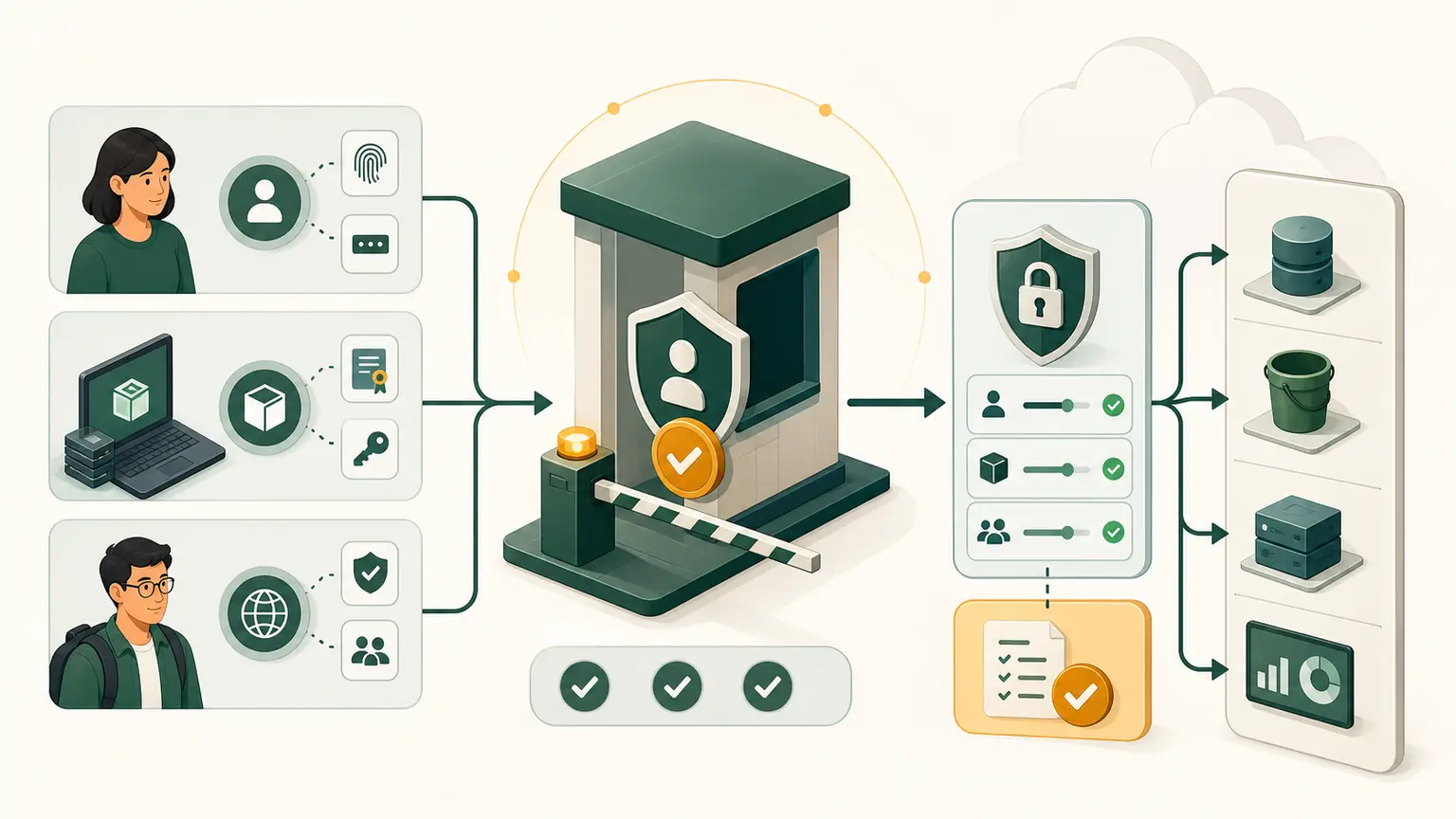
The problem
The AWS CLI is installed, but it still needs an authenticated identity, Region, and output behavior. A learner may paste long-term access keys, accidentally use credentials from an environment variable, query the wrong Region, or mistake one API page for the complete result.
Final outcome
You will configure a named course profile using an approved temporary-credential method, prove the resolved identity and Region, compare output formats, control pagination, and sign out or remove temporary credential state.
Authentication choices
Preferred order for human users:
- IAM Identity Center or another federated identity with short-lived sessions.
- AWS CLI
aws loginusing Console credentials and temporary sessions, when the installed version and administrator policy support it. - Assume a role from an approved source identity.
- Long-term IAM user access keys only as a documented exception.
Never create or use root access keys. Do not paste any secret into this lesson or evidence.
Option A: IAM Identity Center
If the instructor has supplied an IAM Identity Center start URL, Region, account, and permission set:
aws configure sso --profile course
aws sso login --profile course
Follow the browser authorization flow. Verify that the account and role shown are the intended course environment. Do not share the device code or cached token.
Option B: AWS CLI login
Current AWS CLI versions support browser-based local development login. It requires AWS CLI v2.32.0 or later and the signed-in IAM identity needs the SignInLocalDevelopmentAccess permission. IAM Identity Center users should use the SSO method instead.
Check:
aws --version
aws login --profile course
Select the daily non-root Console identity and set the fixed course Region when prompted. The CLI stores a login session configuration and manages temporary cached credentials for the session.
If aws login is unavailable or denied, do not switch to root and do not invent access keys. Use CloudShell or request the approved authentication path.
Prove profile and identity
aws configure list --profile course
aws sts get-caller-identity \
  --profile course \
  --output json \
  --no-cli-pager
printf 'exit=%s\n' "$?"
aws configure list shows the source of profile, credentials, and Region. get-caller-identity proves which account and principal signed the request. Redact identifiers.
Set the Region explicitly in the profile:
aws configure set region ap-south-1 --profile course
aws configure set output json --profile course
aws configure get region --profile course
Replace the Region only if P02 records another instructor-approved value.
Configuration files
On Linux, the standard locations are:
~/.aws/config
~/.aws/credentials
The config file stores profiles and nonsecret settings. The credentials file can store credential material. Temporary methods can also use cache directories.
Inspect profile names without printing secrets:
aws configure list-profiles
aws configure list --profile course
Do not display the credentials file, run env unfiltered in evidence, or commit .aws content to source control.
Credential and setting precedence
When several sources specify the same setting, a higher-precedence source wins. Important practical order:
command option
    overrides environment variable
        overrides profile configuration
Credential-provider precedence has more detail and can vary by tool or SDK. Diagnose the actual source with aws configure list, not memory alone.
Demonstrate Region precedence safely:
AWS_REGION="us-east-1"
export AWS_REGION
aws configure list --profile course
aws ec2 describe-availability-zones \
  --profile course \
  --region ap-south-1 \
  --query 'AvailabilityZones[].ZoneName' \
  --output json \
  --no-cli-pager
unset AWS_REGION
The command-line --region ap-south-1 wins for that request. The environment variable affects commands without an explicit option while it remains set.
Output formats
Run the same read-only identity query:
aws sts get-caller-identity --profile course --output json --no-cli-pager
aws sts get-caller-identity --profile course --output yaml --no-cli-pager
aws sts get-caller-identity --profile course --output table --no-cli-pager
Use JSON or YAML for structured processing and table for human inspection. Text output can be useful in scripts but needs careful query design. Formatting changes presentation, not the underlying authorization.
For sensitive responses, filter before display and still redact.
Pagination
Many list operations are paginated. AWS CLI v2 normally makes multiple API calls to collect complete results unless pagination is disabled or limited.
Use a harmless regional query:
aws ec2 describe-regions \
  --profile course \
  --all-regions \
  --query 'Regions[].{Name:RegionName,Status:OptInStatus}' \
  --output table \
  --no-cli-pager
Distinguish:
- service/API pagination, which divides response data into pages;
- the CLI output pager, such as
less, which displays terminal output one screen at a time.
--no-cli-pager disables only terminal paging. --no-paginate can stop automatic API pagination and may return an incomplete dataset. --page-size changes service call page size, not the total intended result. --max-items limits returned items and can yield a continuation token.
Never claim an inventory is complete after deliberately limiting it.
Evidence
Create cli-profile-baseline.md containing:
- AWS CLI version;
- authentication method, without tokens;
- profile name;
- principal type, redacted;
- fixed Region;
- credential source type shown by
aws configure list; - output-format comparison;
- pagination explanation;
- logout method;
- what
get-caller-identitydoes not prove.
Sign out
For CLI login:
aws logout --profile courseFor IAM Identity Center:
aws sso logoutThese remove or invalidate local cached login state according to the method. They do not delete the IAM identity. On a personal trusted workstation, the course may retain an approved profile, but logout must be tested.
Troubleshooting
| Error | Likely cause | Evidence |
|---|---|---|
Unable to locate credentials | no provider resolved | aws configure list |
ExpiredToken | session ended or wrong credential source wins | login again and inspect precedence |
AccessDenied | authenticated but unauthorized | action, resource, principal, policy context |
| wrong Region | environment or option overrides profile | aws configure list |
| incomplete list | pagination disabled or limited | command options and next token |
| terminal appears stuck | output pager | quit pager or use --no-cli-pager |
Completion gate
Pass when the named profile uses a temporary non-root authentication method, identity and Region are proven, precedence is demonstrated without secrets, three output formats are compared, pagination and pager behavior are distinguished, and logout is verified.
No workload resources were created.