
AWS 031: AWS Console, CLI and SDK
The problem
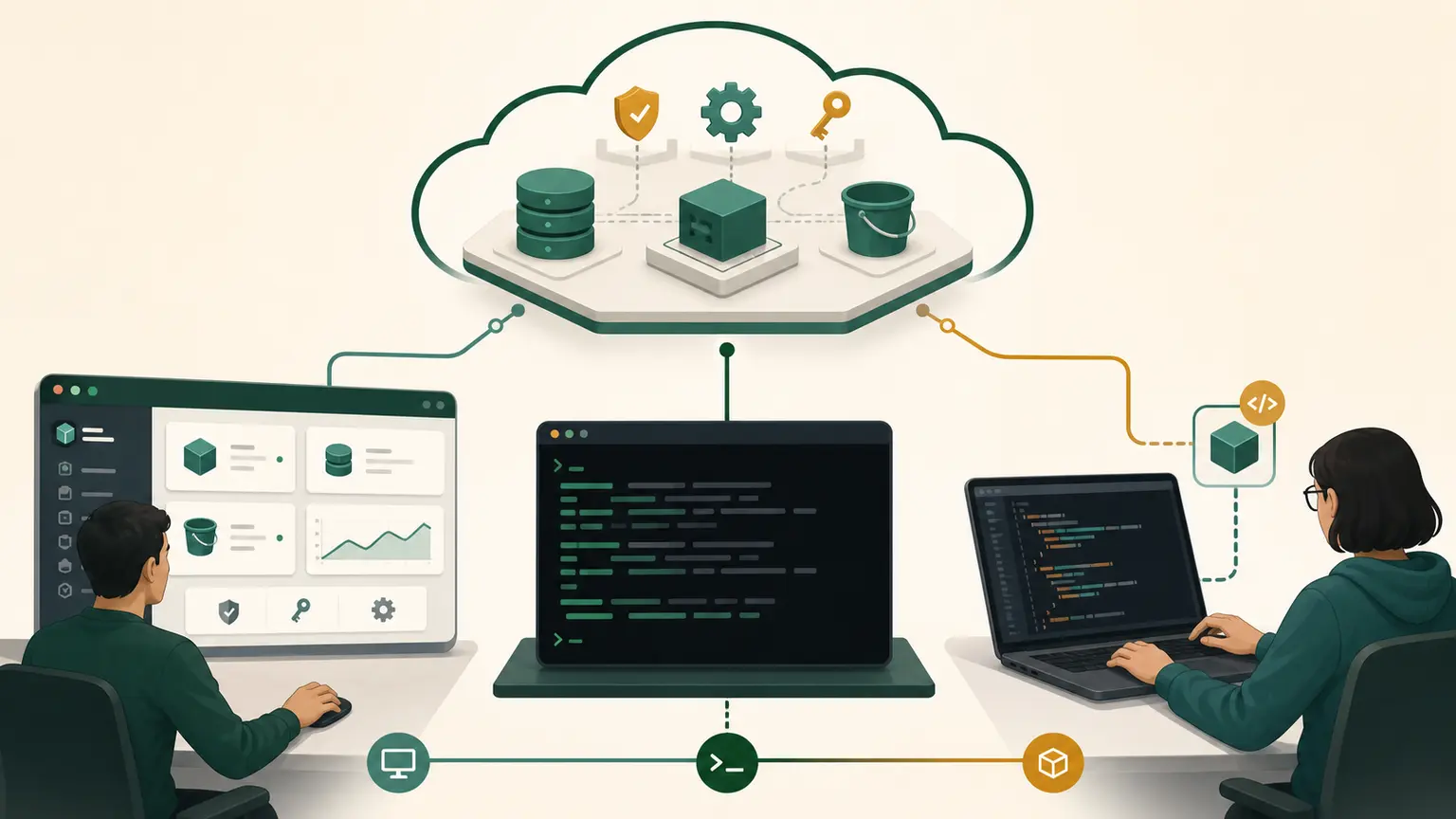
Learners sometimes treat the AWS Management Console, AWS CLI, and an AWS SDK as separate systems. They are clients that send requests to AWS service APIs. Each interface suits different work, but the account, identity, Region, permission, and service state must still agree.
Final outcome
You will use Console, CLI, and a short Python SDK program to inspect the same identity and regional scope, compare their evidence, and choose an interface for interactive, repeatable, and application-integrated work.
One control plane, several clients
Console in browser -----\
AWS CLI in shell --------> AWS service API -> authorization -> result
SDK in application ------/
The Console improves discovery and visual review. The CLI improves repeatability and shell automation. An SDK lets application code call AWS APIs with language types, credential providers, retries, errors, and waiters.
None of these interfaces grants permission. The current identity and applicable policies decide authorization.
Comparison
| Need | Console | CLI | SDK |
|---|---|---|---|
| Learn service fields | strong | reference-driven | code/reference-driven |
| One-time visual inspection | strong | useful | excessive |
| Repeatable operator command | manual risk | strong | strong with more code |
| Application integration | unsuitable | subprocess is fragile | intended choice |
| Version control | screenshots are weak | scripts can be stored | source code can be stored |
| Error handling | visual messages | exit codes and stderr | exceptions and response metadata |
| Large workflow | many clicks | shell orchestration | structured application logic |
Infrastructure as code is another important interface, taught later. It manages desired state and lifecycle rather than replacing every operational query.
Console inspection
Use the daily non-root identity.
- Set the Console to the fixed course Region.
- Open the account menu and record the principal type without exposing identifiers.
- Open EC2, then the Availability Zones view available in the account.
- Record zone names, zone IDs, state, and Region.
- Keep the tab open for comparison.
The Console page shows interpreted API data. It may add links, names, and display transformations.
CLI inspection
Use CloudShell or the local course profile:
COURSE_REGION="ap-south-1"
aws sts get-caller-identity \
  --profile course \
  --output json \
  --no-cli-pager

aws ec2 describe-availability-zones \
  --profile course \
  --region "$COURSE_REGION" \
  --filters Name=zone-type,Values=availability-zone \
  --query 'AvailabilityZones[].{Name:ZoneName,Id:ZoneId,State:State}' \
  --output json \
  --no-cli-pager
In CloudShell, omit --profile course if that named local profile does not exist. First prove the resolved identity with get-caller-identity.
The CLI serializes the service response. The JMESPath query selects three fields; it does not change the service.
SDK inspection
Use standard CloudShell to avoid adding packages to the local workstation. First check that Python and the AWS SDK for Python are present:
python3 --version
python3 -c 'import boto3; print(boto3.__version__)'
If the import fails, record the missing prerequisite and use the current official SDK installation guide. Do not run an internet package installer without explaining its source and environment.
Create inspect_scope.py:
import boto3

region = "ap-south-1"
sts = boto3.client("sts", region_name=region)
ec2 = boto3.client("ec2", region_name=region)

identity = sts.get_caller_identity()
zones = ec2.describe_availability_zones(
    Filters=[{"Name": "zone-type", "Values": ["availability-zone"]}]
)

print("principal_type:", identity["Arn"].split(":")[-1].split("/")[0])
for zone in zones["AvailabilityZones"]:
    print(zone["ZoneName"], zone["ZoneId"], zone["State"])
Run:
python3 inspect_scope.py
printf 'sdk_exit=%s\n' "$?"
The script intentionally avoids printing the account ID. The simple principal-type parsing is only display logic and is not a security decision.
boto3.client constructs service clients. The default credential provider chain supplies the CloudShell session credentials. region_name explicitly scopes the EC2 client. The SDK converts response JSON into Python dictionaries and lists.
Compare evidence
Create interface-comparison.md:
| Evidence | Console | CLI | SDK |
|---|---|---|---|
| principal type | |||
| Region | |||
| Availability Zone names | |||
| Zone IDs | |||
| state | |||
| error representation | visual | stderr and exit code | exception |
All three should describe the same account context and Region. Differences require investigation:
- CloudShell can be running in a fallback Region;
- local profile may target another account;
- environment variables may override configuration;
- Console can be on another Region;
- permissions can differ if identities differ;
- filters or pagination may differ.
Credentials in application code
Never hard-code an access key or secret key:
# Do not do this
# boto3.client("s3", aws_access_key_id="...", aws_secret_access_key="...")
Use the standard credential provider chain and workload roles in AWS. On a developer machine, use approved federated or temporary login. This lets the SDK refresh credentials and avoids distributing secrets with code.
Errors and retries
The interfaces expose errors differently:
- Console shows a message and sometimes a request ID.
- CLI writes an error to stderr and returns a nonzero exit code.
- SDK raises a language-specific exception containing service error data.
Do not retry every error. An access denial or invalid parameter needs correction. Throttling and transient network failures may be retryable with controlled backoff. A mutating retry also needs idempotency.
When to choose each
Choose Console for discovery, reviewing relationships, and infrequent controlled changes. Choose CLI for deterministic inspection, runbooks, and operator automation. Choose an SDK when software must integrate with AWS APIs, handle structured responses, reuse clients, paginate, retry, and test behavior.
Do not build an application by invoking the CLI as a subprocess when an SDK is available. Parsing human-formatted output and managing CLI process state makes the integration fragile.
Troubleshooting
| Symptom | Likely cause | Evidence |
|---|---|---|
| SDK import fails | library not installed in that environment | Python import error |
| results differ by Region | inconsistent scope | explicit Region in all clients |
| SDK sees no credentials | provider chain has no session | SDK exception and environment |
| CLI works, SDK fails | profile/provider differences | SDK session and shared config support |
| access denied in one interface | different identity or operation | caller identity and error action |
Completion gate
Pass when all three interfaces report matching non-root identity type, Region, Availability Zone names and IDs; the learner explains credential providers and error differences; and interface-comparison.md chooses the appropriate interface for four scenarios.
No resources were created or changed.