
AWS 126: RDS backups and point-in-time recovery
Why this lesson matters
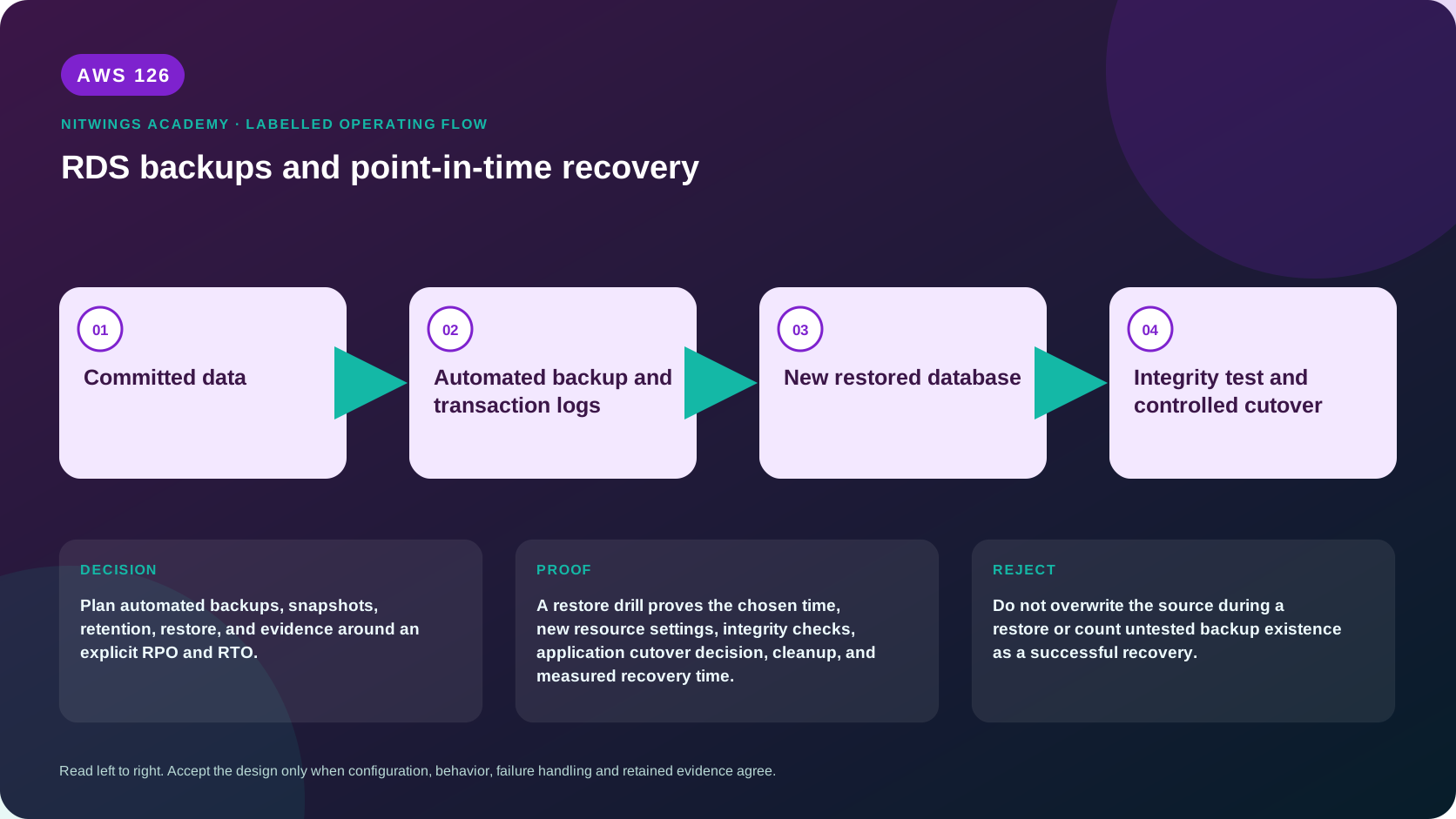
Plan automated backups, snapshots, retention, restore, and evidence around an explicit RPO and RTO.
A green backup job proves that RDS produced a recovery artifact. It does not prove the correct database, transaction time, KMS key, networking, parameter configuration, credentials, dependencies, or application can be restored inside the required RTO.
What you will be able to do
By the end, you can:
- explain rds backups and point-in-time recovery in plain language;
- locate the current service controls in the AWS Management Console;
- run the matching CloudShell or AWS CLI queries and explain every important field;
- draw the identity, network, data, failure, and monitoring path;
- choose the service from requirements and reject it when those requirements are absent;
- diagnose a failed or misleading result from evidence;
- state the cost owner and prove cleanup or a no-create result.
Before you start
- Use a personal AWS account only when its owner has approved the lesson. Do not use the root user for daily work.
- CloudShell is the default command environment. AWS028 explains CloudShell; AWS029 and AWS030 explain local AWS CLI installation and profiles.
- The course example Region is
ap-south-1. Global services and services with a required control Region are called out in their commands. - Run
aws sts get-caller-identityprivately. Redact the account number before sharing evidence. - Never paste access keys, passwords, secret values, private object data, presigned URLs, or full account-specific ARNs into a submission.
- This is a no-create lesson. Every Console action and AWS CLI command is read-only. Create the practical artifact locally.
- Console wording can change. Use the Console service search if a menu label has moved, then confirm the current field in the official documentation.
The core model
| Question | What it means in this lesson |
|---|---|
| Purpose | Plan automated backups, snapshots, retention, restore, and evidence around an explicit RPO and RTO. |
| Scope and boundary | Automated backups support point-in-time recovery inside the retention window. Manual snapshots persist until deleted. A restore creates a new DB instance or cluster. |
| Evidence of success | A restore drill proves the chosen time, new resource settings, integrity checks, application cutover decision, cleanup, and measured recovery time. |
| Cost model | Backup storage beyond the service allowance, retained manual snapshots, cross-Region copies, restored databases, KMS keys, and transfer can charge. |
| Safe rejection rule | Do not overwrite the source during a restore or count untested backup existence as a successful recovery. |
How the request flows
+----------------------+
|    Committed data    |
+----------------------+
           |
           v
+-----------------------------------------+
|  Automated backup and transaction logs  |
+-----------------------------------------+
                    |
                    v
+-------------------------+
|  New restored database  |
+-------------------------+
            |
            v
+-----------------------------------------+
|  Integrity test and controlled cutover  |
+-----------------------------------------+
For RDS backups and point-in-time recovery, the important boundary is this: Automated backups support point-in-time recovery inside the retention window. Manual snapshots persist until deleted. A restore creates a new DB instance or cluster. A restore drill proves the chosen time, new resource settings, integrity checks, application cutover decision, cleanup, and measured recovery time. That is why the lesson pairs the Console with CLI output and a practical artifact. One interface may hide a field, use a cached view, or be scoped differently. Matching evidence is stronger than a screenshot alone.
Architecture decision table
| Situation | Direction | Reason |
|---|---|---|
| Requirement matches | Use automated backups for time-based operational recovery and manual or copied snapshots for defined retention and migration needs. | Select only after scope, behavior, security, recovery, operations, and price evidence agree. |
| Requirement does not match | Do not overwrite the source during a restore or count untested backup existence as a successful recovery. | Rejecting an attractive service is a valid architecture result. |
| No create permission or cost approval | Use supplied evidence and local design work | Learning does not depend on creating an hourly resource. |
| Existing resource is unknown or unowned | Inspect only, then stop | Never change or delete a resource merely because it resembles a course example. |
Recovery vocabulary
| Term | Meaning |
|---|---|
| RPO | Maximum acceptable amount of committed data loss, expressed as time or transactions |
| RTO | Maximum acceptable time from incident to validated service recovery |
| Automated backup | Service-managed snapshots plus transaction logs retained for the configured window and used for PITR |
| Latest restorable time | Latest point currently available for PITR; it can trail current time |
| Manual snapshot | User-retained point-in-time snapshot that persists until explicitly deleted or retention automation removes it |
| Final snapshot | Optional snapshot requested when deleting a DB; skipping it is a deliberate irreversible choice |
| Snapshot copy | Independent copy subject to Region/account/KMS and engine constraints; copy completion must be monitored |
| Restore | Creation of a new DB instance/cluster from snapshot or PITR; not an in-place overwrite |
Backup and restore paths
source commits -> automated storage snapshots + transaction logs
                         | retention window
                         +-> PITR to chosen time -> NEW DB endpoint

source/manual action -> DB snapshot -> copy/share/export paths
                         |
                         +-> snapshot restore -> NEW DB endpoint

new DB -> subnet/SG + parameter/option + secret + validation -> controlled cutover
Automated backup retention can be set according to engine/deployment rules; setting retention to zero disables automated backups where supported and can cause an outage when changing to/from zero. Stopped databases can still have retained backup/storage cost and automatically restart after service limits. Manual snapshots are not removed with the source by default, so they need lifecycle ownership.
Choose the recovery mechanism by incident
| Incident | Likely mechanism | Key limitation |
|---|---|---|
| Accidental row/table change at known time | PITR to immediately before change, then extract/reconcile or cut over | Restores a whole new DB, not one table in place |
| Need exact retained release baseline | Manual snapshot | Recovery point only; transactions after snapshot are absent |
| Source Region unavailable | Cross-Region snapshot/automated-backup replication/copy or replica/Global Database design | Copy age and completion determine RPO; restore infrastructure still required |
| Logical corruption copied to standby/replica | Historical PITR/snapshot | Must select a point before corruption and prevent replay |
| Analytics export | Snapshot export to S3 where supported | Export is not a directly bootable database backup |
| Fast test copy | Snapshot restore, Aurora clone, or blue/green according to engine | Cost, data masking, dependency isolation and cleanup |
Multi-AZ and read replicas are not historical backups. A standby can reproduce bad writes; a read replica can apply a dropped table. AWS Backup can centralize RDS backup policy, copy, vault and restore testing, but underlying engine/resource behavior and validation remain.
Point-in-time recovery timeline
Create a UTC timeline with transaction markers:
10:00 marker A committed
10:05 bad deployment begins
10:07 marker B / corrupt update committed
10:12 incident detected
latest restorable time observed: 10:10
chosen restore time: 10:04:59
The restore target must precede the unwanted transaction while preserving required prior commits. Server clocks, application timestamps, transaction commit time, CloudTrail time, and operator local time are not interchangeable. Record UTC and verify with database rows/business events.
PITR normally accepts latest-restorable or a specific valid time in the retention window. It creates a new endpoint and may require explicit class, storage, subnet group, SG, parameter/option group, public access, port, encryption, monitoring, and log settings. Never assume all current-source modifications are inherited.
Snapshot encryption, copy, and sharing
Encrypted snapshots remain encrypted. Cross-Region/account design requires a usable KMS key and key policy/grants in the destination workflow; snapshots encrypted under an AWS managed key have sharing constraints. Copying can re-encrypt with an eligible destination key. Preserve the key for as long as any recovery point must remain restorable.
Snapshot sharing grants restoration access; it does not copy ownership or expose a running endpoint. Public snapshot sharing is inappropriate for private data. Cross-account recipients should copy an approved shared snapshot into their account when independent retention is required, then validate access and remove sharing according to policy.
Snapshot export to S3 writes data in an analytics format for supported engines; it is not a replacement snapshot that RDS can directly restore. Secure the export role, bucket, KMS key, data catalog, retention, and deletion separately.
Complete restore drill
- Select a protected marker and a recovery point/time; record expected rows and RPO.
- Confirm recovery artifact status, Region/account, engine/version, KMS key state, and restore permissions.
- Build isolated subnet/SG and a recovery secret. Prevent production applications from connecting accidentally.
- Restore with explicit instance/storage/configuration. Start the RTO timer before request submission.
- Wait with a bound while collecting RDS events; do not poll infinitely or launch duplicates.
- Connect with TLS through the recovery path; run engine integrity checks, row counts/checksums, marker queries, migrations, and application smoke tests.
- Decide extraction versus cutover. For cutover, freeze/reconcile writes, update secrets/config/DNS, clear pools/caches, and verify positive/negative behavior.
- Record achieved RPO/RTO, missing dependencies, cost, and corrective actions.
- Delete the restored DB and temporary network/secret/log resources only after evidence approval, or record retained ownership/expiry.
Worked recoveries
Dropped table
PITR to before DROP, validate the table, export/copy only the missing data back through a reviewed reconciliation, and avoid rolling the entire application backward when newer valid transactions must remain.
Ransomware/credential compromise
Restore from a recovery point predating compromise into an isolated account/network, rotate secrets and possibly keys, patch the access path, validate audit evidence, and only then cut over. Restoring into the compromised trust boundary can repeat the incident.
Regional recovery
Use a completed cross-Region copy/recovery point and destination KMS/network/IaC. Measure copy lag as part of RPO and environment creation/application validation as RTO. A snapshot visible in the console is not an application.
Upgrade rollback
Restore the pre-upgrade snapshot to a new DB. Writes accepted after upgrade require forward migration/reconciliation; switching endpoints back without handling them causes data loss.
Failure diagnosis
| Symptom | Evidence | Likely boundary |
|---|---|---|
| Chosen PITR time rejected | retention window, earliest/latest restorable, UTC format | Invalid recovery point/time |
| Snapshot restore denied | caller, snapshot ownership/share, KMS key policy/state | IAM/resource/KMS authorization |
| Restore remains creating | RDS events, quota, subnet IPs, class/engine availability | Capacity/dependency |
| Restored DB unreachable | endpoint, SG/NACL/route/DNS, port, TLS | Network/client path |
| App schema differs | snapshot time, parameter/option, migration history | Logical/configuration recovery |
| Bill remains after source deletion | snapshots, retained automated backups, restored test DB, exports/logs | Retained resource |
Acceptance evidence
Pass only with a real or supplied restore that proves marker inclusion/exclusion, exact recovery artifact and KMS path, database integrity, application smoke test, measured RPO/RTO, failed-path diagnosis, cutover/rollback reasoning, and final cost/cleanup inventory.
AWS Management Console, step by step
Sign in with the normal non-root learning identity. Write the expected starting state before opening the service.
- Open RDS Databases, choose a supplied database, and inspect Automated backups and Latest restorable time.
- Open Snapshots and Automated backups, then distinguish manual, automated, and retained records.
- Start the restore wizard only far enough to identify required new-instance values, then cancel without creating it.
CloudShell and AWS CLI, step by step
Start with a known caller and Region:
export AWS_DEFAULT_REGION="ap-south-1"
aws sts get-caller-identity --query Arn --output text
aws configure list
Redact the account part of the ARN in shared evidence. Now run the topic queries:
aws rds describe-db-instances --query 'DBInstances[].{Id:DBInstanceIdentifier,Retention:BackupRetentionPeriod,Earliest:EarliestRestorableTime,Latest:LatestRestorableTime,Encrypted:StorageEncrypted}' --output table
aws rds describe-db-snapshots --snapshot-type manual --query 'DBSnapshots[].{Id:DBSnapshotIdentifier,Source:DBInstanceIdentifier,State:Status,Created:SnapshotCreateTime}' --output table
Expected interpretation
Restorable timestamps and snapshot availability show recovery material exists. They do not prove schema consistency, usable credentials, application integrity, or measured RTO.
Practical work
Write a restore runbook with a sample corruption time, acceptable restore point, new identifier, subnet and SG, parameter groups, validation queries, cutover, rollback, evidence, and deletion order.
Diagnose this topic from its own evidence
Use the recovery timeline and failure table. A missing row can mean the wrong restore time, transaction never committed, wrong database/schema, migration mismatch, replica lag before backup, or application cache - not necessarily backup corruption. Compare exact marker transactions and engine integrity evidence.
Cost and cleanup
Backup storage beyond the service allowance, retained manual snapshots, cross-Region copies, restored databases, KMS keys, and transfer can charge.
Knowledge check
- What operational purpose is this lesson solving?
Expected direction: Plan automated backups, snapshots, retention, restore, and evidence around an explicit RPO and RTO.
- Which scope or ownership boundary must be proved first?
Expected direction: Automated backups support point-in-time recovery inside the retention window. Manual snapshots persist until deleted. A restore creates a new DB instance or cluster.
- What evidence is strong enough to accept the result?
Expected direction: A restore drill proves the chosen time, new resource settings, integrity checks, application cutover decision, cleanup, and measured recovery time.
- Which tempting design or shortcut must be rejected?
Expected direction: Do not overwrite the source during a restore or count untested backup existence as a successful recovery.
- Which cost dimensions and retained resources need an owner?
Expected direction: Backup storage beyond the service allowance, retained manual snapshots, cross-Region copies, restored databases, KMS keys, and transfer can charge.
Lesson acceptance
Pass only with an exact RPO/RTO, automated/manual/copy decision, successful isolated restore, marker and integrity validation, one failed dependency diagnosis, cutover and write-reconciliation plan, KMS/secret/network proof, and deletion or retained-snapshot ownership.