
AWS 127: RDS Proxy and CloudWatch Database Insights
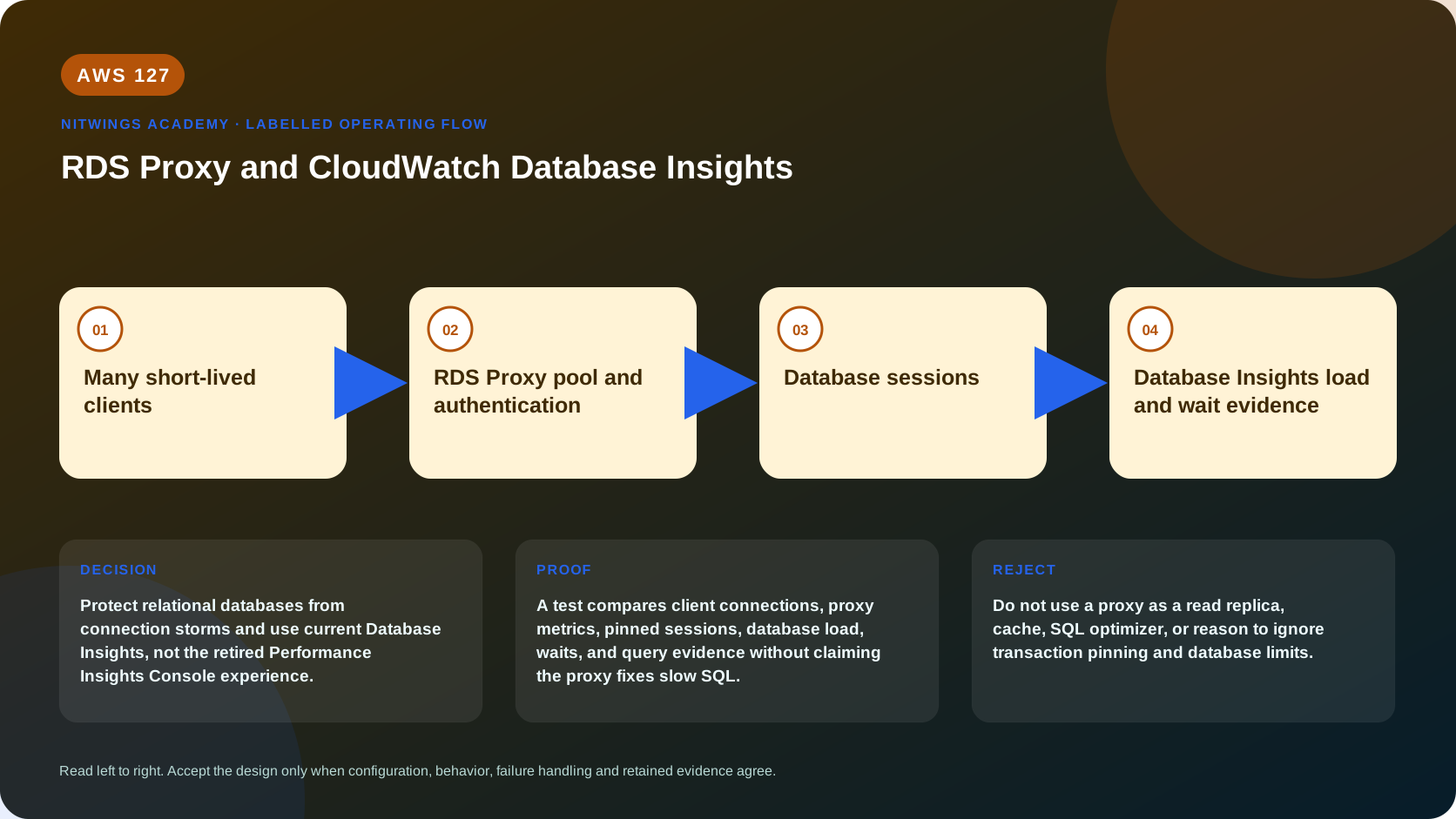
Why this lesson matters
Protect relational databases from connection storms and use current Database Insights, not the retired Performance Insights Console experience.
RDS Proxy and CloudWatch Database Insights solve different operating problems. The proxy manages database connections and supported failover routing; Database Insights explains load and waits. Neither fixes inefficient SQL, missing indexes, oversized transactions, or incorrect application consistency.
What you will be able to do
By the end, you can:
- explain rds proxy and cloudwatch database insights in plain language;
- locate the current service controls in the AWS Management Console;
- run the matching CloudShell or AWS CLI queries and explain every important field;
- draw the identity, network, data, failure, and monitoring path;
- choose the service from requirements and reject it when those requirements are absent;
- diagnose a failed or misleading result from evidence;
- state the cost owner and prove cleanup or a no-create result.
Before you start
- Use a personal AWS account only when its owner has approved the lesson. Do not use the root user for daily work.
- CloudShell is the default command environment. AWS028 explains CloudShell; AWS029 and AWS030 explain local AWS CLI installation and profiles.
- The course example Region is
ap-south-1. Global services and services with a required control Region are called out in their commands. - Run
aws sts get-caller-identityprivately. Redact the account number before sharing evidence. - Never paste access keys, passwords, secret values, private object data, presigned URLs, or full account-specific ARNs into a submission.
- This is a no-create lesson. Every Console action and AWS CLI command is read-only. Create the practical artifact locally.
- Console wording can change. Use the Console service search if a menu label has moved, then confirm the current field in the official documentation.
The core model
| Question | What it means in this lesson |
|---|---|
| Purpose | Protect relational databases from connection storms and use current Database Insights, not the retired Performance Insights Console experience. |
| Scope and boundary | RDS Proxy pools and reuses connections, integrates with Secrets Manager and IAM, and presents an endpoint. CloudWatch Database Insights correlates database load, waits, SQL, hosts, and application context by mode and engine support. |
| Evidence of success | A test compares client connections, proxy metrics, pinned sessions, database load, waits, and query evidence without claiming the proxy fixes slow SQL. |
| Cost model | Proxy capacity, Secrets Manager, CloudWatch Database Insights mode and retention, logs, metrics, and the database itself can charge. |
| Safe rejection rule | Do not use a proxy as a read replica, cache, SQL optimizer, or reason to ignore transaction pinning and database limits. |
How the request flows
+----------------------------+
|  Many short-lived clients  |
+----------------------------+
              |
              v
+-------------------------------------+
|  RDS Proxy pool and authentication  |
+-------------------------------------+
                  |
                  v
+----------------------+
|  Database sessions   |
+----------------------+
           |
           v
+--------------------------------------------+
|  Database Insights load and wait evidence  |
+--------------------------------------------+
For RDS Proxy and CloudWatch Database Insights, the important boundary is this: RDS Proxy pools and reuses connections, integrates with Secrets Manager and IAM, and presents an endpoint. CloudWatch Database Insights correlates database load, waits, SQL, hosts, and application context by mode and engine support. A test compares client connections, proxy metrics, pinned sessions, database load, waits, and query evidence without claiming the proxy fixes slow SQL. That is why the lesson pairs the Console with CLI output and a practical artifact. One interface may hide a field, use a cached view, or be scoped differently. Matching evidence is stronger than a screenshot alone.
Architecture decision table
| Situation | Direction | Reason |
|---|---|---|
| Requirement matches | Use a proxy for bursty connection-heavy applications such as Lambda clients when supported pooling behavior and failover improvements fit. | Select only after scope, behavior, security, recovery, operations, and price evidence agree. |
| Requirement does not match | Do not use a proxy as a read replica, cache, SQL optimizer, or reason to ignore transaction pinning and database limits. | Rejecting an attractive service is a valid architecture result. |
| No create permission or cost approval | Use supplied evidence and local design work | Learning does not depend on creating an hourly resource. |
| Existing resource is unknown or unowned | Inspect only, then stop | Never change or delete a resource merely because it resembles a course example. |
Why database connections become a scaling limit
Every direct database session consumes memory, process/thread state, authentication work, and engine resources. Lambda or container bursts can open thousands of short-lived sessions faster than a database can accept them. Increasing instance size treats capacity, but not inefficient connection churn.
RDS Proxy sits between supported clients and an RDS/Aurora target. It maintains warm database connections and multiplexes sequential client transactions over a smaller pool where session state permits. The proxy discovers the current writer for supported Multi-AZ targets and can reduce client impact during failover.
many application/Lambda clients
       | TLS + proxy authentication
       v
RDS Proxy endpoint / target group
       | connection borrow + multiplexing or pinning
       v
smaller managed pool of DB connections
       | Secrets Manager or IAM-auth relationship
       v
RDS/Aurora writer and database users
The proxy does not cache query results, split reads to replicas automatically, optimize SQL, increase database CPU, or turn a relational database into an unlimited serverless backend.
Proxy components and controls
| Component | Decision |
|---|---|
| Proxy | Engine family, idle client timeout, TLS requirement, debug logging window, IAM auth mode, VPC/subnets/SGs |
| Target group | RDS instance/cluster target, connection-borrow timeout, maximum/idle connection pool percentages, session initialization query where supported |
| Default/custom endpoint | Read/write role, VPC placement and application routing; endpoints add infrastructure/cost considerations |
| Secrets Manager secret | Database credentials, rotation ownership, KMS key, resource policy and proxy execution-role access |
| Proxy IAM role | Allows the proxy service to retrieve only required secrets and decrypt with required key |
| Client IAM policy | When IAM auth is used, grants rds-db:connect to the exact proxy/user resource; database user must also exist/configured |
| Security groups | Client-to-proxy and proxy-to-database paths are separate rules and should not form unintended self-reference/exposure |
Keep the proxy in subnets that can reach the DB and have sufficient IPs across AZs. The proxy is not publicly accessible. On-premises clients need private connectivity and DNS routing into the VPC.
Multiplexing and session pinning
Multiplexing is safest at transaction boundaries when client session state can be reused. Features such as certain session variables, temporary tables, prepared statements, locks, large statement text, or engine-specific behavior can pin a client session to one database connection. Pinning is not always an error, but high pinning removes the pooling benefit.
Measure DatabaseConnections, ClientConnections, connection borrow latency, borrow timeouts, target health, and session-pinning metrics/logs. Compare direct and proxied tests at identical concurrency. A lower DB connection count with acceptable latency is evidence; “proxy available” is not.
Transactions must be short and explicitly committed/rolled back. A client that opens a transaction and waits holds a backend connection. Set application pool size, timeouts, retry/backpressure, and maximum concurrency together with proxy pool configuration and DB capacity.
Authentication and TLS
Common flow: proxy IAM role retrieves a Secrets Manager secret containing a database username/password; clients authenticate to the proxy with database credentials or end-to-end IAM mode where supported. These are distinct principals.
For IAM database authentication, the token is short-lived and signed for hostname/port/user. TLS validation, clock accuracy, exact endpoint, database user setup, and rds-db:connect ARN are required. A token is not a reusable database password and should never be logged.
Require TLS at the proxy and validate the appropriate CA/hostname in clients. Also configure proxy-to-database TLS according to current service behavior. Security group success does not prove authentication, and authentication success does not prove schema grants.
Failover behavior
RDS Proxy tracks supported writer changes without depending solely on application DNS caches and can preserve or rapidly re-establish client-facing connectivity. In-flight transactions can still fail or become ambiguous. Applications need idempotency, bounded retry, and transaction reconciliation.
Test baseline and proxy paths with the same controlled failover. Record disconnects, failed/ambiguous transactions, time to successful new commit, target role, borrow latency, and connection counts. Do not claim “zero downtime” from a successful proxy health check.
CloudWatch Database Insights mental model
Database load represents active sessions consuming CPU or waiting for resources. A database can have low CPU and high load because sessions wait on locks or I/O. Database Insights correlates DB load, waits, SQL, hosts/users/databases, metrics, and application context according to engine and Standard/Advanced mode support.
slow request
  -> application trace/log timestamp
  -> SQL digest/query
  -> DB load by wait
       + CPU: executing
       + lock: blocked by transaction
       + I/O: waiting for data/log
       + client/network: downstream behavior
  -> execution plan/index/transaction evidence
AWS has moved the console experience from legacy Performance Insights toward CloudWatch Database Insights, with lifecycle dates and feature retention/mode changes that must be checked in current documentation. Do not build a new course around a retired console path. Export/retain required history before a mode/retention migration.
Standard versus Advanced mode differs in retention, fleet/SQL analysis, and pricing/features. Enhanced Monitoring provides OS/process metrics at a selected granularity; CloudWatch metrics provide service-level time series; engine logs provide statements/errors; CloudTrail records control-plane API calls. These are complementary.
Evidence-led diagnosis examples
Connection storm
Client connections jump, borrow latency rises, DB connections reach pool limit, and Lambda concurrency spikes. Add bounded application concurrency/backpressure, right-size proxy pool and DB, close leaked sessions, and retest. Raising max connections alone can exhaust memory.
High DB load but low CPU
Wait breakdown shows row-lock contention. Find blocking transaction and SQL, shorten transaction/order locks or fix access pattern. Adding a reader or proxy does not remove write lock contention.
High CPU from one SQL digest
Inspect plan, cardinality, indexes, rows examined, and parameter patterns. Test a reversible index/query change against production-shaped data. Proxy pooling is unrelated.
Proxy pinning erases benefit
Compare client and database connections plus pinning reason. Remove unnecessary session state or use transaction-safe initialization; route workloads that require pinning deliberately. Do not hide the metric by disabling logs before diagnosis.
Secret rotation breaks targets
Inspect target health, Secrets Manager version stages, proxy role/KMS access, database credential state, and rotation logs. Restore a known valid secret/database pairing through the approved rotation workflow rather than embedding a password.
Required benchmark and failure tests
- Run identical direct and proxied bursts; compare success, p95/p99 latency, client connections, DB connections, borrow latency, and cost.
- Hold an intentional transaction/session state and prove pinning behavior, then remove the cause and retest.
- Deny client-to-proxy, proxy-to-DB, secret retrieval, and database-user permission one at a time; classify each distinct error.
- Conduct an approved failover and reconcile all transaction IDs.
- Diagnose one CPU, one lock, and one I/O supplied case using Database Insights plus engine plan/log evidence.
- Calculate proxy capacity, endpoints, Secrets Manager/KMS, Database Insights mode/retention, Enhanced Monitoring/log ingestion/storage, and DB charges.
- Cleanup proxy endpoints/targets/proxy, secret versions/rotation, roles/policies, logs, and test DB resources in dependency order.
AWS Management Console, step by step
Sign in with the normal non-root learning identity. Write the expected starting state before opening the service.
- Open RDS Proxies and inspect target groups, endpoints, authentication, TLS, and status for supplied evidence.
- Open CloudWatch, Database Insights, then inspect fleet and database views using the current interface.
- Record database load, top waits, SQL or host evidence, time window, and whether Standard or Advanced mode is shown.
CloudShell and AWS CLI, step by step
Start with a known caller and Region:
export AWS_DEFAULT_REGION="ap-south-1"
aws sts get-caller-identity --query Arn --output text
aws configure list
Redact the account part of the ARN in shared evidence. Now run the topic queries:
aws rds describe-db-proxies --query 'DBProxies[].{Name:DBProxyName,Engine:EngineFamily,Status:Status,TLS:RequireTLS,Endpoint:Endpoint}' --output table
aws rds describe-db-proxy-target-groups --db-proxy-name replace-with-proxy-name --output json
aws cloudwatch list-metrics --namespace AWS/RDS --metric-name DatabaseConnections --output table
Expected interpretation
The proxy inventory proves a control-plane endpoint and target configuration. DatabaseConnections is one signal; it does not prove transaction correctness or explain load without Database Insights evidence.
Practical work
Create a connection-path diagram for 1,000 short Lambda invocations. Estimate direct connections, pooled connections, pinning risk, secrets flow, TLS, failover behavior, and the Database Insights signals used to prove improvement.
Diagnose this topic from its own evidence
Correlate application request ID and timestamp with proxy client/DB connections, borrow latency/timeouts, pinning, target health, secret/IAM/TLS events, database load/waits, SQL digest/plan, engine log, and failover event. Change the proxy only for a connection-path problem and SQL/index/transaction only for database-work evidence.
Cost and cleanup
Proxy capacity, Secrets Manager, CloudWatch Database Insights mode and retention, logs, metrics, and the database itself can charge.
Knowledge check
- What operational purpose is this lesson solving?
Expected direction: Protect relational databases from connection storms and use current Database Insights, not the retired Performance Insights Console experience.
- Which scope or ownership boundary must be proved first?
Expected direction: RDS Proxy pools and reuses connections, integrates with Secrets Manager and IAM, and presents an endpoint. CloudWatch Database Insights correlates database load, waits, SQL, hosts, and application context by mode and engine support.
- What evidence is strong enough to accept the result?
Expected direction: A test compares client connections, proxy metrics, pinned sessions, database load, waits, and query evidence without claiming the proxy fixes slow SQL.
- Which tempting design or shortcut must be rejected?
Expected direction: Do not use a proxy as a read replica, cache, SQL optimizer, or reason to ignore transaction pinning and database limits.
- Which cost dimensions and retained resources need an owner?
Expected direction: Proxy capacity, Secrets Manager, CloudWatch Database Insights mode and retention, logs, metrics, and the database itself can charge.
Lesson acceptance
Pass with direct-versus-proxy measurements, pinning demonstration and correction, four-layer denied tests, controlled failover/transaction reconciliation, CPU/lock/I/O diagnoses in Database Insights, current console/mode/retention understanding, total cost, and dependency-aware cleanup.