
AWS 157: Amazon EKS and Kubernetes basics
Why this lesson matters
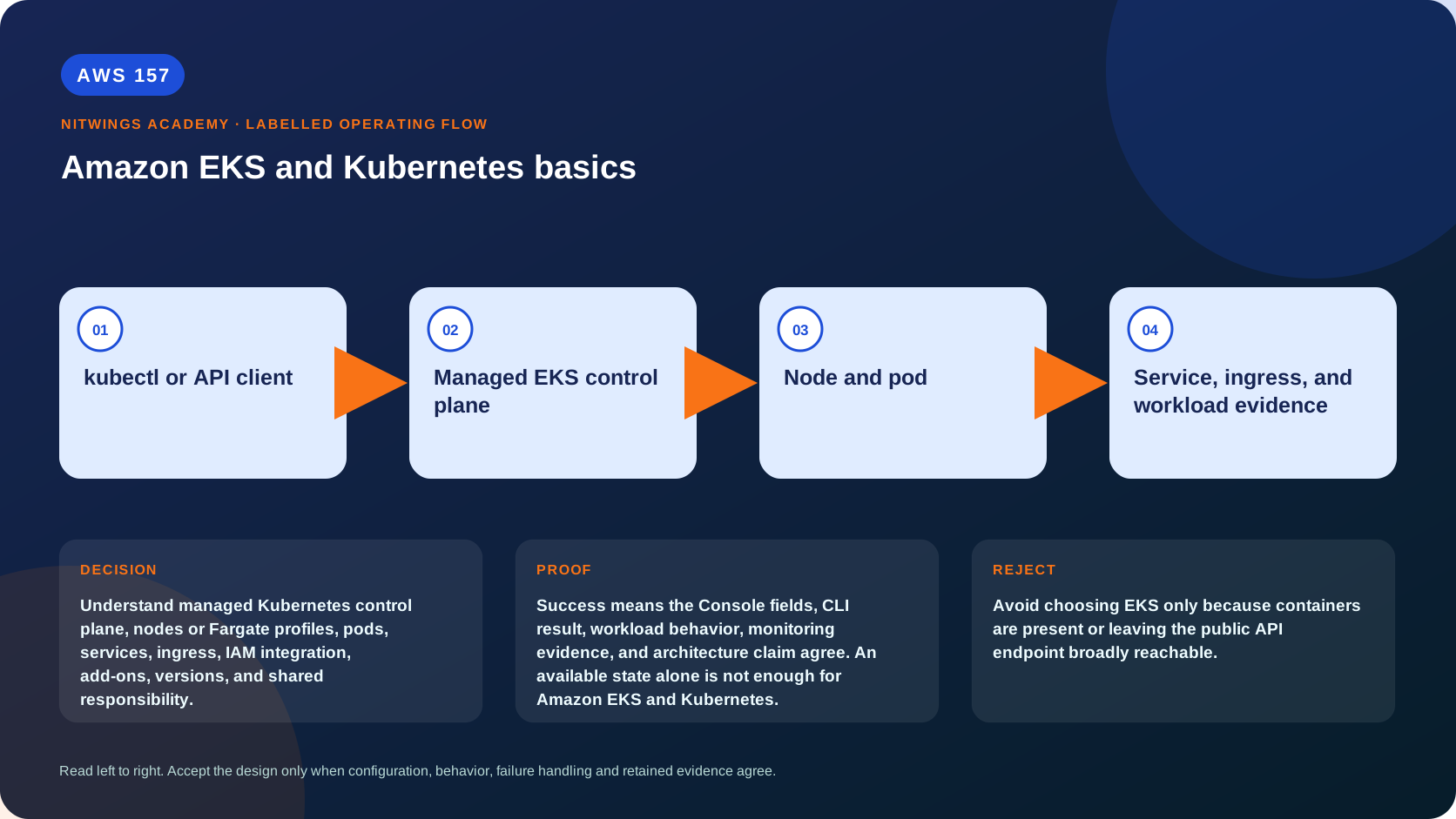
Understand managed Kubernetes control plane, nodes or Fargate profiles, pods, services, ingress, IAM integration, add-ons, versions, and shared responsibility.
EKS manages the Kubernetes control plane, not the whole application platform by default. Production ownership still includes nodes or serverless compute, add-ons/controllers, Kubernetes RBAC, pod security, network policy, storage, upgrades, observability, quotas and every workload manifest.
What you will be able to do
By the end, you can:
- explain amazon eks and kubernetes basics in plain language;
- locate the current service controls in the AWS Management Console;
- run the matching CloudShell or AWS CLI queries and explain every important field;
- draw the identity, network, data, failure, and monitoring path;
- choose the service from requirements and reject it when those requirements are absent;
- diagnose a failed or misleading result from evidence;
- state the cost owner and prove cleanup or a no-create result.
Before you start
- Use a personal AWS account only when its owner has approved the lesson. Do not use the root user for daily work.
- CloudShell is the default command environment. AWS028 explains CloudShell; AWS029 and AWS030 explain local AWS CLI installation and profiles.
- The course example Region is
ap-south-1. Global services and services with a required control Region are called out in their commands. - Run
aws sts get-caller-identityprivately. Redact the account number before sharing evidence. - Never paste access keys, passwords, secret values, private object data, presigned URLs, or full account-specific ARNs into a submission.
- This is a no-create lesson. Every Console action and AWS CLI command is read-only. Create the practical artifact locally.
- Console wording can change. Use the Console service search if a menu label has moved, then confirm the current field in the official documentation.
The core model
| Question | What it means in this lesson |
|---|---|
| Purpose | Understand managed Kubernetes control plane, nodes or Fargate profiles, pods, services, ingress, IAM integration, add-ons, versions, and shared responsibility. |
| Scope and boundary | The learner must identify the account and Region scope, resource boundary, identity path, data or network path, failure behavior, observability, and cleanup ownership for Amazon EKS and Kubernetes. |
| Evidence of success | Success means the Console fields, CLI result, workload behavior, monitoring evidence, and architecture claim agree. An available state alone is not enough for Amazon EKS and Kubernetes. |
| Cost model | EKS cluster hours, worker or Fargate capacity, load balancers, IPs, NAT, storage, logs, support policy, and transfer can be substantial, so this is evidence-only. |
| Safe rejection rule | Avoid choosing EKS only because containers are present or leaving the public API endpoint broadly reachable. |
How the request flows
+-------------------------+
|  kubectl or API client  |
+-------------------------+
            |
            v
+-----------------------------+
|  Managed EKS control plane  |
+-----------------------------+
              |
              v
+----------------------+
|     Node and pod     |
+----------------------+
           |
           v
+-------------------------------------------+
|  Service, ingress, and workload evidence  |
+-------------------------------------------+
For Amazon EKS and Kubernetes, the important boundary is this: The learner must identify the account and Region scope, resource boundary, identity path, data or network path, failure behavior, observability, and cleanup ownership for Amazon EKS and Kubernetes. Success means the Console fields, CLI result, workload behavior, monitoring evidence, and architecture claim agree. An available state alone is not enough for Amazon EKS and Kubernetes. That is why the lesson pairs the Console with CLI output and a practical artifact. One interface may hide a field, use a cached view, or be scoped differently. Matching evidence is stronger than a screenshot alone.
Architecture decision table
| Situation | Direction | Reason |
|---|---|---|
| Requirement matches | Use EKS when Kubernetes API compatibility and ecosystem requirements justify cluster and add-on operations. | Select only after scope, behavior, security, recovery, operations, and price evidence agree. |
| Requirement does not match | Avoid choosing EKS only because containers are present or leaving the public API endpoint broadly reachable. | Rejecting an attractive service is a valid architecture result. |
| No create permission or cost approval | Use supplied evidence and local design work | Learning does not depend on creating an hourly resource. |
| Existing resource is unknown or unowned | Inspect only, then stop | Never change or delete a resource merely because it resembles a course example. |
Kubernetes and EKS resource model
The API server stores desired state in etcd; controllers reconcile it; the scheduler binds pending Pods to eligible nodes; kubelet/container runtime starts containers. A Pod is the smallest scheduled unit, shares network namespace and volumes, and is disposable. A Deployment manages ReplicaSets/stateless rollouts. StatefulSet gives stable identities/order but does not make data automatically durable. DaemonSet runs node agents. Job/CronJob handles finite work. Service provides stable virtual discovery/load distribution; Ingress/Gateway plus an AWS controller creates L7 routing, while LoadBalancer Service commonly creates L4 resources.
An EKS cluster has a Regional managed control plane and endpoint access controls/logging. Compute choices include managed node groups, self-managed nodes, Fargate, EKS Auto Mode and supported hybrid nodes. Managed node groups automate lifecycle but you own instance types/scaling/AMI strategy and disruptions. Fargate removes node management with workload restrictions. Auto Mode expands AWS management to nodes, autoscaling, networking, load balancing, DNS and block storage using managed components, immutable nodes and NodePool/NodeClass controls; it does not manage your application availability or manifests.
Identity is two authorization systems
An IAM principal authenticates to the EKS API through access entries/current mapping; Kubernetes RBAC then authorizes verbs on API resources. IAM permission to describe a cluster is not kubectl authorization. Human/admin access, node role, controller roles and workload roles must be separate. EKS Pod Identity associates a Kubernetes service account to IAM role using the agent/Auth service on supported compute; IRSA uses service-account OIDC tokens and STS. Current restrictions matter - Pod Identity is not supported on every Fargate/hybrid/Windows placement. Never let pods inherit a broad node role.
Namespaces organize names/policy/quota but are not hard tenant isolation by themselves. Use RBAC, Pod Security Standards/admission, network policy, security groups for pods where supported, resource quota/limits, secrets encryption/KMS, image policy/scanning/signing and separate clusters/accounts for stronger boundaries. Kubernetes Secrets are API objects and base64 is not encryption.
Network, storage, availability and upgrades
VPC CNI commonly assigns VPC IPs to pods; subnet IP exhaustion can leave pods pending. CoreDNS resolves Services; kube-proxy or Auto Mode service networking routes virtual service traffic. NetworkPolicy requires a supporting implementation and both ingress/egress policy. ALB/NLB controllers reconcile Kubernetes objects into AWS resources; annotations/classes, target type, health path, SGs and finalizers affect lifecycle.
CSI drivers dynamically provision EBS/EFS volumes. EBS volumes are AZ-scoped and a pod rescheduled to another AZ may wait for compatible placement/attachment; EFS supports shared NFS with its own identity/performance. PersistentVolume/PVC binding and reclaim policy can retain or delete storage - inspect before namespace/cluster deletion.
Spread replicas with topology constraints/anti-affinity and PodDisruptionBudgets, but PDBs govern voluntary disruption, not node/AZ crashes, and can block upgrades. HPA scales pods from metrics; Cluster Autoscaler/Karpenter/Auto Mode supplies nodes for unschedulable pods; VPA changes requests/restarts. Upgrade one supported minor version at a time after API-deprecation scan, add-on/controller compatibility, staging test, node rollout and rollback plan. Control-plane rollback options and node rollback are feature/version dependent.
AWS Management Console, step by step
Sign in with the normal non-root learning identity. Write the expected starting state before opening the service.
- Use the Console service search and open Elastic Kubernetes Service, Clusters; confirm the account and Region before reading the page.
- Inspect the supplied or owned resource's status, configuration, permissions, networking, encryption, monitoring, tags, and dependencies without changing it.
- Open the related metrics, logs, events, or history view and record one timestamped signal that would prove or disprove the expected behavior.
- Return to the resource list, clear filters, and record the final inventory. On the read-only track, do not choose Create, Save, or Delete.
CloudShell and AWS CLI, step by step
Start with a known caller and Region:
export AWS_DEFAULT_REGION="ap-south-1"
aws sts get-caller-identity --query Arn --output text
aws configure list
Redact the account part of the ARN in shared evidence. Now run the topic queries:
aws eks list-clusters --output table
aws eks describe-cluster --name replace-with-cluster --query 'cluster.{Name:name,Status:status,Version:version,Endpoint:endpoint,Public:endpointPublicAccess,Private:endpointPrivateAccess,OIDC:identity.oidc.issuer}' --output json
aws eks list-addons --cluster-name replace-with-cluster --output table
Expected interpretation
An ACTIVE control plane does not prove nodes joined, CoreDNS works, pods are Ready, services route, ingress is healthy, or workloads are authorized.
Practical work
Create an EKS responsibility map from API request through IAM authentication, Kubernetes RBAC, scheduler, node or Fargate runtime, CNI IP, service, ingress, logs, upgrades, and recovery.
Add manifests for a non-root Deployment, requests/limits, readiness/liveness/startup, PDB, topology spread, ServiceAccount/workload identity, default-deny network policies, Service and PVC choice. Compare managed nodes, Fargate and Auto Mode. Test IAM-authenticated/RBAC-denied, ImagePullBackOff, Pending from requests/taints/IP/AZ volume, CrashLoopBackOff, failed readiness, DNS, denied egress, one-AZ loss, PDB-blocked upgrade and orphaned load balancer/volume cleanup.
Diagnose this topic from its own evidence
Use kubectl get/describe/events and exact namespace/context first. Unauthorized is authentication/token/endpoint; Forbidden is RBAC/admission. Pending Pods require scheduler events for resources, taints, affinity, PVC or IPs. ImagePullBackOff requires registry/role/network; CrashLoopBackOff requires previous logs/exit/OOM/probes; ready pods with no service traffic require selectors/endpoints/ports/network policy/target health. Correlate Kubernetes UID with AWS ENI, volume and load-balancer resources before changing either plane.
Cost and cleanup
EKS cluster hours, worker or Fargate capacity, load balancers, IPs, NAT, storage, logs, support policy, and transfer can be substantial, so this is evidence-only.
Knowledge check
- What operational purpose is this lesson solving?
Expected direction: Understand managed Kubernetes control plane, nodes or Fargate profiles, pods, services, ingress, IAM integration, add-ons, versions, and shared responsibility.
- Which scope or ownership boundary must be proved first?
Expected direction: The learner must identify the account and Region scope, resource boundary, identity path, data or network path, failure behavior, observability, and cleanup ownership for Amazon EKS and Kubernetes.
- What evidence is strong enough to accept the result?
Expected direction: Success means the Console fields, CLI result, workload behavior, monitoring evidence, and architecture claim agree. An available state alone is not enough for Amazon EKS and Kubernetes.
- Which tempting design or shortcut must be rejected?
Expected direction: Avoid choosing EKS only because containers are present or leaving the public API endpoint broadly reachable.
- Which cost dimensions and retained resources need an owner?
Expected direction: EKS cluster hours, worker or Fargate capacity, load balancers, IPs, NAT, storage, logs, support policy, and transfer can be substantial, so this is evidence-only.
Lesson acceptance
Pass when the learner explains control-plane reconciliation and core workload resources, compares all compute modes, separates IAM auth/RBAC/workload identity, designs pod/network/storage security, two-layer scaling, AZ resilience, observability, upgrades and finalizer cleanup. Fail if EKS means “AWS manages Kubernetes everything,” namespace equals tenant isolation, Secrets equal encryption, or Pending is fixed by random node scaling.