
AWS 158: Container load balancing and auto scaling
Why this lesson matters
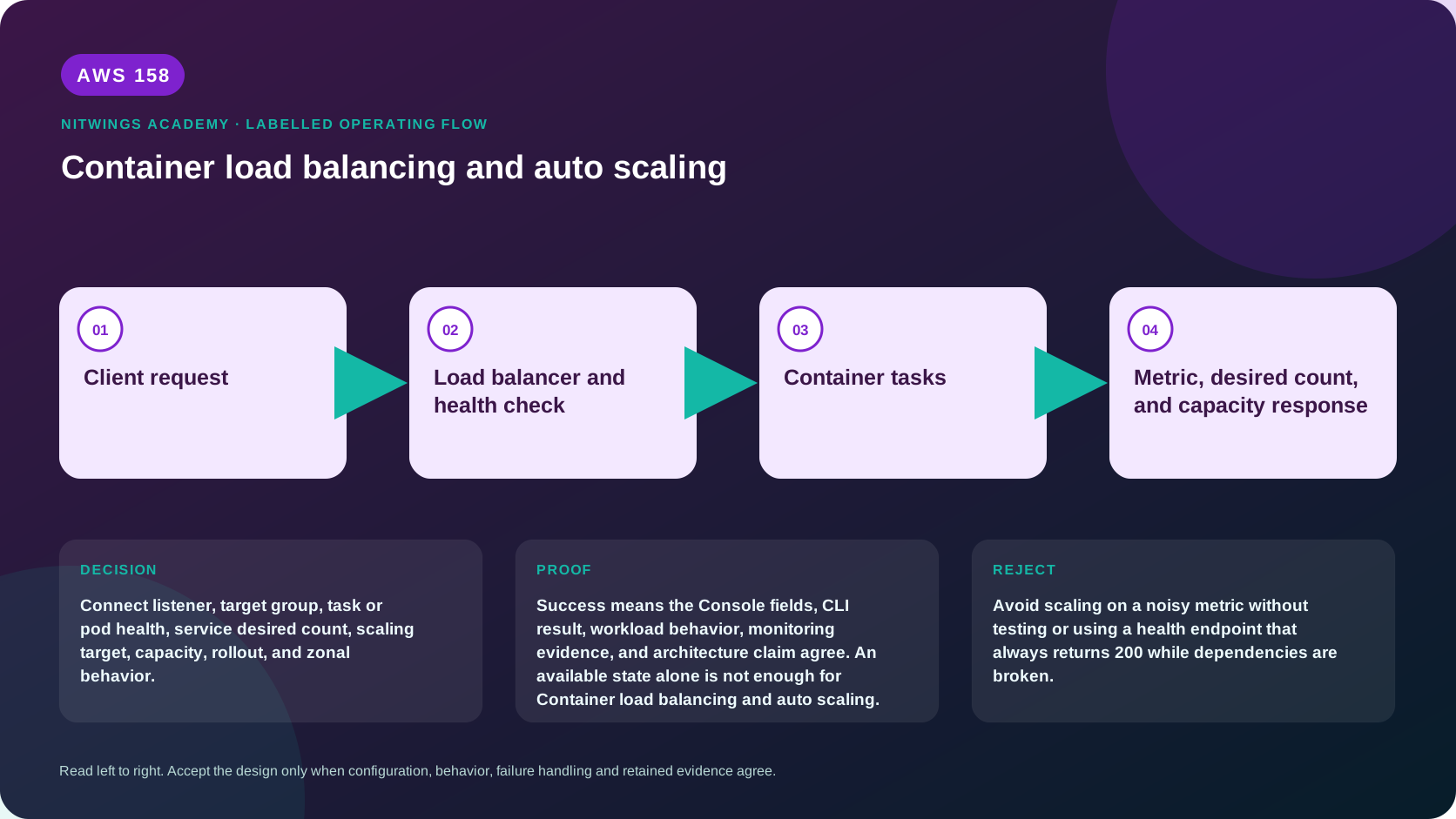
Connect listener, target group, task or pod health, service desired count, scaling target, capacity, rollout, and zonal behavior.
Container availability requires three cooperating control loops: the orchestrator maintains healthy workload replicas, the load balancer routes only to ready targets, and compute capacity supplies places to run them. Scaling only one loop can create pending tasks, idle nodes or an overloaded dependency.
What you will be able to do
By the end, you can:
- explain container load balancing and auto scaling in plain language;
- locate the current service controls in the AWS Management Console;
- run the matching CloudShell or AWS CLI queries and explain every important field;
- draw the identity, network, data, failure, and monitoring path;
- choose the service from requirements and reject it when those requirements are absent;
- diagnose a failed or misleading result from evidence;
- state the cost owner and prove cleanup or a no-create result.
Before you start
- Use a personal AWS account only when its owner has approved the lesson. Do not use the root user for daily work.
- CloudShell is the default command environment. AWS028 explains CloudShell; AWS029 and AWS030 explain local AWS CLI installation and profiles.
- The course example Region is
ap-south-1. Global services and services with a required control Region are called out in their commands. - Run
aws sts get-caller-identityprivately. Redact the account number before sharing evidence. - Never paste access keys, passwords, secret values, private object data, presigned URLs, or full account-specific ARNs into a submission.
- This is a no-create lesson. Every Console action and AWS CLI command is read-only. Create the practical artifact locally.
- Console wording can change. Use the Console service search if a menu label has moved, then confirm the current field in the official documentation.
The core model
| Question | What it means in this lesson |
|---|---|
| Purpose | Connect listener, target group, task or pod health, service desired count, scaling target, capacity, rollout, and zonal behavior. |
| Scope and boundary | The learner must identify the account and Region scope, resource boundary, identity path, data or network path, failure behavior, observability, and cleanup ownership for Container load balancing and auto scaling. |
| Evidence of success | Success means the Console fields, CLI result, workload behavior, monitoring evidence, and architecture claim agree. An available state alone is not enough for Container load balancing and auto scaling. |
| Cost model | Requests, running capacity, storage, logs, data transfer, retained state, and optional features must be priced for the exact design. |
| Safe rejection rule | Avoid scaling on a noisy metric without testing or using a health endpoint that always returns 200 while dependencies are broken. |
How the request flows
+----------------------+
|    Client request    |
+----------------------+
           |
           v
+----------------------------------+
|  Load balancer and health check  |
+----------------------------------+
                 |
                 v
+----------------------+
|   Container tasks    |
+----------------------+
           |
           v
+------------------------------------------------+
|  Metric, desired count, and capacity response  |
+------------------------------------------------+
For Container load balancing and auto scaling, the important boundary is this: The learner must identify the account and Region scope, resource boundary, identity path, data or network path, failure behavior, observability, and cleanup ownership for Container load balancing and auto scaling. Success means the Console fields, CLI result, workload behavior, monitoring evidence, and architecture claim agree. An available state alone is not enough for Container load balancing and auto scaling. That is why the lesson pairs the Console with CLI output and a practical artifact. One interface may hide a field, use a cached view, or be scoped differently. Matching evidence is stronger than a screenshot alone.
Architecture decision table
| Situation | Direction | Reason |
|---|---|---|
| Requirement matches | Use target-based scaling when a measured signal tracks workload demand and the service can scale horizontally. | Select only after scope, behavior, security, recovery, operations, and price evidence agree. |
| Requirement does not match | Avoid scaling on a noisy metric without testing or using a health endpoint that always returns 200 while dependencies are broken. | Rejecting an attractive service is a valid architecture result. |
| No create permission or cost approval | Use supplied evidence and local design work | Learning does not depend on creating an hourly resource. |
| Existing resource is unknown or unowned | Inspect only, then stop | Never change or delete a resource merely because it resembles a course example. |
Request and health path
client -> DNS/TLS listener -> listener rule -> target group -> task/pod ENI or node port -> container port -> dependency. ALB provides HTTP/HTTPS host/path/header routing and L7 health; NLB provides high-performance L4 TCP/TLS/UDP and preserves characteristics according to configuration. Target type must match network mode: awsvpc/Fargate commonly registers task IPs, while instance targets route to node/host ports. Security groups/NACL/routes, listener certificate/policy, target port and app bind address all must align.
Load-balancer health and container/Kubernetes readiness serve related but separate loops. Set a health path that checks ability to serve traffic without making every optional dependency cause global churn. Health-check interval/threshold, ECS grace/startup probe and ALB slow start determine admission. Deregistration delay, application SIGTERM handling, keep-alive/WebSocket and orchestrator stop timeout determine drain. Test long requests during rollout and scale-in.
Service and capacity scaling
ECS Service Auto Scaling changes desired task count using target tracking, step or scheduled policies. Useful metrics include CPU/memory only when they track demand, ALB request count per target, or custom queue backlog per task/latency. Target tracking creates alarms and scales out/in with cooldown behavior; define minimum across AZs and maximum below database/API limits. During deployments, healthy-percent/surge settings temporarily change running capacity and metrics.
EC2-backed ECS also needs capacity-provider/ASG scaling. EKS uses HPA for pods and Karpenter/Cluster Autoscaler/Auto Mode for nodes. Pods/tasks can scale faster than nodes/ENIs/IPs/images initialize. Keep spare headroom or pre-scale for known bursts, use priority and interruption-aware capacity, and monitor pending count/provisioning time. Scaling on average CPU can miss one hot partition; scaling on queue depth without age can hide SLA breach.
Multi-AZ requires subnets/capacity/targets in each AZ plus placement spread. Cross-zone behavior and zonal routing affect capacity and transfer cost. A zonal failure reduces remaining per-zone capacity; scale limits must accommodate it. Sticky sessions can skew load and state; prefer external session state. Autoscaling never repairs code errors, retry storms or a database ceiling.
Deployment circuit breaker/rollback or Kubernetes rollout progress must use target and application metrics. Canary/blue-green needs separate target groups, version dimensions, traffic weights and automatic abort. Scaling activity and deployment events should be correlated to avoid a bad release being mistaken for demand.
AWS Management Console, step by step
Sign in with the normal non-root learning identity. Write the expected starting state before opening the service.
- Use the Console service search and open EC2 Load Balancers, ECS service, and Application Auto Scaling; confirm the account and Region before reading the page.
- Inspect the supplied or owned resource's status, configuration, permissions, networking, encryption, monitoring, tags, and dependencies without changing it.
- Open the related metrics, logs, events, or history view and record one timestamped signal that would prove or disprove the expected behavior.
- Return to the resource list, clear filters, and record the final inventory. On the read-only track, do not choose Create, Save, or Delete.
CloudShell and AWS CLI, step by step
Start with a known caller and Region:
export AWS_DEFAULT_REGION="ap-south-1"
aws sts get-caller-identity --query Arn --output text
aws configure list
Redact the account part of the ARN in shared evidence. Now run the topic queries:
aws elbv2 describe-load-balancers --query 'LoadBalancers[].{Name:LoadBalancerName,Type:Type,State:State.Code,DNS:DNSName}' --output table
aws elbv2 describe-target-health --target-group-arn replace-with-target-group-arn --output table
aws application-autoscaling describe-scalable-targets --service-namespace ecs --output table
aws application-autoscaling describe-scaling-policies --service-namespace ecs --output table
Expected interpretation
Healthy targets prove the configured health path responds. They do not prove a complete user transaction, and scaling configuration does not prove enough runtime capacity exists.
Practical work
Design scaling for an ECS service using request count per target and CPU guardrails. Include health grace, min/max, cooldown, deployment surge, AZ spread, scale-in safety, and failure alarms.
Calculate desired tasks for steady/peak RPS using tested sustainable RPS per task and one-AZ-loss headroom. Calculate subnet IPs, EC2 slots and database connections at max. Test bad health path, wrong target port, slow startup, long-request drain, CPU spike without traffic, queue burst, database saturation, image-pull delay, Spot interruption, one-AZ loss, bad canary and rollback. Explain why each test affects load balancing, service scaling or capacity scaling.
Diagnose this topic from its own evidence
Start with client status/latency and ALB access/request ID, then listener/rule, target health reason, service events and task logs. Healthy targets with 5xx indicate application responses; LB 5xx/connection errors suggest routing/target/drain. Desired greater than running with pending tasks points to placement/capacity/IP, not service metric. Scaling alarm active without desired change requires min/max, cooldown or deployment state. Desired increases but latency worsens means startup lag, dependency saturation or bad metric - not necessarily insufficient policy aggression.
Cost and cleanup
Requests, running capacity, storage, logs, data transfer, retained state, and optional features must be priced for the exact design.
Knowledge check
- What operational purpose is this lesson solving?
Expected direction: Connect listener, target group, task or pod health, service desired count, scaling target, capacity, rollout, and zonal behavior.
- Which scope or ownership boundary must be proved first?
Expected direction: The learner must identify the account and Region scope, resource boundary, identity path, data or network path, failure behavior, observability, and cleanup ownership for Container load balancing and auto scaling.
- What evidence is strong enough to accept the result?
Expected direction: Success means the Console fields, CLI result, workload behavior, monitoring evidence, and architecture claim agree. An available state alone is not enough for Container load balancing and auto scaling.
- Which tempting design or shortcut must be rejected?
Expected direction: Avoid scaling on a noisy metric without testing or using a health endpoint that always returns 200 while dependencies are broken.
- Which cost dimensions and retained resources need an owner?
Expected direction: Requests, running capacity, storage, logs, data transfer, retained state, and optional features must be priced for the exact design.
Lesson acceptance
Pass when the learner traces listener-to-container, configures layered health/drain, quantifies service and capacity scaling, preserves AZ/downstream headroom, and connects rollout rollback to version-specific evidence. Fail if task CPU alone defines all scaling, desired count is confused with available targets, load-balancer health replaces application validation, or max scale can exhaust dependencies.