
AWS 193: AWS Budgets
Why this lesson matters
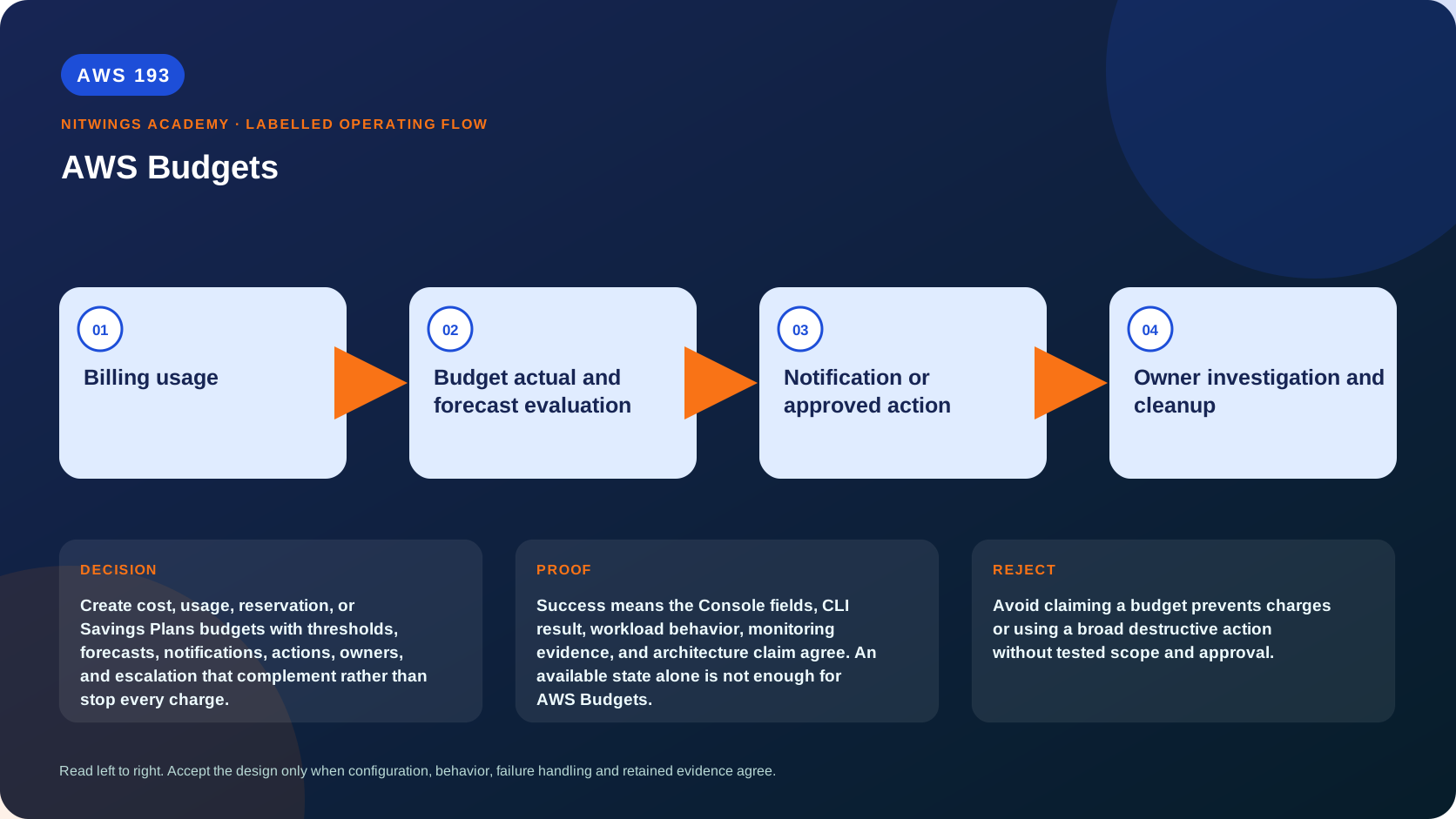
Create cost, usage, reservation, or Savings Plans budgets with thresholds, forecasts, notifications, actions, owners, and escalation that complement rather than stop every charge.
What you will be able to do
By the end, you can:
- explain aws budgets in plain language;
- locate the current service controls in the AWS Management Console;
- run the matching CloudShell or AWS CLI queries and explain every important field;
- draw the identity, network, data, failure, and monitoring path;
- choose the service from requirements and reject it when those requirements are absent;
- diagnose a failed or misleading result from evidence;
- state the cost owner and prove cleanup or a no-create result.
Before you start
- Use a personal AWS account only when its owner has approved the lesson. Do not use the root user for daily work.
- CloudShell is the default command environment. AWS028 explains CloudShell; AWS029 and AWS030 explain local AWS CLI installation and profiles.
- The course example Region is
ap-south-1. Global services and services with a required control Region are called out in their commands. - Run
aws sts get-caller-identityprivately. Redact the account number before sharing evidence. - Never paste access keys, passwords, secret values, private object data, presigned URLs, or full account-specific ARNs into a submission.
- This is a no-create lesson. Every Console action and AWS CLI command is read-only. Create the practical artifact locally.
- Console wording can change. Use the Console service search if a menu label has moved, then confirm the current field in the official documentation.
The core model
| Question | What it means in this lesson |
|---|---|
| Purpose | Create cost, usage, reservation, or Savings Plans budgets with thresholds, forecasts, notifications, actions, owners, and escalation that complement rather than stop every charge. |
| Scope and boundary | The learner must identify the account and Region scope, resource boundary, identity path, data or network path, failure behavior, observability, and cleanup ownership for AWS Budgets. |
| Evidence of success | Success means the Console fields, CLI result, workload behavior, monitoring evidence, and architecture claim agree. An available state alone is not enough for AWS Budgets. |
| Cost model | Requests, running capacity, storage, logs, data transfer, retained state, and optional features must be priced for the exact design. |
| Safe rejection rule | Avoid claiming a budget prevents charges or using a broad destructive action without tested scope and approval. |
How the request flows
+----------------------+
|    Billing usage     |
+----------------------+
           |
           v
+-----------------------------------------+
|  Budget actual and forecast evaluation  |
+-----------------------------------------+
                    |
                    v
+-----------------------------------+
|  Notification or approved action  |
+-----------------------------------+
                 |
                 v
+-----------------------------------+
|  Owner investigation and cleanup  |
+-----------------------------------+
A budget is delayed governance, not a hard cap
AWS Budgets evaluates billing/usage data after it arrives. An alert cannot prevent charges already incurred, and a forecast is an estimate. Use service quotas, IAM/SCP guardrails, application rate/capacity limits and deployment approvals for preventive control; use Budgets for financial thresholds, escalation and supported actions.
| Budget type | What it monitors | Example |
|---|---|---|
| Cost | actual or forecast spend under selected cost filters | monthly workload/team total |
| Usage | a compatible service usage quantity | EC2 running hours or data transfer usage type |
| RI/Savings Plans utilization | percentage of purchased commitment used | alert when paid commitment is wasted |
| RI/Savings Plans coverage | percentage of eligible usage receiving commitment benefit | alert when On-Demand exposure rises |
Do not mix utilization and coverage: high utilization means an existing commitment is consumed; high coverage means eligible usage receives discounted pricing. Buying more can improve coverage while damaging utilization.
Design an escalation ladder
Create actual thresholds for early warning and forecast thresholds for proactive review, for example 50/80/100 percent with different owners. Filter by linked account, service, Region, tag or cost category only when allocation data is reliable. Include an unallocated/global budget so untagged resources cannot evade monitoring.
Every notification needs a confirmed destination, tested delivery, on-call owner, runbook and escalation deadline. Email and SNS subscriptions can remain unconfirmed; that is a failed control even when the budget exists. Reconcile alert state with Cost Explorer/Bills because current-period data can change.
Budget actions can apply selected IAM policies or SCPs and target supported EC2/RDS resources, automatically or after approval. These are potentially disruptive. Test scope, service role, recovery path and exception resources; never let an automated cost action block logging, security, backup, incident response or recovery. An SCP from the management account affects authorization but does not delete existing resources or stop every continuing charge.
Budget lifecycle
Set budget method (fixed, planned, auto-adjusting where available), period, amount, metric and filters from an approved forecast. Review monthly: actual/forecast variance, alert deliveries/actions, allocation gaps and business-driver changes. Version changes to amount/scope and retain approvals. A budget should trigger investigation of the cost driver, not indiscriminate deletion.
Pair budgets with Cost Anomaly Detection: budgets detect crossing a planned threshold; anomaly monitors detect unusual changes relative to historical patterns. A small but abnormal spike may trigger anomaly detection before a large monthly budget.
Architecture decision table
| Situation | Direction | Reason |
|---|---|---|
| Requirement matches | Use budgets for early warning and governed actions with a human response plan. | Select only after scope, behavior, security, recovery, operations, and price evidence agree. |
| Requirement does not match | Avoid claiming a budget prevents charges or using a broad destructive action without tested scope and approval. | Rejecting an attractive service is a valid architecture result. |
| No create permission or cost approval | Use supplied evidence and local design work | Learning does not depend on creating an hourly resource. |
| Existing resource is unknown or unowned | Inspect only, then stop | Never change or delete a resource merely because it resembles a course example. |
AWS Management Console, step by step
Sign in with the normal non-root learning identity. Write the expected starting state before opening the service.
- Use the Console service search and open Billing and Cost Management, Budgets; confirm the account and Region before reading the page.
- Inspect the supplied or owned resource's status, configuration, permissions, networking, encryption, monitoring, tags, and dependencies without changing it.
- Open the related metrics, logs, events, or history view and record one timestamped signal that would prove or disprove the expected behavior.
- Return to the resource list, clear filters, and record the final inventory. On the read-only track, do not choose Create, Save, or Delete.
CloudShell and AWS CLI, step by step
Start with a known caller and Region:
export AWS_DEFAULT_REGION="ap-south-1"
aws sts get-caller-identity --query Arn --output text
aws configure list
Redact the account part of the ARN in shared evidence. Now run the topic queries:
ACCOUNT_ID=$(aws sts get-caller-identity --query Account --output text)
aws budgets describe-budgets --account-id "$ACCOUNT_ID" --query 'Budgets[].{Name:BudgetName,Type:BudgetType,Limit:BudgetLimit,Actual:CalculatedSpend.ActualSpend,Forecast:CalculatedSpend.ForecastedSpend}' --output table
Expected interpretation
A budget tracks billing data after it arrives. Notification delivery and action configuration must be tested; budgets are not hard prepaid account limits.
Practical work
Design a personal-account budget with 50, 80, and 100 percent actual thresholds plus 100 percent forecast. Define email owner, response times, allowed automated action, exclusions, monthly review, and missed-alert fallback.
Diagnose this topic from its own evidence
- No alert despite spend: inspect data delay, filter/metric/period, threshold type and notification confirmation.
- Alert amount differs from dashboard: align cost metric, credits/refunds/tax, estimated period and payer scope.
- Action fails: inspect action status, execution role, approval requirement, target support and organization permissions.
- Action harms workload: use rollback/break-glass, preserve security services and redesign narrower staged action.
- Team budget misses untagged spend: measure allocation-tag coverage and keep an unallocated budget/owner.
Cost and cleanup
Requests, running capacity, storage, logs, data transfer, retained state, and optional features must be priced for the exact design.
Knowledge check
- What operational purpose is this lesson solving?
Expected direction: Create cost, usage, reservation, or Savings Plans budgets with thresholds, forecasts, notifications, actions, owners, and escalation that complement rather than stop every charge.
- Which scope or ownership boundary must be proved first?
Expected direction: The learner must identify the account and Region scope, resource boundary, identity path, data or network path, failure behavior, observability, and cleanup ownership for AWS Budgets.
- What evidence is strong enough to accept the result?
Expected direction: Success means the Console fields, CLI result, workload behavior, monitoring evidence, and architecture claim agree. An available state alone is not enough for AWS Budgets.
- Which tempting design or shortcut must be rejected?
Expected direction: Avoid claiming a budget prevents charges or using a broad destructive action without tested scope and approval.
- Which cost dimensions and retained resources need an owner?
Expected direction: Requests, running capacity, storage, logs, data transfer, retained state, and optional features must be priced for the exact design.
Lesson acceptance
- Explain why Budgets cannot enforce a real-time spending ceiling.
- Select cost, usage, utilization or coverage budget correctly.
- Design actual/forecast thresholds with tested notifications, owners and runbooks.
- Threat-model a budget action and preserve security/recovery controls.
- Correlate alert to Cost Explorer root cause and allocation completeness.