
AWS 192: AWS Cost Explorer
Why this lesson matters
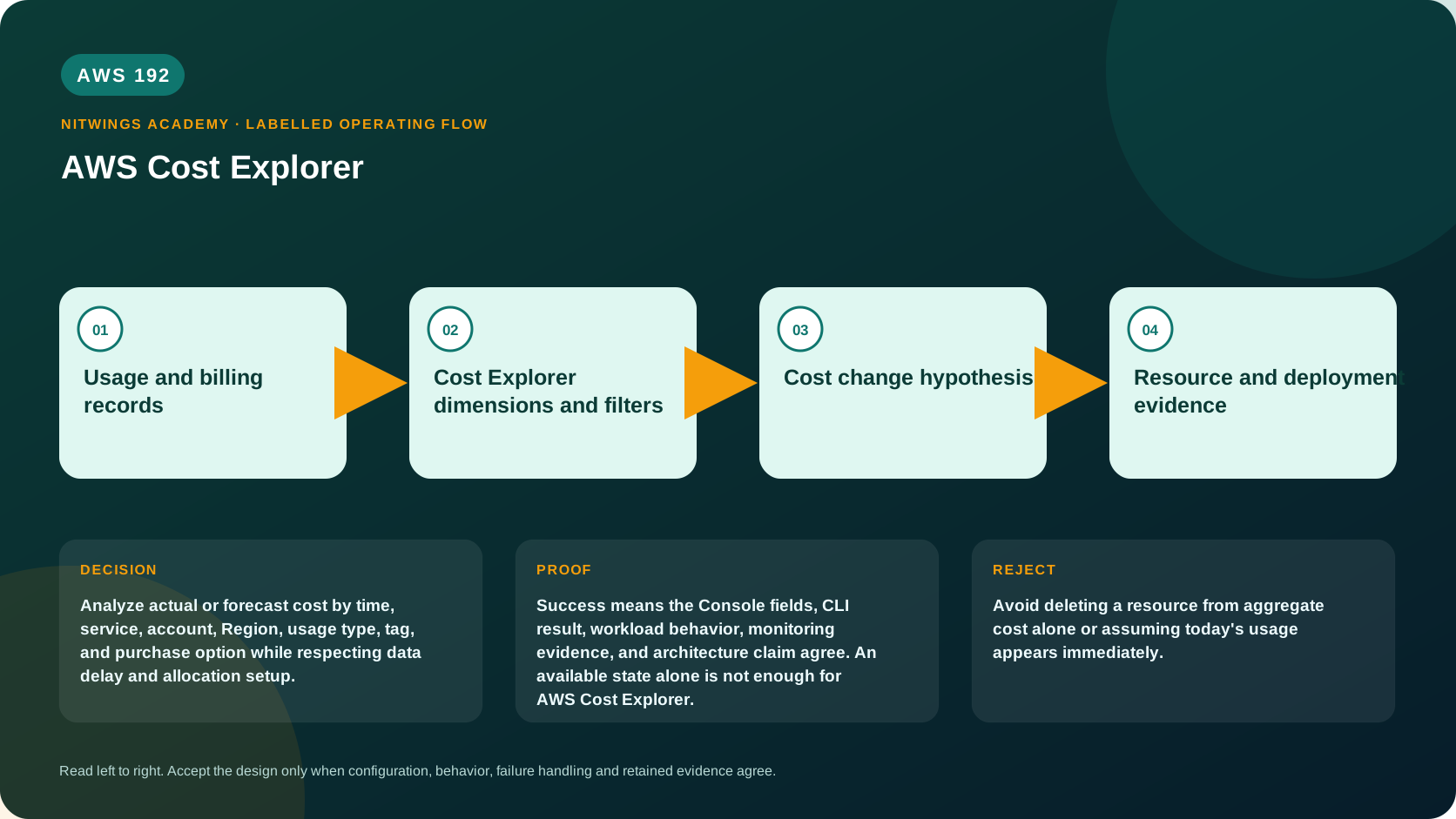
Analyze actual or forecast cost by time, service, account, Region, usage type, tag, and purchase option while respecting data delay and allocation setup.
What you will be able to do
By the end, you can:
- explain aws cost explorer in plain language;
- locate the current service controls in the AWS Management Console;
- run the matching CloudShell or AWS CLI queries and explain every important field;
- draw the identity, network, data, failure, and monitoring path;
- choose the service from requirements and reject it when those requirements are absent;
- diagnose a failed or misleading result from evidence;
- state the cost owner and prove cleanup or a no-create result.
Before you start
- Use a personal AWS account only when its owner has approved the lesson. Do not use the root user for daily work.
- CloudShell is the default command environment. AWS028 explains CloudShell; AWS029 and AWS030 explain local AWS CLI installation and profiles.
- The course example Region is
ap-south-1. Global services and services with a required control Region are called out in their commands. - Run
aws sts get-caller-identityprivately. Redact the account number before sharing evidence. - Never paste access keys, passwords, secret values, private object data, presigned URLs, or full account-specific ARNs into a submission.
- This is a no-create lesson. Every Console action and AWS CLI command is read-only. Create the practical artifact locally.
- Console wording can change. Use the Console service search if a menu label has moved, then confirm the current field in the official documentation.
The core model
| Question | What it means in this lesson |
|---|---|
| Purpose | Analyze actual or forecast cost by time, service, account, Region, usage type, tag, and purchase option while respecting data delay and allocation setup. |
| Scope and boundary | The learner must identify the account and Region scope, resource boundary, identity path, data or network path, failure behavior, observability, and cleanup ownership for AWS Cost Explorer. |
| Evidence of success | Success means the Console fields, CLI result, workload behavior, monitoring evidence, and architecture claim agree. An available state alone is not enough for AWS Cost Explorer. |
| Cost model | Requests, running capacity, storage, logs, data transfer, retained state, and optional features must be priced for the exact design. |
| Safe rejection rule | Avoid deleting a resource from aggregate cost alone or assuming today's usage appears immediately. |
How the request flows
+-----------------------------+
|  Usage and billing records  |
+-----------------------------+
              |
              v
+----------------------------------------+
|  Cost Explorer dimensions and filters  |
+----------------------------------------+
                    |
                    v
+--------------------------+
|  Cost change hypothesis  |
+--------------------------+
             |
             v
+------------------------------------+
|  Resource and deployment evidence  |
+------------------------------------+
Ask a precise cost question
Cost Explorer is an interactive analysis and forecasting tool over billing data. It is not real-time metering, resource-performance monitoring, or an invoice-equivalent view in every configuration. Billing data arrives with delay and can be revised.
Write the question first: “What caused the increase in net amortized production compute cost in account X and Region Y from last week to this week?” Then select matching dates, granularity, metric, filters and groupings. Changing the metric can change the conclusion.
| Perspective | Use |
|---|---|
| Unblended cost | Charge associated with usage line items before commitment amortization |
| Amortized cost | Spreads upfront/recurring reservation and Savings Plan fees across the term for economic comparison |
| Net unblended/net amortized | Includes applicable discounts in the consolidated-billing context |
| Usage quantity | Valid only after filtering to compatible units/usage types; never add hours, GB and requests |
Investigation method
- Confirm payer/linked-account visibility, billing period, currency and estimated/final state.
- Compare period totals using the intended metric.
- Group by service, then account, Region, usage type, operation, purchase option or cost category.
- Filter to the largest delta and repeat until a concrete driver appears.
- Correlate with deployment/configuration events, tags, inventory and workload metrics.
- Save the report and record filters, query time, delta, owner and action.
A service total cannot identify a resource unless resource data/tags and applicable granularity exist. Cost allocation tags appear only after activation and do not retroactively classify old line items. Shared and untagged cost needs a cost-category/allocation policy.
Choose the cost data product
- Cost Explorer: interactive trends, filters, forecasts, recommendations and API queries.
- Bills/invoices: statement and charge reconciliation.
- AWS Data Exports with CUR 2.0: detailed repeatable line-item analytics for Athena/BI/FinOps; CUR 2.0 provides a consistent schema with nested column groups.
- Cost Anomaly Detection: unusual-spend detection relative to expected patterns, not a fixed threshold.
- AWS Budgets: planned or usage/commitment thresholds and actions, not root-cause analysis.
Forecasts are predictions based on history, not spending limits. New workloads, seasonality and architecture changes can invalidate them. Compare forecasts with AWS191's business-driver estimate.
Use accounts as strong ownership boundaries, cost categories for business mappings/split charges, and activated tags for resource detail. Track tag coverage and assign an Unallocated owner. Billing data contains commercially and operationally sensitive details, so scope access.
Architecture decision table
| Situation | Direction | Reason |
|---|---|---|
| Requirement matches | Use Cost Explorer for historical analysis, forecasting, and allocation questions after enabling and understanding the data. | Select only after scope, behavior, security, recovery, operations, and price evidence agree. |
| Requirement does not match | Avoid deleting a resource from aggregate cost alone or assuming today's usage appears immediately. | Rejecting an attractive service is a valid architecture result. |
| No create permission or cost approval | Use supplied evidence and local design work | Learning does not depend on creating an hourly resource. |
| Existing resource is unknown or unowned | Inspect only, then stop | Never change or delete a resource merely because it resembles a course example. |
AWS Management Console, step by step
Sign in with the normal non-root learning identity. Write the expected starting state before opening the service.
- Use the Console service search and open Billing and Cost Management, Cost Explorer; confirm the account and Region before reading the page.
- Inspect the supplied or owned resource's status, configuration, permissions, networking, encryption, monitoring, tags, and dependencies without changing it.
- Open the related metrics, logs, events, or history view and record one timestamped signal that would prove or disprove the expected behavior.
- Return to the resource list, clear filters, and record the final inventory. On the read-only track, do not choose Create, Save, or Delete.
CloudShell and AWS CLI, step by step
Start with a known caller and Region:
export AWS_DEFAULT_REGION="ap-south-1"
aws sts get-caller-identity --query Arn --output text
aws configure list
Redact the account part of the ARN in shared evidence. Now run the topic queries:
START=$(date -u -d '7 days ago' +%F)
END=$(date -u -d 'tomorrow' +%F)
aws ce get-cost-and-usage --time-period Start="$START",End="$END" --granularity DAILY --metrics UnblendedCost --group-by Type=DIMENSION,Key=SERVICE --output json
Expected interpretation
Cost Explorer data can lag and grouping depends on allocation metadata. A cost spike must be traced to usage units, resource ownership, Region, and deployment event before action.
Practical work
Analyze a supplied seven-day cost export. Find the top service, largest day change, Region, usage type, and project tag gap. Link each change to a technical event and propose one safe validation.
Diagnose this topic from its own evidence
- Difference from invoice: align metric, estimated/final period, credits/refunds/tax, discount sharing, rounding and payer scope.
- Missing tag: verify activation date, tagging support and line-item timing.
- Meaningless usage total: filter to one usage type/unit.
- Spike has no resource: pivot through operation/usage type, then use CUR 2.0, tags and inventory.
- Forecast looks safe after launch: rebuild from workload drivers because stale history weakens it.
Cost and cleanup
Requests, running capacity, storage, logs, data transfer, retained state, and optional features must be priced for the exact design.
Knowledge check
- What operational purpose is this lesson solving?
Expected direction: Analyze actual or forecast cost by time, service, account, Region, usage type, tag, and purchase option while respecting data delay and allocation setup.
- Which scope or ownership boundary must be proved first?
Expected direction: The learner must identify the account and Region scope, resource boundary, identity path, data or network path, failure behavior, observability, and cleanup ownership for AWS Cost Explorer.
- What evidence is strong enough to accept the result?
Expected direction: Success means the Console fields, CLI result, workload behavior, monitoring evidence, and architecture claim agree. An available state alone is not enough for AWS Cost Explorer.
- Which tempting design or shortcut must be rejected?
Expected direction: Avoid deleting a resource from aggregate cost alone or assuming today's usage appears immediately.
- Which cost dimensions and retained resources need an owner?
Expected direction: Requests, running capacity, storage, logs, data transfer, retained state, and optional features must be priced for the exact design.
Lesson acceptance
- State a cost question with time, scope, metric and comparison period.
- Explain unblended, amortized and net perspectives.
- Drill from service delta to account/Region/usage/operation and a corroborating event.
- Choose Cost Explorer versus Bills, CUR 2.0/Data Exports, anomalies and budgets.
- Account for latency, forecast uncertainty, tag activation and shared cost.