
AWS 205: CloudWatch Logs and Logs Insights
Why this lesson matters
Logs preserve event detail that a metric intentionally discards: what happened, to which request, at what stage, with which error. A useful logging design starts from incident questions and governs the full path from producer and agent through log group, retention, query, subscription and archive. More log volume is not automatically more observability; unstructured noise, secrets and unlimited retention can make incidents slower and more expensive.
What you will be able to do
By the end, you can:
- distinguish log events, streams, groups, classes, retention and subscriptions;
- design structured JSON fields for time, level, service, operation, request ID, duration and error without secrets;
- choose Standard, Infrequent Access or Delivery class from required features rather than price alone;
- run bounded Logs Insights queries and interpret scanned bytes and delayed results;
- distinguish search, metric filters, subscriptions, exports and archival destinations;
- diagnose missing or late events from application, agent, IAM, endpoint, timestamp and sequence-token evidence;
- assign retention, KMS, redaction, query-cost and deletion ownership.
Before you start
- Use a personal AWS account only when its owner has approved the lesson. Do not use the root user for daily work.
- CloudShell is the default command environment. AWS028 explains CloudShell; AWS029 and AWS030 explain local AWS CLI installation and profiles.
- The course example Region is
ap-south-1. Global services and services with a required control Region are called out in their commands. - Run
aws sts get-caller-identityprivately. Redact the account number before sharing evidence. - Never paste access keys, passwords, secret values, private object data, presigned URLs, or full account-specific ARNs into a submission.
- This is a no-resource-create lesson. Inventory commands are read-only. Run the Logs Insights query only with the log owner's query-cost approval; otherwise use supplied query results and create the practical artifact locally.
- Console wording can change. Use the Console service search if a menu label has moved, then confirm the current field in the official documentation.
The core model
| Question | What it means in this lesson |
|---|---|
| Purpose | Design log groups, streams, agents, structured fields, retention, encryption, subscription, queries, and cost around an incident question. |
| Scope and boundary | For CloudWatch Logs and Logs Insights, separate account and Region scope, identity, configuration, data or network behavior, failure ownership, evidence retention, and cleanup. |
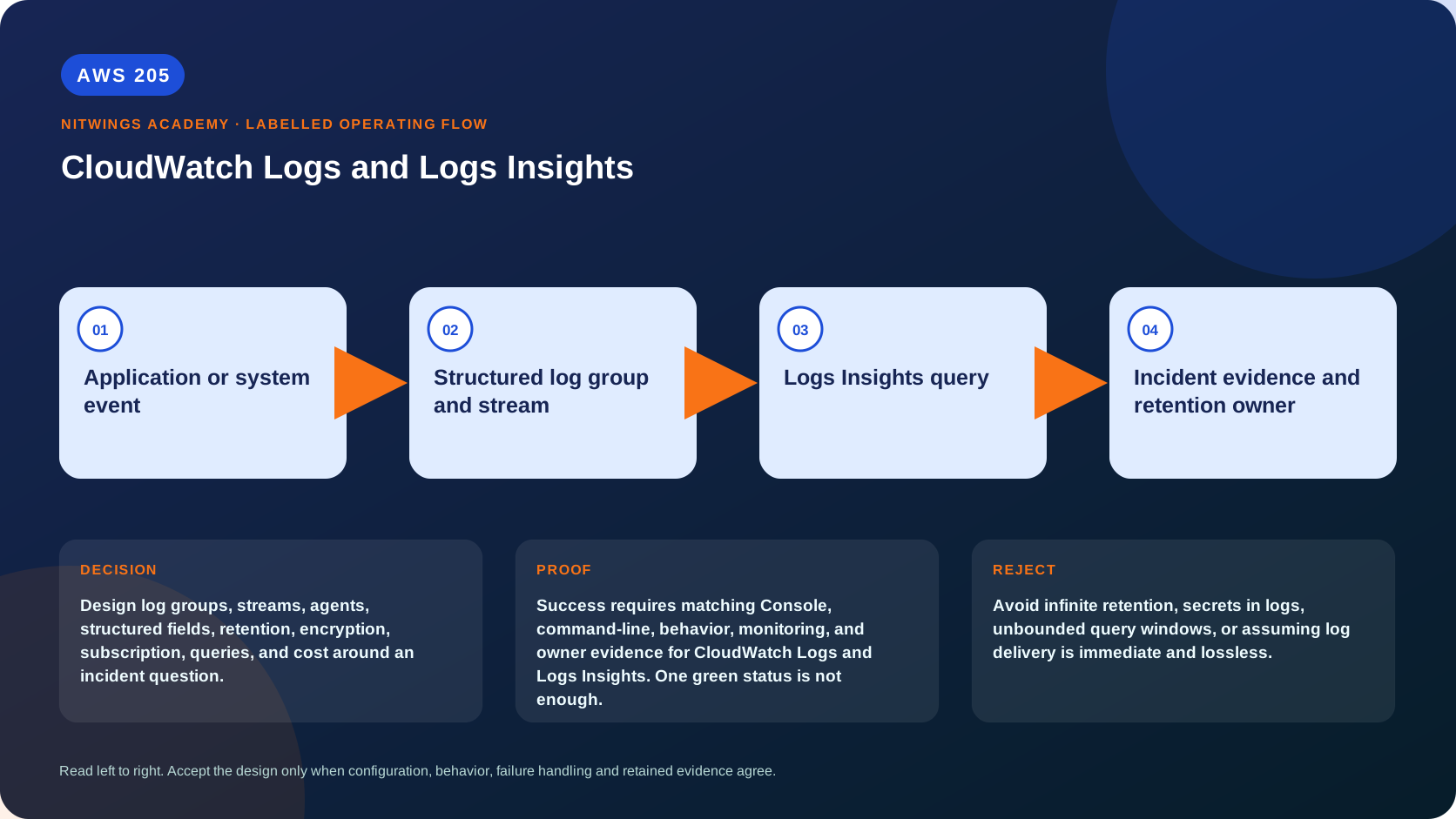
| Evidence of success | Success requires matching Console, command-line, behavior, monitoring, and owner evidence for CloudWatch Logs and Logs Insights. One green status is not enough. |
| Cost model | Ingestion, archival storage, Logs Insights scanned bytes, subscriptions, delivery, and retained log classes can charge. |
| Safe rejection rule | Avoid infinite retention, secrets in logs, unbounded query windows, or assuming log delivery is immediate and lossless. |
How the request flows
+-------------------------------+
|  Application or system event  |
+-------------------------------+
               |
               v
+-----------------------------------+
|  Structured log group and stream  |
+-----------------------------------+
                 |
                 v
+-----------------------+
|  Logs Insights query  |
+-----------------------+
           |
           v
+-----------------------------------------+
|  Incident evidence and retention owner  |
+-----------------------------------------+
Log pipeline and class selection, deeply
An event is one timestamped payload. A stream normally represents one producer sequence, such as one instance or container. A group applies shared retention, encryption, access and class choices to streams. The CloudWatch agent can read operating-system/application files and publish them, while many AWS services publish directly. An agent process being “running” does not prove that it can read the file, reach the endpoint, call PutLogEvents, or advance the stream timestamp.
Prefer one JSON object per event. Put searchable fields at stable paths and keep high-cardinality correlation IDs in logs or traces - not metric dimensions. Use UTC ISO-8601 timestamps, but remember CloudWatch also records ingestion time. Event time explains when the producer says it occurred; ingestion time helps detect buffering or clock skew. Never log credentials, session tokens, authorization headers, cookies, private keys, full payment data or unapproved personal data. Redaction must happen before ingestion where possible.
Choose the log class at group creation because it cannot later be changed:
| Class | Use | Important boundary |
|---|---|---|
| Standard | active operations and full feature set | supports metric/subscription filters, Live Tail, field indexing and other real-time features |
| Infrequent Access | lower-ingestion-cost forensic logs queried occasionally | supports a subset; no metric filters, subscription filters, Live Tail or GetLogEvents/FilterLogEvents; use Logs Insights |
| Delivery | Lambda log delivery to S3 or Data Firehose | fixed two-day CloudWatch retention and no rich Logs Insights workflow |
Standard and Infrequent Access differ in ingestion price, while storage and Logs Insights query charges are the same. Class choice therefore depends on required features, not an assumption that every downstream cost is cheaper.
A subscription filter continuously routes matching events to a supported destination; an export task is a bounded historical copy to S3; Logs Insights is interactive analysis; a metric filter extracts a numerical metric from matching Standard-class events. These are different controls and have different retry, permission and cost paths.
Architecture decision table
| Situation | Direction | Reason |
|---|---|---|
| Requirement matches | Use structured logs for event detail and investigations that metrics cannot supply. | Select only after scope, behavior, security, recovery, operations, and price evidence agree. |
| Requirement does not match | Avoid infinite retention, secrets in logs, unbounded query windows, or assuming log delivery is immediate and lossless. | Rejecting an attractive service is a valid architecture result. |
| No create permission or cost approval | Use supplied evidence and local design work | Learning does not depend on creating an hourly resource. |
| Existing resource is unknown or unowned | Inspect only, then stop | Never change or delete a resource merely because it resembles a course example. |
AWS Management Console, step by step
Sign in with the normal non-root learning identity. Write the expected starting state before opening the service.
- Open CloudWatch > Logs > Log groups in the correct Region. Record group name, class, retention, stored bytes, KMS key and last event time.
- Open one approved Standard-class group. Compare event timestamp and ingestion time, then identify stream naming and structured/discovered fields.
- Open Logs Insights, select only the approved group and a 15-minute UTC range. Start with a low result limit; display
@timestamp, service, level, request ID and message. - Narrow to one correlation ID and trace its ordered events. Then aggregate errors by service and five-minute bin. Record matched rows, scanned bytes and query duration.
- Inspect subscription filters, metric filters, data protection and export configuration read-only. State the destination role/policy and what happens when delivery fails.
- Return to all groups and identify any Never expire retention that lacks an owner or legal requirement; record a finding rather than changing it.
CloudShell and AWS CLI, step by step
Start with a known caller and Region:
export AWS_DEFAULT_REGION="ap-south-1"
aws sts get-caller-identity --query Arn --output text
aws configure list
Redact the account part of the ARN in shared evidence. Now run the topic queries:
aws logs describe-log-groups --query 'logGroups[].{Name:logGroupName,Retention:retentionInDays,Bytes:storedBytes,Kms:kmsKeyId}' --output table
aws logs describe-log-streams --log-group-name replace-with-log-group --order-by LastEventTime --descending --max-items 20 --output table
start="$(date -u -d '15 minutes ago' +%s)"
end="$(date -u +%s)"
query_id="$(aws logs start-query --log-group-name replace-with-approved-log-group \
  --start-time "$start" --end-time "$end" \
  --query-string 'fields @timestamp, service, level, request_id, @message | filter level in ["ERROR","WARN"] | sort @timestamp desc | limit 50' \
  --query queryId --output text)"
aws logs get-query-results --query-id "$query_id" --output json
Expected interpretation
start-query is asynchronous. get-query-results can report Scheduled or Running; only Complete is a finished result. Zero matches can be correct, but first prove group, account, Region, UTC window, fields, filter syntax and producer activity. A query scans selected data even when it returns no rows, so restrict groups and time before adding broad parsing.
Practical work
Write five Logs Insights queries for errors by service, slow requests, one correlation ID, top client status codes, and exception trend. State the time range, scanned bytes, result limit, and decision each query supports.
Diagnose this topic from its own evidence
| Symptom | Evidence chain | Smallest safe correction |
|---|---|---|
| no new stream | application output, file path/permissions, agent status/config, IAM and network endpoint | fix the first failed hop; do not recreate the group blindly |
| stream exists but is stale | agent log, source-file offset, producer timestamp and last ingestion time | repair source/agent and publish a harmless correlation marker |
| query returns zero | group/class, UTC range, field spelling/type and sample raw event | broaden one dimension at a time |
| events appear out of order | event vs ingestion timestamp and producer clock | sort by event time plus correlation sequence; repair NTP/clock source |
| subscription destination is silent | filter pattern, destination policy, delivery errors/throttling | test a non-sensitive marker and repair only the failed permission/path |
Positive test: a supplied request ID returns all expected service stages in order. Negative test: a random request ID returns no events without causing an error. Dependency-failure test: the app writes locally while the agent lacks endpoint access; prove that workload execution and centralized log delivery are separate states.
Cost and cleanup
Price ingestion volume by source, class and Region; retained GB-months; Logs Insights scanned bytes; Live Tail or data-protection features where applicable; subscription destination ingestion/processing; cross-account or cross-Region copies; S3/OpenSearch/Firehose storage and processing. Set retention explicitly and review it with legal/security owners. Deleting a log group destroys evidence and is not a normal cost fix during an incident.
Knowledge check
- What operational purpose is this lesson solving?
Expected direction: Design log groups, streams, agents, structured fields, retention, encryption, subscription, queries, and cost around an incident question.
- Which scope or ownership boundary must be proved first?
Expected direction: For CloudWatch Logs and Logs Insights, separate account and Region scope, identity, configuration, data or network behavior, failure ownership, evidence retention, and cleanup.
- What evidence is strong enough to accept the result?
Expected direction: Success requires matching Console, command-line, behavior, monitoring, and owner evidence for CloudWatch Logs and Logs Insights. One green status is not enough.
- Which tempting design or shortcut must be rejected?
Expected direction: Avoid infinite retention, secrets in logs, unbounded query windows, or assuming log delivery is immediate and lossless.
- Which cost dimensions and retained resources need an owner?
Expected direction: Ingestion, archival storage, Logs Insights scanned bytes, subscriptions, delivery, and retained log classes can charge.
Lesson acceptance
- A pipeline diagram identifies producer, agent/direct integration, group, stream, class, KMS, retention, query and any subscription destination.
- Five bounded queries answer errors, slow requests, one correlation ID, status-code leaders and exception trend; each states time range and decision.
- Standard, Infrequent Access and Delivery class boundaries are correctly explained.
- Positive, zero-match and delivery-dependency cases are distinguished using event and ingestion timestamps.
- The submission records scanned bytes, redaction rules, retention owner and all downstream cost owners without exposing secrets.