
AWS 210: AWS Systems Manager
Why this lesson matters
Systems Manager provides several distinct fleet-operation capabilities behind one console. The shared foundation is an authorized operator, a service API/document, a correctly registered managed node, SSM Agent, IAM credentials and outbound service connectivity. Installing the agent satisfies only one dependency. This lesson teaches the foundation first so later Run Command, Patch Manager, State Manager and Automation work is diagnosable and auditable.
What you will be able to do
By the end, you can:
- distinguish control-plane operator permission from managed-node permission;
- prove SSM Agent version, registration, ping state, platform and last association state;
- compare an instance profile, Default Host Management Configuration and hybrid activation;
- map required outbound DNS/TLS/endpoints without opening inbound SSH;
- choose Session Manager, Run Command, State Manager, Patch Manager, Automation, Inventory, Parameter Store or OpsCenter by purpose;
- explain document permissions, parameters, target controls, output and CloudTrail evidence;
- diagnose
ConnectionLost, missing-node, access-denied and delivery failures layer by layer.
Before you start
- Use a personal AWS account only when its owner has approved the lesson. Do not use the root user for daily work.
- CloudShell is the default command environment. AWS028 explains CloudShell; AWS029 and AWS030 explain local AWS CLI installation and profiles.
- The course example Region is
ap-south-1. Global services and services with a required control Region are called out in their commands. - Run
aws sts get-caller-identityprivately. Redact the account number before sharing evidence. - Never paste access keys, passwords, secret values, private object data, presigned URLs, or full account-specific ARNs into a submission.
- This is a no-create lesson. Every Console action and AWS CLI command is read-only. Create the practical artifact locally.
- Console wording can change. Use the Console service search if a menu label has moved, then confirm the current field in the official documentation.
The core model
| Question | What it means in this lesson |
|---|---|
| Purpose | Operate managed nodes and workloads through Session Manager, Run Command, Patch Manager, State Manager, Automation, Inventory, Parameter Store, OpsCenter, and Explorer with scoped roles. |
| Scope and boundary | For AWS Systems Manager, separate account and Region scope, identity, configuration, data or network behavior, failure ownership, evidence retention, and cleanup. |
| Evidence of success | Success requires matching Console, command-line, behavior, monitoring, and owner evidence for AWS Systems Manager. One green status is not enough. |
| Cost model | Requests, running capacity, stored telemetry, retained history, data transfer, and connected resources must be priced for the exact design. |
| Safe rejection rule | Avoid broad document permissions, public SSH as the default, secrets in command parameters, or assuming an installed agent is an online managed node. |
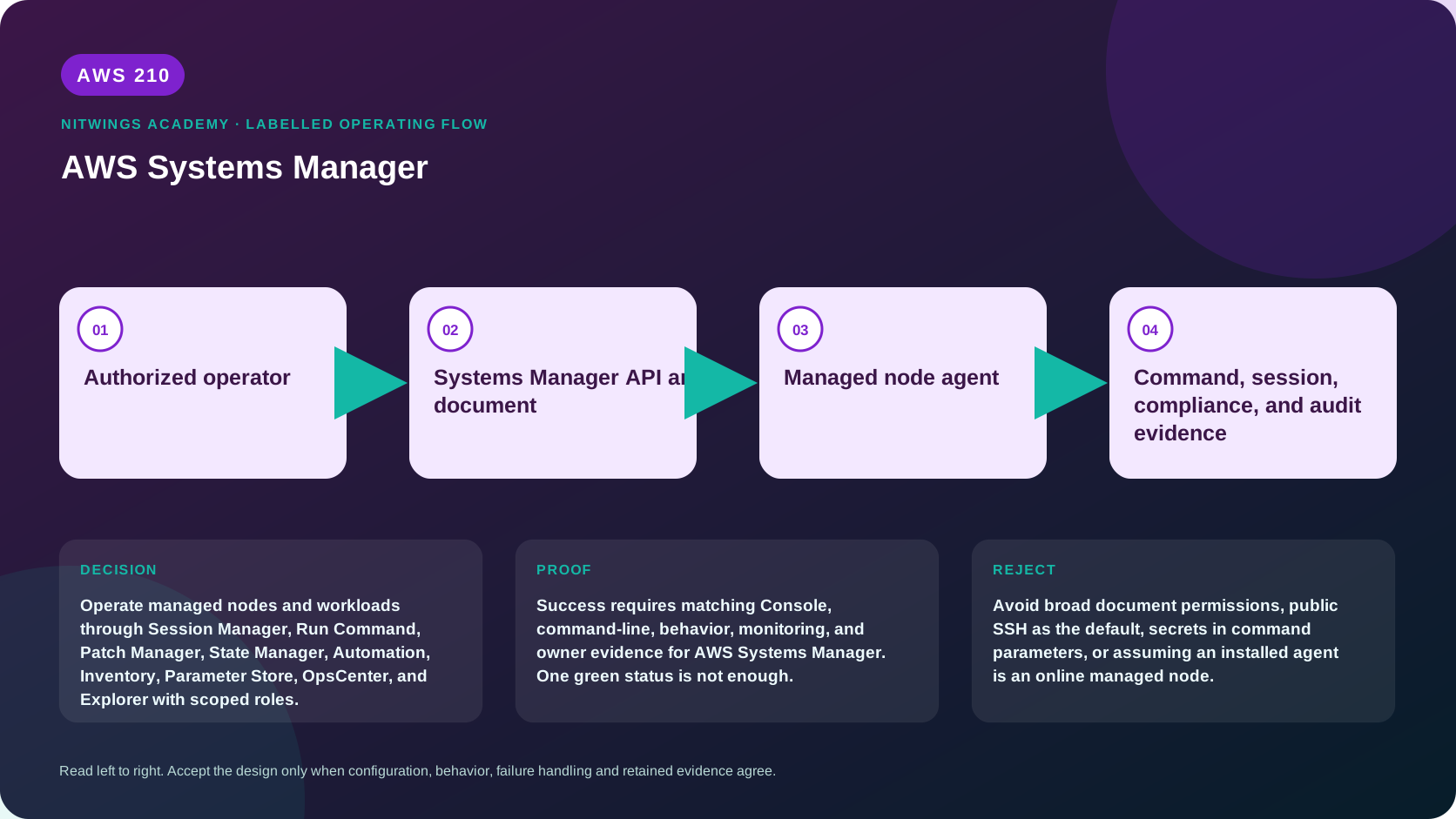
How the request flows
+-----------------------+
|  Authorized operator  |
+-----------------------+
           |
           v
+------------------------------------+
|  Systems Manager API and document  |
+------------------------------------+
                  |
                  v
+----------------------+
|  Managed node agent  |
+----------------------+
           |
           v
+----------------------------------------------------+
|  Command, session, compliance, and audit evidence  |
+----------------------------------------------------+
Managed-node foundation and capability map
A managed node needs four independent conditions:
- A supported, running SSM Agent with valid local registration state.
- Node credentials: an EC2 instance profile, Default Host Management Configuration (DHMC), or hybrid/multicloud activation role appropriate to the node type.
- Outbound HTTPS and DNS to the Regional Systems Manager messaging/service endpoints, through internet/NAT or approved VPC endpoints and their policies.
- Service and operator permissions for the selected document/action, plus KMS/S3/CloudWatch Logs permissions when those destinations are used.
DHMC can automatically provide management permissions to EC2 instances in an account/Region. Current prerequisites include IMDSv2 and SSM Agent 3.2.582.0 or later. SSM Agent tries instance-profile credentials before DHMC credentials, so an attached but inadequate instance profile can produce surprising authorization behavior. Organization-wide Quick Setup can apply DHMC and agent updates across selected accounts/Regions; treat that as broad administrative scope requiring change control.
| Capability | Primary purpose | Do not confuse with |
|---|---|---|
| Fleet Manager | inventory/view/manage individual nodes | configuration compliance policy |
| Session Manager | interactive shell/tunnel without inbound SSH | proof that every command was logged unless logging is configured and supported |
| Run Command | fan-out non-interactive document execution | long-lived desired state |
| State Manager | periodically apply/verify an association | package vulnerability assessment |
| Patch Manager | baseline and orchestrated scan/install/compliance | application dependency testing |
| Inventory | collected node metadata | real-time process monitoring |
| Automation | multi-step runbooks, branching/approvals/AWS APIs | arbitrary unbounded scripts |
| Parameter Store | hierarchical configuration and SecureString values | automatic rotation provided by Secrets Manager |
| OpsCenter/Explorer | operational work and aggregated views | the original metric/log/audit source |
Documents are versioned execution definitions. Control who may call the API, which document/version they may use, which tag/resource targets are allowed, maximum concurrency/errors, and where output is retained. Secure parameters can still leak if a command echoes them; IAM/KMS access and application logging must prevent disclosure.
Architecture decision table
| Situation | Direction | Reason |
|---|---|---|
| Requirement matches | Use Systems Manager to reduce inbound administration paths and standardize auditable fleet operations. | Select only after scope, behavior, security, recovery, operations, and price evidence agree. |
| Requirement does not match | Avoid broad document permissions, public SSH as the default, secrets in command parameters, or assuming an installed agent is an online managed node. | Rejecting an attractive service is a valid architecture result. |
| No create permission or cost approval | Use supplied evidence and local design work | Learning does not depend on creating an hourly resource. |
| Existing resource is unknown or unowned | Inspect only, then stop | Never change or delete a resource merely because it resembles a course example. |
AWS Management Console, step by step
Sign in with the normal non-root learning identity. Write the expected starting state before opening the service.
- Open Systems Manager > Fleet Manager > Managed nodes in
ap-south-1. Record one approved node's ID, ping status/time, platform, SSM Agent version, IP/computer name and association status. - Open node details and inspect IAM role/registration source, tags, inventory, associations, patch compliance and command history. Do not start a session or command on this read-only track.
- Open Settings and inspect DHMC status/role and update settings. Determine whether the selected node uses its instance profile first.
- In EC2/VPC read-only views, prove IMDSv2 setting, SG egress, subnet route/DNS and any
ssm,ssmmessagesor other documented VPC endpoints/policies used by the design. - Open one approved command/association and identify document owner/version, parameters, targets, concurrency/errors, output destinations and per-node result.
- Correlate the operator API event in CloudTrail with Systems Manager execution ID and node/agent output. Redact commands that contain sensitive values.
CloudShell and AWS CLI, step by step
Start with a known caller and Region:
export AWS_DEFAULT_REGION="ap-south-1"
aws sts get-caller-identity --query Arn --output text
aws configure list
Redact the account part of the ARN in shared evidence. Now run the topic queries:
aws ssm describe-instance-information --query 'InstanceInformationList[].{Id:InstanceId,Ping:PingStatus,Platform:PlatformName,Version:AgentVersion,Association:AssociationStatus}' --output table
aws ssm list-associations --query 'Associations[].{Name:Name,Association:AssociationId,Status:Overview.Status}' --output table
aws ssm describe-instance-associations-status --instance-id replace-with-approved-managed-node-id --output json
aws ssm list-command-invocations --details --max-results 20 \
  --query 'CommandInvocations[].{Command:CommandId,Node:InstanceId,Status:Status,Document:DocumentName,Requested:RequestedDateTime}' --output table
aws ssm get-service-setting \
  --setting-id arn:aws:ssm:ap-south-1:replace-with-account-id:servicesetting/ssm/managed-instance/default-ec2-instance-management-role \
  --output json
Expected interpretation
PingStatus=Online proves recent agent/service communication, not that a specific document is authorized or succeeds. Association overview can summarize multiple targets; inspect per-node execution. Command status Success means the document/plugin reported success, not that the application-level postcondition passed. DHMC service setting is Regional and account-scoped; redact account IDs in shared evidence.
Practical work
Create a responsibility map showing the operator identity, Systems Manager service, instance profile or hybrid activation, agent, endpoints, logs, KMS, documents, commands, and audit trail.
Diagnose this topic from its own evidence
| Symptom | Check in order | Smallest safe correction |
|---|---|---|
| node absent | account/Region, supported node, agent install/run, registration and credential source | repair first failed prerequisite; avoid reinstalling blindly |
ConnectionLost | last ping, agent log, DNS, route/SG/NACL/proxy, endpoint policy/TLS time | restore outbound service path or agent health |
AccessDenied | operator policy, node role/DHMC precedence, document/resource/KMS/S3 policy | add only the missing action/resource/condition |
| command pending/undeliverable | node online state, target tag snapshot, delivery timeout and concurrency | restore node path or retarget only approved nodes |
| command says success but service is broken | plugin output/exit code and application postcondition | fix script exit handling and add independent health test |
Positive test: supplied evidence shows one online node and a harmless read-only document completing with expected stdout/exit status. Negative test: a nonmatching tag targets zero nodes. Dependency-failure test: the agent is running but endpoint access is blocked; diagnose from agent log and network path without opening SSH to the internet.
Cost and cleanup
Core Systems Manager capabilities have feature-specific pricing and limits. Price advanced/paid node tiers where applicable, Parameter Store advanced parameters/API interactions, Automation steps, OpsCenter/incident features, CloudWatch Logs and S3 output, KMS, VPC interface endpoint hours/data and the managed compute itself. Cleanup only course-owned associations, commands' retained output, activations, parameters, OpsItems and endpoints according to retention; never deregister or alter a shared production node.
Knowledge check
- What operational purpose is this lesson solving?
Expected direction: Operate managed nodes and workloads through Session Manager, Run Command, Patch Manager, State Manager, Automation, Inventory, Parameter Store, OpsCenter, and Explorer with scoped roles.
- Which scope or ownership boundary must be proved first?
Expected direction: For AWS Systems Manager, separate account and Region scope, identity, configuration, data or network behavior, failure ownership, evidence retention, and cleanup.
- What evidence is strong enough to accept the result?
Expected direction: Success requires matching Console, command-line, behavior, monitoring, and owner evidence for AWS Systems Manager. One green status is not enough.
- Which tempting design or shortcut must be rejected?
Expected direction: Avoid broad document permissions, public SSH as the default, secrets in command parameters, or assuming an installed agent is an online managed node.
- Which cost dimensions and retained resources need an owner?
Expected direction: Requests, running capacity, stored telemetry, retained history, data transfer, and connected resources must be priced for the exact design.
Lesson acceptance
- The responsibility map identifies operator, API/document, node credentials, agent, network endpoints, outputs, KMS and audit sources.
- One managed node's identity, version, ping time, platform and credential source are proved.
- Instance profile, DHMC and hybrid activation boundaries are explained, including DHMC prerequisites and credential precedence.
- Positive, zero-target and blocked-endpoint cases are diagnosed from separate service and agent evidence.
- The learner selects each major Systems Manager capability by purpose and states permission, cost, retention and cleanup owners.