
AWS 223: Systems Manager Inventory and managed-node readiness
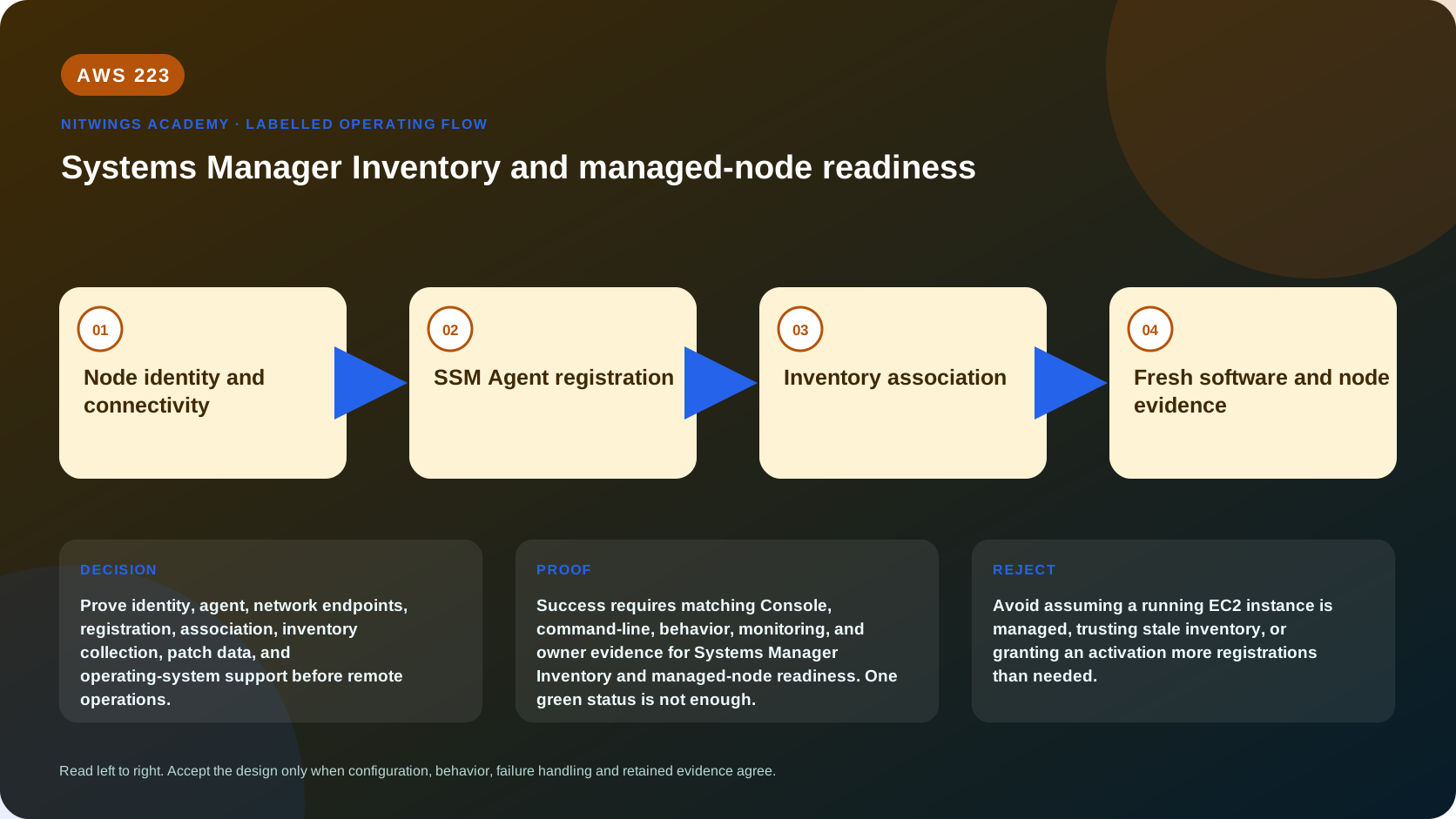
Why this lesson matters
A running EC2 instance is not necessarily a Systems Manager managed node, an Online node does not prove Inventory is fresh, and software Inventory does not prove patch compliance. Before Run Command, patching or automation, an operator must prove identity, credentials, agent, network path, registration Region, association status and evidence freshness.
What you will be able to do
By the end, you can:
- distinguish EC2 state, managed-node registration, ping state and association status;
- trace instance-profile, Default Host Management Configuration and hybrid activation identity;
- explain SSM Agent credential precedence and temporary credentials;
- verify DNS, time, TLS, proxy and outbound endpoint requirements without opening inbound ports;
- interpret Inventory schema, collection association, capture time and reporting delay;
- distinguish Inventory metadata, patch scan state, compliance and vulnerability findings;
- diagnose
ConnectionLost, missing inventory, stale data and association failure; - produce a go/no-go readiness record before remote operations.
The readiness chain
supported operating system + running node
                |
                v
SSM Agent installed/running + correct clock/DNS
                |
                v
node credentials + Regional registration
                |
                v
outbound HTTPS to ssm/ssmmessages and dependencies
                |
                v
managed-node PingStatus=Online
                |
                v
AWS-GatherSoftwareInventory association succeeds
                |
                v
fresh typed Inventory entries + separate patch evidence
Each arrow is independently testable. Session Manager or Run Command can still fail after the node appears online because the operator lacks permission, the document/plugin is unsupported, the target filter is wrong, or an output dependency is inaccessible.
Four identities that beginners confuse
| Identity | Purpose |
|---|---|
| Human/pipeline caller | invokes Systems Manager APIs and must be authorized for exact documents, targets and actions |
| Node role/credentials | lets SSM Agent register, open channels, report status and use approved dependencies |
| Managed-node ID | EC2 instance ID or hybrid-managed node ID in one account/Region |
| Association execution | applies one State Manager document/configuration to matching targets |
The node role does not grant the human permission to send commands. The human's permission does not give the agent access to S3, CloudWatch Logs or KMS.
Node credential paths
Instance profile: attach a role with the minimum SSM Agent permissions, commonly based on AmazonSSMManagedInstanceCore. Additional features need additional scoped permissions.
Default Host Management Configuration (DHMC): a Regional account setting supplies a default role and stores temporary node credentials locally. Current prerequisites include IMDSv2 and a sufficiently recent SSM Agent. It can take time for instances to adopt the configuration.
If an attached instance profile already allows ssm:UpdateInstanceInformation, SSM Agent uses that profile instead of DHMC credentials. Inspect the effective profile before blaming the default role. Do not delete the local SSM registration/credential directory; that can break DHMC onboarding.
Hybrid/multicloud activation: an activation has a registration limit, expiration, IAM service role and secret registration code. Treat the code as a secret, limit registrations/time, and retire unused activations. Once registered, prove the managed-node ID maps to the intended physical host.
Network path
SSM Agent initiates outbound TLS; no inbound SSH or management security-group rule is required. The path needs:
- working DNS, accurate time and trusted CA certificates;
- HTTPS egress or interface endpoints for Regional
ssmandssmmessages; - endpoint private DNS/routes and endpoint-security-group TCP 443 ingress from the node;
- any document-specific S3, KMS, CloudWatch Logs, package repository or other service dependency;
- proxy configuration in the agent service environment when a proxy is required.
For Regions launched in 2024 or later, ec2messages is not supported; use ssmmessages. Current SSM Agent versions prefer ssmmessages where available in older Regions too. Adding public IP or inbound SSH does not repair a broken agent-to-service endpoint path.
Managed-node states
describe-instance-information returns registered nodes that meet its state rules; stopped/terminated nodes are not returned. Important fields include:
InstanceId, source/type and computer/IP identity;PingStatus:Online,ConnectionLost, or inactive state where applicable;LastPingDateTime;- platform name/type/version;
- SSM Agent version;
- association status and last successful association time;
- role details for relevant DHMC/hybrid configurations.
Online proves a recent agent control-channel heartbeat, not application health, inventory freshness, patch compliance or command authorization.
Inventory model
Systems Manager Inventory is typed metadata collected by the AWS-GatherSoftwareInventory State Manager document. Common schemas include:
AWS:InstanceInformation;AWS:Application;AWS:AWSComponent;- network configuration;
- services, roles/features and Windows updates where supported;
- files, registry or custom Inventory when explicitly configured.
The shortest supported collection interval is 30 minutes, and reporting can take additional minutes. Every report needs capture time, not only a package name. Inventory records metadata; it does not inspect proprietary file contents by default and does not prove software is safe, licensed, running or patched.
Custom Inventory is supplied JSON under the documented local directory/schema. Validate schema/version, size and data classification. Never use it to upload secrets.
Patch and security boundaries
| Evidence | What it proves | What it does not prove |
|---|---|---|
AWS:Application package/version | collected package metadata at capture time | installed files are unmodified or vulnerability-free |
| Patch Manager scan state | baseline classification at scan time | patch installed after scan or application-compatible |
| State Manager association success | document completed for that execution | desired state still holds now |
| Inspector finding | vulnerability/exposure analysis for supported coverage | patch deployment/functional recovery |
| Config/compliance item | evaluated rule/document result | all unmodeled controls are compliant |
Read-only fleet inspection
export AWS_DEFAULT_REGION="ap-south-1"
aws sts get-caller-identity --query Arn --output text
aws ssm describe-instance-information \
  --query 'InstanceInformationList[].{Id:InstanceId,Ping:PingStatus,LastPing:LastPingDateTime,Platform:PlatformName,OSVersion:PlatformVersion,Agent:AgentVersion,Association:AssociationStatus,AssociationTime:LastSuccessfulAssociationExecutionDate}' \
  --output table
aws ssm get-inventory-schema --output table
Choose one exact approved node from that output:
node_id="exact-approved-managed-node-id"
aws ssm describe-instance-information \
  --filters "Key=InstanceIds,Values=$node_id" --output json
aws ssm describe-instance-associations-status \
  --instance-id "$node_id" --output json
aws ssm list-inventory-entries --instance-id "$node_id" \
  --type-name AWS:InstanceInformation --output json
aws ssm list-inventory-entries --instance-id "$node_id" \
  --type-name AWS:Application --max-results 20 --output json
aws ssm describe-instance-patch-states --instance-ids "$node_id" --output json
An empty patch-state result can mean no completed Patch Manager scan; it is not zero missing patches. An empty application list can mean collection was not configured, failed, is delayed, or that the platform/plugin returned no entries.
Console inspection
In the correct account and Region:
- Open Systems Manager > Fleet Manager > Managed nodes and select only the approved ID.
- Compare ping/last-ping, platform, agent version, IAM role/source, tags and associations.
- Open Inventory, confirm the node filter, Inventory type, capture time and configured association.
- Open State Manager, find the
AWS-GatherSoftwareInventoryassociation and inspect targets, schedule, latest execution/status/output. - Open Patch Manager/Compliance separately; do not infer it from Inventory.
- If the node is absent, compare EC2 account/Region/state before changing the role or agent.
Readiness worksheet
Record Pass/Fail/Unknown plus evidence:
| Gate | Acceptance evidence |
|---|---|
| ownership/scope | approved node ID, account, Region, tags and owner |
| operating system | supported platform/version/architecture |
| agent | installed, service running, reviewed version and logs |
| credentials | effective instance profile, DHMC or activation; least privilege |
| metadata | IMDSv2 works where required; no credential exposure |
| network | DNS/time/TLS plus ssm and ssmmessages outbound path |
| registration | expected managed-node ID and recent Online ping |
| operator | exact document/target actions allowed; PassRole only if needed |
| Inventory | intended association target/schedule, success and fresh capture |
| patch evidence | separate recent scan/baseline result or explicitly unknown |
| output dependencies | approved S3/log group/KMS path when command output uses them |
Any unknown identity, stale ping or missing owner is no-go for a mutating remote command.
Diagnose by first broken boundary
| Symptom | Prove | Correction |
|---|---|---|
| EC2 running, absent from SSM | account/Region, agent, role/DHMC, endpoint path | repair exact first missing prerequisite |
ConnectionLost | last ping, agent logs/service, clock/DNS/proxy/TLS | restore outbound control channel; do not open inbound |
| DHMC seemingly ignored | attached profile and ssm:UpdateInstanceInformation | remove conflicting permission only through reviewed role design |
| agent online, Inventory empty | association target/schedule/execution and plugin schema | correct association or wait documented reporting interval |
| Inventory stale | capture and last association times | repair failed association; do not treat old data as current |
| package absent | collection type/platform support and pagination | enable correct type or query all pages |
| patch state absent | last Patch Manager scan | schedule/approve scan; never report compliant |
| command still denied | caller policy, document/target conditions and node role dependency | repair least privilege on the correct identity |
Cost and cleanup
Core node registration and Inventory may have no separate charge in common EC2 paths, but advanced on-premises instances, S3 resource data sync, Athena queries, CloudWatch Logs, KMS, interface endpoints, network processing, patch operations and running compute can cost money. Verify current Region/pricing and retention.
This lesson creates nothing and sends no command. Do not delete associations, activations, roles or endpoints inspected in an existing environment. Remove local evidence containing internal hostnames/IPs after approved retention; redact account IDs and full ARNs before sharing.
Knowledge check
- Does EC2
runningmean SSMOnline?
No; agent, credentials, registration and network path are separate.
- Does SSM require inbound SSH?
No; Agent initiates outbound TLS.
- What is the minimum Inventory collection interval?
Thirty minutes, with possible additional reporting delay.
- Does Inventory prove patch compliance?
No; use a separate current Patch Manager/compliance result.
- Why can DHMC be ignored?
An attached instance profile allowing ssm:UpdateInstanceInformation takes precedence.
Lesson acceptance
- Caller, node credential and managed-node identities are separated.
- Agent, IMDS, endpoint/proxy/DNS/time and Region prerequisites are documented.
- One approved node has ping, platform, agent, association and Inventory timestamps verified.
- Inventory metadata and patch/vulnerability/compliance evidence are not conflated.
- Every readiness gate is Pass/Fail/Unknown with authoritative evidence.
- No mutating remote operation is attempted when identity, freshness or ownership is unknown.