
AWS 224: Systems Manager Run Command and command evidence
Why this lesson matters
Run Command can execute operating-system code across a fleet without inbound SSH. That power makes target selection, document integrity, parameter handling, concurrency, exit codes and per-node evidence security controls - not optional command-line details. An aggregate Success can even occur when a tag matched zero nodes or when some invocations timed out below the error threshold.
What you will be able to do
By the end, you can:
- distinguish command, invocation and plugin execution;
- review an SSM Command document's version, hash, parameters, platform and plugins;
- prevent parameter injection with bounded patterns and
ENV_VARinterpolation; - choose explicit IDs, tags or resource groups without accidental fleet targeting;
- calculate
max-concurrency,max-errors, delivery timeout and execution timeout; - interpret every important aggregate and per-node terminal status;
- separate standard output, CloudWatch/S3 output, notification and CloudTrail evidence;
- design a read-only canary command and rollback/escalation path without executing it.
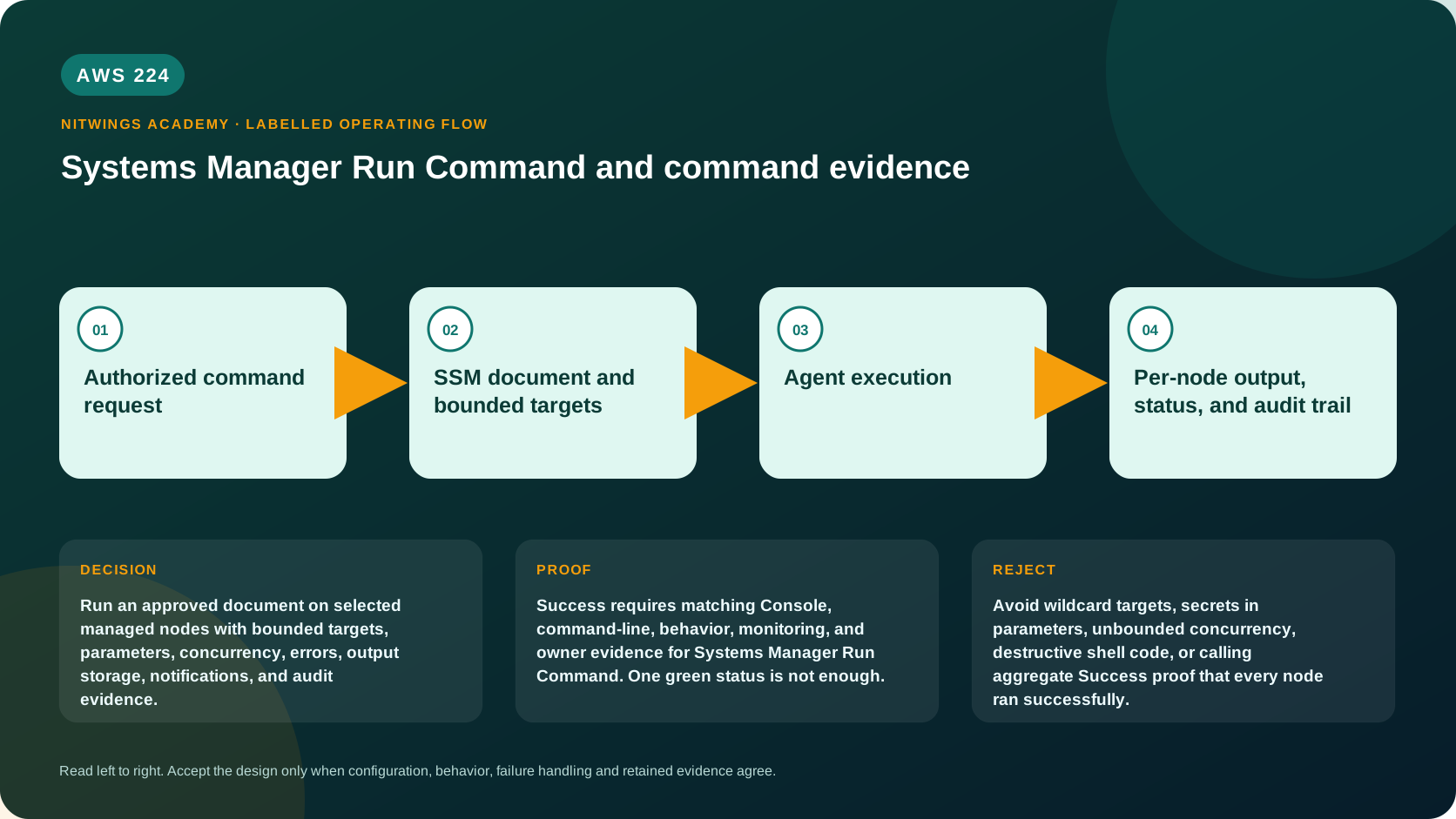
The execution and evidence model
authorized SendCommand caller
        |
        v
document name + exact version/hash + bounded parameters
        |
        v
target resolution -> max concurrency queue
        |
        v
SSM Agent -> ordered document plugins -> process exit code
        |
        +--> per-plugin status/output
        +--> per-node invocation status
        +--> aggregate command status/counters
        +--> optional CloudWatch Logs/S3/SNS/EventBridge evidence
Run Command has no automatic application rollback. Stopping or cancelling is best effort and cannot undo a command already completed. Every mutating action needs a separate tested rollback command/runbook and data-safety plan.
Three levels of status
| Level | Unit | Why it matters |
|---|---|---|
| Plugin | one document step on one node | exact response code, timing and output |
| Invocation | complete document on one node | target-specific terminal outcome |
| Command | aggregate across targets | rollout progress and threshold behavior, not proof of every target |
Important states include Pending, InProgress, Delayed, Success, Failed, DeliveryTimedOut, ExecutionTimedOut, Cancelled, Terminated, Undeliverable, and aggregate Incomplete.
Success requires careful interpretation:
- one node normally means Agent returned exit code zero;
- at fleet level, failures might not have crossed
max-errors; - one invocation can succeed while others time out;
- a tag target that resolves to zero nodes can report success;
- a script can hide an earlier failure if only its final command exits zero.
Therefore acceptance requires expected target count, every invocation/plugin result, response code, changed behavioral check and output - not aggregate status alone.
Target safety
Use an explicit node ID for the canary. For a fleet, target immutable ownership/environment tags or an approved resource group, then independently preview the matching managed nodes. Tags are eventually consistent and mutable; combine IAM conditions, change approval and conservative concurrency.
Never use an unreviewed broad tag such as Environment=prod, wildcard resource permission, or “all managed nodes.” Record expected IDs/count before SendCommand and compare resolved TargetCount afterward. A target can disappear, go offline or change tags between preview and execution.
Document and parameter safety
Prefer an AWS-owned document only after reviewing its current owner, document type, platform, parameters and version. For a custom document, use version control, peer review, immutable numbered versions, default-version governance and optional SHA-256 verification.
The P11 read-service-status document demonstrates:
- schema 2.2 and Linux precondition;
- a service-name allowlist pattern excluding whitespace/shell metacharacters;
interpolationType: ENV_VAR, which suppliesSSM_ServiceNameas data;- fallback for agents older than environment interpolation support;
set -euo pipefailand a finalsystemctl is-active --quietresponse code;- a 30-second plugin timeout and no state change.
Environment interpolation improves handling but does not validate meaning. Use allowedPattern too, quote every variable, and never pass a free-form “commands” parameter when the intended operation can be modeled as bounded fields.
SSM document parameter references do not directly support Parameter Store SecureString. Do not decrypt a secret in CloudShell and put plaintext into SendCommand parameters; those values can enter history, CloudTrail and output. Design node-side retrieval with a scoped node role and prevent secret printing.
Timeout and fleet controls
- Delivery timeout limits how long the service waits for a command to reach a node.
- Execution timeout is a document/plugin input limiting running code.
- Total timeout behavior combines service delivery and document execution timing; inspect both values.
max-concurrencyis an integer or percentage limiting simultaneously processed targets.max-errorsis an integer or percentage threshold that stops dispatching new invocations after failures cross it; already running/queued work means actual failures can exceed the threshold.- Delivery timeouts have special aggregate/error-threshold behavior and do not substitute for per-node review.
For a first fleet action use one canary, then a small count/percentage, max-errors=0, and explicit promotion approval. “0 errors” is a stop threshold, not a guarantee that only zero nodes can fail.
Inspect the artifact locally
curl -sS -o read-service-status.yaml \
  http://xupdate.nitwings.com/downloads/aws-academy/p11-cloudformation-automation/read-service-status.yaml
test -s read-service-status.yaml
rg -n 'schemaVersion|allowedPattern|interpolationType|precondition|timeoutSeconds|set -euo|systemctl' read-service-status.yaml
Review the fallback: direct {{ServiceName}} interpolation is safe here only because the same strict allowed pattern excludes shell syntax. Require Agent 3.3.2746.0 or later for native ENV_VAR interpolation before removing fallback compatibility.
Read-only command history
Inspect only an approved historical command:
export AWS_DEFAULT_REGION="ap-south-1"
aws sts get-caller-identity --query Arn --output text
aws ssm list-commands --max-results 20 \
  --query 'Commands[].{Id:CommandId,Document:DocumentName,Version:DocumentVersion,Status:Status,Details:StatusDetails,Targets:TargetCount,Completed:CompletedCount,Errors:ErrorCount,DeliveryTimeouts:DeliveryTimedOutCount}' \
  --output table

command_id="exact-approved-command-id"
aws ssm list-command-invocations --command-id "$command_id" \
  --details --output json
For each invocation capture node ID, status/status details, response code, start/end, plugin name, standard output/error and output URLs. Redact internal data. API/Console inline output can be truncated; approved CloudWatch Logs or S3 output provides longer retention and centralized evidence but adds permissions, encryption, retention and cost boundaries.
Reviewed execution plan - do not run in this lesson
This is the exact plan for a future approved canary after the document is created and its version/hash recorded:
# MUTATING CONTROL-PLANE ACTION: planning example only; do not execute in AWS224.
aws ssm send-command \
  --document-name nw-p11-read-service-status --document-version 1 \
  --targets Key=instanceids,Values=exact-approved-canary-node-id \
  --parameters ServiceName=amazon-ssm-agent \
  --timeout-seconds 60 --max-concurrency 1 --max-errors 0 \
  --cloud-watch-output-config CloudWatchOutputEnabled=true,CloudWatchLogGroupName=/nw/p11/run-command \
  --comment 'CHG-0000 read-only SSM Agent status canary'
Before approval, prove:
- AWS223 readiness is current.
- document content hash/version matches reviewed source;
- exact canary node and owner;
- caller may use only this document/target;
- node role can reach approved output dependencies;
- expected output and exit codes for active, inactive and missing units;
- data classification/retention for command history and logs;
- fleet promotion and stop authority.
Console evidence
Open Systems Manager > Run Command > Command history in the correct account/Region. For one approved historical command:
- record command ID, document/version, comment/change ticket and requested targets;
- compare expected and resolved target counts;
- inspect concurrency/errors/timeouts and output destinations;
- expand every node invocation and plugin;
- compare response code and output to the claimed behavior;
- inspect CloudTrail for caller/request and endpoint evidence for notification;
- do not rerun, cancel or copy sensitive output.
Diagnose failures
| Symptom | First evidence | Correction |
|---|---|---|
| aggregate Success, zero work | TargetCount=0 and target tags | correct bounded targeting; do not claim success |
| one node absent | AWS223 ping/Region/platform and resolved targets | restore readiness or exclude with recorded reason |
| DeliveryTimedOut | Agent heartbeat and command delivery window | repair control channel; do not just extend execution timeout |
| ExecutionTimedOut | plugin timing, process tree and execution timeout | bound work, make resumable/idempotent, increase only with evidence |
| script says Success after failure | command sequence and final exit code | strict mode/explicit checks and nonzero failure exit |
| access denied before dispatch | caller document/target IAM conditions | repair caller policy |
| node process access denied | node role, OS user, file/service permission | repair the correct node-side boundary |
| output absent/truncated | plugin result and S3/Logs destination policy/KMS | use approved durable output and verify delivery |
| too many nodes affected | target resolution/concurrency/in-flight work | cancel best effort, invoke incident/rollback plan |
Cost, retention and cleanup
Run Command itself can trigger charged compute/API work. CloudWatch Logs/S3 output, KMS, SNS, VPC endpoints, data transfer and retained nodes can cost money. Command history and output have different retention; set an evidence owner and do not use command history as permanent audit storage.
AWS224 creates no document and sends no command. Delete only the downloaded local copy if unneeded. Do not delete historical commands, logs, buckets, topics or existing documents inspected read-only.
Knowledge check
- Why can command
Successbe misleading?
It can hide zero tag matches, tolerated failures/timeouts or a script's incorrect zero exit.
- What is the difference between delivery and execution timeout?
One limits reaching the node; the other limits code after execution starts.
- Does
max-errors=0ensure no failures?
No; it stops new dispatch after the threshold, while in-flight work can fail too.
- Why use
ENV_VARplus an allowed pattern?
It treats input as data and separately constrains acceptable values.
- Does cancelling undo completed changes?
No; cancellation is best effort and rollback is separate.
Lesson acceptance
- Command/plugin/invocation status and all important terminal states are distinguished.
- Expected/resolved targets and per-node/plugin evidence are required for success.
- P11 document passes schema, interpolation, pattern, platform, timeout and exit-code review.
- Delivery/execution timeout and concurrency/error-threshold behavior are calculated.
- Secret, output, CloudTrail, S3/Logs and notification boundaries are documented.
- A canary-to-fleet plan exists, but no command or document is created in this lesson.