
AWS 226: State Manager associations and desired-state drift
Why this lesson matters
State Manager repeatedly applies an SSM document to a changing target set. It can install an agent, enforce a configuration or collect Inventory, but only if the document is idempotent and the association's schedule, parameters, targets, rate controls and evidence match the intended policy. A successful execution proves that one document run completed; it does not prove arbitrary desired state still holds.
What you will be able to do
By the end, you can:
- distinguish SSM document, association definition, association version, execution and target result;
- predict immediate runs, scheduled runs and runs triggered by target/configuration changes;
- design cron/rate schedules, schedule offsets and
ApplyOnlyAtCronInterval; - select dynamic targets with bounded concurrency/errors and change-calendar/alarm controls;
- distinguish idempotent convergence from one-time scripting;
- interpret association status, execution history, per-target output and compliance time;
- explain why CloudTrail alone does not capture APIs called inside node-side document execution;
- design safe drift injection, convergence proof and rollback without executing it.
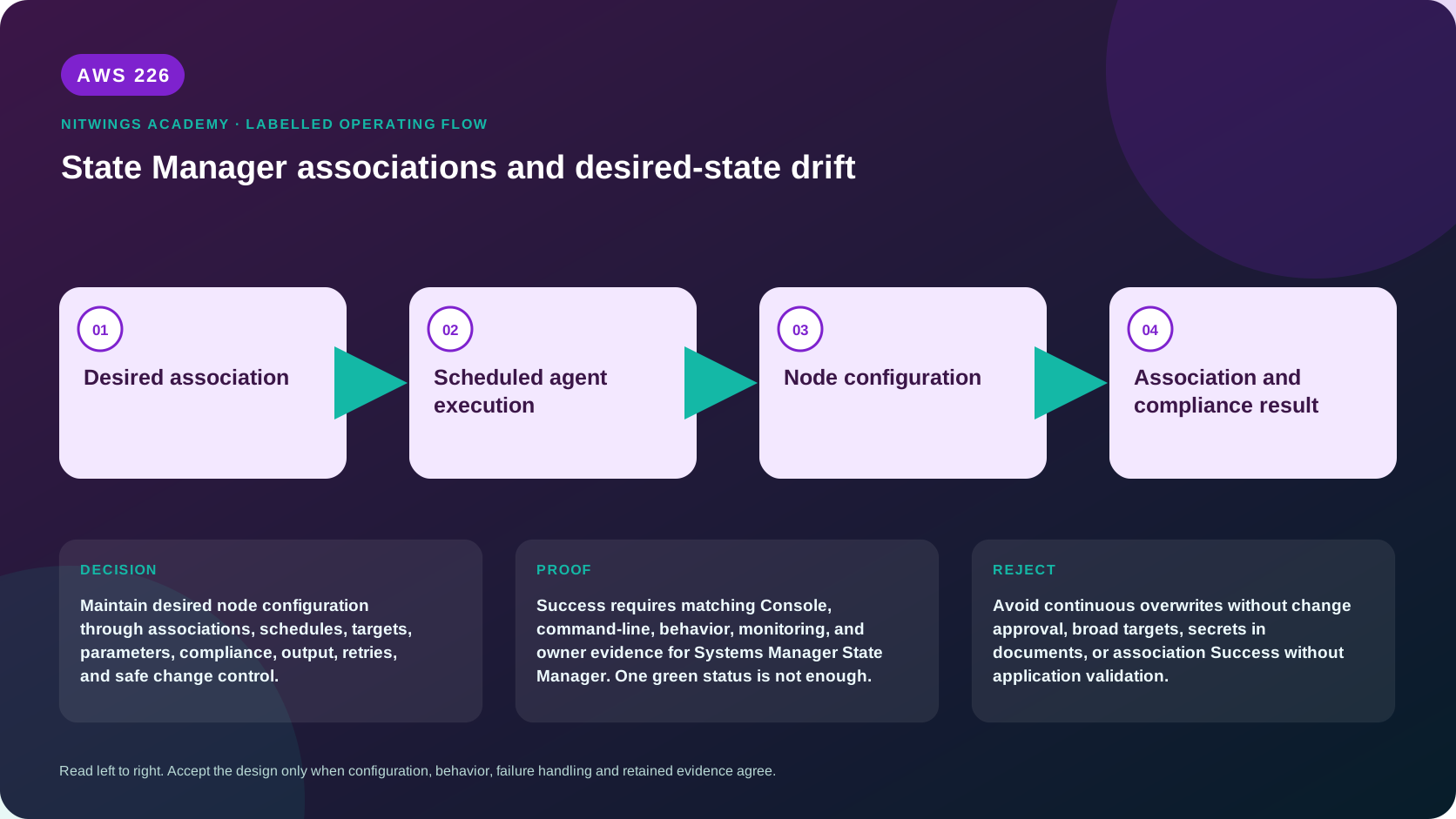
Association model
reviewed document version + bounded parameters
                    |
association: targets + schedule + rate/error + gates + output
                    |
          target set resolved each run
                    |
                    v
per-node document execution -> desired-state check/change
                    |
                    v
execution/target status + output + compliance aggregation
                    |
              next interval/retry
State Manager is Regional. Tag/resource-group targets are dynamic: newly matching managed nodes can receive the association. That is useful for Auto Scaling fleets and dangerous when tag ownership is weak.
Objects and versions
| Object | Meaning |
|---|---|
| SSM document | versioned procedure and input schema |
| Association | binding of document/version/parameters to targets and operational controls |
| Association version | version of the binding after an update, separate from document version |
| Execution | one scheduled/manual/change-triggered application |
| Execution target | one target's detailed status/output |
| Compliance item | aggregated compliant/noncompliant report with assigned severity |
Pin a reviewed numbered document version for production. Updating a document's default version can otherwise change future behavior when the association follows $DEFAULT. Cross-account shared documents have additional version-update limitations.
When associations run
By default, a new association runs immediately and then on its schedule. It can also run after association/document/parameter changes and when targets change or return online under documented rules. If a target misses an interval because concurrency prevented execution, State Manager attempts it in a later interval.
ApplyOnlyAtCronInterval suppresses immediate/change-triggered application and waits for the next cron occurrence. It is required for schedule offsets and isn't supported for rate expressions. An offset of 1–6 days shifts an eligible cron occurrence - for example, patch Tuesday plus two days.
Association schedules have a minimum 30-minute interval. A new scheduled execution can supersede/time out an earlier still-running association, so the interval must exceed worst-case convergence time with margin.
Idempotency is the core requirement
An idempotent desired-state document:
- reads current state;
- validates ownership and platform;
- exits zero without change when already compliant;
- changes only the declared property when noncompliant;
- verifies resulting state;
- returns nonzero with a bounded redacted reason on failure;
- can safely repeat after partial execution or reboot.
“Append this line,” “create a random file,” “always restart,” and “download latest” are not naturally idempotent. Prefer atomic file replacement, pinned artifact hash/version, service reload only when content changed, backup/rollback and explicit postcondition checks.
Target and blast-radius controls
- Preview exact current managed nodes for the intended tags/resource group.
- Use ownership/environment/role tags governed by IAM conditions.
- Canary one representative node before percentage rollout.
- Set
MaxConcurrencyandMaxErrorsas counts or percentages. - Remember already-running work can exceed the observed error threshold.
- Use a change calendar to block closed periods.
- Use a CloudWatch alarm gate so alarm state prevents pending association work; define behavior when the alarm cannot be read.
- Store output only in an encrypted, scoped S3 location when needed.
The dispatch role, caller permissions and node role are separate. Document code that calls AWS APIs on the node uses node credentials; those internal API calls are not necessarily represented as distinct State Manager control-plane events in CloudTrail.
Association compliance
Automatic association compliance generally maps successful execution to compliant and failed execution to noncompliant at the configured severity. That is execution compliance, not universal configuration truth. A weak script that exits zero without checking state can falsely report compliant.
The ExecutionTime shown in Systems Manager Compliance is the compliance-capture time and can be shared across multiple association items; use association execution/target history for actual run times. Aggregations can lag and should not replace per-target evidence.
For custom compliance semantics, the document must deliberately report a valid compliance item and own its lifecycle. Do not use manual compliance to hide a failed association.
Read-only inspection
export AWS_DEFAULT_REGION="ap-south-1"
aws sts get-caller-identity --query Arn --output text
aws ssm list-associations \
  --query 'Associations[].{Id:AssociationId,Name:AssociationName,Document:Name,Version:DocumentVersion,Targets:Targets,Schedule:ScheduleExpression,Last:LastExecutionDate,Status:Overview.Status}' \
  --output json
Choose one exact approved association:
association_id="exact-approved-association-id"
aws ssm describe-association --association-id "$association_id" --output json
aws ssm describe-association-executions \
  --association-id "$association_id" --max-results 20 --output json

execution_id="exact-execution-id-from-previous-output"
aws ssm describe-association-execution-targets \
  --association-id "$association_id" --execution-id "$execution_id" \
  --output json
Compare association name/ID/version, document/version, parameters, targets, schedule, offset/immediate behavior, calendar/alarm, output location, compliance severity, max concurrency/errors, execution start/end/status, detailed status, target IDs and output source. Redact internal values.
Console inspection
Open Systems Manager > State Manager in the correct account/Region:
- select only an approved association and record ID/version;
- inspect document owner/version and parameter values;
- expand exact targets and compare current target count;
- inspect schedule, offset/immediate mode and next execution;
- inspect rate/error controls, calendar, alarm and output;
- open Execution history, then every target in one execution;
- compare Compliance capture time with actual execution time;
- do not choose Apply, Edit, Delete or Execute in this lesson.
Desired-state design exercise
Design an association using the P11 read-service-status document as a starting point, but do not create it. Because that document only reads state, it can detect an inactive amazon-ssm-agent service but cannot converge it. Produce a second conceptual document contract:
- state: exact approved service installed, enabled and active;
- platform: Linux precondition;
- input: bounded service/package/artifact version, no free-form shell;
- precheck: ownership, package source/hash, disk and current state;
- change: install/update only if version differs; enable/start only if needed;
- validation: package version plus
systemctl is-enabledandis-active; - rollback: restore prior package/config and service state;
- schedule: weekly cron with no immediate run until canary approval;
- targets:
Project=NitWings-P11,Role=canary, expected one; - concurrency 1, errors 0, encrypted output, alarm/change-calendar gates.
Controlled drift experiment plan
For a future disposable canary:
- capture file/package/service baseline and association execution ID;
- apply association and prove no-change idempotent pass;
- inject one harmless owned drift, such as stop a disposable demo service;
- wait for the next approved execution or start it manually;
- prove the same document restored state and only intended fields changed;
- run it again and prove no additional change/restart;
- inject a denied dependency and prove nonzero failure/noncompliance;
- restore dependency, use changed test evidence, and delete the disposable association/artifacts.
Do not stop SSM Agent itself for a convergence experiment: doing so can remove the channel required to repair it.
State Manager versus neighboring tools
| Requirement | Tool |
|---|---|
| recurring desired state on dynamic resources | State Manager |
| immediate auditable fleet command | Run Command |
| timed disruptive task with duration/cutoff | Maintenance Windows |
| multi-step AWS API workflow/branching/approval | Automation |
| OS patch selection/compliance/install | Patch Manager |
| immutable server configuration | image pipeline plus replacement, optionally State Manager for verification |
Diagnose failures
| Symptom | First evidence | Correction |
|---|---|---|
| ran immediately unexpectedly | ApplyOnlyAtCronInterval and creation/update time | design cron-only behavior before creation |
| target count changed | tags/resource group and new/returned nodes | repair target governance; do not widen blindly |
| overall success but node drifted | document postcondition and per-target output | make document verify actual state and exit nonzero |
| repeated restart/change | current-state comparison/idempotency | update only on difference |
| execution skipped/blocked | calendar/alarm state and retrieval errors | correct gate or wait approved window |
| target failed | Agent readiness, plugin exit/output and node dependencies | repair first node-side boundary |
| association stays pending | concurrency, offline targets and interval overlap | reduce target/worst-case duration or restore nodes |
| Compliance time confusing | execution history versus capture time | report both with their meanings |
| cross-account document changed | shared document version/update behavior | pin/copy through governed artifact process |
Cost and cleanup
Association execution can incur Automation steps, compute/package transfer, S3/KMS output, CloudWatch alarms, VPC endpoints, logs and downstream service calls. Dynamic targeting can multiply cost whenever instances launch.
AWS226 creates/runs nothing. Do not delete or update inspected associations/documents. The local design and drift-experiment plan are the deliverables; redact node IDs, internal tags and output URLs.
Knowledge check
- When does a scheduled association normally first run?
Immediately on creation, then on schedule, unless cron-only behavior is explicitly selected.
- What is required to use a schedule offset?
A supported cron schedule plus ApplyOnlyAtCronInterval.
- Does successful execution prove desired state?
Only if the document checks and verifies that state correctly.
- Why must association documents be idempotent?
They repeat on schedules, target changes and retries.
- Is Compliance
ExecutionTimealways the node run time?
No; it is compliance capture time - use execution history for actual timing.
Lesson acceptance
- Document, association/version, execution, target and compliance objects are distinguished.
- Immediate, scheduled, target-change, retry and cron-only behavior are predicted.
- The design has bounded parameters/targets, idempotent convergence, postcondition and rollback.
- Concurrency/errors, alarm/calendar and encrypted-output boundaries are specified.
- Execution and compliance timestamps/statuses are interpreted from per-target evidence.
- No association is created or run; a safe disposable drift experiment is fully designed.