
AWS 233: Data Lifecycle Manager for EBS snapshots and AMIs
Why this lesson matters
Amazon Data Lifecycle Manager (DLM) automates Amazon EBS snapshot and EBS-backed AMI lifecycles. A policy can still miss an untagged volume, capture only crash- consistent data, retain an unusable encrypted copy, deprecate an AMI still used by a launch template, or stop deleting artifacts when the policy is disabled.
DLM is EC2/EBS-specific lifecycle automation - not a complete multi-service backup strategy, application validator, legal-hold system or image build/test pipeline.
Outcomes
You will be able to:
- distinguish default, custom snapshot, custom AMI and event-based copy policies;
- explain volume versus instance targets and multi-volume snapshot sets;
- design up to four custom schedules with count/age retention;
- distinguish crash-, filesystem- and application-consistent recovery;
- trace DLM → Systems Manager pre/post scripts → Agent → application freeze/thaw;
- review cross-Region/account copy, KMS, archive and fast snapshot restore;
- distinguish AMI creation, deprecation, disabling, deregistration and snapshots;
- diagnose policy, target, role, schedule, script, copy and retention failures;
- choose DLM versus AWS Backup, EC2 Image Builder, native/manual snapshots and
Recycle Bin with one authoritative lifecycle owner;
- prove restore/launch behavior, exact cleanup and retained cost.
Safety boundary and workbook
- This is no-create. Commands are read-only; do not create/enable a policy,
snapshot, AMI, copy, archive, FSR or restore.
- Use a non-root audit role. Confirm account/Region and redact IDs/ARNs.
- Do not delete a snapshot/AMI because its description looks old. Prove creator,
policy ID, dependencies, legal retention, Recycle Bin and owner approval.
- Never enable crash-consistent fallback for a transactional workload without an
explicit data-owner decision and tested recovery consequences.
Download the DLM policy and recovery worksheet or complete archive.
The lifecycle model
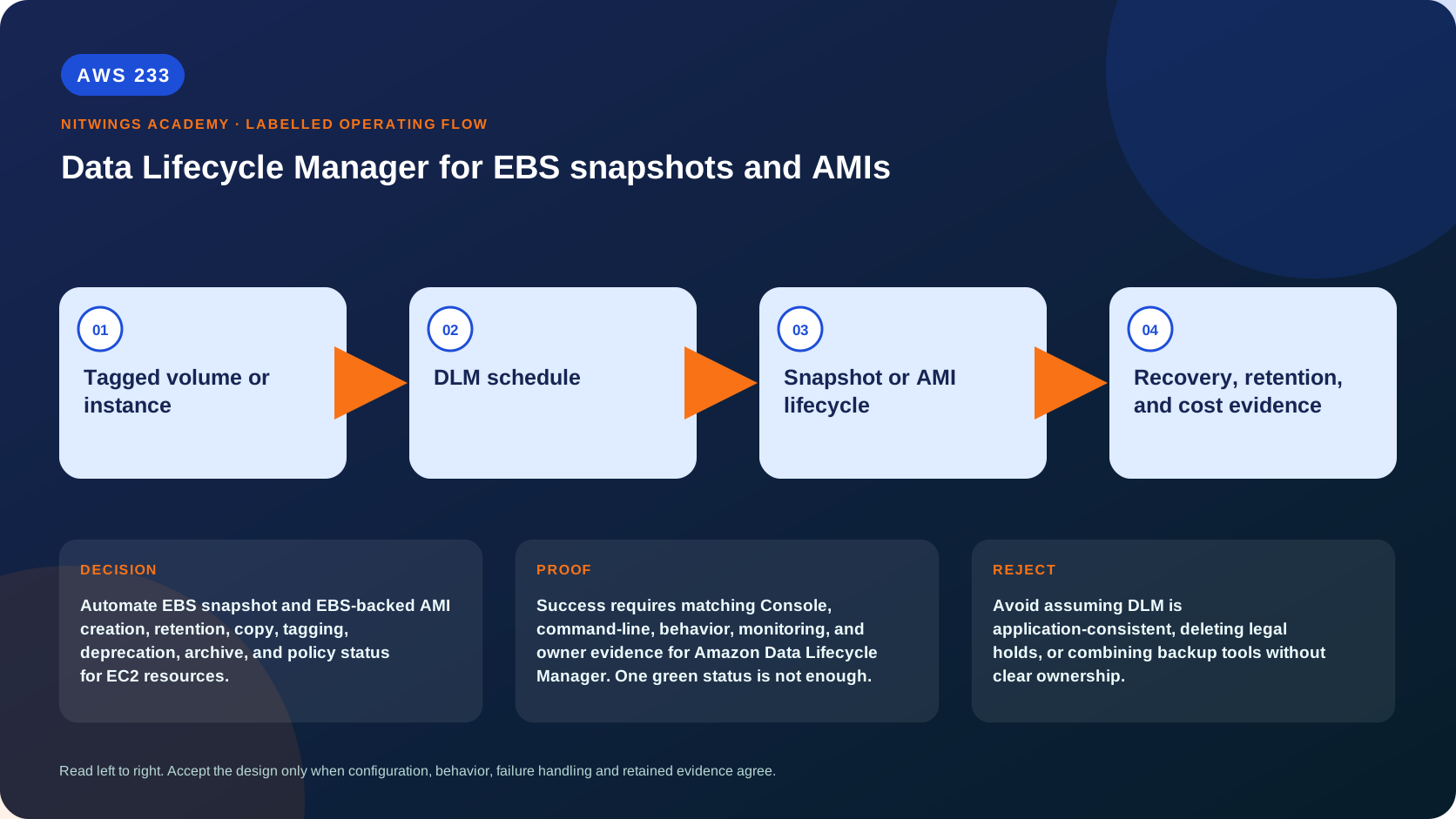
tagged volume or instance
  -> DLM policy + execution role
  -> schedule
  -> optional SSM pre-script: freeze/flush
  -> EBS snapshot set or EBS-backed AMI
  -> optional SSM post-script: thaw
  -> tags + optional copy/archive/FSR/deprecation
  -> age/count retention
  -> delete snapshot or deregister AMI/backing snapshots
  -> isolated restore/launch validation
DLM manages only snapshots and AMIs it created. It cannot adopt lifecycle ownership of manual, AWS Backup, Image Builder or other-tool artifacts. System tags - including policy/schedule identifiers - are therefore critical evidence.
Policy families
| Policy | Target and behavior | Best fit | Key limitation |
|---|---|---|---|
| Default EBS snapshot | all eligible regional volumes except configured exclusions | baseline broad coverage | less advanced; one per Region/resource type |
| Default EBS-backed AMI | eligible regional instances except exclusions | broad AMI safety net | not an image build/test pipeline |
| Custom snapshot | tagged volumes or instances; advanced schedules/actions | workload-specific volume protection | tag governance required |
| Custom AMI | tagged instances; create/copy/deprecate/deregister | instance configuration recovery | only EBS-backed AMIs |
| Cross-account copy event policy | reacts to shared snapshots and copies them | isolated copy workflow | does not create source snapshot |
Custom policies support one mandatory and up to three optional schedules, so a single policy can create daily, weekly, monthly and yearly generations. Current quota is 100 custom lifecycle policies per Region, with one default policy for each default resource type; always verify current quotas.
Default versus custom behavior
Default policies target all eligible resources in a Region unless exclusions remove boot volumes, volume types or tags. They do not necessarily create a new backup every run: a resource with a sufficiently recent snapshot/AMI can be skipped, and newly created targets are at least 24 hours old before eligibility. Targets are assigned within a randomized four-hour window, so “daily” is not an exact minute-level RPO.
Default snapshot and AMI policies avoid some duplicate snapshots when both cover the same volumes. When a target is deleted, default policy retention normally deletes prior artifacts up to - but not including - the last backup. ExtendDeletion changes last-backup behavior. If a default policy is disabled, errors or is deleted, lifecycle deletion can stop unless extend deletion was configured. Inventory retained artifacts and cost before changing policy state.
Custom policies select exact tag key/value targets. When targeting an instance, DLM creates a multi-volume snapshot set for attached EBS volumes, subject to root and data-volume tag exclusions. That aligns initiation across volumes, but does not create database transaction consistency by itself.
Schedule and retention design
For every schedule record frequency/cron, expected initiation window, creation tags, count- or age-based retention and advanced actions. DLM initiates snapshots within its documented scheduling window; measure achieved point age rather than assuming exact cron execution.
Count retention keeps a number of DLM-created artifacts; age retention deletes after elapsed age. Multiple schedules produce separate system schedule tags and retention populations. A “monthly” point can also match another backup tool, but each tool manages only its own artifacts.
Before shortening retention, check:
- oldest required recovery/legal point and ransomware dwell-time assumptions;
- AMIs/snapshots referenced by launch templates, Auto Scaling, copies or shares;
- incremental snapshot dependency semantics (EBS preserves required blocks even
when earlier snapshots are deleted, but billing/reclaim timing is not naïve);
- Recycle Bin retention rules and delayed permanent deletion;
- archive minimums/retrieval time and cross-Region copies;
- policy-disabled/error behavior and last-backup rules.
Consistency: what a snapshot actually proves
An EBS snapshot without application coordination is generally crash-consistent: it captures persisted blocks as the storage system sees them. Filesystem caches, database buffers and transactions may not form a valid business point. A set of volume snapshots is not automatically application-consistent.
DLM custom instance-targeted snapshot policies can use Systems Manager pre- and post-scripts:
- DLM invokes the chosen SSM document with pre-script parameter.
- SSM Agent freezes/quiesces the application and flushes buffered writes.
- DLM initiates snapshots.
- DLM invokes post-script to thaw/resume the application.
- command, DLM metric/event and application health evidence are correlated.
Requirements include online/up-to-date SSM Agent, managed-node permissions, DLM role permission to invoke SSM, a reviewed/pinned document, correct timeout/ retry and application-specific safe freeze/thaw behavior. Windows VSS and supported application patterns have their own prerequisites.
If pre-script retries exhaust, configuration decides whether DLM creates a crash-consistent snapshot or skips creation. If post-script fails after a successful freeze and snapshot initiation, the workload may remain frozen even though snapshots exist; an independent auto-thaw/watchdog and urgent alarm are essential. Snapshot data transfer may continue after post-script completion.
Evidence must include command IDs, pre/post status, DLM event, snapshot set IDs, application freeze duration and post-thaw health - not only completed snapshots.
Snapshot advanced actions
Cross-Region and cross-account copy
Copies create another snapshot identity, Region/account permission and KMS boundary. Verify source snapshot encryption, destination KMS key policy/grants, DLM execution role, destination account sharing/copy policy, retention and copy completion. A shared encrypted snapshot is unusable without key access.
Event-based policies can copy snapshots shared into an account, commonly to remove dependency on continued source sharing. Match exact source account/tag conditions and monitor EventBridge/CloudTrail. Copy success still needs an isolated volume restore and data validation.
Archive
Snapshot Archive can lower long-retention storage price but has minimum billing/ retention and longer retrieval. Archive transitions and restores are asynchronous; archived snapshots cannot satisfy rapid RTO until restored to standard tier. Verify current DLM archive support and lifecycle constraints for the schedule.
Fast Snapshot Restore
FSR initializes restored EBS volumes for full performance without waiting for lazy block loading. It is enabled per snapshot and Availability Zone and incurs time-based charges with minimum billing rules. Use only for measured recovery performance needs; enablement quotas and cost must be monitored/disabled by DLM. FSR is not a substitute for restoring and testing the application.
EBS-backed AMI lifecycle
An AMI contains regional launch metadata plus references to backing snapshots. DLM can create, tag, copy, deprecate and deregister EBS-backed AMIs and manage their backing snapshots. It cannot manage instance-store-backed AMIs.
- Create: capture instance block-device configuration;
NoReboottrades
availability against consistency. Application quiescing still matters.
- Copy: produces a new regional AMI and backing snapshots/key relationship.
- Deprecate: hides it from normal discovery for consumers, but known AMI IDs,
owners and launch services can still use it. It still incurs snapshot cost.
- Disable: blocks new launches but does not affect running instances; distinct
from deprecation.
- Deregister: prevents new launches. It does not terminate existing instances.
Backing snapshots require correct ownership/dependency handling; one snapshot referenced by multiple AMIs cannot simply be deleted.
- Recycle Bin: a matching rule can retain deregistered AMIs/snapshots for
recovery before permanent deletion.
Before deprecation/deregistration, inventory launch template versions, Auto Scaling groups, EC2 Fleet, Spot templates, disaster-recovery runbooks, shares and last-used evidence. Test-launch the candidate AMI in an isolated subnet and verify boot, cloud-init, SSM, security updates, application health and cleanup. Use EC2 Image Builder when patch/build/component tests, distribution and image pipeline provenance are the real requirement.
IAM, KMS and ownership boundaries
The DLM service assumes its execution role. Review trust for dlm.amazonaws.com, snapshot/image/tag/copy operations scoped where APIs permit, SSM permissions for scripts, KMS key policy/grants and cross-account conditions. The caller needs policy-management and iam:PassRole only for the exact approved role, constrained to DLM where possible.
Managed default roles simplify setup but are not proof of least privilege. Permissions boundaries, SCPs, key policies, snapshot permissions and explicit denies can still block execution. Never add administrator access to clear a DLM ERROR state; read the status message and CloudTrail denial first.
Read-only inventory
export AWS_DEFAULT_REGION="ap-south-1"
aws sts get-caller-identity --output json
aws dlm get-lifecycle-policies --output json
aws dlm get-lifecycle-policies --policy-type EBS_SNAPSHOT_MANAGEMENT --output json
aws dlm get-lifecycle-policies --policy-type IMAGE_MANAGEMENT --output json
For every policy:
aws dlm get-lifecycle-policy --policy-id "$policy_id" --output jsonInspect State, StatusMessage, PolicyType, default/custom details, target tags/exclusions, role, schedules, retention, copy, scripts, archive, FSR and tags. Then correlate DLM-owned artifacts by immutable system tags:
aws ec2 describe-snapshots --owner-ids self \
  --filters Name=tag:aws:dlm:lifecycle-policy-id,Values="$policy_id" --output json
aws ec2 describe-images --owners self --include-deprecated \
  --filters Name=tag:aws:dlm:lifecycle-policy-id,Values="$policy_id" --output json
For each snapshot inspect state/progress/start time/volume ID/size/encryption/key, storage tier, sharing, tags and restore status. For each AMI inspect state, creation/deprecation/disabled/public flags, block-device mappings, snapshot IDs, launch permissions and all launch-template references.
Inventory competing owners:
aws backup list-protected-resources --output json
aws imagebuilder list-image-pipelines --output json
aws rbin list-rules --resource-type EBS_SNAPSHOT --output json
aws rbin list-rules --resource-type EC2_IMAGE --output json
Restore and launch proof
A snapshot is proven only by creating an isolated volume in a compatible AZ, attaching to a disposable test instance, mounting read-only where appropriate, and validating filesystem/database checksums and application invariants. Measure snapshot age and time to usable performance, including archive retrieval/FSR.
An AMI is proven by isolated launch with restricted egress, safe secrets and no production registration; verify boot, devices, encryption, instance profile, cloud-init, SSM, package/application health and expected architecture. Record test instance/volume IDs and exact deletion. This lesson designs that test but does not create it.
Failure diagnosis
| Symptom | First evidence | Likely boundary |
|---|---|---|
policy ERROR | status message and CloudTrail | role/trust, KMS, invalid config, quota |
| target not captured | exact tags/age/exclusions/Region | tag mismatch, default recent/24h behavior, wrong type |
| snapshot exists but not DLM-managed | system policy/schedule tags | another creator; DLM cannot adopt it |
| pre-script failed | SSM command/plugin and agent log | node readiness, document/input/timeout/application |
| snapshots created after pre failure | script fallback setting | configured crash-consistent fallback - not app consistency |
| application remains frozen | post-script status/application health | thaw failed; invoke tested emergency path |
| copy failed | DLM event/CloudTrail/key/share | role, KMS, destination policy, unsupported state |
| AMI still visible after deprecation | explicit ID/owner/include-deprecated | expected semantics; deprecation is not deletion |
| backing snapshot remains | AMI references/Recycle Bin/other owner | dependency or retention prevents deletion |
| costs remain after policy disabled | DLM ownership tags and policy behavior | deletion stopped; retained last/artifacts/archive/FSR |
Choosing one lifecycle owner
| Need | Best starting point |
|---|---|
| EC2/EBS snapshot or AMI schedule with advanced EC2 actions | DLM |
| centralized multi-service/account backup, vault controls, restore testing | AWS Backup |
| patched/tested image build and distribution pipeline | EC2 Image Builder |
| accidental-deletion recovery window | Recycle Bin |
| one-off operator snapshot | manual/API, with explicit owner/retention |
Using multiple tools can be valid for different objectives, but document which one creates, retains, archives, copies, deprecates, deregisters and deletes each artifact. Otherwise duplicate cost and contradictory retention are inevitable.
Cost, practical work and acceptance
DLM has no additional service fee, but EBS snapshot standard/archive storage, archive restore, cross-Region transfer/copies, FSR per AZ/time, KMS requests, temporary volumes/instances, CloudWatch and retained AMI snapshots charge. Incremental billing depends on changed blocks and shared snapshot data; estimate from measured change rate, not volume provisioned size alone.
Complete every worksheet field for one database instance with data volumes and one golden-AMI candidate. Include default/custom choice, four-generation schedule, tag positive/negative tests, count/age retention, role/KMS/copy, pre/post failure behavior, archive/FSR decision, AMI references, competing tools, restore/launch validation, alarms and exact cleanup.
Reject assumed application consistency, ungoverned target tags, default policy without exclusions review, unsupported copy/archive, deprecated-equals-deleted reasoning, policy deletion as cleanup proof, or any artifact without one owner.
Knowledge check
- Can DLM manage a manual snapshot? No; it manages snapshots/AMIs it creates.
- Does multi-volume snapshot mean database-consistent? No; coordinate the
application with tested pre/post scripts or native consistency controls.
- What if pre-script exhausts retries? Depending on policy, create crash-
consistent snapshots or skip creation; post-script does not run.
- Does deprecated AMI block known-ID launches? No. Disable/deregister have
different effects, and running instances remain unaffected.
- Why can data remain after disabling a default policy? Automated deletion
can stop; last-backup/extend-deletion, archive and Recycle Bin also matter.
- DLM or Image Builder? DLM for lifecycle capture; Image Builder for a
componentized, patched, tested and distributed image pipeline.