
AWS 234: RDS and DynamoDB backup, recovery, and failover operations
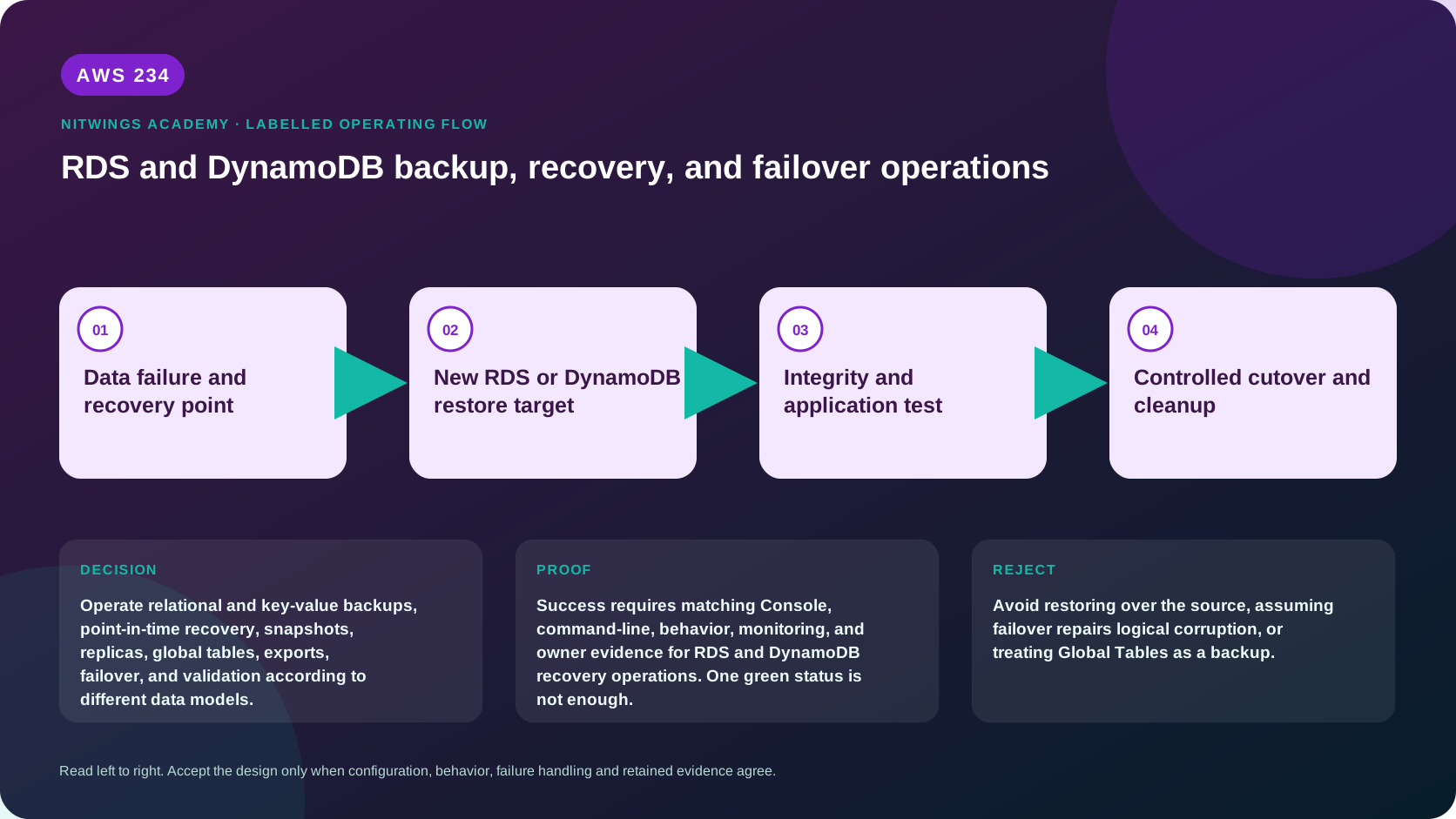
Why this lesson matters
Availability and historical recovery solve different failures. RDS Multi-AZ, Aurora replicas and DynamoDB Global Tables can keep serving after infrastructure or regional failure. They can also replicate a bad update, accidental deletion or malicious write. Backups and point-in-time recovery preserve older state but restore to a new target that must be secured, validated and cut over.
The architect's job is not “press Restore.” It is choosing a point before the fault, proving keys and dependencies, restoring into isolation, validating business invariants, reconciling legitimate later writes exactly once, fencing writers, controlling cutover/rollback, and proving temporary-resource cleanup.
Outcomes
You will be able to:
- distinguish RDS automated backups, transaction logs, manual snapshots, retained
automated backups, AWS Backup points and snapshot exports;
- distinguish Single-AZ, Multi-AZ DB instance, Multi-AZ DB cluster, read replica,
Aurora Replica and Aurora Global Database behavior;
- calculate actual RPO from earliest/latest restorable times and RTO end to end;
- plan RDS/Aurora snapshot and PITR restoration to a new endpoint;
- distinguish DynamoDB PITR, on-demand backup, AWS Backup, export/import, Streams
and Global Tables;
- identify every DynamoDB setting not recreated automatically after restore;
- explain Global Table replication/conflicts and why it is not a backup;
- validate schema, indexes, data invariants, security, performance and application;
- design idempotent delta replay, controlled cutover, rollback and cleanup;
- diagnose role, KMS, quota, topology, DNS, replication and restore failures.
Safety boundary and workbook
- This lesson is no-create. Commands are read-only. Do not reboot/fail over a DB,
promote a replica, change Global Table routing, restore, delete or cut over.
- Never restore over the source: both services create a new target. Preserve the
source and forensic evidence until the incident/data owner approves disposal.
- Never connect a restored database to production writers or event consumers
during validation. Use isolated networking, safe secrets and restricted IAM.
- Confirm account, Region, UTC and resource ARN privately. Redact customer data,
endpoints, account IDs, keys and secrets from submissions.
Download the database recovery workbook or complete archive.
First principle: classify the failure
| Failure | Availability feature helps? | Historical restore helps? |
|---|---|---|
| host/AZ outage | Multi-AZ/replica usually | not normally first response |
| writer instance failure | managed failover | if failover data is unusable |
| Region unavailable | cross-Region topology/routing | cross-Region copy/restore |
| bad deployment/schema change | likely replicates damage | PITR/snapshot before change |
| accidental delete/corruption | likely replicates damage | PITR/backup plus reconciliation |
| compromised credentials | replica can spread writes | isolated immutable/independent point |
| KMS key unavailable | may make replicas/backups inaccessible | only with usable independent key/copy |
Do not fail over a healthy replica to “repair” logical corruption. Do not restore an old point to solve a brief host failure without calculating data loss.
Shared recovery workflow
detect incident -> fence risky writers -> preserve timeline/audit
  -> determine last known good business state
  -> verify eligible recovery point + KMS/role
  -> restore to unique isolated target
  -> validate control plane, schema, data, security, app, performance
  -> reconcile trusted post-point transactions exactly once
  -> final writer fence and delta
  -> controlled endpoint/routing cutover
  -> monitor and retain rollback target
  -> enable protection on new target
  -> clean temporary resources with exact inventory
RPO is incident time minus the newest validated good point, plus any unrecoverable delta. RTO includes detection, decision, restore queue/runtime, network/IAM/KMS, engine/table availability, data validation, delta replay, cutover and acceptance.
RDS automated backups and snapshots
For DB instances, backup retention can be 0–35 days; zero disables automated backups. Multi-AZ DB clusters require 1–35 days. API/CLI-created DB instances default to one day if omitted, while console creation defaults differ, so always inspect actual configuration. Changing instance retention between zero and nonzero causes an outage.
RDS creates a daily storage snapshot during the backup window and captures transaction logs for PITR; for DB instances logs are uploaded about every five minutes. Restore can target any supported time between EarliestRestorableTime and LatestRestorableTime, not the wall clock “now.” Times must be handled in UTC. Backups require an eligible state such as available; stopped or storage-full databases can create protection gaps.
| Mechanism | Retention/behavior | Recovery use |
|---|---|---|
| Automated backup + logs | rolling configured window | restore DB to selected second/new target |
| Manual snapshot | retained until explicitly deleted | named long-lived point/new target |
| Retained automated backup | optionally retained after source deletion | limited recovery artifact; inspect feature constraints |
| AWS Backup | centralized plan/vault/copy controls | organization-wide policy where supported |
| Snapshot export to S3 | Parquet analytical export for supported engines | not a native RDS snapshot restore substitute |
| Logical dump/binlog/CDC | database-level/selective recovery | complements snapshots; workload-owned consistency |
Automated backup storage and manual snapshots are regional. Cross-Region automated-backup replication or snapshot copy requires destination retention, KMS and monitoring. A copied encrypted snapshot is independent only if the destination key and account controls remain usable.
RDS restoration creates a different database
PITR and snapshot restoration produce a new DB instance or cluster with a new identifier/endpoint. They do not overwrite the source. Explicitly review:
- engine/version compatibility and parameter/option groups;
- DB instance class, storage type/size/IOPS/throughput/autoscaling;
- Multi-AZ topology, subnet group, VPC security groups and public accessibility;
- KMS key, CA certificate, port, authentication, Secrets Manager rotation;
- maintenance/backup windows, deletion protection and monitoring/log exports;
- tags, Performance/Database Insights, enhanced monitoring and alarms;
- RDS Proxy/custom/read/write endpoints and application DNS/configuration;
- dependent files, queues, caches, search indexes and application release.
Restores can initially use default parameter/option groups unless custom groups are specified/applied. A status of available proves the control plane, not that the schema, extension, collation, users, data or application is correct.
Validate read-only first: database identity/time, migrations/schema version, row counts/checksums, foreign keys, business totals, missing/duplicate orders, latest transaction timestamp, query plans and audit log. Never use customer credentials in a shared test environment.
RDS availability topologies and failover
Multi-AZ DB instance
A synchronous standby in another AZ supports automatic failover; it is not a read endpoint. RDS changes the DB endpoint's DNS record, and existing connections must reconnect. Typical failover is documented as 60–120 seconds but long transactions/recovery and client DNS caching can extend observed RTO. Java DNS TTL should generally be no more than 60 seconds per RDS guidance. Test connection pool retry/backoff, transaction ambiguity and DNS refresh.
Multi-AZ DB cluster
This topology has a writer and readable instances across AZs for supported engines, with cluster endpoints and different performance/failover behavior. Do not apply single-standby assumptions; inventory exact engine/topology.
Read replica
Read replicas are generally asynchronous and serve scale/read/DR patterns. Replication lag is potential data loss. Promotion creates an independent writer and requires application endpoint/routing changes; it is not ordinary automatic Multi-AZ failover. Logical corruption can replicate before promotion.
Aurora
Aurora separates distributed cluster storage from DB instances and uses writer/ reader/custom endpoints. Aurora Replicas can be promoted during instance failure. Aurora Global Database replicates to secondary Regions for DR; managed switchover and unplanned failover have different data-loss and topology consequences. Backtrack, where supported, is not a replacement for independent backups.
For every test capture RDS events, old/new AZ or writer, endpoint DNS answers, connection failures, retry duration, transaction outcome, replica lag and actual RTO. Never trigger a failover in this no-create lesson.
Read-only RDS inventory
export AWS_DEFAULT_REGION="ap-south-1"
aws sts get-caller-identity --output json
aws rds describe-db-instances --output json
aws rds describe-db-clusters --output json
aws rds describe-db-snapshots --snapshot-type manual --output json
aws rds describe-db-snapshots --snapshot-type automated --output json
aws rds describe-db-snapshot-attributes --db-snapshot-identifier "$snapshot_id" --output json
aws rds describe-events --duration 1440 --output json
aws rds describe-db-proxies --output json
For instances record BackupRetentionPeriod, backup window, EarliestRestorableTime, LatestRestorableTime, MultiAZ, replica identifiers/ lag metrics, endpoint, subnet/security/parameter/option groups, encryption/key, certificate, deletion protection and pending modifications. For clusters record members/roles, endpoints, global membership and backtrack/PITR fields where valid.
Inspect automated backup replication and AWS Backup separately; one inventory API does not prove every copy. Follow pagination and retain a period exceeding the required RPO rather than checking one recent success.
DynamoDB backup and recovery mechanisms
Point-in-time recovery
PITR continuously protects table data for a configurable 1–35-day window and restores to a selected second between EarliestRestorableDateTime and LatestRestorableDateTime. It does not consume the source table's provisioned throughput. Disabling and re-enabling PITR resets the recoverable start window.
On-demand backup and AWS Backup
On-demand backups are full logical recovery points retained until deleted and run without consuming source throughput. AWS Backup adds scheduled/vault/copy/ audit controls where supported. Record which tool owns retention and deletion.
Export/import and Streams
PITR export to S3 can produce full/incremental analytical data without consuming source RCUs, but importing creates a new table and is a different reconstruction workflow. DynamoDB Streams is a short-lived change stream for CDC/event handling, not a durable backup. It can support carefully audited delta replay only within its retention and consumer evidence.
DynamoDB restore: what returns and what does not
PITR or on-demand restore always creates a new table; source remains available. A full restore can recreate data, key schema, LSIs/GSIs, historical provisioned capacity and encryption settings. You may alter destination billing/capacity, encryption and include/exclude indexes; fewer indexes can reduce restore time.
Manually re-establish and verify after restore:
- Auto Scaling policies;
- IAM identity/resource policies;
- CloudWatch metrics/alarms and Contributor Insights;
- tags;
- DynamoDB Streams settings and every event-source mapping/consumer;
- TTL attribute/enablement;
- deletion protection;
- PITR on the new table;
- application aliases/config/routing and Global Table membership.
Restore duration is not guaranteed solely by table size; indexes and service conditions matter. Cross-Region restore is supported with documented regional exceptions and data-transfer charges - verify current source/destination support.
Validate ACTIVE, exact table ARN/Region/key schema/index status, item counts, sampled/full checksums, business invariants, encryption, denied/allowed access, capacity/throttling and application reads. Do not enable Streams consumers until you prove they cannot replay old business side effects.
Global Tables are availability replication, not historical backup
A Global Table has one replica per Region and propagates writes/deletes. MREC uses multi-Region eventual consistency and last-writer-wins conflict resolution; cross-Region reads can be stale. MRSC has different consistency/Region/topology constraints and must be reviewed separately. Replication lag, quotas, KMS access and application routing determine actual failover behavior.
An accidental delete or corruption is a valid write and can replicate globally. Enable/verify PITR and independent recovery strategy according to risk; current multi-account Global Tables do not replicate PITR settings, so protection must be configured where required. Loss of KMS permission can make a replica inaccessible and, if prolonged, can cause irreversible topology consequences.
Failover is an application-routing and write-authority operation:
- detect regional/service failure and check replication status/lag;
- fence writes or choose conflict/data-loss policy;
- route clients to healthy replica with retries and idempotency;
- verify reads/writes and replication/conflict metrics;
- reconcile old Region before accepting writes again;
- distinguish planned failback from emergency failover.
Never delete/remove a replica or change keys during an incident without the Global Table mode's current documented sequencing and owner approval.
Read-only DynamoDB inventory
aws dynamodb list-tables --output json
aws dynamodb describe-table --table-name "$table_name" --output json
aws dynamodb describe-continuous-backups --table-name "$table_name" --output json
aws dynamodb list-backups --table-name "$table_name" --backup-type ALL --output json
aws dynamodb describe-time-to-live --table-name "$table_name" --output json
aws dynamodb describe-kinesis-streaming-destination --table-name "$table_name" --output json
aws dynamodb list-tags-of-resource --resource-arn "$table_arn" --output json
Inspect table/global status, replica descriptions, consistency mode, capacity, indexes, encryption/key, deletion protection, Streams, TTL, PITR earliest/latest, backups and resource policy. Query CloudWatch consumed/throttled capacity, system/user errors and replication latency for every relevant Region.
Corruption recovery and delta reconciliation
Choose a restore time before the first bad transaction, not merely before alert time. Determine propagation using database audit/binlogs, CloudTrail data events where enabled, DynamoDB Streams/CDC, application journal and immutable business events. Clock skew and late detection widen uncertainty.
Never bulk-copy the damaged current source over the clean restore. Classify each post-point change:
- trusted and replayable with stable idempotency key;
- already represented in restored state;
- derived/rebuildable from authoritative source;
- corrupted/malicious and excluded;
- ambiguous and quarantined for owner decision.
Run reconciliation in isolation, compare counts/checksums/invariants, freeze old writers, process final delta, then cut over. Preserve source read-only for an approved rollback/forensic window. A rollback after new writes requires a defined reverse-delta strategy; DNS reversal alone can lose data.
Failure diagnosis
| Symptom | First evidence | Likely boundary |
|---|---|---|
| no RDS PITR point | retention and earliest/latest/status/events | backups disabled, stopped/unavailable state, lag/window |
| RDS restore fails | event/status and target config | KMS, snapshot state/share, quota, subnet/option/engine incompatibility |
| DB available, app fails | endpoint DNS/TLS/SG/secret/parameter/schema | restored config/client/dependency mismatch |
| failover slow | RDS events, recovery, DNS, pool logs | transaction recovery, cache TTL, reconnect/backoff |
| replica promoted with missing data | lag/transaction position | asynchronous replication RPO accepted incorrectly |
| DynamoDB point unavailable | PITR status/window history | disabled/re-enabled or chosen time outside window |
| table restore active but writes fail | policy/capacity/key/route | omitted IAM/autoscaling/config or KMS deny |
| duplicate side effects after cutover | Streams mappings/idempotency journal | consumer enabled before safe checkpoint |
| global replica diverges/unavailable | replica/KMS/latency/conflict metrics | key access, quota, routing or conflict model |
Fix one proven boundary and use a new restore/test ID. Never delete the only good point or source forensic state while diagnosing.
Cost model
RDS/Aurora costs can include backup/snapshot storage beyond allowances, cross- Region replication/transfer, snapshot export, restored DB instances/clusters, I/O, Performance/Database Insights, proxies, extended support and temporary test environments. DynamoDB costs include PITR/on-demand storage, restore/export/import, cross-Region transfer, restored table storage/capacity/index writes, Global Table replicated writes, Streams and monitoring. KMS, NAT, logs and retained rollback targets add cost. Price the full restore-test duration and cleanup lag.
Practical work and acceptance
Complete the workbook for two incidents: an RDS bad schema/data deployment and a DynamoDB accidental write replicated to another Region. Include exact last-good UTC, point eligibility, RPO/RTO, isolated targets, omitted settings, validation, trusted delta replay, fencing, cutover, rollback and cleanup.
Acceptance requires topology and feature evidence, not product names; correct availability-versus-backup classification; every KMS/network/IAM/config dependency; business-level integrity tests; Global Table conflict/replication reasoning; protection enabled on the new target; exact negative inventory; and steady-state plus incident cost. Reject restore-over-source, “replica is backup,” available/ACTIVE as sole proof, uncontrolled consumer activation, or DNS-only rollback without delta handling.
Knowledge check
- Does Multi-AZ repair logical corruption? No; synchronous availability can
preserve/replicate the bad state. Restore an earlier validated point.
- Why is LatestRestorableTime not now? Log processing/upload creates a gap;
choose only within observed earliest/latest UTC.
- Does RDS PITR keep the same endpoint? No; it creates a new DB target and
endpoint that requires complete configuration and controlled cutover.
- What DynamoDB controls are omitted after restore? Autoscaling, IAM policy,
alarms/Contributor Insights, tags, Streams, TTL, deletion protection and PITR, plus application/Global Table configuration.
- Why aren't Global Tables backups? Valid bad writes/deletes replicate and
conflict resolution converges current state rather than preserving history.
- What makes delta replay safe? Authoritative journal, stable idempotency,
classification, writer fencing, invariant checks and a rollback strategy.
Official sources
- RDS automated backups
- RDS backup retention
- RDS point-in-time restore
- RDS Multi-AZ failover
- RDS snapshot copy
- Aurora high availability
- Aurora Global Database recovery
- DynamoDB backup and restore
- DynamoDB PITR restore
- DynamoDB restore tutorial and omitted settings
- DynamoDB disaster-recovery choices
- Global Tables behavior
- Global Tables security and KMS
- Database pricing and DynamoDB pricing