
AWS 236: Safe fault experiments and failure-injection boundaries
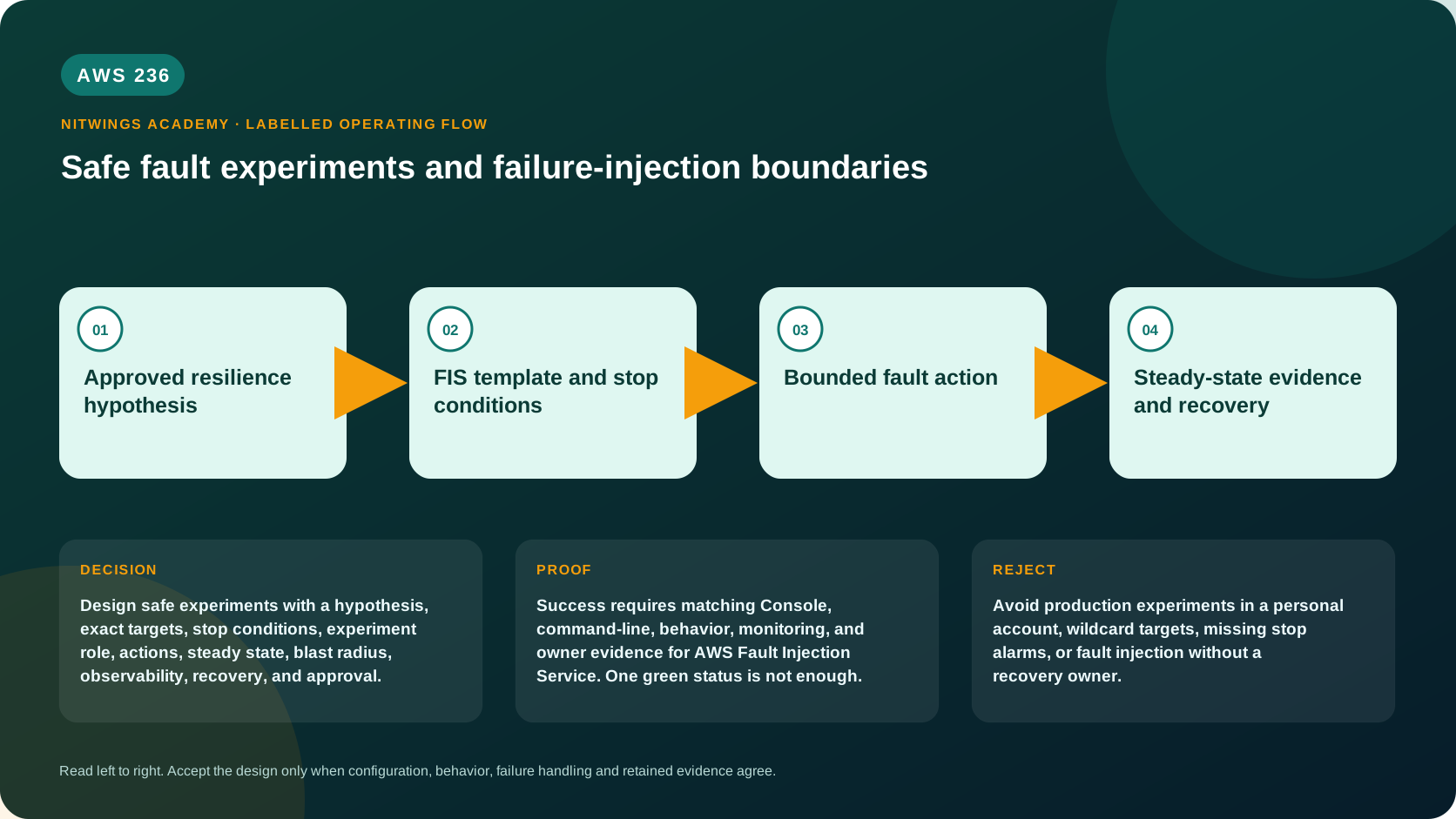
Why this lesson matters
Redundancy on a diagram is an untested claim. A controlled fault experiment asks whether a real workload continues to satisfy a measurable customer outcome when a specific failure occurs. The aim is learning before an uncontrolled outage, not breaking resources for spectacle.
AWS Fault Injection Service (FIS) performs real disruptive API actions against real AWS resources. A wrong account, broad tag, ALL target, untested alarm or overprivileged role can turn a resilience exercise into an incident. An architect must therefore design the safety system before designing the fault.
Outcomes
You will be able to:
- explain fault injection, chaos engineering, steady state and hypothesis;
- distinguish templates, experiments, actions, targets and stop conditions;
- calculate target selection for
ALL,COUNT(n)andPERCENT(n); - explain target-resolution timing, drift, empty-target and preview behavior;
- design sequential/parallel actions, duration, post actions and recovery;
- distinguish a stop condition, manual stop and Regional safety lever;
- build least-privilege single-account and multi-account role boundaries;
- design logs, EventBridge events, CloudTrail, dashboards and reports;
- inspect templates, experiments, resolved targets, actions and quotas read-only;
- diagnose failed, stopped, cancelled, skipped and misleadingly completed runs;
- calculate FIS action-minute and related workload/observability costs;
- produce a reviewable experiment plan without executing any fault.
Safety boundary and design pack
- This lesson is no execution. Do not create/update a template, start/stop an
experiment, or engage/disengage a safety lever. All AWS commands are read-only.
- Never experiment on a resource merely because it has a matching tag. Prove its
owner, environment, dependencies, data protection and recovery procedure.
- Never run a first experiment in production. Establish monitoring and begin with
one simple, reversible fault in a representative test environment.
- Do not test an unhealthy service, during an incident/change, or without an
independent operator who can stop the run and operate the safety lever.
- Redact account IDs, ARNs, internal names, resolved targets and business metrics.
Download the safe experiment workbook, the deliberately non-executable EC2 design example, or the complete archive.
Foundations: an experiment is not an outage drill without a question
Fault injection deliberately introduces a controlled impairment. Chaos engineering is the broader discipline of forming a hypothesis, experimenting, observing, learning and improving. Neither means random destruction.
Start in this order:
- map the customer journey, dependencies and recovery ownership;
- establish a healthy baseline or steady state with business and technical
metrics such as successful orders, p99 latency, errors and queue age;
- form a falsifiable hypothesis: “If fault X affects bounded target Y for N
minutes, impact remains below Z and recovery meets RTO/RPO”;
- set disproof, stop and abort criteria before selecting an action;
- run progressively only after review, preview, go/no-go and authority checks;
- measure, remediate and re-test rather than declaring success from action state.
AWS FIS was initially released in March 2021 and has expanded with more service actions, experiment logging, multi-account orchestration, scenarios, reports and safety levers. Always inspect the current action reference and Region support; old examples can omit newer guardrails or rely on changed managed policies.
The FIS control model
human/change authority
        |
        v
experiment template: targets + actions + stop alarms + role + options
        |
        +---- target preview (skip actions; inspect resolved candidates)
        |
        v
new experiment -> resolve targets -> execute action graph -> post actions
        |                  |                    |
        |                  +--> logs/CloudTrail/EventBridge
        +--> stop alarm/manual stop/safety lever
                           |
                           v
workload recovery + measured hypothesis result| Object | Meaning | Important boundary |
|---|---|---|
| experiment template | reusable blueprint | editing it does not alter a running experiment |
| experiment | one immutable run from a template | completed/failed/stopped runs cannot resume or rerun |
| action | preconfigured fault activity | API completion is not workload success |
| target | resources eligible for an action | filters and random selection resolve at run start |
| stop condition | CloudWatch alarm ARN | stops that experiment after the alarm reaches ALARM |
| experiment role | permissions FIS assumes | must allow only intended actions/resources |
| safety lever | one control per account and Region | when engaged, stops all local runs and blocks starts |
Choose the fault from a failure mode
FIS supports actions across services such as EC2, Auto Scaling, ECS, EKS, EBS, RDS, DynamoDB, Lambda, Kinesis, MemoryDB, networking and SSM-based host stress. The exact catalog evolves. Select an action only after connecting it to a real failure mode and verifying prerequisites, side effects and rollback semantics.
Examples include stopping or terminating compute, interrupting Spot Instances, pausing storage/replication, injecting host CPU/memory/I/O/network stress, stopping tasks, adding invocation errors/delay, disrupting subnet/VPC endpoint or cross- Region connectivity, and invoking an SSM Automation runbook.
The aws:network:disrupt-connectivity action, for example, temporarily associates a cloned network ACL containing deny rules with target subnets and later restores the original association. Its scopes have precise meanings: all still permits intra-subnet traffic; other scopes can target AZ, VPC, S3, S3 Express, DynamoDB or a prefix list. “Network outage” is therefore too vague for a hypothesis.
Reject any action when production-like behavior cannot be represented safely, the failure is irreversible, recovery is unknown, or the business benefit does not justify blast radius and cost.
Targeting: where most dangerous mistakes begin
A target defines resource type, resource IDs or tags, optional filters/parameters, and selection mode. FIS identifies candidate and selected targets at experiment start, before actions run, and retains those selections for that experiment.
| Selection | Result |
|---|---|
ALL | every identified candidate |
COUNT(1) | one randomly chosen candidate |
COUNT(n) | n randomly chosen candidates |
PERCENT(25) | 25% randomly selected, rounded down |
If five resources match PERCENT(50), two are selected. A percentage that rounds below one is invalid; 5% of four cannot select a resource. Multiple target blocks of the same resource type can select the same underlying resource, so calculate combined effects rather than reading each action separately.
Safe target proof
- use explicit resource IDs for the first tightly controlled experiment where
practical, or require several experiment-specific tags plus safe filters;
- include environment and approval/change identifiers, not merely
Name; - independently list candidates and prove ownership, Auto Scaling behavior,
shared dependencies, capacity and recovery for every possible selection;
- use
COUNT(1)before percentages orALLand define a hard maximum affected; - review the resolved targets produced by the actual experiment, not only tags;
- account for drift between preview and start.
By default, no resolved target causes failure. emptyTargetResolutionMode=skip can skip an action with no target, which is useful in some multi-account patterns but can produce an apparently successful run that never tested the hypothesis. Prefer fail unless the plan explicitly explains why absence is acceptable.
Target preview is necessary but not sufficient
Starting an experiment with actionsMode=skip-all generates a target preview and does not execute fault actions. Use it to inspect candidate resolution, logging configuration and multi-account target role setup. However:
- preview is still a new experiment record, not a pure template read;
- it does not prove permissions required to execute target actions;
- randomly selected targets can differ when the real run starts;
- resources/tags/state may change between preview and execution;
- experiment reports are not generated for preview runs.
This course does not run previews because it is no-create. A real change process should preview, independently compare resolved targets, then minimize the delay before a separately confirmed start.
Actions, timing and recovery
Actions without dependencies can run in parallel. startAfter creates a directed dependency: the later action begins after the named predecessor completes. Draw the complete graph and calculate maximum concurrent faults and total action time.
An action may run for a duration or complete after an API call. Some actions have documented post actions that attempt restoration when the action ends or the experiment stops. A manual stop waits for relevant post actions to complete before the experiment becomes stopped. This is not a universal transaction or instant rollback; recovery can fail and applications may need reconciliation.
For aws:ec2:stop-instances, optional startInstancesAfterDuration requests a restart after 1 minute to 12 hours. Restarting an instance with encrypted EBS may require KMS grant permission. An Auto Scaling group can replace a stopped instance before restart; completeIfInstancesTerminated changes how that condition is treated. “FIS will turn it back on” is therefore not an adequate recovery plan.
Three different brakes
CloudWatch stop conditions
A stop condition is a CloudWatch alarm representing unacceptable workload state. When it enters ALARM during the run, FIS stops the experiment. The run cannot be resumed. Design the alarm from steady state and test:
- metric/query, dimensions, statistic, period and evaluation windows;
- detection delay versus how quickly the fault can cause irreversible impact;
- missing-data and low-traffic behavior;
- business metric coverage, not just CPU or FIS health;
- alarm state before start and a known-safe positive test;
- access for FIS and, for multi-account, cross-account observability.
source=none means there is no alarm stop condition. A stop condition is optional in the API but mandatory for this course's executable design unless a documented technical impossibility and equivalent independent control are approved.
Manual stop
An authorized operator can stop one running experiment. Pre-test their console/ CLI access, contact channel and exact experiment identity. The experiment moves through stopping to stopped while post actions run; human response must be faster than the unacceptable-impact window.
Regional safety lever
Each account has one safety lever per Region, disengaged by default. Engaging it stops all running FIS experiments in that account/Region and prevents new starts. Running experiments become stopped; attempted starts become cancelled. They cannot resume or rerun, though a new experiment can later use the template.
The lever is a broad emergency control, not a substitute for accurate targets or stop alarms. For multi-account experiments it must be engaged in the account and Region where experiments run. Designate an independent operator and test the access path safely before a high-risk window.
IAM and multi-account boundaries
The FIS experiment role trusts fis.amazonaws.com and grants action-specific permissions. AWS managed FIS policies can accelerate a sandbox setup, but review their current versions and derive least privilege for controlled environments. Constrain resources by ARN and tags where actions support them. Include only required describe, mutation, SSM and KMS permissions; separate report/log access.
The person starting an experiment also needs FIS and iam:PassRole authorization. Protect starts with permission boundaries/SCPs, change-ticket conditions or separate approval roles where feasible. CloudTrail must show who started the run, which role FIS assumed and which target APIs were called.
For a multi-account experiment:
- the orchestrator account owns the template, experiment and centralized logs;
- each target account configuration names one account and target role;
- FIS assumes the orchestrator experiment role;
- that role chains into action roles in target accounts;
- target roles grant only the local action permissions.
Use consistent tags and AZ IDs, not AZ names, across accounts because names can map differently. Action quotas apply per account. Target accounts receive AWS Health awareness, but notification is not permission from the service owner.
Observe the experiment and the workload
FIS state and resolved targets
Experiment states include pending, initiating, running, completed, stopping, stopped, failed and cancelled. Action states additionally include skipped. A completed experiment means all FIS actions completed; it does not mean the hypothesis passed. Classify the business result separately as supported, disproved or inconclusive.
Logs, events and CloudTrail
Detailed FIS logging is disabled by default. Schema version 2 records experiment, target-resolution and action start/end/error events. Destinations are CloudWatch Logs and/or S3; CloudWatch delivery is generally faster, while S3 delivery can take minutes. Restrict destination permissions and retain enough history.
EventBridge receives experiment state-change events for notification/automation. CloudTrail records FIS control-plane and downstream API activity. Add workload metrics, application logs/traces, synthetic journeys, data-integrity checks and operator timeline; FIS telemetry alone cannot prove customer behavior.
Experiment reports
Optional reports produce a PDF summary in S3 and can include metric-widget images from one CloudWatch dashboard, with configurable pre-experiment baseline (up to 30 minutes) and post-experiment recovery (up to 2 hours). The bucket must be in the experiment Region. Reports have a separate delivery charge plus S3/CloudWatch costs and are not produced for cancelled or preview runs.
Use reports to communicate evidence from a successful run, not to diagnose a failed one; use detailed logs for failures. Consider Object Lock and a dedicated prefix when audit retention requires tamper resistance.
Read-only Console walkthrough
- Confirm account and Region, open AWS Fault Injection Service, and record
whether the safety-lever banner indicates engaged or disengaged. Do not change it.
- Open Experiment templates. For an explicitly owned template, inspect its
description, tags, account targeting, role, targets, selection modes, filters, actions, startAfter, parameters, stop alarms, options, logs and report config.
- Open Experiments. Select a historical run and record state/status reason,
timeline, action states, resolved targets and stop-condition outcome.
- Compare the template's current candidate rules with historical resolved targets;
the resource environment may have changed since the run.
- Inspect the Scenario library read-only. Scenarios are AWS-provided, console-
only starting points that create templates; they are not complete approval or guaranteed safe for your workload.
- Return to inventory and prove no template, experiment or lever state changed.
Read-only AWS CLI inventory
export AWS_DEFAULT_REGION="ap-south-1"
aws sts get-caller-identity --output json
aws configure list

aws fis get-safety-lever --id default --output json
aws fis list-experiment-templates --output json
aws fis list-experiments --output json
aws fis list-actions --output json
aws service-quotas list-service-quotas --service-code fis --output json
For redacted identifiers from owned inventory:
export TEMPLATE_ID="replace-with-owned-template-id"
export EXPERIMENT_ID="replace-with-historical-experiment-id"

aws fis get-experiment-template --id "$TEMPLATE_ID" --output json
aws fis list-target-account-configurations \
  --experiment-template-id "$TEMPLATE_ID" --output json
aws fis get-experiment --id "$EXPERIMENT_ID" --output json
aws fis list-experiment-resolved-targets \
  --experiment-id "$EXPERIMENT_ID" --output json
Follow pagination. The following are intentionally excluded because they mutate state: create/update/delete-experiment-template, start/stop-experiment, target account configuration changes and update-safety-lever-state.
Quotas, cost and retention
Quotas are Regional unless documented otherwise. At review time, notable fixed defaults include 20 actions/template, 10 parallel actions, 5 active experiments, 5 stop conditions/template, 12 hours per action/experiment, 500 templates, 40 target-account configurations and 120-day completed experiment metadata retention. Individual actions have additional target limits. Query Service Quotas and the current FIS quota page rather than designing from these examples alone.
Outside GovCloud, current FIS pricing is $0.10 per action-minute, plus another $0.10 per action-minute for each additional account. Billing depends on how long each action is active and account count, not number of target resources or overall wall-clock duration. Parallel action minutes therefore add.
Also price target resources, capacity replacement, data transfer, detailed/custom CloudWatch metrics, logs, S3, dashboard API calls, report delivery, SSM, backups and remediation resources. A safety-lever-stopped run is billed only for action time already consumed. Budgets and tags report cost but do not stop experiments.
After an authorized exercise, inventory and remove temporary templates, alarms, dashboards, log groups/buckets, test instances and IAM grants only when ownership and retention allow. Preserve approved evidence beyond FIS's 120-day metadata window if required. This lesson proves no-create by before/after inventory.
Troubleshooting from evidence
| Symptom | Likely cause | Evidence and response |
|---|---|---|
| no template/run found | wrong account/Region, pagination or permission | caller, Region, next token, CloudTrail denial |
| start is cancelled | safety lever already engaged | lever state/reason and experiment status; investigate before disengaging |
| run fails before action | no target, syntax, quota or assume-role failure | status reason, target-resolution logs, quotas, trust policy |
| action skipped | empty-target mode skip or preview skip-all | experiment options and resolved-target records |
| wrong resource selected | broad/stale tags, filter error or random sampling | candidate inventory, preview and actual resolved target |
| stop alarm did not protect | wrong dimensions, delay, missing-data or cross-account visibility | alarm history/configuration and fault timeline |
| stopped but impact continues | post action incomplete, service recovery lag or dependent failure | action logs, target state, application and manual recovery evidence |
| EC2 restart fails | KMS grant, instance state, ASG replacement or capacity | FIS/CloudTrail/KMS/ASG/EC2 events |
| completed but hypothesis failed | FIS action succeeded while customer SLO/RTO/RPO breached | business metrics and recovery timeline |
| report absent | preview/cancelled run, IAM, S3 Region/prefix or delivery failure | report config, run state, bucket and logs |
| multi-account AZ mismatch | AZ name differs between accounts | compare stable AZ IDs |
Diagnose in order: authority → caller/Region → safety lever → template/options → candidate/resolved target → role chain → action/status reason → stop alarm → post action/recovery → customer and data evidence. Never restart blindly: a failed or stopped experiment cannot resume, and a new run can repeat the unsafe condition.
Practical work: no-execution review
Complete the workbook and inspect the design-only JSON locally.
- Map one customer journey and choose one reversible pre-production failure mode.
- Define baseline, falsifiable hypothesis, disproof threshold, RTO and RPO.
- Prove the maximum candidate/selected set and explain random/percentage rounding,
drift, preview limitation and empty-target behavior.
- Draw action sequencing and document API side effects, duration, post action,
manual recovery and failure timeout.
- Define and test-on-paper a stop alarm, manual-stop operator and Regional safety-
lever operator. Show why these three controls are not interchangeable.
- Derive least privilege for the action and report/log destinations. For a second
account, draw every role assumption and use an AZ ID.
- Define FIS logs, CloudTrail, EventBridge, application and business evidence.
- Calculate action-minute/account and connected-service costs; design cleanup.
- Review the JSON and list every placeholder plus
_courseWarning. Because the
extra field deliberately prevents direct API submission, do not remove it or convert the file in this lesson.
Knowledge check
- When are FIS targets selected?
At experiment start before actions run; selected resources remain for that run.
- How many of five candidates does
PERCENT(50)select?
Two, because FIS rounds down.
- What does target preview fail to prove?
Permission to execute target actions and the exact random targets of a later run.
- What does
emptyTargetResolutionMode=skiprisk?
A run can skip an untested action instead of failing visibly.
- What does an omitted
startAftermean?
The action can start immediately and in parallel with other independent actions.
- Can a stopped experiment resume?
No; an approved new experiment must be started from a template.
- How is a stop alarm different from the safety lever?
The alarm stops one run on a threshold; the Regional lever stops all runs and blocks new starts in that account/Region.
- Does
completedprove resilience?
No; it proves FIS actions completed, not that business steady state or RTO/RPO held.
- Why can stopping one ASG instance produce a different result than expected?
The group may replace it before FIS's requested restart and change target state.
- What drives FIS price?
Active minutes for each action and additional-account count, plus related services.
Lesson acceptance
The learner must submit:
- complete authority, environment, owner and exclusion boundaries;
- a journey/failure map and falsifiable hypothesis with baseline evidence;
- candidate and maximum target proof with selection/preview/drift explanation;
- action graph, duration, post-action and independent recovery plan;
- tested-on-paper alarm, manual stop and safety-lever procedures;
- least-privilege role or multi-account role-chain design;
- logging/report/application/business evidence and result-classification plan;
- current quota and action-minute cost calculation;
- cleanup/retention inventory and explicit no-create evidence;
- a review of every design JSON placeholder without submitting it to AWS;
- no secrets, account IDs, internal names or customer data.
Official sources
- What is AWS Fault Injection Service?
- Plan AWS FIS experiments
- Experiment template components
- Targets and selection modes
- Experiment options and target preview
- Stop conditions
- Safety levers
- AWS FIS actions reference
- Experiment roles
- Multi-account experiments
- Experiment logging
- Experiment reports
- Experiment and action states
- Scenario library
- FIS quotas and limitations
- AWS FIS pricing