
AWS 285: AWS DataSync and Transfer Family
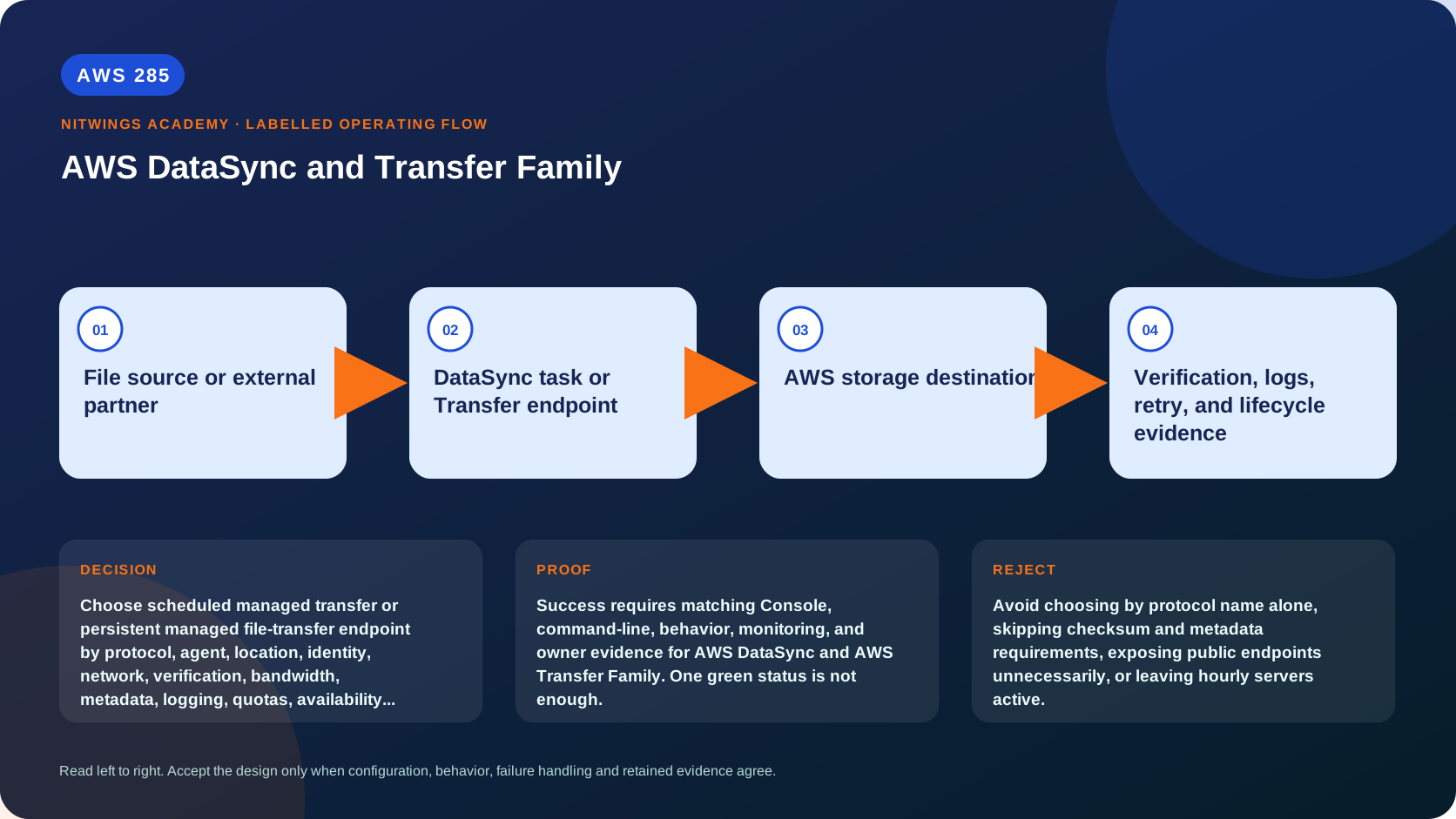
Why this lesson matters
“Move files to AWS” can describe two different requirements. A storage migration team may need to copy 40 TiB from an NFS appliance to Amazon S3, preserve selected metadata, verify bytes and rerun only changes. A trading partner may need a stable SFTP endpoint every day, individual authentication, an isolated home directory, malware/decryption workflow and delivery evidence. The first is task-oriented data movement; the second is a managed exchange service.
AWS DataSync and AWS Transfer Family overlap around files but have different control planes, identities, failure modes and bills. Selecting by the word SFTP or by raw throughput alone produces insecure endpoints, damaged metadata, silent omissions or permanently running capacity nobody owns.
Outcomes
By the end, you can:
- distinguish migration/synchronization tasks from persistent partner exchange;
- choose DataSync, Transfer Family, native copy, offline transfer or another pattern from requirements;
- map DataSync agents, endpoints, locations, task modes, options, verification and reports;
- reason about NFS, SMB, HDFS, object, S3, EFS and FSx metadata differences;
- design Transfer Family protocol, endpoint, identity, home-directory and storage access;
- explain SFTP, FTPS, FTP, AS2, browser apps, connectors and managed workflows;
- secure source, network, credentials, KMS keys, buckets/file systems and logs;
- establish throughput, availability, retry, duplicate and cutover evidence;
- troubleshoot each service from packet, identity, task and storage evidence; and
- build three production-shaped transfer decisions without creating resources.
Start with the operating model
| Requirement | DataSync | Transfer Family |
|---|---|---|
| Main purpose | bulk, incremental or scheduled movement between storage locations | persistent inbound/outbound file exchange for users/partners/apps |
| Trigger | task execution, schedule or event/API orchestration | clients connect or connector/workflow is invoked |
| Source identity | agent/location credentials and AWS service roles | individual user/partner identity, keys/password/certificates/agreement |
| Protocol surface | storage protocols/APIs such as NFS, SMB, HDFS and object/S3 | SFTP, FTPS, FTP, AS2 and browser-based transfer |
| Destination | S3, EFS, supported FSx and supported remote storage paths | S3 or EFS backing storage |
| Verification | task transfer/verification options and reports | protocol success plus workflow/storage/application evidence |
| Lifecycle | run, verify and delete or schedule next execution | endpoint often remains online and incurs ongoing operational/cost ownership |
Do not expose a partner-facing Transfer server to perform a one-time NAS migration. Do not ask external partners to operate a DataSync agent merely because they use SFTP today.
Selection decision tree
- Is the requirement a one-time or recurring storage-to-storage copy with inventory/verification? Consider DataSync.
- Must external clients retain SFTP/FTPS/FTP/AS2 or browser workflows? Consider Transfer Family.
- Is the dataset physically impractical over available bandwidth? Compare Snow Family/offline or Data Transfer Terminal in AWS286.
- Is the action a small in-account S3 copy? Native S3 operations/replication/batch may be simpler.
- Is continuous bidirectional application synchronization required? Neither service alone resolves conflicts or application semantics.
- Must POSIX ACLs, sparse files, hard links, file locks or proprietary metadata be exact? Verify supported metadata or select an application/filesystem-aware method.
DataSync architecture
On-premises/other-cloud storage
       | NFS, SMB, HDFS or object API
       v
DataSync agent VM/EC2
       | encrypted data/control connection to DataSync endpoint
       v
DataSync managed transfer plane
       | service-managed ENIs and storage API/protocol
       v
S3, EFS or supported FSx destination
An agent is commonly required when either side is NFS, SMB, HDFS, self-managed object storage or certain cross-account/file-system combinations. Some AWS-to-AWS and cloud-object-to-S3 transfers do not require an agent. Determine this from the exact supported location pair, task mode, account and Region, not a generic diagram.
There are three network relationships when an agent is used: agent to storage, agent to DataSync service endpoint, and DataSync service to AWS storage. A successful activation proves only part of this chain.
DataSync agents and activation
Deploy the current agent image on a supported hypervisor or EC2 with the CPU, memory and disk resources required for the task mode and item count. Place it close to source storage with low-latency/high-throughput access. Avoid routing local storage reads through a narrow WAN before DataSync can optimize transfer.
Agent controls:
- download from the official source and verify the image/integrity guidance;
- patch/replace according to supported lifecycle rather than logging into the appliance to customize it;
- synchronize time and provide DNS;
- restrict local-console/activation access;
- never expose activation HTTP port 80 publicly; it closes after activation;
- choose public, FIPS or private/VPC service endpoints from policy;
- keep the optional support channel closed unless deliberately enabled; and
- monitor CPU/memory/network and scale agents/tasks from measured bottlenecks.
An activation key associates the appliance with an AWS account/Region. Treat it as sensitive and single-purpose. Record agent ARN, location, network zone, owner, image age and task assignments.
Storage-side protocols and ports
The agent mounts or accesses source/target storage using its native protocol. Examples include NFS 4.x on TCP 2049; NFS 3.x also uses port 111; SMB commonly uses TCP 445; object storage normally uses HTTP/HTTPS; HDFS requires NameNode, DataNode and possibly Kerberos/KMS paths. SMB 3.0.2 or later is preferred over vulnerable SMB1.
Do not merely allow a port. Prove:
- name resolution and route in both directions;
- export/share policy permits the agent identity/address;
- protocol dialect, signing, encryption and Kerberos behavior;
- source traversal/read and destination create/write/delete privileges;
- firewall inspection and MTU do not break sustained transfer; and
- storage arrays can support scan/read/write load without harming production.
Locations, credentials and AWS authorization
A DataSync location describes storage plus its access context, not a copy job. Examples: NFS export path, SMB share/domain user, HDFS cluster, object endpoint/bucket, S3 bucket/access role, EFS access point/subnet/SG or FSx file system.
Use dedicated least-privilege credentials and Secrets Manager where supported. For S3, the DataSync IAM role and bucket/KMS policies must agree, especially cross-account. Scope object prefixes, versions/tags and KMS operations to the intended dataset. For EFS/FSx, prove ENI security groups, mount permissions, access-point/POSIX identity and file-system policy.
Test location connectivity, then run a small canary transfer. A connection test cannot prove all nested permissions or metadata edge cases.
Basic and Enhanced task modes
Enhanced mode lists, prepares, transfers and verifies in parallel and supports very large object counts with richer metrics. Basic mode executes major phases sequentially and has item quotas, but supports location combinations/features that Enhanced mode may not.
Mode selection must consider exact source/destination pair, Region/account, include/exclude filters, bandwidth controls, task queueing, scheduling, verification, reporting and current service limits. Enhanced is not universally available for every FSx type or path. Basic may be required for S3 on Outposts and other combinations.
Capture mode and why it was chosen. Changing performance mode is not a substitute for fixing source latency, tiny-file enumeration or destination throttling.
Task options are data semantics
Review each option before execution:
- transfer all items or only changed items;
- preserve modification time, ownership, POSIX permissions and SMB metadata where supported;
- overwrite changed destination files or never overwrite;
- keep or delete destination items absent from source;
- include/exclude filters and case sensitivity;
- bytes-per-second bandwidth limit;
- verification mode;
- task report level/output; and
- log level, schedule and queueing.
Deletion is the dangerous option. A mirror-style task can remove legitimate destination-only data. Use an isolated prefix/file system, inventory report, backup/versioning and peer-approved dry comparison before enabling delete. Understand whether object versions remain billable/recoverable.
Metadata is not portable by default
NFS, SMB, S3 and EFS describe objects differently. Map requirements explicitly:
| Source concept | Possible destination issue |
|---|---|
| POSIX UID/GID and mode | numeric identities may not exist or may map differently |
| NFSv4 ACL | not copied by some NFS transfer paths |
| SMB ACL/owner/timestamps | requires compatible SMB destination/options/permissions |
| symlink/hard link | object storage has no native POSIX equivalent |
| sparse file | destination may consume full logical size |
| file lock/open writer | copied bytes may not form an application-consistent file |
| S3 metadata/tags/storage class | permissions/options and API semantics determine preservation |
| case-sensitive names | collisions can occur on case-insensitive file systems |
Inventory edge cases before migration. Validate behavior using representative empty, large, sparse, Unicode, symlink, ACL and actively written files. For databases or virtual-machine disks, use application quiesce/snapshot/native backup rather than assuming file-copy consistency.
Verification and cutover
Verification modes have different coverage and runtime. Enhanced commonly verifies transferred data; Basic can verify all data by default depending on configuration. Read the effective task options and report rather than relying on mode assumptions.
Layer evidence:
- task execution reached success with no ignored errors;
- item/byte counts reconcile to a frozen source inventory;
- service verification/report exceptions are zero or owner-approved;
- metadata edge cases and cryptographic samples match;
- application opens and uses destination data correctly;
- incremental rerun transfers only expected changes; and
- source freeze/final delta/cutover/rollback are rehearsed.
DataSync is generally copy-based, not a live distributed file-system replication contract. Define the authoritative side and prevent split writes during cutover.
Transfer Family capabilities
Transfer Family provides:
- inbound server endpoints for SFTP, FTPS, FTP and AS2;
- S3 or EFS backing storage;
- service-managed, AWS Managed Microsoft AD or custom Lambda/API Gateway identity patterns, subject to protocol support;
- logical home directories and policy-based user isolation;
- managed workflows for processing uploaded files;
- outbound SFTP/AS2 connectors;
- web apps for browser-based S3 transfer; and
- logging/metrics/events for operational evidence.
These are separate constructs. An SFTP server endpoint is not an outbound connector, and an AS2 agreement/certificate model is not an SSH key model.
Protocol and endpoint choices
SFTP v3 runs over SSH and supports key or supported password identity models. FTPS uses TLS and separate control/data behavior; Transfer Family uses a passive data-channel range documented as 8192-8200. FTP is unencrypted and should be restricted to an approved private/internal path if a legacy need truly requires it. AS2 provides business-to-business message exchange with certificates, signatures/encryption and Message Disposition Notifications. Browser apps support human web transfer to S3.
Endpoint options include public SFTP and VPC-hosted internet-facing or internal endpoints with protocol-specific support. A deprecated VPC_ENDPOINT type should not be chosen for new design. Internal endpoints are reached through VPC-connected networks. Internet-facing VPC endpoints require subnet/EIP/routing/security design and can support allowlisting and custom DNS.
Select Availability Zones/subnets for resilience and test partner DNS/firewall behavior. A managed endpoint removes server patching, not client, DNS, certificate, identity or storage failure ownership.
Identity, authorization and tenant isolation
Authentication answers “who connected?” Authorization answers “which S3 keys or EFS paths may they access?” Transfer Family assumes an IAM role on behalf of an authenticated user and can apply a scope-down session policy. For EFS, POSIX UID/GID and filesystem permissions also matter.
Identity choices:
- service-managed users support SFTP and SSH public keys;
- Managed Microsoft AD supports compatible password flows;
- custom Lambda or API Gateway providers integrate external directories and can return role, policy and home directory;
- protocol capabilities differ, so confirm the matrix.
Use logical home-directory mappings to hide physical bucket prefixes and prevent path traversal across partners. Test same-name files, parent-directory navigation, list/read/write/delete and cross-tenant denial. Do not trust the username alone as an S3 prefix without validation and policy controls.
Rotate/revoke SSH keys, passwords and AS2/TLS certificates with dual-key overlap where needed. Record key fingerprints and certificate expiry, never private keys.
Storage, encryption and workflow safety
For S3, configure bucket policy, IAM role/session policy, KMS key policy, versioning/retention, object ownership and event behavior. For EFS, configure VPC reachability, access point/POSIX identity, filesystem policy, backup and throughput.
Managed workflows can copy, tag, decrypt, scan through custom steps and route exceptions after upload. Design them as an explicit state machine:
landing/quarantine -> integrity/decrypt/scan/validate
-> accepted destination OR rejected prefix
-> partner acknowledgement and operations event
Uploading successfully must not make untrusted content immediately consumable. Make processing idempotent, preserve original evidence, prevent recursive events, encrypt workflow parameters/secrets and define retry/dead-letter/manual handling.
Outbound connectors and AS2 evidence
An SFTP connector initiates transfers between S3 and a remote SFTP server; an AS2 connector sends business documents to a partner. Validate remote host key/certificate, DNS, allowlisted egress IP requirements, credentials/secrets, remote path and duplicate behavior.
For AS2, profiles identify trading partners, agreements define inbound relationships, connectors handle outbound, and certificates support signing/encryption. Preserve message ID, payload hash, signing/encryption status, MDN/disposition and retry history. A TCP success is not business acknowledgement.
Monitoring and failure evidence
For DataSync inspect agent status, task execution phase/status, bytes/items discovered/transferred/verified/skipped/deleted, throughput, task reports, CloudWatch logs/metrics and storage/network telemetry.
For Transfer Family inspect authentication result, protocol/session logs, source address, user, commands/files, storage/KMS denials, workflow execution, connector status, AS2 MDN and endpoint metrics. Protect logs because names, paths and partner identities may be sensitive.
Read-only inventory:
aws datasync list-agents --output table
aws datasync list-locations --output table
aws datasync list-tasks --output table
aws transfer list-servers --output table
aws transfer list-connectors --output table
aws transfer list-web-apps --output table
Then use describe-* only for authorized identifiers. Redact ARNs/account IDs, host names, paths and partner data.
Troubleshooting by evidence
| Symptom | Likely boundary | Evidence and response |
|---|---|---|
| Agent offline | endpoint/DNS/time/firewall/resource/image | local network test plus service status; fix one boundary |
| NFS mount denied | export/client address/port/version/root mapping | test from agent path; compare export and identity |
| SMB access denied | domain/DNS/Kerberos clock/share/NTFS rights | inspect auth and file-server logs; do not broaden globally |
| Task succeeds but files absent | filters/subdirectory/changed-mode/permissions | reconcile task report and enumerated inventory |
| Verification fails | active writer, source read error, destination mutation | freeze/retry affected data and preserve report |
| SFTP auth fails | key format/fingerprint, IdP response, policy, user state | correlate session/IdP logs without exposing secrets |
| User sees another tenant | logical mapping/session policy/S3/EFS permission | disable access, preserve audit, repair and negative-test |
| FTPS connects but transfer stalls | passive 8192-8200 path/NAT/firewall/TLS | trace control and data channels separately |
| Workflow repeats | non-idempotent steps or recursive S3 event | quarantine, add execution key/state and retry safely |
| AS2 sent but unaccepted | signature/encryption/partner agreement/MDN | inspect message/MDN status, not only HTTP result |
Performance, availability and cost
Transfer duration lower bound is bytes divided by usable throughput, but millions of tiny files, metadata calls, latency, encryption and storage limits often dominate. Run a representative pilot, measure source scan, network, DataSync and destination limits, then calculate final-window delta.
Cost registers should include DataSync bytes/objects/task-mode charges where applicable, agent VM, network/Direct Connect/VPN/NAT/endpoints, S3 requests/storage/versions, EFS/FSx, Transfer Family endpoint-hours, protocol data, connectors/workflows/web apps, Lambda/API Gateway/AD, KMS, logs and support/labor. Verify current pricing per Region.
DataSync task success does not provide permanent service availability. Transfer endpoints are managed but need multi-AZ endpoint design where applicable, resilient identity/storage dependencies, quota/capacity review, monitoring and partner retry contracts.
Cleanup and lifecycle
After a DataSync migration: retain signed reports, disable schedules, delete unneeded tasks/locations/agents and remove temporary network/IAM/secrets only after no task depends on them. Preserve source until cutover acceptance and retention gates pass.
For Transfer Family, do not delete a persistent server merely because one exchange completed. Periodically remove inactive users/keys/certificates/connectors/workflows, old EIPs/DNS/rules, orphaned objects and excessive logs. Decommission through partner notification, final-file reconciliation, retention and rollback evidence.
Hands-on workshop: three decisions
Scenario A: 40 TiB NAS migration
Design NFS agent placement, Basic/Enhanced decision, bandwidth test, metadata matrix, include/exclude rules, delete safety, verification/report, incremental passes, final freeze, rollback and cleanup. Calculate ideal duration at 2 Gbit/s and then explain why measured time differs.
Scenario B: daily partner SFTP
Design VPC/public choice, DNS, multi-AZ, custom/service identity, SSH key rotation, logical directory/session policy, S3/KMS, quarantine workflow, idempotency, logs, partner acknowledgement, retry, cost and offboarding. Include negative cross-tenant tests.
Scenario C: cross-account S3 copy
Compare DataSync with native S3 replication/Batch Operations. Define source/destination/KMS policies, versions/tags/storage class, mode, verification, request/transfer cost and authoritative-copy rule. Reject DataSync if the native service better fits continuous object replication.
Inject failures: one NFSv4 ACL is lost, an active file changes during verification, a filter excludes a required directory, an SFTP user lists another tenant, FTPS data ports are blocked, and an AS2 MDN reports failure. Diagnose each and decide retry, redesign, rollback or incident.
Knowledge check
- What is the fundamental service distinction?
DataSync executes storage transfer tasks; Transfer Family exposes managed exchange endpoints/connectors for users and partners.
- Does a DataSync connection test prove migration success?
No. It does not prove nested permissions, metadata, complete enumeration, verification or application consistency.
- Why is destination deletion risky?
A wrong scope/filter/authority can erase valid destination-only data, potentially leaving billable versions.
- Why can SFTP authentication pass while storage fails?
Identity-provider success is separate from assumed IAM role/session policy, S3/KMS or EFS POSIX authorization.
- Why can FTPS login work but file transfer hang?
Its separate passive data channel may be blocked even when the control channel works.
- What proves AS2 delivery?
Message/payload/signature/encryption and successful MDN evidence, not only a network response.
- When should native S3 features be preferred?
When a simple or continuous S3-to-S3 requirement is better met by copy, replication or Batch Operations without a transfer task.
Lesson acceptance
Pass only if each scenario states operating model, protocol, identity, packet path, storage semantics, metadata, verification, failure/retry, availability, cost and lifecycle ownership. Reject designs that choose by protocol name alone, claim all metadata is portable, expose activation/public endpoints unnecessarily, trust login as authorization, enable destructive sync without recovery, accept AS2 without MDN, or leave hourly endpoints/schedules unowned.
Official sources
- What is AWS DataSync
- DataSync supported locations and transfer combinations
- Choose DataSync Basic or Enhanced mode
- DataSync network requirements
- DataSync agent requirements
- What is AWS Transfer Family
- Transfer Family server protocols, identity providers and endpoint types
- Transfer Family tutorials for connectors, workflows, AS2 and web apps