
Back Up, Restore and Rehearse Jenkins Disaster Recovery
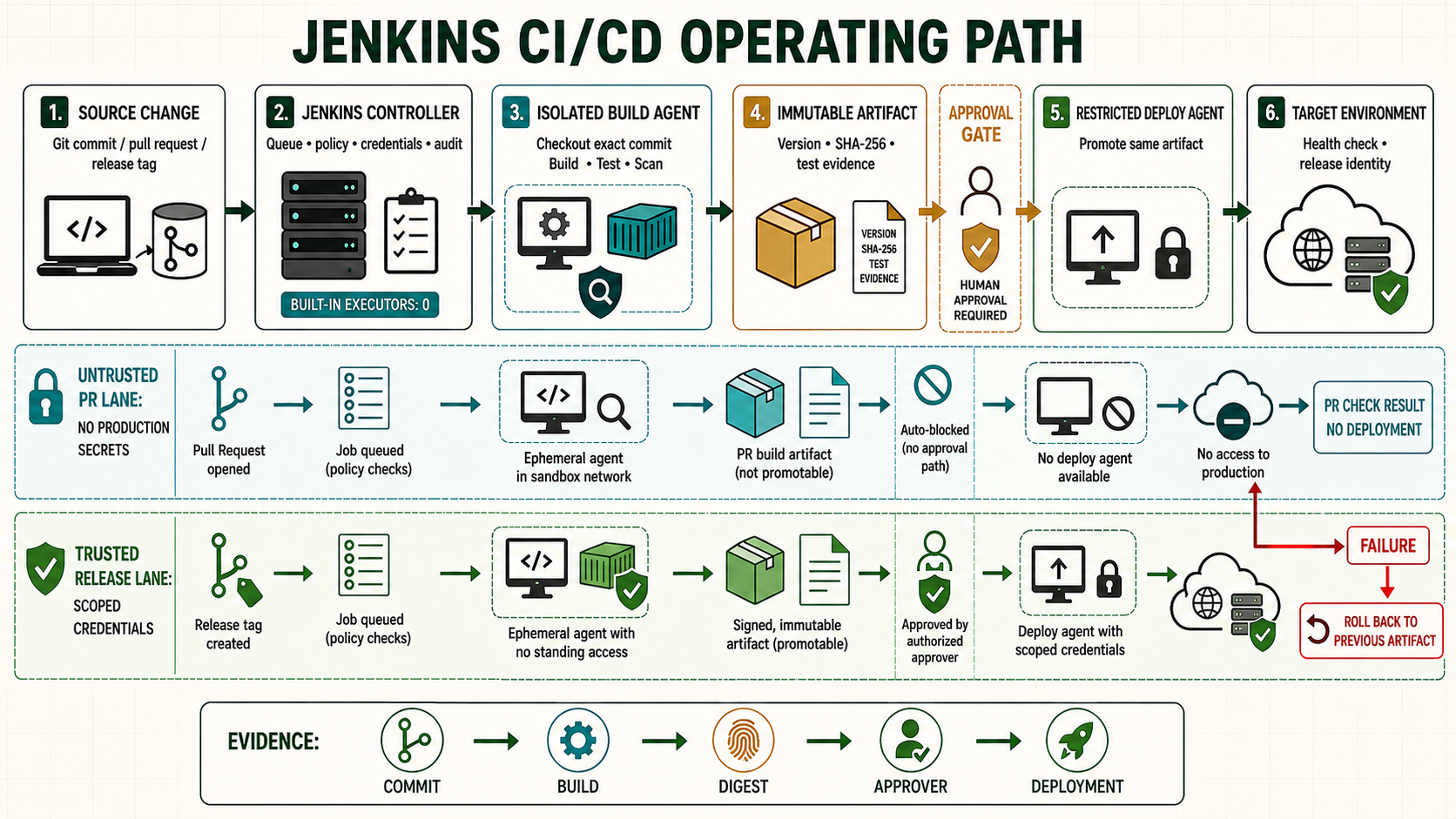
A Jenkins backup is useful only when a separate controller can restore it with matching secrets, plugins and host dependencies. Copying JENKINS_HOME while jobs mutate it may produce files from different points in time, and copying it back over a running controller can corrupt the recovery.
Start from a known controller checkpoint
Use the accepted controller and agent checkpoint from the prior lesson. Record the Jenkins version, Java runtime, active configuration, plugin inventory and current Git revision before changing this boundary.
java -version
sudo systemctl is-active jenkins
sudo journalctl -u jenkins -n 50 --no-pager
curl -fsS http://127.0.0.1:8080/login >/dev/null
Understand the operating boundary
| Decision | Implementation | Evidence |
|---|---|---|
| Scope | Name the controller, folder, job, node and environment | The selected boundary is visible |
| Input | Use reviewed source and scoped credentials | Revision and credential ID are attributable |
| Execution | Set label, timeout and concurrency policy | Queue and node evidence match intent |
| Recovery | Preserve the last known working state | Rollback is rehearsed before promotion |
Prepare the lab
Inventory JENKINS_HOME, service overrides, proxy/TLS configuration, JCasC, plugin versions, external credentials and artifact stores. Decide which build history is required and define RPO and RTO before choosing the backup frequency.
sudo systemctl show jenkins -p Environment -p FragmentPath -p DropInPaths
sudo du -xsh /var/lib/jenkins
sudo find /var/lib/jenkins -maxdepth 2 -type f -printf '%s %p\n' | sort -nr | head
sudo stat /var/lib/jenkins/secrets/master.key
sudo sha256sum /etc/systemd/system/jenkins.service.d/*.conf 2>/dev/null || true
Implement it step by step
- Keep JCasC, plugin catalog and job source in Git, but back up mutable controller state separately.
- Quiesce Jenkins or use a storage snapshot method whose application consistency has been proven.
- Preserve ownership, ACLs, extended attributes and SELinux context information.
- Encrypt off-host copies and separate their access from controller administrators.
- Restore first into an isolated network with outbound webhooks and deployments blocked.
- Verify login, job definitions, credentials decryption, queue, agents and representative Pipeline resume behavior.
The secrets directory and master key are required to decrypt controller-stored credentials. Their loss can make the remaining configuration unusable; their disclosure requires credential rotation. Artifacts stored externally need their own retention and recovery plan. Agent workspaces are normally disposable and should not be treated as authoritative build output.
backup_dir=/backup/jenkins-2026-09-05T1600Z
sudo install -d -m 0700 "$backup_dir"
sudo systemctl stop jenkins
sudo rsync -aHAX --numeric-ids --delete /var/lib/jenkins/ "$backup_dir/JENKINS_HOME/"
sudo cp -a /etc/systemd/system/jenkins.service.d "$backup_dir/" 2>/dev/null || true
sudo tar --xattrs --acls --selinux -C /backup -czf "${backup_dir}.tgz" "$(basename "$backup_dir")"
sudo sha256sum "${backup_dir}.tgz" | sudo tee "${backup_dir}.tgz.sha256"
sudo systemctl start jenkins
Restore rehearsal must not contact production dependencies. Override DNS or egress policy, disable timers and webhooks, and use non-production credentials before the copied controller starts. Otherwise a successful restore can immediately launch scheduled work, deliver notifications or deploy from an old queue. Record every deliberate substitution so it is not mistaken for damage.
Measure recovery from the declared incident start until representative services pass acceptance. A filesystem checksum proves transfer integrity, not Jenkins usability. Test at least one folder permission, one secret binding without printing the value, one agent connection, one Pipeline with an artifact, and one queued or resumable workflow if those records are inside the recovery scope.
Verify the positive path
Create a fresh host or container with the supported Java and exact tested Jenkins/plugin baseline. Restore with Jenkins stopped, correct ownership and labels, then start privately and run a written acceptance matrix.
sudo systemctl stop jenkins
sudo rsync -aHAX --numeric-ids /restore/JENKINS_HOME/ /var/lib/jenkins/
sudo chown -R jenkins:jenkins /var/lib/jenkins
sudo restorecon -RF /var/lib/jenkins 2>/dev/null || true
sudo systemctl start jenkins
sudo journalctl -u jenkins -n 200 --no-pager
curl -fsS http://127.0.0.1:8080/login >/dev/null| Check | Expected evidence | Reject when |
|---|---|---|
| Configuration | Matches reviewed source | UI drift or unresolved placeholder remains |
| Execution | Runs on the intended isolated node | Controller or wrong trust zone executes code |
| Evidence | Revision, result and outputs are retained | Green status has no attributable output |
| Recovery | Known state can be restored and verified | Recovery depends on an improvised manual edit |
Prove that a backup without controller keys is incomplete
Restore a lab copy with the secrets directory withheld. Observe credential-decryption or startup consequences without attempting production jobs. Destroy the broken lab, restore the complete protected set and confirm a credential can be used by a harmless test without logging it.
sudo mv /restore/JENKINS_HOME/secrets /restore/JENKINS_HOME/secrets.withheld
# Start only on isolated lab and retain journal evidence
sudo journalctl -u jenkins --since '-10 minutes' --no-pager
sudo mv /restore/JENKINS_HOME/secrets.withheld /restore/JENKINS_HOME/secrets
Troubleshoot by failed layer
| Symptom | Inspect | Correction |
|---|---|---|
| Queued or unavailable | Label, executor, node and network | Repair the failed scheduling or transport layer |
| Configuration rejected | Controller log, syntax and plugin ownership | Correct source; do not bypass validation |
| Job fails unexpectedly | First causal console error and agent logs | Fix one layer and rerun the smallest scope |
| Second run differs | Mutable dependency, workspace or UI drift | Pin inputs and remove hidden retained state |
Unsafe shortcuts
- Unsafe: granting administrator access to avoid designing a narrow permission removes accountability.
- Unsafe: binding protected secrets around untrusted repository code permits exfiltration despite masking.
- Unsafe: changing controller state without a verified backup and rollback turns a small error into an outage.
Operate, recover and retain evidence
Own the configuration, plugin and credential dependencies explicitly. Record the controller version, Git revision, immutable tool or artifact identity, initiator, approver and acceptance result. Rehearse the failure path on a disposable controller before adopting it as production procedure.
sudo systemctl stop jenkins
sudo rsync -aHAX --numeric-ids /backup/jenkins-known-good/ /var/lib/jenkins/
sudo restorecon -RF /var/lib/jenkins 2>/dev/null || true
sudo systemctl start jenkins
sudo journalctl -u jenkins -n 150 --no-pager
Worked use cases
| Situation | Design choice | Acceptance |
|---|---|---|
| Lab rollout | Apply to one disposable controller or folder | Positive, negative and recovery results are retained |
| Team rollout | Promote the same reviewed revision | Permissions and behavior remain consistent |
| Production change | Use backup, change window and acceptance | Failure stays bounded and rollback is tested |
Knowledge checks
Independent lab
- Capture the starting version, configuration and plugin evidence.
- Implement the change on a disposable controller or folder.
- Run one successful case and one controlled failure.
- Restore the accepted state and prove service behavior, not only process state.
- Repeat from a clean source checkout without relying on remembered UI actions.