
Linux Administration on RHEL 9 and 10: Course Roadmap and Skills Baseline
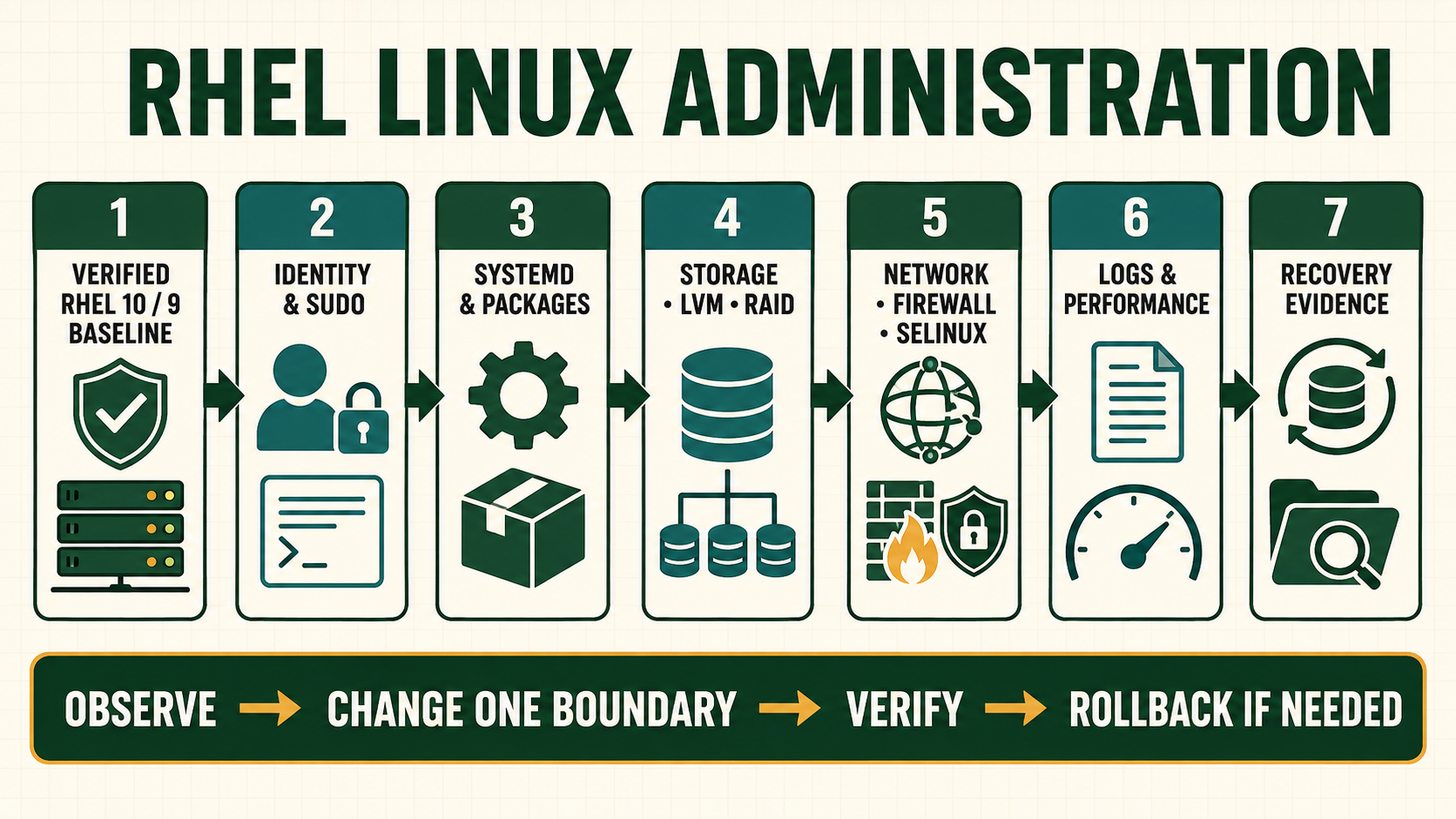
A useful Linux administrator does more than remember commands. The job is to establish the expected state, gather evidence without destroying it, identify the responsible layer, make the smallest controlled change, and prove the result. This course uses RHEL 10 as the primary lab platform and calls out RHEL 9 differences where they affect an operator. The private question bank supplied for this course is treated as a list of concepts, not an authority: every retained question has been rewritten, and every procedure must stand on current documentation and observable system state.
Know what this course does and does not promise
The lessons cover local administration of supported RHEL 9 and 10 systems: shell use, identity, processes, systemd, packages, storage, networking, firewalling, SELinux, logs, performance, SSH, file services and DNS. Commands are examples, not permission to alter an unidentified production host. Every lab begins with an inventory and ends with evidence.
Generic Linux behavior is explained without pretending every distribution is identical. Package names, default services, boot tooling, security policy and network ownership are verified on the target release. Material about mail transport is placed in the separate Linux MTA Operations track because SMTP queues, relay policy and sender identity need deeper treatment than a general administration lesson can provide.
Use one diagnostic loop on every system
| Layer | Question to answer | Evidence |
|---|---|---|
| Expected state | What should the service, route, mount or policy do? | Approved design, unit file, configuration and change record |
| Observed state | What happened, where and when? | Command output, journal cursor, timestamps and exact error |
| Responsible layer | Which component owns the decision? | Process, socket, route, firewall, SELinux, storage and upstream evidence |
| Controlled change | What is the smallest reversible correction? | Backup, syntax test, scoped activation and rollback trigger |
| Acceptance | How will success and side effects be proven? | Positive test, negative test, monitoring and retained evidence |
Prepare a course lab before changing anything
- Choose a disposable target. Use a VM or approved lab subscription, not the only copy of a business service.
- Record identity. Capture hostname, release, kernel, boot mode, addresses, storage and virtualization context.
- Protect access. Keep console access and a second privileged session before changing SSH, networking, PAM, sudo or firewall policy.
- Define evidence paths. Create a root-owned lab directory for command output, configuration copies and timestamps without storing credentials.
- Set failure boundaries. State when to stop, what must remain reachable and which command restores the reviewed state.
- Test both outcomes. A service is not accepted merely because one local request succeeded; test the intended client path and an intended denial.
Capture a read-only host baseline
date -u --iso-8601=seconds
hostnamectl
cat /etc/redhat-release
uname -r
systemd-detect-virt
findmnt -o TARGET,SOURCE,FSTYPE,OPTIONS
lsblk -o NAME,TYPE,SIZE,FSTYPE,MOUNTPOINTS
ip -brief address
ip route show
ss -lntup
systemctl --failed
journalctl -p warning..alert -b --no-pagerhostnamectlidentifies the operating-system and virtualization context reported by systemd. Treat inventory data as evidence, not as proof that every package is current.ss -lntupshows listening TCP and UDP sockets with process ownership when permissions allow. A listening socket does not prove a firewall or upstream path permits access.systemctl --failedis a starting point. A service can be active while its application is unhealthy, and an inactive optional unit is not automatically an incident.- Preserve UTC timestamps with every capture so journal, monitoring and change records can be correlated.
Evidence and acceptance criteria
| Evidence | Healthy result | Failure meaning |
|---|---|---|
| Release and kernel | Supported RHEL 9 or 10 release and expected kernel stream | Wrong template, unplanned upgrade or unsupported image |
| Failed units | No unexplained failed critical units | Boot, dependency, configuration or resource failure needs ownership |
| Mount and capacity | Expected filesystems mounted with planned options and headroom | Missing device, stale entry, read-only state or capacity incident |
| Network identity | Expected addresses and routes owned by the intended profile | Wrong NetworkManager profile, duplicate address or path drift |
| Time and logs | UTC time is credible and warning evidence is retained | Correlation and certificate or authentication decisions may be unreliable |
Worked scenario: “the server is slow” is not a diagnosis
A user reports that a server became slow after lunch. The administrator does not clear caches, reboot or kill the largest process. They record the report time and affected transaction, compare load and pressure with the normal baseline, inspect CPU run queue, memory pressure, storage latency, network retransmission and application logs, then identify one backup job saturating the same storage used by the application. Pausing that approved job is a bounded mitigation; rescheduling it and adding I/O evidence is the correction.
The important result is not that response time improved. It is that the team can explain the causal resource, show the before-and-after evidence, and detect the same contention before users report it.
Practical how-to cases
Case 1: Build an evidence directory
Create a private location for lab output and capture system identity without collecting secrets.
umask 077
lab="$PWD/rhel-lab"
mkdir -p "$lab"
date -u --iso-8601=seconds | tee "$lab/time.txt"
hostnamectl | tee "$lab/identity.txt"
stat -c '%A %U:%G %n' "$lab"| Checkpoint | What to establish |
|---|---|
| Expected result | The directory is owned by the learner, has no group or other access, and the files carry a UTC baseline. |
| If it fails | If permissions are broader, inspect the current umask and ACL before adding more evidence. |
| Safe recovery | Use chmod 700 on the exact lab directory and remove any accidentally captured secrets from all copies. |
Case 2: Trace a service from unit to process
Use chronyd as a harmless example and prove which unit, process and configuration own time synchronization.
systemctl status chronyd --no-pager
systemctl cat chronyd
systemctl show chronyd -p MainPID -p FragmentPath -p DropInPaths
chronyc tracking
journalctl -u chronyd -b --no-pager | tail -30| Checkpoint | What to establish |
|---|---|
| Expected result | The unit is active, MainPID identifies the running daemon, configuration origin is visible, and chronyc reports a credible source state. |
| If it fails | An active unit with an unsynchronized clock points to source, network or time policy rather than systemd alone. |
| Safe recovery | Do not change time blindly. Restore the reviewed configuration and restart only after chronyd -Q or local validation where supported. |
Case 3: Separate socket health from network reachability
Prove that listening, local service behavior and remote reachability are different checkpoints.
ss -lntup
ip -brief address
ip route
firewall-cmd --get-active-zones
curl --fail --silent --show-error http://127.0.0.1:8080/| Checkpoint | What to establish |
|---|---|
| Expected result | A deliberately installed lab service appears on its intended address and a local request returns the expected application response. |
| If it fails | Connection refused means no matching listener; timeout suggests policy or path; HTTP failure means the transport worked but the application did not. |
| Safe recovery | Return the lab service, firewall and bind address to the recorded baseline. Keep console access while testing remote policy. |
Case 4: Use the five-step incident record
Document one controlled failure as expected state, observation, responsible layer, change and acceptance.
date -u --iso-8601=seconds
systemctl --failed
journalctl -b -p warning..alert --no-pager
findmnt --verify
nmcli connection show --active| Checkpoint | What to establish |
|---|---|
| Expected result | The record contains timestamps, original evidence, a single causal layer and repeatable positive and negative tests. |
| If it fails | A list of commands without an explained causal link is observation, not diagnosis. |
| Safe recovery | Undo the exact lab change, rerun acceptance and retain the before-and-after evidence. |
Independent practice tasks
- Inventory an unfamiliar lab VM and identify five facts that must be confirmed before any change.
- Diagnose a stopped lab service without starting it until you can explain the failed layer.
- Write acceptance and rollback criteria for a firewall change that must preserve SSH.
- Create a 20-minute timed baseline exercise using only locally installed documentation.
For this lesson on RHEL Linux Administration Course Roadmap, complete each task without copying the worked command sequence. Record the initial state, exact change, verification, negative test and recovery command. A task is unfinished if it works now but does not survive a reboot where persistence is required.
Troubleshooting by symptom
| Symptom | Inspect first | Defensible next action |
|---|---|---|
| Command is not found | Exact command, shell, PATH and owning package | Use command -V and dnf provides; do not download an arbitrary binary |
| Service is active but unavailable | Socket, bind address, local request, firewall and SELinux evidence | Correct the first failing layer rather than restarting repeatedly |
| Disk reports free space but writes fail | Bytes, inodes, quotas, read-only state and reserved space | Repair the actual limit; deleting random files can destroy evidence |
| Remote change loses access | Console, retained session and NetworkManager/firewall rollback | Stop automation and restore the last verified access path |
Unsafe operations and recovery boundaries
- Unsafe: rebooting or killing processes because a host is “slow” destroys transient evidence and can extend an outage. Capture resource and application state first.
- Unsafe: copying commands from a different RHEL major release without checking package, path and service ownership can replace a working control plane.
- Unsafe: collecting secrets, private keys, full environment dumps or customer data in a course evidence folder expands the incident and privacy boundary.
Rewritten knowledge checks
Lab: establish an evidence-first administration baseline
- Create a RHEL 9 or 10 VM snapshot and document how the console is reached if networking fails.
- Run the baseline commands and annotate which output identifies identity, resources, ownership, policy and symptoms.
- Choose one harmless service such as
chronyd. Record its unit state, process, sockets if any, recent journal and configuration source. - Create one intentional lab-only failure, such as an invalid copy of a configuration checked with a syntax tool. Do not activate it.
- Write the expected state, observed failure, responsible layer, safe correction and acceptance test.
- Restore the VM snapshot only after preserving the evidence needed to explain what happened.