
AWS 177: Amazon Inspector
Why this lesson matters
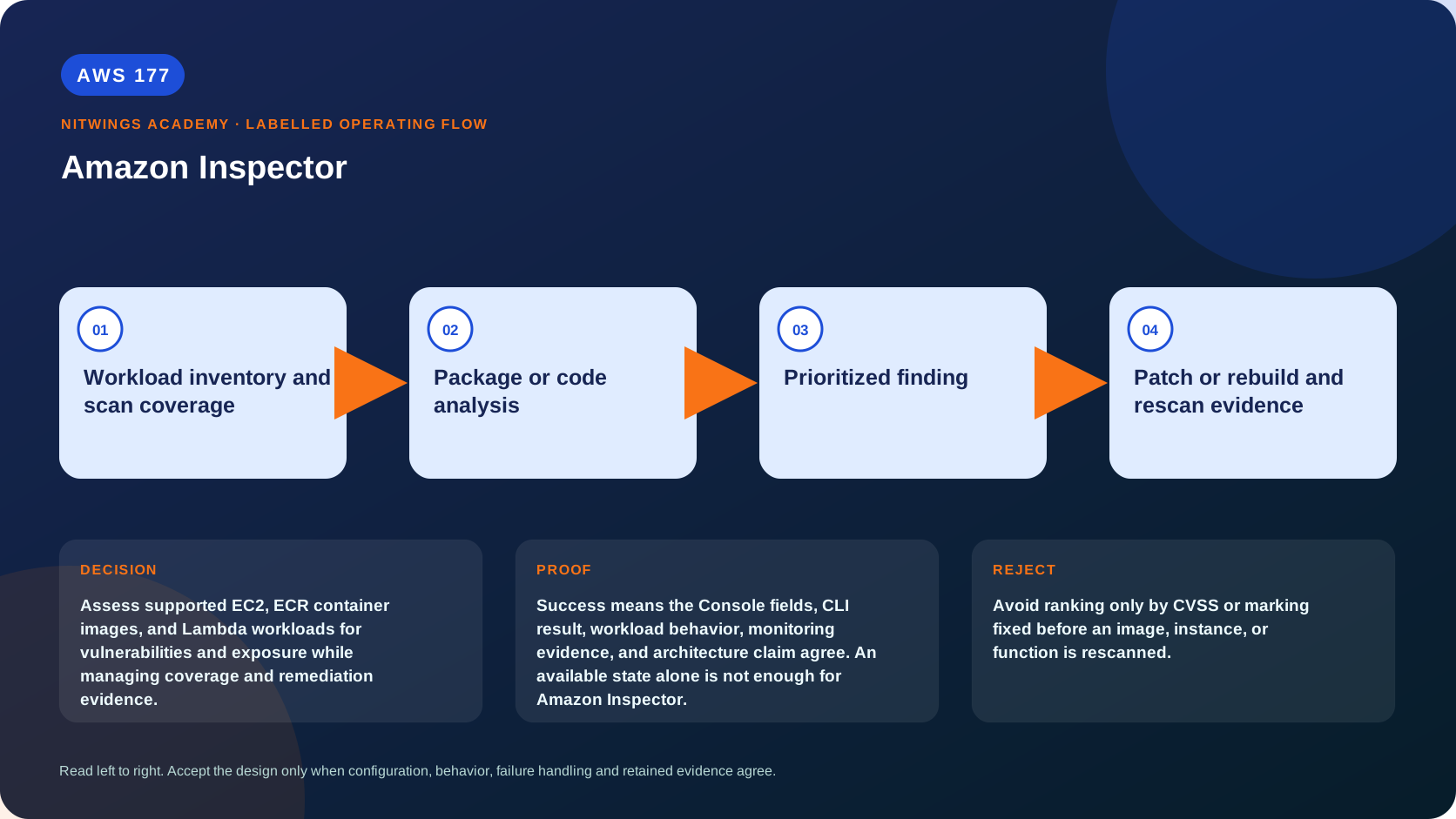
Assess supported EC2, ECR container images, and Lambda workloads for vulnerabilities and exposure while managing coverage and remediation evidence.
What you will be able to do
By the end, you can:
- explain amazon inspector in plain language;
- locate the current service controls in the AWS Management Console;
- run the matching CloudShell or AWS CLI queries and explain every important field;
- draw the identity, network, data, failure, and monitoring path;
- choose the service from requirements and reject it when those requirements are absent;
- diagnose a failed or misleading result from evidence;
- state the cost owner and prove cleanup or a no-create result.
Before you start
- Use a personal AWS account only when its owner has approved the lesson. Do not use the root user for daily work.
- CloudShell is the default command environment. AWS028 explains CloudShell; AWS029 and AWS030 explain local AWS CLI installation and profiles.
- The course example Region is
ap-south-1. Global services and services with a required control Region are called out in their commands. - Run
aws sts get-caller-identityprivately. Redact the account number before sharing evidence. - Never paste access keys, passwords, secret values, private object data, presigned URLs, or full account-specific ARNs into a submission.
- This is a no-create lesson. Every Console action and AWS CLI command is read-only. Create the practical artifact locally.
- Console wording can change. Use the Console service search if a menu label has moved, then confirm the current field in the official documentation.
The core model
| Question | What it means in this lesson |
|---|---|
| Purpose | Assess supported EC2, ECR container images, and Lambda workloads for vulnerabilities and exposure while managing coverage and remediation evidence. |
| Scope and boundary | The learner must identify the account and Region scope, resource boundary, identity path, data or network path, failure behavior, observability, and cleanup ownership for Amazon Inspector. |
| Evidence of success | Success means the Console fields, CLI result, workload behavior, monitoring evidence, and architecture claim agree. An available state alone is not enough for Amazon Inspector. |
| Cost model | Requests, running capacity, storage, logs, data transfer, retained state, and optional features must be priced for the exact design. |
| Safe rejection rule | Avoid ranking only by CVSS or marking fixed before an image, instance, or function is rescanned. |
How the request flows
+----------------------------------------+
|  Workload inventory and scan coverage  |
+----------------------------------------+
                    |
                    v
+----------------------------+
|  Package or code analysis  |
+----------------------------+
              |
              v
+-----------------------+
|  Prioritized finding  |
+-----------------------+
           |
           v
+----------------------------------------+
|  Patch or rebuild and rescan evidence  |
+----------------------------------------+
Inspector coverage and scan models
Amazon Inspector continuously evaluates supported compute artifacts for known vulnerabilities and unintended network exposure. It creates findings with affected package or code, CVE, severity, fix availability and resource context. It does not patch resources, detect active attackers, prove exploitability, replace application testing or cover unsupported software automatically.
| Resource | Scan model | Architect checks |
|---|---|---|
| EC2 | Agent-based inventory or eligible agentless EBS-snapshot collection in hybrid mode; network reachability analysis | supported OS/filesystem, SSM or VM Scanner health, snapshot eligibility, last scan, repositories and reboot requirement |
| ECR | Enhanced scanning of eligible images for OS and language-package vulnerabilities | repository scan mode, image digest, push/rescan duration, image age and deployment mapping |
| Lambda | Standard dependency scanning; optional code scanning adds source-code analysis | runtime/package support, function and layer version, last scan and enabled scan layer |
| Code repositories | Code Security analyzes first-party code, dependencies and IaC through supported integrations | repository connection, branch coverage, supported language and developer workflow |
Activation is regional and scan types can differ by account. Organizations delegated administration and auto-enable policy reduce drift but do not replace list-coverage evidence. A resource can exist while coverage is unsupported, inactive or stale. Record scan status and reason before claiming compliance.
Prioritize and remediate findings
Inspector scoring enriches vulnerability severity with environment context. Exploit probability and exploit-availability fields can help prioritize, but business criticality, internet path, privilege, reachable code, compensating controls and active exploitation still matter.
- Capture instance, image, function or repository identity; immutable image digest/version; package and CVE; first/last observed; and fix availability.
- Confirm the vendor advisory for the actual OS/runtime repository.
- Rebuild the AMI, image or function artifact through its pipeline and test it.
- Deploy progressively and map running workloads to the fixed digest/version.
- Wait for rescan and prove the finding closes for the expected reason.
- If no fix exists, document risk owner, compensating control, expiry and narrow suppression scope.
Stopping an instance or deleting an image can close a finding without proving remediation. Suppression changes visibility, not vulnerability. Exported reports need an encrypted S3 destination and controlled KMS/bucket policies.
EC2 scanning nuances
Agent-based results depend on supported inventory collection; enhanced EC2 scanning uses the Inspector VM Scanner managed through SSM. Agentless scanning creates temporary tagged EBS snapshots for eligible instances, reads them through EBS direct APIs and deletes them. Hybrid mode selects the method. Agentless and agent-based language-package paths can differ, so compare scan method before calling differing results a defect. A kernel fix may require reboot before the running-kernel finding clears.
Inspector uses vendor advisories for supported distributions. A larger package version from another distribution is not proof of a fix. Third-party repositories and end-of-support systems create blind spots and need separate ownership.
Architecture decision table
| Situation | Direction | Reason |
|---|---|---|
| Requirement matches | Use Inspector to maintain continuous supported-workload vulnerability visibility. | Select only after scope, behavior, security, recovery, operations, and price evidence agree. |
| Requirement does not match | Avoid ranking only by CVSS or marking fixed before an image, instance, or function is rescanned. | Rejecting an attractive service is a valid architecture result. |
| No create permission or cost approval | Use supplied evidence and local design work | Learning does not depend on creating an hourly resource. |
| Existing resource is unknown or unowned | Inspect only, then stop | Never change or delete a resource merely because it resembles a course example. |
AWS Management Console, step by step
Sign in with the normal non-root learning identity. Write the expected starting state before opening the service.
- Use the Console service search and open Amazon Inspector, Account management, Coverage, and Findings; confirm the account and Region before reading the page.
- Inspect the supplied or owned resource's status, configuration, permissions, networking, encryption, monitoring, tags, and dependencies without changing it.
- Open the related metrics, logs, events, or history view and record one timestamped signal that would prove or disprove the expected behavior.
- Return to the resource list, clear filters, and record the final inventory. On the read-only track, do not choose Create, Save, or Delete.
CloudShell and AWS CLI, step by step
Start with a known caller and Region:
export AWS_DEFAULT_REGION="ap-south-1"
aws sts get-caller-identity --query Arn --output text
aws configure list
Redact the account part of the ARN in shared evidence. Now run the topic queries:
aws inspector2 batch-get-account-status --output json
aws inspector2 list-coverage --max-results 50 --query 'coveredResources[].{Type:resourceType,Id:resourceId,Status:scanStatus.status,Reason:scanStatus.reason}' --output table
aws inspector2 list-findings --max-results 20 --query 'findings[].{Title:title,Severity:severity,Status:status,Resource:resources[0].id}' --output table
Expected interpretation
A vulnerability finding needs package, version, fix availability, exploitability, network exposure, runtime use, owner, SLA, exception, and retest context.
Practical work
Triage five supplied findings. Prioritize using severity plus exploit and exposure evidence, assign remediation or exception, rebuild an image rather than patching drift where appropriate, and define rescan proof.
Diagnose this topic from its own evidence
- Missing EC2 coverage: inspect OS support, EBS backing/filesystem/volume eligibility, exclusion tags, SSM or VM Scanner state and coverage reason.
- Missing ECR result: inspect enhanced scan activation, repository filter, image digest, push time and rescan-duration expiry.
- Lambda finding persists: verify the deployed function/layer version actually contains the rebuilt dependency and wait for scanning.
- Finding closes unexpectedly: check stop, termination, deletion, aging and suppression before recording remediation.
- Correlate
list-coverage,list-findings, package metadata, pipeline provenance and running deployment inventory.
Cost and cleanup
Requests, running capacity, storage, logs, data transfer, retained state, and optional features must be priced for the exact design.
Knowledge check
- What operational purpose is this lesson solving?
Expected direction: Assess supported EC2, ECR container images, and Lambda workloads for vulnerabilities and exposure while managing coverage and remediation evidence.
- Which scope or ownership boundary must be proved first?
Expected direction: The learner must identify the account and Region scope, resource boundary, identity path, data or network path, failure behavior, observability, and cleanup ownership for Amazon Inspector.
- What evidence is strong enough to accept the result?
Expected direction: Success means the Console fields, CLI result, workload behavior, monitoring evidence, and architecture claim agree. An available state alone is not enough for Amazon Inspector.
- Which tempting design or shortcut must be rejected?
Expected direction: Avoid ranking only by CVSS or marking fixed before an image, instance, or function is rescanned.
- Which cost dimensions and retained resources need an owner?
Expected direction: Requests, running capacity, storage, logs, data transfer, retained state, and optional features must be priced for the exact design.
Lesson acceptance
- Compare EC2 agent, agentless/hybrid, ECR, Lambda and Code Security scopes.
- Interpret coverage status and reason instead of service-enabled state alone.
- Prioritize with exploit, reachability and business context rather than CVSS only.
- Trace remediation from CVE to rebuilt immutable artifact, running deployment and rescan closure.
- Explain suppression, report export, regional administration, unsupported software and cost boundaries.