
AWS 212: Trusted Advisor, Compute Optimizer and AWS Health
Why this lesson matters
These three services produce decision inputs with different meanings. Trusted Advisor checks account configuration against AWS-maintained practices; Compute Optimizer models rightsizing from resource specifications and utilization history; AWS Health announces public or account-specific operational events and scheduled changes. None is an automatic instruction to change production. An owner must verify scope, freshness, workload constraints and rollback.
What you will be able to do
By the end, you can:
- select Trusted Advisor, Compute Optimizer or AWS Health for the question each can answer;
- verify support-plan, enrollment, account, organization and Region dependencies;
- inspect recommendation/check freshness, lookback, affected resource and assumptions;
- distinguish public Health events from account-specific affected-resource events;
- challenge a rightsizing recommendation using memory, seasonality, licensing, commitments and resilience needs;
- turn a scheduled change into an owned maintenance, validation and rollback plan;
- record accept, defer or reject decisions without applying advice blindly.
Before you start
- Use a personal AWS account only when its owner has approved the lesson. Do not use the root user for daily work.
- CloudShell is the default command environment. AWS028 explains CloudShell; AWS029 and AWS030 explain local AWS CLI installation and profiles.
- The course example Region is
ap-south-1. Global services and services with a required control Region are called out in their commands. - Run
aws sts get-caller-identityprivately. Redact the account number before sharing evidence. - Never paste access keys, passwords, secret values, private object data, presigned URLs, or full account-specific ARNs into a submission.
- This is a no-create lesson. Every Console action and AWS CLI command is read-only. Create the practical artifact locally.
- Console wording can change. Use the Console service search if a menu label has moved, then confirm the current field in the official documentation.
The core model
| Question | What it means in this lesson |
|---|---|
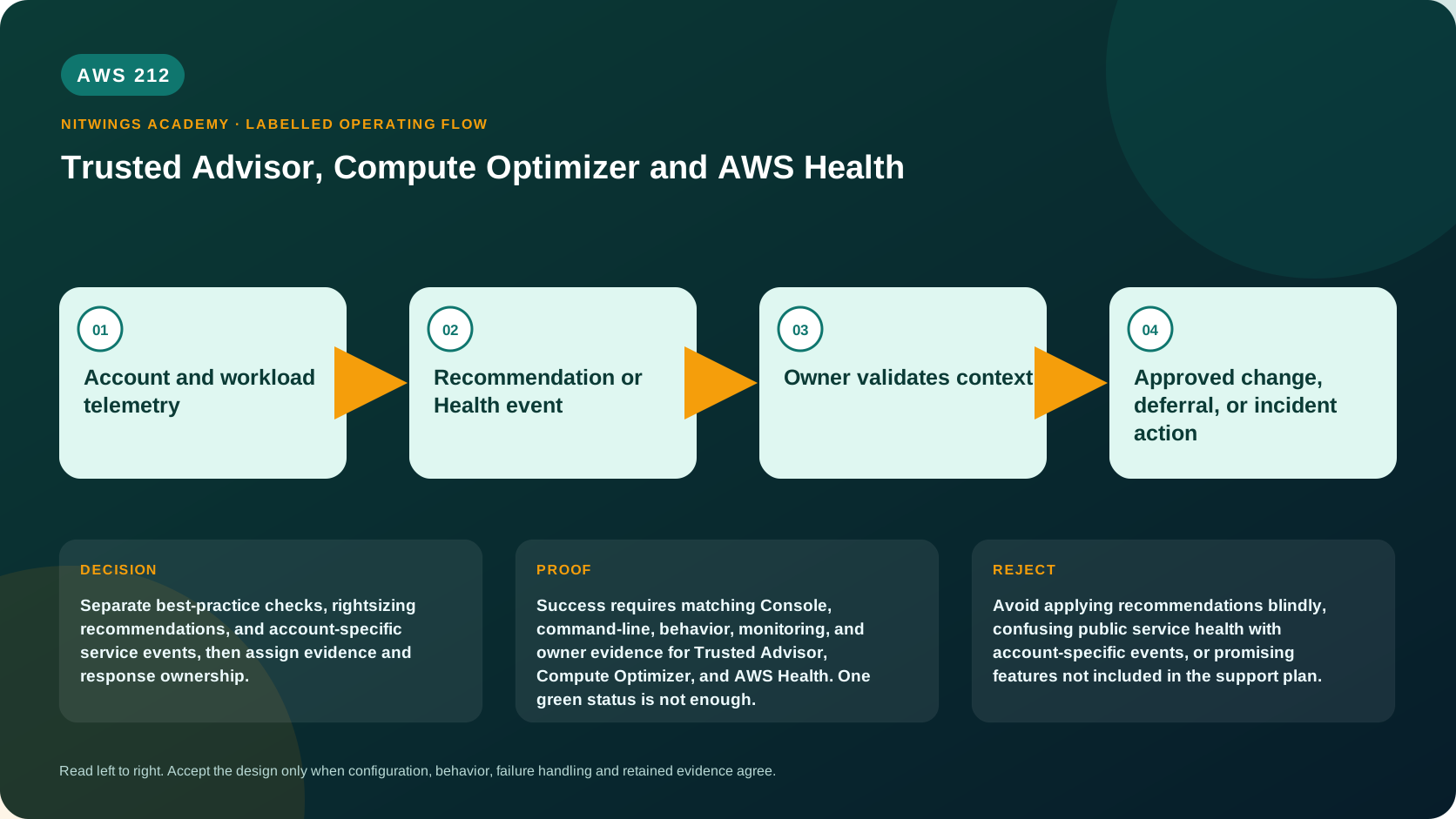
| Purpose | Separate best-practice checks, rightsizing recommendations, and account-specific service events, then assign evidence and response ownership. |
| Scope and boundary | For Trusted Advisor, Compute Optimizer, and AWS Health, separate account and Region scope, identity, configuration, data or network behavior, failure ownership, evidence retention, and cleanup. |
| Evidence of success | Success requires matching Console, command-line, behavior, monitoring, and owner evidence for Trusted Advisor, Compute Optimizer, and AWS Health. One green status is not enough. |
| Cost model | Requests, running capacity, stored telemetry, retained history, data transfer, and connected resources must be priced for the exact design. |
| Safe rejection rule | Avoid applying recommendations blindly, confusing public service health with account-specific events, or promising features not included in the support plan. |
How the request flows
+----------------------------------+
|  Account and workload telemetry  |
+----------------------------------+
                 |
                 v
+----------------------------------+
|  Recommendation or Health event  |
+----------------------------------+
                 |
                 v
+---------------------------+
|  Owner validates context  |
+---------------------------+
             |
             v
+-------------------------------------------------+
|  Approved change, deferral, or incident action  |
+-------------------------------------------------+
Three evidence sources, three contracts
| Source | Best question | Inputs and boundary |
|---|---|---|
| Trusted Advisor | Which AWS-maintained best-practice checks flag this account? | check criteria/freshness and support-plan access; a green check covers only its documented condition |
| Compute Optimizer | Could a supported resource be resized for price/performance? | opt-in, configuration and CloudWatch utilization history; prediction needs workload validation |
| AWS Health | Is AWS reporting an event or scheduled change relevant to this account/resource? | public versus account-specific scope, affected entities, status, start/end and action deadline |
Trusted Advisor categories include cost optimization, performance, security, fault tolerance, service limits and operational excellence. Check availability and programmatic access depend on the current support plan. Current documentation grants the full check/API paths to Business Support+, Enterprise Support and Unified Operations plans; Basic/Developer plans receive a limited documented subset in the console. Check names and criteria can change, so automation should use current check IDs and tolerate deprecation.
Compute Optimizer requires opt-in and sufficient supported-resource metrics. The default analysis uses recent history (normally 14 days); preferences can use 32 days, while enhanced infrastructure metrics can extend selected lookback to 93 days for an added charge. Recommendations can include EC2, ASG, EBS, ECS and several database/network services subject to prerequisites. Validate memory visibility, peak/month-end periods, burst credits, local storage/network, architecture compatibility, HA headroom, licenses and existing commitments before approving a resize. Cost Optimization Hub integration can make savings estimates account for eligible discounts.
AWS Health public events concern a service/Region generally; account-specific events identify impact to your account and can list affected resources. The signed-in dashboard is available to all customers, and all customers can receive Health events through EventBridge. Direct AWS Health API access requires an eligible support plan. The API uses active/passive endpoints (currently active signing Region us-east-1 per the documented endpoint discovery model), so a generic course Region can be wrong. EventBridge can deliver impacted and backup-Region copies; deduplicate by stable event ARN and communication ID.
Architecture decision table
| Situation | Direction | Reason |
|---|---|---|
| Requirement matches | Use each source as decision support with workload context and an accountable owner. | Select only after scope, behavior, security, recovery, operations, and price evidence agree. |
| Requirement does not match | Avoid applying recommendations blindly, confusing public service health with account-specific events, or promising features not included in the support plan. | Rejecting an attractive service is a valid architecture result. |
| No create permission or cost approval | Use supplied evidence and local design work | Learning does not depend on creating an hourly resource. |
| Existing resource is unknown or unowned | Inspect only, then stop | Never change or delete a resource merely because it resembles a course example. |
AWS Management Console, step by step
Sign in with the normal non-root learning identity. Write the expected starting state before opening the service.
- Open Trusted Advisor and record support plan/access, check ID/category, status, refresh time, flagged resource, criterion and exclusion state. Do not refresh or exclude a result on this track.
- Open Compute Optimizer, verify enrollment scope and recommendation preferences. For one resource, compare current configuration, finding reason, utilization graphs, lookback, projected risk/savings and all recommendation options.
- Compare Compute Optimizer inputs to CloudWatch over a known peak period. Mark missing memory or business-cycle evidence explicitly.
- Open AWS Health > Your account health. Separate open/recent issues, scheduled changes and notifications; identify
PUBLICversusACCOUNT_SPECIFIC, status, affected entities, deadline and latest update. - For a scheduled change, assign business owner, maintenance window, dependency test, rollback and proof of completion. For a public event with no affected resource, verify actual workload symptoms before declaring impact.
- This lesson is read-only. Do not opt in, refresh, exclude, resize or acknowledge/close operational work.
CloudShell and AWS CLI, step by step
Start with a known caller and Region:
export AWS_DEFAULT_REGION="ap-south-1"
aws sts get-caller-identity --query Arn --output text
aws configure list
Redact the account part of the ARN in shared evidence. Now run the topic queries:
aws compute-optimizer get-enrollment-status --output json
aws compute-optimizer get-ec2-instance-recommendations --max-results 20 --output table
aws health describe-events --region us-east-1 \
  --filter eventStatusCodes=open upcoming --max-results 20 --output json
Expected interpretation
Enrollment status does not prove enough history exists. A recommendation is a model with finding reasons and assumptions, not a change approval. describe-events requires eligible API/support access; SubscriptionRequiredException is an access-plan result, not proof that no Health event exists - use the dashboard/EventBridge path allowed to the account. Fetch affected entities and details for the exact event ARN before planning action.
Practical work
Review three supplied recommendations and one Health event. Record source, support-plan or enrollment dependency, lookback, affected resource, confidence, savings or risk, owner, maintenance deadline, validation, and rollback.
Diagnose this topic from its own evidence
| Symptom | Likely cause | Response |
|---|---|---|
| fewer Trusted Advisor checks than expected | support-plan entitlement, IAM or stale refresh | verify plan/current reference and freshness; do not promise unavailable API |
| no Compute Optimizer recommendation | not enrolled, unsupported state/Region, insufficient metrics/history | prove eligibility and wait for sufficient representative data |
| recommendation would break workload | missing memory/peak/license/architecture constraint | reject/defer with evidence and select a safer test candidate |
| Health API subscription error | support plan does not include API | use signed-in dashboard or EventBridge path; document boundary |
| duplicate Health notifications | impacted plus backup Region/update communications | deduplicate by event ARN and communication ID while preserving updates |
Positive test: one recommendation's resource and lookback match its CloudWatch evidence. Negative test: reject a cheaper size that fails a documented memory/HA constraint. Dependency-failure test: Health API access is unavailable but the account dashboard contains the scheduled change; use the correct source instead of reporting no event.
Cost and cleanup
Dashboard/check access can be free while support plans, enhanced Compute Optimizer metrics, Cost Explorer/Hub integrations, EventBridge targets and retained evidence have separate costs. The recommended infrastructure change can alter compute, license, commitment and data-transfer cost. Record recommendation date, price basis, savings estimate mode and rollback capacity; stale recommendations must not justify a production change.
Knowledge check
- What operational purpose is this lesson solving?
Expected direction: Separate best-practice checks, rightsizing recommendations, and account-specific service events, then assign evidence and response ownership.
- Which scope or ownership boundary must be proved first?
Expected direction: For Trusted Advisor, Compute Optimizer, and AWS Health, separate account and Region scope, identity, configuration, data or network behavior, failure ownership, evidence retention, and cleanup.
- What evidence is strong enough to accept the result?
Expected direction: Success requires matching Console, command-line, behavior, monitoring, and owner evidence for Trusted Advisor, Compute Optimizer, and AWS Health. One green status is not enough.
- Which tempting design or shortcut must be rejected?
Expected direction: Avoid applying recommendations blindly, confusing public service health with account-specific events, or promising features not included in the support plan.
- Which cost dimensions and retained resources need an owner?
Expected direction: Requests, running capacity, stored telemetry, retained history, data transfer, and connected resources must be priced for the exact design.
Lesson acceptance
- Three supplied findings are classified by source, account/Region scope, entitlement/enrollment, freshness and owner.
- A rightsizing recommendation is tested against representative utilization, memory, peaks, HA, licenses and commitments.
- One recommendation is accepted/deferred/rejected with measurable validation and rollback.
- Public and account-specific Health events and API/dashboard/EventBridge access boundaries are distinguished.
- One scheduled event becomes an owned deadline, maintenance procedure, dependency test and closure proof.