
Control Workspaces, Stash, Artifacts and Build Retention
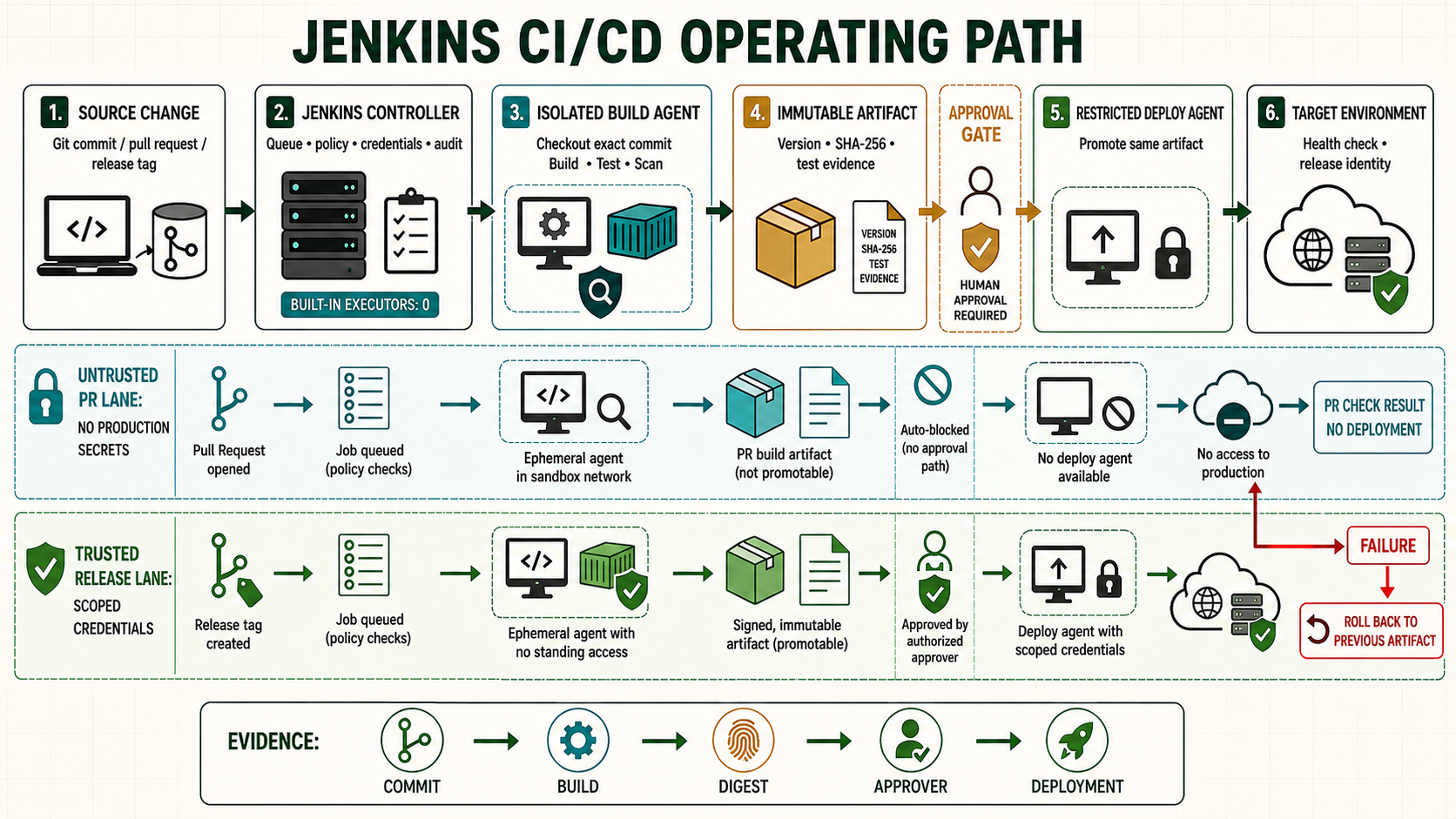
A Jenkins workspace is temporary execution storage on an agent. It is useful for checkout and build tools, but it is not an artifact repository, backup, secret store or security boundary. Correct cleanup and isolation make builds reproducible and keep agents available.
Know where Pipeline data belongs
| Data | Location | Retention |
|---|---|---|
| Checkout and intermediates | Agent workspace | Disposable per build policy |
| Small files between Pipeline stages | stash/unstash | Normally one run |
| Release artifacts | Artifact or container registry | Versioned policy |
| Test reports | Jenkins publisher and external observability | Compliance/debug policy |
| Secrets | Credentials provider, temporary binding | Never persist in workspace |
Inspect a workspace
pwd
git status --short
find . -maxdepth 2 -type f -printf '%s %p\n' | sort -nr | head -n 30
df -hT .
df -ih .
du -x -h --max-depth=2 . | sort -h | tail -n 30
Do not assume the workspace path or parse it from a job name. Use pwd, the Pipeline pwd() step or env.WORKSPACE. Quote paths because folder and branch names can contain characters scripts do not expect.
Start clean and finish clean
pipeline {
  agent { label 'linux' }
  options { disableConcurrentBuilds() }
  stages {
    stage('Checkout') {
      steps {
        deleteDir()
        checkout scm
      }
    }
    stage('Build') {
      steps { sh 'set -euo pipefail; ./ci/build.sh' }
    }
  }
  post {
    always {
      junit testResults: 'reports/*.xml', allowEmptyResults: true
      deleteDir()
    }
  }
}
Publish reports before deleting the directory. If incident analysis needs failed workspaces, archive specific diagnostic files or temporarily retain a failed ephemeral agent under access control rather than disabling cleanup globally.
Use directories intentionally
stage('Build services') {
  steps {
    dir('services/api') { sh 'set -eu; ./gradlew test assemble' }
    dir('services/web') { sh 'set -eu; npm ci; npm test' }
  }
}
dir changes the directory within the allocated workspace. The ws step can allocate another workspace, but concurrent builds may receive a suffix such as @2. Do not use a shared custom directory to force builds onto the same files.
Move files between agents
stage('Build') {
  agent { label 'linux' }
  steps {
    sh 'set -eu; ./ci/build.sh'
    stash name: 'test-package', includes: 'dist/**', useDefaultExcludes: true
  }
}
stage('Test package') {
  agent { label 'test' }
  steps {
    deleteDir()
    unstash 'test-package'
    sh 'set -eu; ./ci/test-package.sh dist/'
  }
}
Use stash for modest same-run transfers. Large artifacts burden controller resources; upload them once to an artifact repository, attach a checksum, and download by immutable identifier.
Control concurrency and caches
- Use
disableConcurrentBuilds()when two runs cannot safely touch the same external resource. PreferabortPrevious: trueonly when cancelling an earlier run cannot leave partial state. - Make caches content-addressed or version-specific. A cache may accelerate a build but must not determine correctness.
- Do not share writable
node_modules, build output or Git worktrees between concurrent jobs. - Use ephemeral agents for strong cleanup and repeatability; rebuild the image instead of repairing drift.
Recover disk space safely
# First identify the exact agent workspace root and largest consumers.
find /srv/jenkins-agent/workspace -mindepth 1 -maxdepth 1 \
  -type d -printf '%TY-%Tm-%Td %TH:%TM %p\n' | sort
du -x -h --max-depth=2 /srv/jenkins-agent/workspace | sort -h | tail
lsof +L1
Mark the agent offline, let running jobs finish, then delete only confirmed inactive workspaces using Jenkins workspace controls or an explicit reviewed path.
Unsafe: the following command destroys every workspace under the exact path. It is included for emergency runbooks, but run it only on a drained agent after validating the path and backup requirements:
sudo rm -rf -- /srv/jenkins-agent/workspace/*Safer routine action: open the job's Workspace page and select Wipe Out Current Workspace, or use deleteDir() in the Pipeline.
Troubleshoot
| Symptom | Cause to test | Correction |
|---|---|---|
| No space left | Bytes, inodes, deleted-open files | Drain agent, remove verified disposable data, restart holder if needed. |
| Intermittent test result | Stale output or shared cache | Clean checkout and reproduce without cache. |
| Permission denied | Files created by another UID or container | Align container and agent IDs; restore ownership. |
@2 workspace | Concurrent allocation | Make scripts path-independent or control concurrency. |
| Secret file remains | Binding used inside a browsable workspace | Use credentials binding correctly, clean, rotate exposed secret. |
How Jenkins chooses a physical workspace
When a node or Declarative agent is allocated, Jenkins assigns an executor and a workspace on that agent. A typical path resembles AGENT_ROOT/workspace/JOB_NAME, but folder names, encoded characters, branch names and concurrency suffixes make hardcoded paths unreliable. Use pwd() or env.WORKSPACE.
| Construct | What it does | What it does not do |
|---|---|---|
agent/node | Allocates executor and workspace | Does not guarantee a clean directory |
dir('path') | Changes current directory below the workspace | Does not create a security boundary or new executor |
ws('path') | Allocates a workspace path, possibly with a concurrency suffix | Does not guarantee the exact requested path |
pwd(tmp: true) | Returns an associated temporary directory | Does not turn secrets into safe persistent files |
deleteDir() | Recursively deletes the current directory contents | Does not remove external caches, artifacts or processes |
Workspace behavior in a Multibranch Pipeline
Each discovered branch or pull request is a distinct Jenkins job and normally receives its own workspace. Names may be encoded or shortened. Never derive a deployment environment from the directory name. Use BRANCH_NAME, CHANGE_ID, TAG_NAME and explicit policy.
stage('Workspace facts') {
  steps {
    script {
      echo "node=${env.NODE_NAME}"
      echo "workspace=${pwd()}"
      echo "branch=${env.BRANCH_NAME ?: 'not-multibranch'}"
      echo "change=${env.CHANGE_ID ?: 'not-a-change-request'}"
      echo "tag=${env.TAG_NAME ?: 'not-a-tag'}"
    }
  }
}
Top-level agent versus stage-level workspaces
A top-level agent normally keeps stages in one allocated workspace for the run. With agent none, each stage allocates its own agent and workspace; a later stage must not assume the prior stage's files exist. Transfer the minimum required files using stash for modest data or an artifact repository for large/versioned data.
pipeline {
  agent none
  stages {
    stage('Compile') {
      agent { label 'linux' }
      steps {
        deleteDir(); checkout scm
        sh './ci/build.sh'
        stash name: 'package', includes: 'dist/app.tgz,dist/app.tgz.sha256'
      }
    }
    stage('Verify on clean agent') {
      agent { label 'test' }
      steps {
        deleteDir(); unstash 'package'
        sh 'sha256sum -c dist/app.tgz.sha256; ./ci/test-package.sh dist/app.tgz'
      }
    }
  }
}
Understand checkout behavior
Declarative Pipeline performs a default SCM checkout after allocating an agent unless skipDefaultCheckout(true) is set. If you call checkout scm as well, you may perform duplicate work. Skip the default checkout when cleanup must happen first or when stages use different repositories.
options { skipDefaultCheckout(true) }
stages {
  stage('Controlled checkout') {
    steps {
      deleteDir()
      checkout scm
      sh 'git rev-parse HEAD'
    }
  }
}
Restart, preserveStashes and durability
preserveStashes(buildCount: N) allows a Declarative Pipeline restarted from a stage to reuse stashes from a retained completed build. It is not a general artifact repository. A restarted stage may run on another agent; scripts must not depend on an abandoned workspace, background process or local-only cache.
Container and Kubernetes workspaces
Containers in one Kubernetes agent pod normally share the Jenkins workspace volume. That enables a checkout container and build container to see the same files, but file ownership can break when containers use different UIDs. Use a consistent non-root UID/group, explicit volume policy and stage cleanup. An ephemeral pod disappearing removes its local workspace; remote artifacts and Pipeline state must support recovery.
Monorepo directory pattern from the reviewed Jenkinsfiles
The infrastructure Jenkinsfiles repeatedly enter a component directory for scanning, initialization, plan and apply:
dir('environments/production/network') {
  sh '''set -euo pipefail
    terraform fmt -check
    terraform init -input=false
    terraform plan -out=tfplan
  '''
}
This is a sound way to set the command context. Improve it by reusing one saved plan, locking shared state, cleaning between jobs and verifying that a copied Jenkinsfile does not still point to another component's directory.
Workspace security checklist
- Assume another build using the same operating-system account can inspect workspace files.
- Do not bind protected credentials on an agent that runs untrusted repository code.
- Do not expose the agent workspace through a web server or shared network file browser.
- Prevent containers from creating root-owned files on a non-root agent volume.
- Terminate background processes that may retain environment variables or file descriptors.
- Archive an allowlist of outputs rather than a broad pattern such as
**/*.