Protecting Shell Scripts: shc, Encryption, Signing, and Runtime Secrets
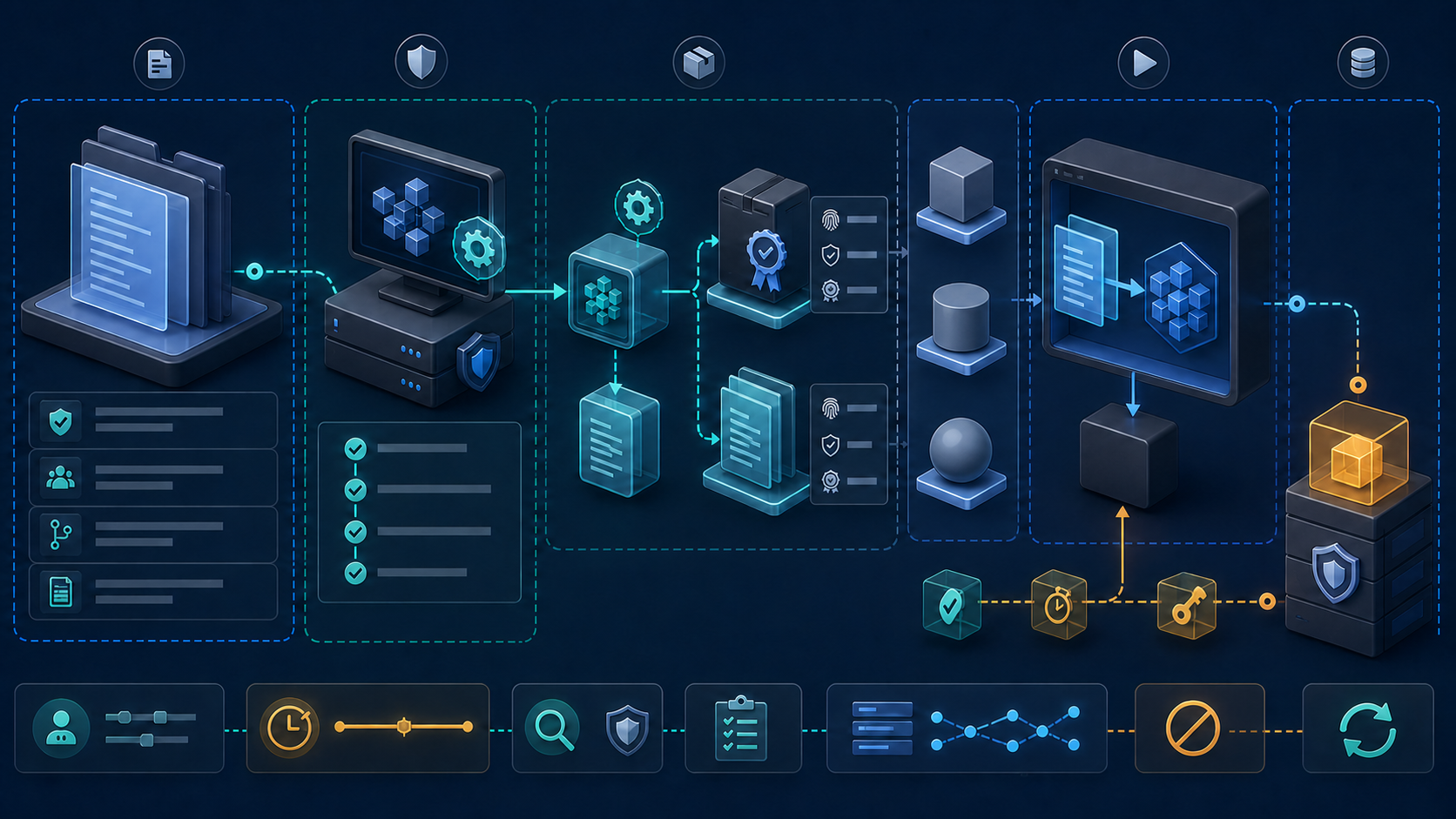
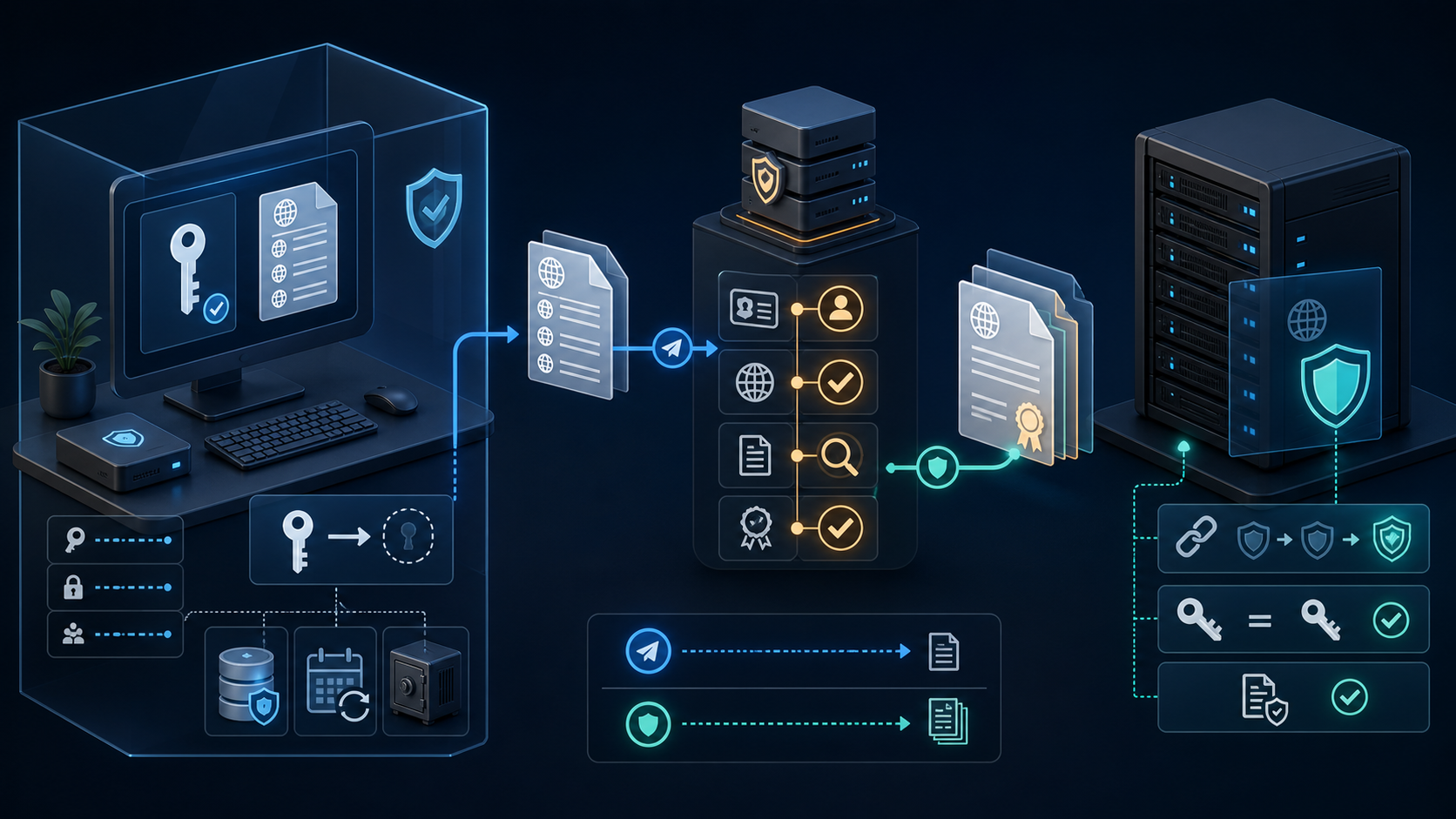
A shell script can be permission-restricted, encrypted while stored, packaged into a wrapper executable, signed, and supplied with runtime secrets. Those controls solve different problems. None can make script logic permanently invisible to an administrator who is allowed to execute it on a machine they control.
This guide keeps the practical shc build and expiry workflow, then puts it inside a defensible release process. Examples use deploy-report.sh and harmless placeholder values. Never test protection by embedding a real password, API token, private key, or customer record.
Start with the protection goal
| Goal | Useful control | Boundary |
|---|---|---|
| Stop unapproved local users reading or changing a script | Ownership, mode, ACLs, immutable deployment, and least-privilege execution | Privileged administrators and compromised execution accounts can still access it. |
| Protect a script in backup, email, or artifact storage | Authenticated encryption such as GnuPG plus separate key management | An authorized recipient must decrypt it before execution. |
| Make casual source inspection harder | shc wrapper executable or a rewrite in a compiled language | Runtime logic and data remain observable to a sufficiently capable operator. |
| Prove who released an artifact | Digital signature, protected signing key, provenance, and verification policy | A checksum by itself does not identify the publisher. |
| Prevent embedded credentials from leaking | Secret manager, short-lived identity, narrow scope, rotation, and redacted logs | Any process using a secret can expose it through memory, output, child processes, or compromise. |
| Stop execution after a commercial or support date | Server-side authorization or license decision | A local clock check in a wrapper is bypassable by someone controlling the host. |
If confidentiality must survive execution on an untrusted customer's host, a shell script is the wrong trust model. Keep sensitive decisions and private material in a service you control, expose a narrow authenticated API, and send the client only what it must know.
Model who is expected to resist the control
| Actor | What they may observe | Realistic protection |
|---|---|---|
| Unapproved account on an owned server | World/group-readable files and accessible processes | Narrow ownership, mode, ACL, service account, process policy, and audited privilege |
| Repository reader or artifact consumer | Committed source, generated files, build logs, packages, and history | Access policy, secret scanning, encrypted storage, signed releases, and no embedded credentials |
| Compromised CI runner | Workspace, build inputs, environment, injected secrets, outputs, and network | Ephemeral isolated runners, untrusted-job separation, short-lived identity, minimal egress, and rapid revocation |
| Recipient allowed to execute the wrapper | Executable behavior, files, child processes, output, timing, and reconstructed runtime logic | Obfuscation can slow casual inspection; it cannot guarantee confidentiality from the recipient |
| Administrator or root on the execution host | Process memory, debugging interfaces, interpreter invocation, files, environment, and credentials available to the process | Move sensitive logic and authorization off-host; do not rely on a local wrapper |
| Storage or network observer without decryption keys | Unprotected artifacts, metadata, size, destination, and timing | Authenticated encryption, secure transport, managed keys, integrity checks, and metadata policy |
Write the actor and expected resistance into the release requirement. “Encrypt the script” is too vague to test. “Prevent the backup operator from reading the stored source without the project key” and “make casual inspection harder for a recipient while accepting reverse engineering” lead to different designs.
Know what shc produces
shc accepts a shell script, generates C source, compiles it, and creates a stripped executable wrapper. At runtime that wrapper reconstructs the script and invokes the interpreter identified by the shebang with a shell command option. It is not a shell-to-native-code compiler, does not remove the shell dependency, and does not provide a performance improvement like a rewrite in C, Go, or Rust.
| Artifact | Default example | Release decision |
|---|---|---|
| Maintained script | deploy-report.sh | Keep in controlled source management; do not place credentials in it. |
| Generated executable | deploy-report.sh.x | Test on every supported platform, sign it, and distribute only through the release channel. |
| Generated C source | deploy-report.sh.x.c | Treat as sensitive build output because it supports reconstruction and analysis; do not distribute accidentally. |
| Build evidence | Hashes, compiler version, test result, signature, and provenance | Retain with the release so an operator can verify exactly what was built. |
Unsafe assumption: calling the executable “encrypted” does not mean the logic cannot be recovered. The maintained project itself explains that the wrapper decrypts and executes the code through the shell. Use it as an obfuscation and packaging layer, not a vault for secrets or a security boundary against the machine owner.
Prepare and test the script before wrapping it
install -d -m 0700 "$HOME/nw-shc-lab"
cd "$HOME/nw-shc-lab"
umask 077

cat > deploy-report.sh <<'SCRIPT'
#!/usr/bin/env bash
set -Eeuo pipefail

readonly target="${1:-staging}"
printf 'Preparing report for %s\n' "$target"
SCRIPT

chmod 0700 deploy-report.sh
bash -n deploy-report.sh
shellcheck deploy-report.sh
./deploy-report.sh
./deploy-report.sh production
The heredoc is quoted, so the current shell does not expand its contents while creating the example. bash -n checks syntax but does not execute the script. ShellCheck adds static analysis; it does not prove business correctness, authorization, portability, or safe runtime data.
Add automated tests for arguments, missing files, environment, locale, working directory, network failure, signals, partial output, retry behavior, exit status, cleanup, and concurrent execution. Wrapping a defective script only makes diagnosis harder.
Install shc from an approved source
Package availability varies by distribution and enabled repository. Inspect what the package manager will install before changing the system.
# RHEL-family systems using DNF
dnf info shc
sudo dnf install shc

# Systems that provide the yum command
yum info shc
sudo yum install shc

# Debian-family systems
apt-cache policy shc
sudo apt-get update
sudo apt-get install shc

shc -h
command -v shc
rpm -q shc 2>/dev/null || dpkg-query -W shc 2>/dev/null || true
Do not enable an unreviewed third-party repository just to obtain one binary. If building from the maintained source repository, pin a reviewed release or commit, verify the download and maintainer evidence available to your organization, build in an isolated environment, run its tests, scan the result, and retain the exact source revision and toolchain.
git clone https://github.com/neurobin/shc.git
cd shc
git tag --list
# Replace this placeholder with the reviewed release tag or full commit ID.
git checkout --detach REVIEWED_TAG_OR_COMMIT
git status --short
git log -1 --show-signature
./configure
make
make check
sudo make install
shc -h
Unsafe supply-chain shortcut: downloading a precompiled executable from an arbitrary mirror and copying it to /usr/bin gives that code the privileges of every user who runs it. Verify provenance and prefer a controlled package or reproducible internal build.
Build the first wrapper executable
cd "$HOME/nw-shc-lab"
shc -v -f deploy-report.sh

ls -l deploy-report.sh deploy-report.sh.x deploy-report.sh.x.c
file deploy-report.sh.x
sha256sum deploy-report.sh deploy-report.sh.x deploy-report.sh.x.c

./deploy-report.sh.x
./deploy-report.sh.x production
printf 'exit=%s\n' "$?"
Without -o, the wrapper normally receives the .x suffix and generated C receives .x.c. -v prints build details. The generated binary still needs the interpreter and compatible operating environment expected by the script.
Use an explicit release filename when the build becomes repeatable:
shc -v -f deploy-report.sh -o deploy-report-linux-amd64
chmod 0750 deploy-report-linux-amd64
./deploy-report-linux-amd64 staging
sha256sum deploy-report-linux-amd64
Understand the current option families
Run shc -h from the exact installed build because maintained versions can add flags or limitations. These options explain the common command form:
| Option | Purpose | Operational caution |
|---|---|---|
-f script | Select input script | Required; confirm the file is the reviewed release source. |
-o outfile | Set executable output name | Use platform and architecture naming instead of overwriting another build. |
-v | Verbose build output | Retain useful evidence but check logs for sensitive paths or values. |
-e dd/mm/yyyy | Add a local expiration date | Not a trusted licensing or revocation service. |
-m message | Set expiration message | Do not expose personal contact data, secrets, or internal incident details. |
-r | Relax host binding for redistribution | Does not create a universal cross-platform binary. |
-U | Request anti-tracing behavior | Can conflict with diagnostics and does not defeat a privileged host owner. |
-H | Request the project's experimental hardening mode | Current project documentation limits supported shells and positional parameters; test carefully. |
-B | Build for a BusyBox-oriented shell environment | The script still needs BusyBox-compatible syntax and applets. |
-i, -x, -l | Supply interpreter-specific inline, execution, and final options | Use only when the interpreter contract is understood and tested. |
-D | Enable debug execution calls | Debug output can reveal behavior and should not be enabled in a public release. |
-A, -C, -h | Show abstract, license, or help | Use installed help as the option authority. |
A synopsis may group single-letter flags, but not every combination is meaningful. Do not copy shc [ -e date ] [ -m message ] [ -i iopt ] [ -x command ] [ -l lopt ] [ -o outfile ] ... -f script as a runnable command. Replace placeholders and select only the options required for one tested build.
Add an expiration date without treating it as authorization
shc -v \
  -e 31/12/2026 \
  -m 'This package has expired. Request a current signed release.' \
  -f deploy-report.sh \
  -o deploy-report-expiring

./deploy-report-expiring staging
The date format is dd/mm/yyyy. Expiry is evaluated locally by the generated program. An operator controlling the system clock, executable, runtime, or checks can bypass a client-side decision. Use it for user guidance or planned package retirement, not access control.
A real revocation or subscription decision belongs in a service you control. Authenticate the calling workload, authorize the requested operation, issue short-lived credentials, log the decision, and keep a safe failure policy for service outages.
Build a redistributable wrapper carefully
shc -v -r \
  -f deploy-report.sh \
  -o deploy-report-redistributable

file deploy-report-redistributable
ldd deploy-report-redistributable || true
./deploy-report-redistributable staging
-r relaxes one binding so the executable can run on other systems using the same operating-system family. It does not remove architecture, ABI, dynamic-loader, C library, shell, command, filesystem, locale, or kernel dependencies. Build and test a separate artifact for each supported target.
| Test dimension | Evidence to retain |
|---|---|
| Operating system, release, and architecture | uname -a, distribution release, artifact name, and test result |
| Interpreter | Resolved shebang path and shell version |
| Dynamic dependencies | file, readelf -d, and ldd from a controlled environment |
| External commands | Required command inventory and minimum supported versions |
| Runtime contract | Arguments, environment, working directory, file permissions, network, exit status, and signals |
| Security controls | Least privilege, secret source, logging, confinement, signature verification, and rollback |
Compare the wrapper with the readable script
A successful launch is not enough. The wrapper must preserve the script's public contract for normal and failing cases. Run both artifacts with the same clean environment and compare exit status, standard output, standard error, created files, network calls, timing limits, and cleanup.
set -Eeuo pipefail
test_dir=$(mktemp -d)
trap 'rm -rf -- "$test_dir"' EXIT HUP INT TERM

run_case() {
  local label=$1
  shift
  set +e
  "$@" >"$test_dir/$label.stdout" 2>"$test_dir/$label.stderr"
  printf '%s\n' "$?" >"$test_dir/$label.status"
  set -e
}

run_case source-default ./deploy-report.sh
run_case wrapper-default ./deploy-report-linux-amd64
run_case source-argument ./deploy-report.sh production
run_case wrapper-argument ./deploy-report-linux-amd64 production

diff -u "$test_dir/source-default.stdout" "$test_dir/wrapper-default.stdout"
diff -u "$test_dir/source-default.stderr" "$test_dir/wrapper-default.stderr"
diff -u "$test_dir/source-default.status" "$test_dir/wrapper-default.status"
diff -u "$test_dir/source-argument.stdout" "$test_dir/wrapper-argument.stdout"
diff -u "$test_dir/source-argument.stderr" "$test_dir/wrapper-argument.stderr"
diff -u "$test_dir/source-argument.status" "$test_dir/wrapper-argument.status"
The function temporarily disables exit-on-error only around the tested command so it can record an expected failure status. It does not suppress the final comparisons. Expand the matrix with missing arguments, spaces, Unicode, read-only directories, unavailable dependencies, permission denial, timeouts, termination signals, and concurrent runs.
Do not place real credentials in captured standard output or error. Use a fake local service and synthetic tokens during build verification. Production credential tests belong in a protected environment whose log, artifact, and reviewer access is explicitly controlled.
Make the build explainable and repeatable
A wrapper is generated by a source revision, shc revision, C compiler, libraries, flags, environment, and target platform. Record them even when byte-for-byte reproducibility is not yet achieved. Without that evidence, an operator cannot distinguish a legitimate rebuild from a substituted binary.
{
  date -u '+built_at=%Y-%m-%dT%H:%M:%SZ'
  printf 'source_sha256='
  sha256sum deploy-report.sh | awk '{print $1}'
  printf 'artifact_sha256='
  sha256sum deploy-report-linux-amd64 | awk '{print $1}'
  printf 'kernel='
  uname -srmo
  printf 'shell='
  bash --version | sed -n '1p'
  printf 'compiler='
  cc --version | sed -n '1p'
  printf 'shc_path='
  command -v shc
  rpm -q shc 2>/dev/null || dpkg-query -W -f='shc=${Version}\n' shc 2>/dev/null || true
} > deploy-report-linux-amd64.build-info

chmod 0644 deploy-report-linux-amd64.build-info
sed -n '1,40p' deploy-report-linux-amd64.build-info
Build in a clean, pinned environment rather than a developer workstation containing uncontrolled headers and environment variables. Keep the compiler and package inputs immutable for the release, run malware and vulnerability checks, sign only after tests pass, and separate build permission from signing permission.
The generated C file should remain inside the protected build workspace unless an audit or reproducibility process explicitly retains it. If retained, classify it like the script source. If removed, rely on the source revision and repeatable build process rather than treating deletion as cryptographic protection.
Do not embed secrets in the script or wrapper
A credential embedded in source is copied into repositories, reviews, build caches, generated C, binaries, artifacts, logs, backups, and developer machines. Obfuscation changes how quickly it is found, not whether it must be treated as exposed.
# Unsafe: secrets become arguments and can enter history and process listings.
deploy-report-linux-amd64 --api-token 'replace-with-real-token'

# Better contract: inject a path to a tightly controlled runtime file.
export NW_API_TOKEN_FILE=/run/credentials/nw-api-token
./deploy-report-linux-amd64 production
The script should validate the file and read it without printing:
: "${NW_API_TOKEN_FILE:?set NW_API_TOKEN_FILE}"
test -r "$NW_API_TOKEN_FILE"
IFS= read -r api_token <"$NW_API_TOKEN_FILE"
test -n "$api_token"

# Use the value only in the narrow client call that needs it.
# Never enable xtrace around secret handling.
set +x
# client-command --token-file "$NW_API_TOKEN_FILE"
unset api_token
A file is not automatically a secret manager. It needs narrow ownership and mode, a protected delivery channel, rotation, revocation, audit, backup policy, and cleanup. Environment variables are inherited by child processes and may be observable through process interfaces depending on identity and host controls. Prefer a short-lived, workload-scoped identity when the platform supports one.
Use systemd credentials for a managed Linux service
On a supported systemd host, credentials can be presented to a service in a private runtime directory rather than hardcoded in the unit or script:
[Service]
User=report-runner
Group=report-runner
ExecStart=/usr/local/libexec/deploy-report-linux-amd64 production
LoadCredential=nw-api-token:/etc/credstore.encrypted/nw-api-token
Environment=NW_API_TOKEN_FILE=%d/nw-api-token
NoNewPrivileges=yes
PrivateTmp=yes
ProtectSystem=strict
ProtectHome=yes
The exact credential source and sandbox options must match the service's needs and the installed systemd release. A credential still becomes readable to the service at runtime. Keep the service account narrow, deny interactive login, restrict outbound access, and rotate the upstream credential.
Handle CI/CD secrets without turning logs into evidence of compromise
- Use repository, organization, or environment secret storage with the narrowest repository and environment policy.
- Prefer workload identity federation or OIDC-issued short-lived cloud credentials over stored long-lived keys.
- Require approval for production environments and isolate untrusted pull-request jobs from secrets.
- Pin and review third-party build actions, plugins, packages, base images, and compiler inputs.
- Disable
set -xbefore secret handling. Redaction is not guaranteed for every transformed value. - Do not upload generated C, workspace archives, core dumps, shell history, or secret-bearing test output as artifacts.
A compromised runner can read any secret made available to its job. Obfuscating the script on that runner does not repair the trust boundary. Separate build, test, signing, and production-deployment identities.
Respond when a credential may have been packaged or logged
Do not spend the first incident hour debating whether an analyst can extract it from the wrapper. If a valid credential entered source, generated C, binary, build cache, command arguments, logs, artifacts, test results, or support bundles, treat it as potentially disclosed.
- Identify the credential owner, scope, permissions, affected environments, and last known use.
- Revoke or disable it through the authoritative system. Create a replacement with less privilege and a shorter lifetime.
- Stop affected jobs and releases without destroying evidence needed for investigation.
- Remove access to exposed artifacts and logs, then follow the platform's retention and history-remediation process. Deleting one current file does not remove repository history, caches, forks, mirrors, or downloads.
- Search all source revisions, generated files, artifacts, registries, runner caches, backups, tickets, chat, and logs for the value and recognizable variants.
- Review authentication and API audit events for unauthorized use from the earliest possible exposure.
- Replace the delivery design with a managed runtime secret or short-lived workload identity and add scanning that blocks recurrence.
Do not print the suspected value to verify whether redaction works. Search with a secured incident tool or one-way fingerprint approved for the secret type. Some credentials have structured checksums or prefixes that need provider-aware scanning.
Unsafe: rewriting shared Git history is disruptive, may break signed commits and tags, and does not recall existing clones. Coordinate it as an incident action after revocation, not as a substitute for revocation.
Encrypt a script at rest with GnuPG
Use file encryption when the requirement is protected storage or transport and the recipient is expected to decrypt the script. Symmetric encryption uses one passphrase for encryption and decryption:
gpg --symmetric \
  --cipher-algo AES256 \
  --output deploy-report.sh.gpg \
  deploy-report.sh

ls -l deploy-report.sh.gpg
gpg --list-packets deploy-report.sh.gpg
Enter the passphrase through GnuPG's protected prompt. Do not put it in a command argument, shell variable, script, CI log, or neighboring text file. GnuPG may cache symmetric passphrases through its agent; use the current agent and --no-symkey-cache policy when that matters to the threat model.
Decrypt into a temporary controlled workspace
work_dir=$(mktemp -d)
chmod 0700 "$work_dir"
trap 'rm -rf -- "$work_dir"' EXIT HUP INT TERM

gpg --decrypt \
  --output "$work_dir/deploy-report.sh" \
  deploy-report.sh.gpg
chmod 0700 "$work_dir/deploy-report.sh"
bash -n "$work_dir/deploy-report.sh"
"$work_dir/deploy-report.sh" staging
Unsafe assumption: temporary deletion does not guarantee physical erasure on SSDs, copy-on-write filesystems, snapshots, remote storage, backups, or virtual disks. Use an approved encrypted runtime filesystem and key policy when residual plaintext matters.
Piping decrypted content directly into bash avoids a named plaintext file but begins execution while data is streaming, complicates authentication/error handling, exposes logic in process memory, and makes review and incident evidence harder. Do not use gpg --decrypt file.gpg | bash as a shortcut for untrusted content.
Encrypt for named recipients
gpg --list-keys --fingerprint [email protected]
gpg --encrypt \
  --recipient [email protected] \
  --output deploy-report.sh.recipient.gpg \
  deploy-report.sh

gpg --decrypt \
  --output deploy-report.decrypted.sh \
  deploy-report.sh.recipient.gpg
Verify the recipient key fingerprint through an independent trusted channel before encryption. Public-key encryption controls who can decrypt the stored artifact; it does not stop that recipient from reading, copying, modifying, or redistributing the plaintext after decryption.
Sign releases and verify before execution
sha256sum deploy-report-linux-amd64 \
  > deploy-report-linux-amd64.sha256

gpg --detach-sign --armor \
  deploy-report-linux-amd64

gpg --verify \
  deploy-report-linux-amd64.asc \
  deploy-report-linux-amd64

sha256sum -c deploy-report-linux-amd64.sha256
A digest detects change only when the expected digest arrives through a trusted channel. The signature connects the artifact to a signing key, so protect that key, verify its fingerprint, define authorized signers, record provenance, rotate safely, and maintain revocation procedures.
Inspect the release instead of trusting its filename
file deploy-report-linux-amd64
sha256sum deploy-report-linux-amd64
readelf -h deploy-report-linux-amd64
readelf -d deploy-report-linux-amd64
ldd deploy-report-linux-amd64 || true
strings -a deploy-report-linux-amd64 | sed -n '1,80p'
Run ldd only on an artifact you trust because implementations and loaders can create risk with hostile binaries. Prefer static inspection for untrusted samples. strings finding no obvious secret is not proof that none exists; encoded, split, generated, or runtime-fetched values may remain.
Deploy with least privilege and rollback
sudo install -d -m 0755 -o root -g root /usr/local/libexec
sudo install -m 0750 -o root -g report-runner \
  deploy-report-linux-amd64 \
  /usr/local/libexec/deploy-report-linux-amd64.new

sudo -u report-runner \
  /usr/local/libexec/deploy-report-linux-amd64.new staging
sudo mv /usr/local/libexec/deploy-report-linux-amd64.new \
  /usr/local/libexec/deploy-report-linux-amd64
Do not run the acceptance test as root when the production service uses report-runner; test as the real account with the real sandbox and a non-production credential. Keep the preceding signed binary until the rollback window closes, and deploy atomically rather than overwriting a running path byte by byte.
Unsafe: wrapping a script that uses broad sudo, writable root-owned paths, eval, unquoted variables, unsafe temporary files, or downloads executed without verification preserves those vulnerabilities. Packaging does not sanitize the commands.
Choose a different architecture when the boundary demands it
| Requirement | Better design direction |
|---|---|
| Small operational script on owned hosts | Readable reviewed script, root-owned deployment, ShellCheck/tests, least privilege, runtime secrets, and signed releases |
| Casual source obfuscation for distribution | shc with explicit limitations, per-target testing, signing, and no embedded secrets |
| Confidential file in storage or transfer | GnuPG or platform artifact encryption with managed keys and an intentional decrypt workflow |
| Portable self-contained client | Rewrite in a suitable compiled language, publish supported platform builds, and still expect reverse engineering |
| Secret business logic on an untrusted host | Move the decision to an authenticated service you control |
| Cloud deployment automation | Short-lived workload identity, policy-controlled API calls, declarative tooling, approvals, attestations, and audit logs |
Troubleshoot from the failed boundary
| Symptom | Evidence | Likely cause |
|---|---|---|
shc: command not found | Package query, approved repositories, PATH | Package absent, installation incomplete, or different runtime path |
| Build fails at C compilation | Verbose output, compiler version, headers, target architecture | Missing toolchain, incompatible source/build, or flags |
| Wrapper runs locally but not elsewhere | file, loader, libraries, shell, external commands, OS/architecture | ABI or environment mismatch; -r is not universal portability |
| Arguments behave differently | Original-versus-wrapper test matrix and exact invocation | Interpreter options, quoting, positional parameters, or hardening limitation |
| Expired wrapper still runs after clock change | Host time source and authorization design | Local expiry is not a trusted server-side decision |
| Secret appears in logs | Runner trace, set -x, arguments, errors, child process, redaction rules | Secret crossed an observable interface or was transformed |
| GnuPG decrypt fails | Recipient fingerprint, secret key, agent, pinentry, file integrity, exit status | Wrong key/passphrase, damaged ciphertext, or non-interactive prompt failure |
| Service cannot read credential | Runtime credential path, service UID/GID, mode, sandbox, journal | Delivery or confinement policy mismatch |
Completion record
- The protected asset, adversary, execution host, trusted administrator, confidentiality period, and acceptable recovery path are documented.
- Source inspection resistance, at-rest encryption, integrity, authenticity, runtime authorization, and secret management have separate controls.
- The readable script passes syntax, static analysis, tests, least-privilege review, and failure/rollback exercises before wrapping.
- The exact
shcsource/package, version, compiler, target, options, hashes, generated files, and test evidence are retained. - No credential is embedded in source, generated C, executable, command arguments, logs, test fixtures, images, or artifacts.
- Every supported target passes interpreter, dependency, argument, environment, filesystem, network, signal, and exit-status tests.
- Artifacts are signed, verified before execution, deployed atomically, confined, monitored, revocable, and rollback-capable.