Apache Maven for Java: Installation, Builds, Dependencies, CI, and Troubleshooting
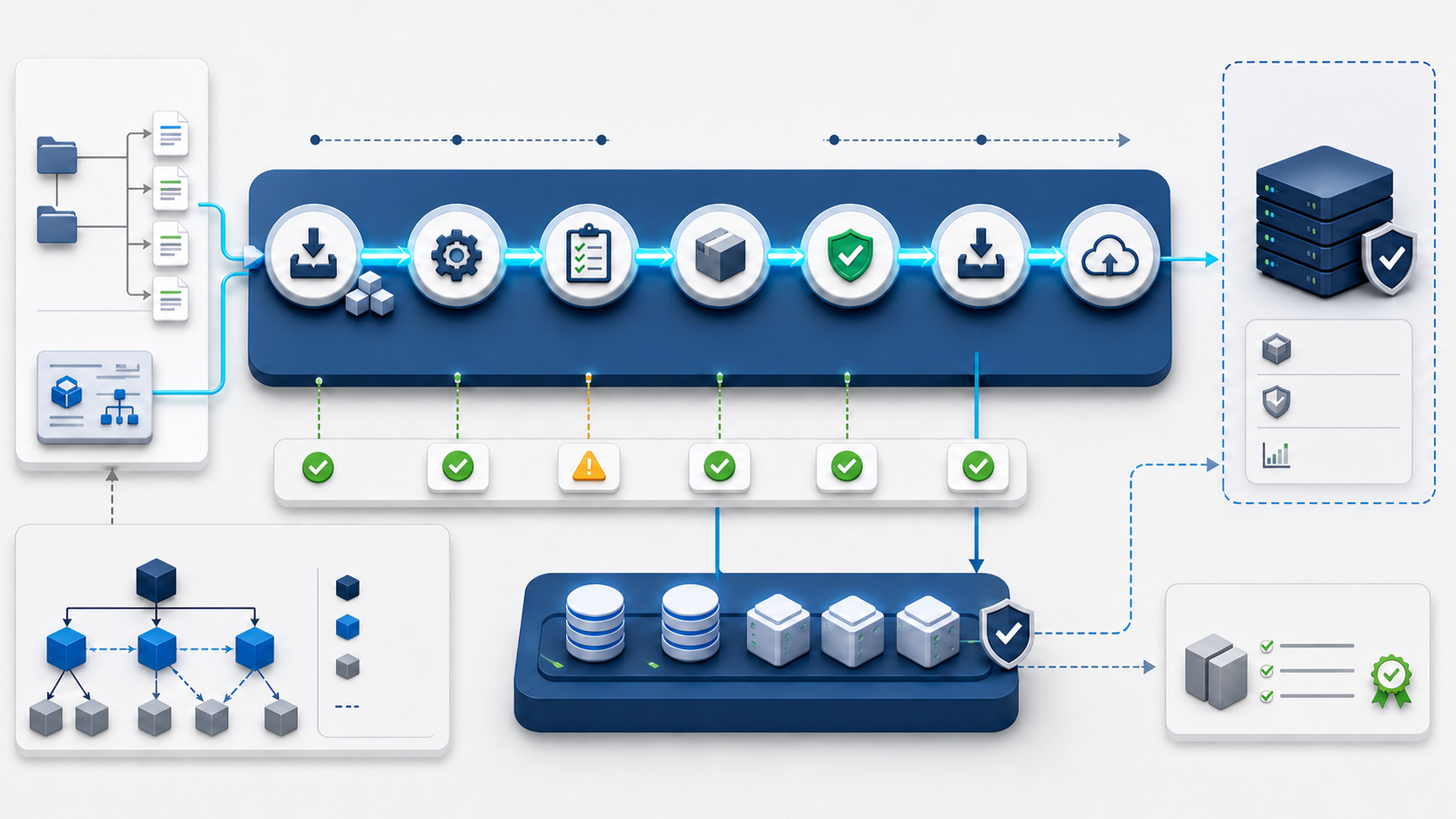
Apache Maven turns a Java project into a repeatable build: it reads one project model, resolves dependencies, compiles source, runs tests, packages an artifact, applies verification gates, and publishes approved releases. This guide starts with installation and a small working project, then builds toward dependency control, multi-module design, private repositories, CI, security, releases, and systematic troubleshooting.
The examples use Maven 3.9.16, the current stable Maven 3 release at the time of writing. Maven 4 is still a release candidate, so use it for compatibility testing unless your team has explicitly approved it. For day-to-day projects, commit the Maven Wrapper and let the repository declare the Maven version that contributors and CI should run.
What Maven does
Maven is a build and project-management tool. Its Project Object Model, stored in pom.xml, identifies the project, declares dependencies, configures plugins, and connects work to a standard lifecycle. A developer can enter an unfamiliar Maven repository and begin with the same small command vocabulary used elsewhere.
| Concern | Maven mechanism | Result |
|---|---|---|
| Project identity | Group, artifact, version, and packaging coordinates | A uniquely addressable build output |
| Repeatable build | Lifecycle phases and versioned plugins | Consistent compile, test, package, and verify steps |
| Libraries | Dependencies, scopes, exclusions, and dependency management | A calculated classpath with traceable origins |
| Project structure | Conventional source and resource directories | Less custom build wiring between repositories |
| Distribution | Install and deploy phases plus repositories | Artifacts shared locally or through a repository manager |
| Information | Reports, effective model, dependency tree, and site plugins | Inspectable build and project evidence |
Maven does not remove the need to understand Java, testing, dependency risk, packaging, repositories, or deployment. It supplies a uniform operating model for those concerns. It is not an extension of Ant, a bag of reusable scripts, or only a documentation generator.
Understand Maven, the JDK, and the artifact repository
| Component | Responsibility | Common confusion |
|---|---|---|
| JDK | Provides the Java runtime and tools such as the compiler | Maven can run only when a compatible Java runtime is available |
| Maven | Build orchestration, model processing, plugin execution, and dependency resolution | Maven itself does not compile Java; the compiler plugin invokes the compiler |
| Local repository | Caches downloaded artifacts and stores locally installed project artifacts | ~/.m2/repository is a cache and artifact store, not source control |
| Remote repository | Serves released or snapshot artifacts | Maven Central is one repository, not Maven itself |
| Repository manager | Proxies upstreams and hosts organization artifacts with policy and retention | It should be the controlled dependency boundary, not a public file share |
Choose a supported baseline
Decide the runtime Maven uses, the Java release the project targets, and the Maven version the repository requires. Those are separate choices. Maven 3.9.16 can run on JDK 8 or newer, but a modern application may intentionally require JDK 17 or 21. Maven 4 requires Java 17 to run.
java -version
javac -version

# If Maven is already present, show Maven, Java, home, locale and OS details.
mvn --version
Use a supported JDK distribution approved by your organization. Record the required Java and Maven versions in the repository README, enforce them in the build, and use the same major JDK in developer and CI environments unless cross-JDK testing is intentional.
Install Maven on Debian or Ubuntu
The distribution package is the simplest managed installation, but its version follows the operating-system release. Check the candidate before installing if your project requires a newer Maven release.
sudo apt update
apt-cache policy maven
sudo apt install maven

mvn --version
If the packaged version does not meet the project requirement, prefer the project’s Maven Wrapper. Use a manual system installation only when the host policy requires a centrally managed Maven version.
Install Maven on RHEL, Rocky Linux, AlmaLinux, or Fedora
dnf info maven
sudo dnf install maven

mvn --version
Enterprise Linux repositories may prioritize long support over the newest Maven release. Do not replace the distribution package blindly on shared hosts. A wrapper keeps the project version separate from the administrator’s system package.
Install Maven on macOS
brew update
brew install maven

mvn --version
When several JDKs are installed, confirm the Java home reported by mvn --version. Shell Java selection and IDE Java selection can differ.
Install Maven on Windows
Install a JDK first. Download the Maven binary ZIP from the official Apache Maven download page, verify its published checksum, extract it to a stable directory such as C:\Tools\apache-maven-3.9.16, and add its bin directory to the user or system Path.
java -version
javac -version
mvn --version

# Show which executables Windows resolves.
where.exe java
where.exe mvn
A system-wide M2_HOME variable is not required for current Maven. MAVEN_HOME is necessary only for software that specifically consumes it. The essential requirements are a working Java runtime and Maven’s bin directory on Path.
Install the official binary manually on Linux
Use this method when there is no suitable package and the project cannot yet use the wrapper. Verify the release against Apache’s published SHA-512 value before extracting it.
maven_version='3.9.16'
archive="apache-maven-${maven_version}-bin.tar.gz"
base_url="https://dlcdn.apache.org/maven/maven-3/${maven_version}/binaries"

cd /tmp
curl -fLO "${base_url}/${archive}"
curl -fLO "${base_url}/${archive}.sha512"

# Apache's checksum file contains the expected digest.
expected="$(tr -d '[:space:]' < "${archive}.sha512")"
actual="$(sha512sum "${archive}" | awk '{print $1}')"
test "$actual" = "$expected" || { echo 'Checksum mismatch'; exit 1; }

sudo install -d -m 0755 /opt/apache-maven
sudo tar -xzf "$archive" -C /opt/apache-maven
sudo ln -sfn "/opt/apache-maven/apache-maven-${maven_version}" \
  /opt/apache-maven/current
sudo ln -sfn /opt/apache-maven/current/bin/mvn /usr/local/bin/mvn

mvn --version
Keep the versioned directory and change only the current symlink during a controlled upgrade. This makes rollback precise. Do not pipe an unverified download directly into an extraction command running as root.
Use the Maven Wrapper for each repository
The wrapper commits mvnw, mvnw.cmd, and configuration under .mvn/wrapper/. Contributors invoke the scripts, and the wrapper obtains the configured Maven distribution when it is not already cached.
# Run once in an existing project with an approved Maven installation.
mvn wrapper:wrapper -Dmaven=3.9.16 -Dtype=only-script

# Linux and macOS.
./mvnw --version
./mvnw clean verify

# Windows Command Prompt or PowerShell.
mvnw.cmd --version
mvnw.cmd clean verify
Commit the wrapper scripts and .mvn/wrapper/maven-wrapper.properties. Pin distributionSha256Sum in that properties file so a changed distribution is rejected. Review wrapper upgrades like any other build-system change.
Create a small Java project
mkdir -p hello-maven/src/main/java/com/nitwings/example
mkdir -p hello-maven/src/test/java/com/nitwings/example
cd hello-maven
// src/main/java/com/nitwings/example/Greeting.java
package com.nitwings.example;

public final class Greeting {
    private Greeting() {}

    public static String message(String name) {
        return "Hello, " + name;
    }
}
// src/test/java/com/nitwings/example/GreetingTest.java
package com.nitwings.example;

import static org.junit.jupiter.api.Assertions.assertEquals;
import org.junit.jupiter.api.Test;

class GreetingTest {
    @Test
    void createsGreeting() {
        assertEquals("Hello, Maven", Greeting.message("Maven"));
    }
}
Write a complete minimal POM
<project xmlns="http://maven.apache.org/POM/4.0.0"
         xmlns:xsi="http://www.w3.org/2001/XMLSchema-instance"
         xsi:schemaLocation="http://maven.apache.org/POM/4.0.0
                             https://maven.apache.org/xsd/maven-4.0.0.xsd">
  <modelVersion>4.0.0</modelVersion>

  <groupId>com.nitwings.example</groupId>
  <artifactId>hello-maven</artifactId>
  <version>1.0.0-SNAPSHOT</version>
  <packaging>jar</packaging>

  <properties>
    <maven.compiler.release>17</maven.compiler.release>
    <project.build.sourceEncoding>UTF-8</project.build.sourceEncoding>
    <junit.version>5.14.0</junit.version>
  </properties>

  <dependencies>
    <dependency>
      <groupId>org.junit.jupiter</groupId>
      <artifactId>junit-jupiter</artifactId>
      <version>${junit.version}</version>
      <scope>test</scope>
    </dependency>
  </dependencies>

  <build>
    <pluginManagement>
      <plugins>
        <plugin>
          <groupId>org.apache.maven.plugins</groupId>
          <artifactId>maven-compiler-plugin</artifactId>
          <version>3.14.1</version>
        </plugin>
        <plugin>
          <groupId>org.apache.maven.plugins</groupId>
          <artifactId>maven-surefire-plugin</artifactId>
          <version>3.5.4</version>
        </plugin>
      </plugins>
    </pluginManagement>
  </build>
</project>
Plugin versions above are examples of pinned compatible releases, not a promise that they remain the newest. Review changes using official plugin release notes and update automation. A reproducible build states plugin versions instead of relying on whatever default a Maven installation happens to provide.
Run the first build
./mvnw clean verify

# Inspect the build result.
find target -maxdepth 2 -type f -print
jar tf target/hello-maven-1.0.0-SNAPSHOT.jar
A successful verify means every phase through verification ran. It does not mean the artifact was copied to the local repository or published remotely. Those are separate lifecycle phases.
Know the standard directory layout
| Path | Purpose |
|---|---|
pom.xml | Project Object Model |
src/main/java | Application Java source |
src/main/resources | Application resources copied to the artifact classpath |
src/test/java | Test Java source |
src/test/resources | Test-only resources |
target | Generated classes, reports, and artifacts |
.mvn | Repository-local Maven configuration and wrapper files |
Conventions make projects easier to navigate and reduce configuration. If a repository must use a different layout, configure it explicitly and document why. Do not commit target/.
Understand coordinates and packaging
An artifact is addressed by groupId:artifactId:packaging:classifier:version. The common short form is groupId:artifactId:version. Use a group you control, a stable artifact name, and a version policy understood by consumers.
| Element | Example | Meaning |
|---|---|---|
groupId | com.nitwings.platform | Organization or product namespace |
artifactId | mail-events | Module or distributable name |
version | 2.4.0 | Immutable release identity |
packaging | jar, war, or pom | Artifact type and default lifecycle bindings |
classifier | sources | Additional artifact from the same project version |
Understand the three lifecycles
Maven has default, clean, and site lifecycles. A lifecycle contains ordered phases. Calling a phase runs it and every preceding phase in that lifecycle.
| Default phase | Purpose |
|---|---|
validate | Check that the model and required project information are valid |
compile | Compile main source |
test | Run unit tests |
package | Create the JAR, WAR, or other package |
verify | Run integration and quality checks bound before verification |
install | Place the artifact and POM in the local repository |
deploy | Publish the artifact to a configured remote repository |
./mvnw validate
./mvnw test
./mvnw package
./mvnw verify
./mvnw install
Prefer phases over calling implementation goals directly. verify gives CI a clear quality boundary. A goal such as dependency:tree invokes one plugin capability and does not imply the project lifecycle ran.
Use clean deliberately
./mvnw clean verify
clean removes the project’s build output before the default lifecycle runs. It is useful for release and CI evidence, but it also removes incremental output and makes every build slower. During development, ./mvnw test or ./mvnw verify may be sufficient. CI should begin from an isolated checkout and may still use clean verify for clarity.
Understand plugins, goals, and executions
Plugins perform Maven’s work. A goal is a plugin operation. An execution binds one or more goals to a lifecycle phase. Put plugins that must run in this project under build/plugins. Use pluginManagement in a parent to define versions and shared defaults without activating every plugin in every child.
<build>
  <plugins>
    <plugin>
      <groupId>org.apache.maven.plugins</groupId>
      <artifactId>maven-enforcer-plugin</artifactId>
      <version>3.6.2</version>
      <executions>
        <execution>
          <id>enforce-build-runtime</id>
          <goals><goal>enforce</goal></goals>
          <configuration>
            <rules>
              <requireMavenVersion><version>[3.9.0,4.0.0)</version></requireMavenVersion>
              <requireJavaVersion><version>[17,18)</version></requireJavaVersion>
            </rules>
          </configuration>
        </execution>
      </executions>
    </plugin>
  </plugins>
</build>
Use dependency scopes correctly
| Scope | Compile classpath | Test classpath | Runtime classpath | Typical use |
|---|---|---|---|---|
compile | Yes | Yes | Yes | Libraries required by main code |
provided | Yes | Yes | No | API supplied by the runtime container |
runtime | No | Yes | Yes | Runtime implementation such as a database driver |
test | No | Yes | No | Test frameworks and test utilities |
system | Yes | Yes | No | Avoid for ordinary libraries; it hard-codes a local file |
import | Not a classpath scope | Not a classpath scope | Not a classpath scope | Imports dependency management from a BOM POM |
Declare every library the source uses directly, even if it currently arrives transitively. This documents the contract and prevents a downstream dependency change from silently removing a required API.
Inspect and resolve dependency conflicts
./mvnw dependency:tree
./mvnw dependency:tree -Dverbose
./mvnw dependency:tree -Dincludes=com.fasterxml.jackson.core
./mvnw dependency:analyze
Maven normally chooses the nearest dependency definition when multiple paths provide different versions. Do not “fix” a conflict by adding random exclusions until the tree looks short. Identify the direct consumers, consult compatibility information, select an intentional version in dependency management, exclude only the unwanted path, and run relevant integration tests.
<dependency>
  <groupId>com.example</groupId>
  <artifactId>service-client</artifactId>
  <version>4.2.0</version>
  <exclusions>
    <exclusion>
      <groupId>org.example</groupId>
      <artifactId>conflicting-library</artifactId>
    </exclusion>
  </exclusions>
</dependency>
Centralize versions with dependency management and BOMs
<dependencyManagement>
  <dependencies>
    <dependency>
      <groupId>com.example.platform</groupId>
      <artifactId>platform-bom</artifactId>
      <version>8.1.0</version>
      <type>pom</type>
      <scope>import</scope>
    </dependency>
  </dependencies>
</dependencyManagement>
Dependency management selects versions; it does not automatically add ordinary dependencies. Child modules still declare what they use. A Bill of Materials is valuable when a tested library family must move together. Keep imports few, understand precedence, and inspect the effective POM when two BOMs manage the same artifact.
Build a multi-module project
mail-platform/
├── pom.xml
├── mail-domain/
│   └── pom.xml
├── mail-storage/
│   └── pom.xml
└── mail-service/
    └── pom.xml
<!-- mail-platform/pom.xml -->
<project xmlns="http://maven.apache.org/POM/4.0.0">
  <modelVersion>4.0.0</modelVersion>
  <groupId>com.nitwings.mail</groupId>
  <artifactId>mail-platform</artifactId>
  <version>1.0.0-SNAPSHOT</version>
  <packaging>pom</packaging>

  <modules>
    <module>mail-domain</module>
    <module>mail-storage</module>
    <module>mail-service</module>
  </modules>
</project>
The reactor sorts modules by their declared relationships and builds them in order. Aggregation answers which modules build together. Inheritance answers which model values a child receives. One POM can do both, but the concepts are independent.
# Build the complete reactor.
./mvnw clean verify

# Build one module and the reactor projects it requires.
./mvnw -pl mail-service -am verify

# Also build projects that depend on the selected module.
./mvnw -pl mail-domain -amd test

# Resume after a corrected module.
./mvnw -rf :mail-storage verify
Use properties and profiles carefully
Properties remove repetition from a model. Profiles modify the model for an explicit build context. Do not use profiles to conceal fundamental differences in application behavior, and do not create one artifact whose contents vary invisibly by developer workstation.
<profiles>
  <profile>
    <id>quality</id>
    <build>
      <plugins>
        <!-- Add approved analysis plugins here. -->
      </plugins>
    </build>
  </profile>
</profiles>
./mvnw help:active-profiles
./mvnw -Pquality verify
Environment names and secrets usually belong in runtime configuration, not in compile-time Maven profiles. Build one tested artifact and promote that exact artifact between environments.
Separate project configuration from user settings
| Location | Store here | Do not store here |
|---|---|---|
pom.xml | Project dependencies, plugins, build policy, and public repository identifiers | Passwords, personal paths, or workstation-only assumptions |
.mvn/ | Repository-local Maven and wrapper configuration | Unencrypted credentials |
~/.m2/settings.xml | User or CI mirrors, server IDs, proxies, and profile activation | Content that every clone needs to understand the project |
| CI secret store | Short-lived repository credentials and signing material | Ordinary build configuration |
Use a repository manager as the organization boundary
A repository manager can proxy Maven Central, host private releases and snapshots, retain metadata, and apply access or quarantine policy. Configure a mirror in settings.xml so CI and developers resolve through the controlled endpoint.
<settings xmlns="http://maven.apache.org/SETTINGS/1.2.0">
  <mirrors>
    <mirror>
      <id>company-repository</id>
      <name>Approved artifact repository</name>
      <url>https://repo.example.com/repository/maven-public/</url>
      <mirrorOf>*</mirrorOf>
    </mirror>
  </mirrors>
</settings>
Use TLS, restrict publishing accounts, separate snapshot and release policy, retain audit evidence, and define what happens when an upstream artifact changes or becomes unavailable. Avoid adding arbitrary public repositories to individual POMs.
Configure publishing without putting secrets in the POM
<!-- pom.xml -->
<distributionManagement>
  <repository>
    <id>company-releases</id>
    <url>https://repo.example.com/repository/maven-releases/</url>
  </repository>
  <snapshotRepository>
    <id>company-snapshots</id>
    <url>https://repo.example.com/repository/maven-snapshots/</url>
  </snapshotRepository>
</distributionManagement>
<!-- ~/.m2/settings.xml, generated securely by the CI job -->
<settings xmlns="http://maven.apache.org/SETTINGS/1.2.0">
  <servers>
    <server>
      <id>company-releases</id>
      <username>${env.MAVEN_REPO_USER}</username>
      <password>${env.MAVEN_REPO_TOKEN}</password>
    </server>
  </servers>
</settings>
The server id must match the repository id. Prefer a short-lived, least-privilege token injected by CI. Mask it from logs, restrict the settings file permissions, and remove the temporary file after the job.
Protect credentials and diagnostic output
Unsafe: mvn -X, effective settings, environment dumps, transfer debug output, and CI shell tracing can expose repository URLs, usernames, tokens, proxy credentials, and private project details. Capture only what the investigation needs, redact before sharing, and protect logs under the incident-retention policy.
# Safer first-line diagnostics without debug output.
./mvnw --version
./mvnw help:active-profiles
./mvnw help:effective-pom -Doutput=target/effective-pom.xml
Maven password encryption reduces casual disclosure in a settings file but does not turn a reusable credential on the same machine into a secret against that user. CI secret stores and short-lived tokens provide the stronger boundary.
Use toolchains when Maven and compilation need different JDKs
Toolchains let plugins select an installed JDK independently from the Java runtime that launched Maven. This helps test and compile against approved JDKs without changing the shell for every command.
<!-- ~/.m2/toolchains.xml -->
<toolchains>
  <toolchain>
    <type>jdk</type>
    <provides>
      <version>17</version>
      <vendor>any</vendor>
    </provides>
    <configuration>
      <jdkHome>/opt/jdks/jdk-17</jdkHome>
    </configuration>
  </toolchain>
</toolchains>
Do not commit machine-specific JDK paths. Commit the project’s toolchain requirements and provision the corresponding paths through workstation and CI configuration.
Separate unit and integration tests
Surefire normally runs unit tests in the test phase. Failsafe normally runs integration tests using integration-test and verify. Use Failsafe’s verify goal so teardown and result checking complete even when an integration test fails.
<plugin>
  <groupId>org.apache.maven.plugins</groupId>
  <artifactId>maven-failsafe-plugin</artifactId>
  <version>3.5.4</version>
  <executions>
    <execution>
      <goals>
        <goal>integration-test</goal>
        <goal>verify</goal>
      </goals>
    </execution>
  </executions>
</plugin>
./mvnw test
./mvnw verify

# Run one unit test during diagnosis.
./mvnw -Dtest=GreetingTest test
Unsafe: publishing with -DskipTests or -Dmaven.test.skip=true removes evidence from the release path. Keep these flags for an authorized diagnosis where the missing assurance is explicit. Do not make them the normal CI or release command.
Create reproducible build evidence
- Pin the Maven Wrapper distribution and its checksum.
- Pin build-plugin versions and manage dependency versions centrally.
- Use
maven.compiler.releaseinstead of an accidental workstation JDK API surface. - Set
project.build.outputTimestampfor plugins that support reproducible archives. - Build in an isolated checkout with a recorded JDK, Maven, OS image, and command.
- Generate dependency, test, quality, SBOM, signature, and provenance evidence as policy requires.
- Publish the verified artifact once and promote that exact digest.
<properties>
  <project.build.outputTimestamp>2026-08-24T00:00:00Z</project.build.outputTimestamp>
</properties>
For releases, set the timestamp from a controlled release process rather than changing it on every build. Reproducibility is verified by comparing independently produced artifacts, not claimed because one property exists.
Use a disciplined CI pipeline
set -eu

./mvnw --version
./mvnw --batch-mode --no-transfer-progress clean verify

artifact='target/hello-maven-1.0.0.jar'
test -f "$artifact"
sha256sum "$artifact"
Cache downloaded artifacts using a key that includes the operating system, JDK, wrapper configuration, and relevant POM files. Treat the cache as expendable and untrusted. A cache hit must not bypass tests or verification. Archive test reports even when the build fails.
Publish snapshots and releases deliberately
| Type | Identity | Policy |
|---|---|---|
| Snapshot | Version ends in -SNAPSHOT | Mutable development line with explicit retention |
| Release | Fixed version such as 2.4.0 | Immutable; never overwrite an existing coordinate |
| Promoted artifact | Exact verified digest selected from a controlled build | Move metadata or copy within repository policy, do not rebuild |
Unsafe: ./mvnw deploy writes to a shared remote repository when credentials and distribution management permit it. Run it only from an authorized release job after verify, version checks, branch or tag policy, signing, and approval gates. A developer laptop should not be the routine release boundary.
Useful commands for daily work
| Command | Use |
|---|---|
./mvnw test | Compile and run unit tests |
./mvnw verify | Run all configured checks through verification |
./mvnw help:effective-pom | See the fully inherited and profile-adjusted model |
./mvnw help:active-profiles | See active build profiles |
./mvnw dependency:tree | Trace dependency versions and paths |
./mvnw dependency:analyze | Find some used-undeclared and unused-declared dependencies |
./mvnw -pl module -am verify | Build one module with required reactor dependencies |
./mvnw -o verify | Test whether the build works with the existing local cache only |
./mvnw -U verify | Force update checks for snapshots and missing release metadata |
./mvnw -B -ntp verify | Batch CI output without transfer progress |
Troubleshoot “mvn not found” and wrong Java
command -v java
command -v javac
command -v mvn
java -version
mvn --version
printf '%s\n' "$PATH"
If the shell and Maven report different Java installations, inspect JAVA_HOME, shell startup files, SDK managers, alternatives, symlinks, and the CI image. On Windows, use where.exe. Fix one selection mechanism rather than appending more paths until the desired binary happens to win.
Troubleshoot dependency resolution
| Symptom | Likely boundary | Evidence |
|---|---|---|
| Artifact not found | Wrong coordinates, repository policy, version, or publication | Dependency tree, repository UI, effective settings, exact URL and status |
| Unauthorized | Server ID mismatch, expired token, or missing permission | Distribution/repository ID, credential owner, repository audit log |
| PKIX path failure | Untrusted TLS issuer, intercepted TLS, or wrong endpoint certificate | Certificate chain, Java truststore, repository hostname and proxy path |
| Checksum failure | Corrupt cache, changed upstream artifact, proxy issue, or attack | Repository digest, local file digest, manager audit and upstream state |
| Works on one laptop | Uncommitted settings, cached unpublished artifact, profile, or JDK difference | Clean isolated build, effective POM/settings, local repository origin |
| Wrong transitive version | Nearest-definition selection or imported management precedence | Verbose dependency tree and effective POM |
./mvnw help:effective-settings -Doutput=target/effective-settings.xml
./mvnw help:effective-pom -Doutput=target/effective-pom.xml
./mvnw dependency:tree -Dverbose -DoutputFile=target/dependency-tree.txt
Protect effective settings as sensitive. It may expose infrastructure and account information even when passwords are masked.
Repair a single corrupt local artifact safely
Identify the exact coordinate from the error and dependency tree. Move only that coordinate’s directory out of the local repository, then resolve again through the approved repository manager.
artifact_path="$HOME/.m2/repository/com/example/problem-library/2.3.1"
quarantine="$HOME/.m2/quarantine/problem-library-2.3.1-$(date +%Y%m%d%H%M%S)"

test -d "$artifact_path"
mkdir -p "$(dirname "$quarantine")"
mv "$artifact_path" "$quarantine"

./mvnw -U verify
Unsafe: deleting the entire ~/.m2/repository removes every cached and locally installed artifact, destroys useful incident evidence, creates a large uncontrolled redownload, and may break projects that depend on unpublished local builds. Quarantine the exact coordinate first. If a full isolated test is needed, use a temporary repository without touching the working cache:
temporary_repo="$(mktemp -d)"
./mvnw -Dmaven.repo.local="$temporary_repo" clean verify
Troubleshoot tests and plugin execution
# Show the failing test report.
find target/surefire-reports target/failsafe-reports -type f -maxdepth 2 -print 2>/dev/null

# Re-run one unit test.
./mvnw -Dtest=GreetingTest test

# Resume a reactor after the failed module is fixed.
./mvnw -rf :mail-storage verify
Read the first meaningful failure, not only the final reactor summary. Separate test assertion, forked-JVM crash, timeout, missing test resource, plugin incompatibility, and application startup failure. Preserve reports and dump files before cleaning the workspace.
Diagnose an effective-model surprise
A value may come from the current POM, a parent, an imported BOM, a profile, user settings, global settings, or a command-line property. Generate the effective POM and active profiles, then trace the source before editing.
./mvnw help:active-profiles
./mvnw help:effective-pom -Dverbose -Doutput=target/effective-pom.xml
./mvnw help:evaluate -Dexpression=project.version -q -DforceStdout
Do not commit the generated effective POM as the project POM. It expands inherited defaults and is diagnostic output, not the maintainable source model.
Evaluate Maven 4 without surprising the main build
Maven 4 is not yet a general-availability release. Apache recommends preparing on the latest Maven 3, upgrading plugins, running the build in parallel on a current Maven 4 release candidate, and only then adopting Maven 4-specific model features. Maven 4 requires Java 17 to run.
- Keep the production wrapper on the approved Maven 3.9 release.
- Add a non-blocking or explicitly experimental CI job using the current Maven 4 release candidate.
- Compare lifecycle behavior, plugins, warnings, output artifacts, and integration tests.
- Remove duplicate plugin declarations and invalid model practices reported by validation.
- Do not adopt a Maven 4-only POM model until every required build environment is ready.
Production readiness checklist
- The repository contains a reviewed Maven Wrapper with a pinned distribution checksum.
- Maven and JDK requirements are documented and enforced.
- Direct dependencies are declared directly, versions are managed, and conflicts are explained.
- Build-plugin versions are pinned and updated through review.
- Unit tests, integration tests, quality gates, and packaging run through
verify. - No credentials, personal paths, or environment secrets exist in the POM.
- Dependencies resolve through an approved TLS repository manager.
- Release publishing uses a least-privilege CI identity and immutable version policy.
- The artifact digest, test reports, dependency evidence, JDK, Maven version, source revision, and build command are retained.
- The verified artifact is promoted rather than rebuilt for each environment.
- A clean isolated build succeeds without unpublished workstation artifacts.
- Rollback selects a previously verified immutable artifact; it does not overwrite a release coordinate.
Primary references
- Apache Maven installation
- Apache Maven downloads and verification
- Introduction to the Maven build lifecycle
- Introduction to Maven dependency management
- Apache Maven Wrapper documentation
- Maven repository configuration guide
- Maven password encryption guide
- Maven reproducible builds guide
- Apache Maven 4 migration guide
- Apache Maven release history