Email Rendering Testing Across Clients and Devices
An email can be valid HTML and still fail in a real inbox. Email clients remove CSS, rewrite links, block remote images, alter colors, resize text and apply their own accessibility behavior. Rendering QA therefore needs a risk-based client matrix and a release decision, not one browser preview and a screenshot folder.
What email rendering testing must prove
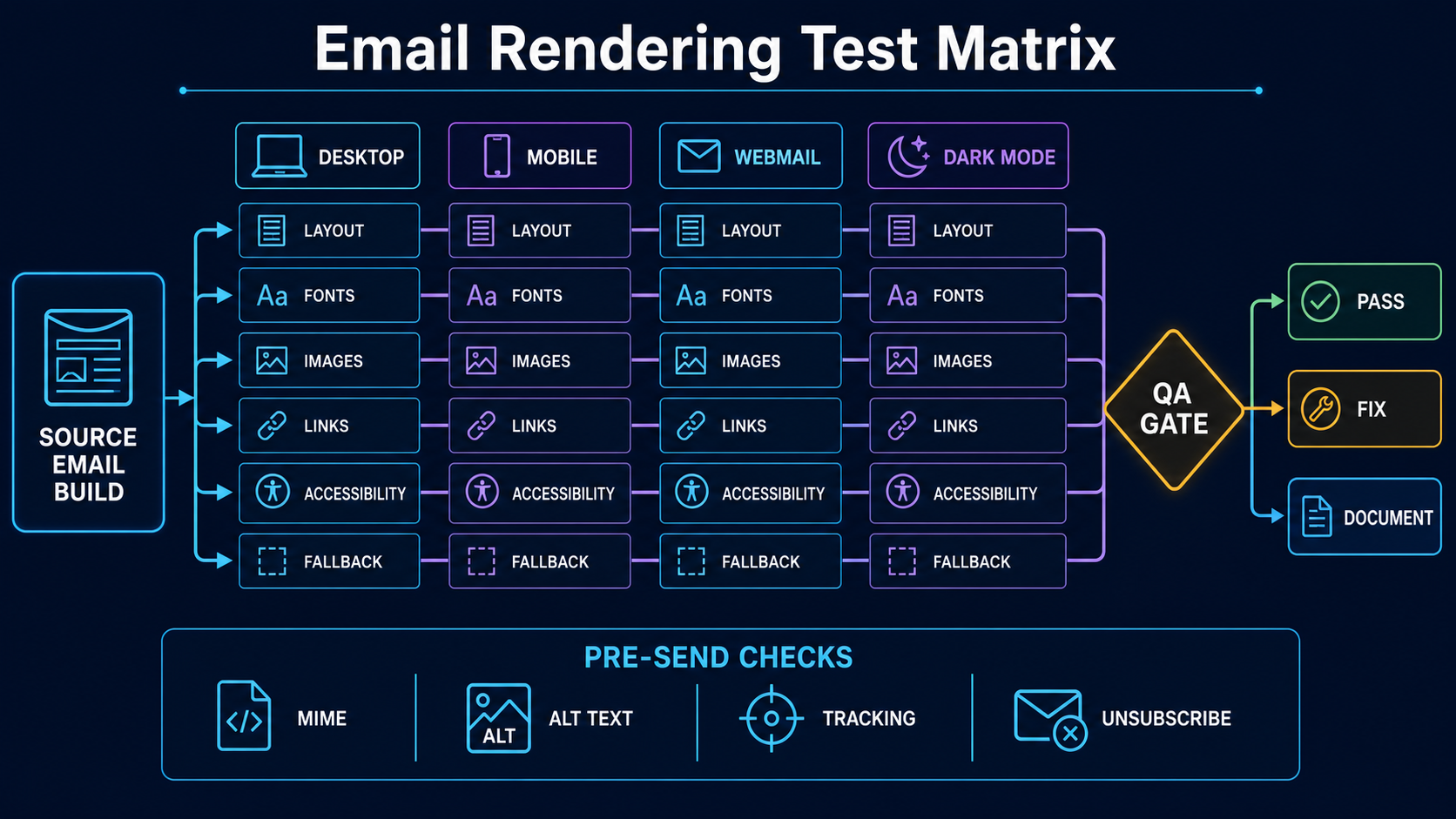
Email rendering testing checks the message that recipients actually receive: MIME structure, preheader, HTML and plain-text parts, responsive behavior, image fallbacks, dark-mode transformations, links and assistive-technology semantics. The matrix should represent the client families your audience uses rather than every possible software version.
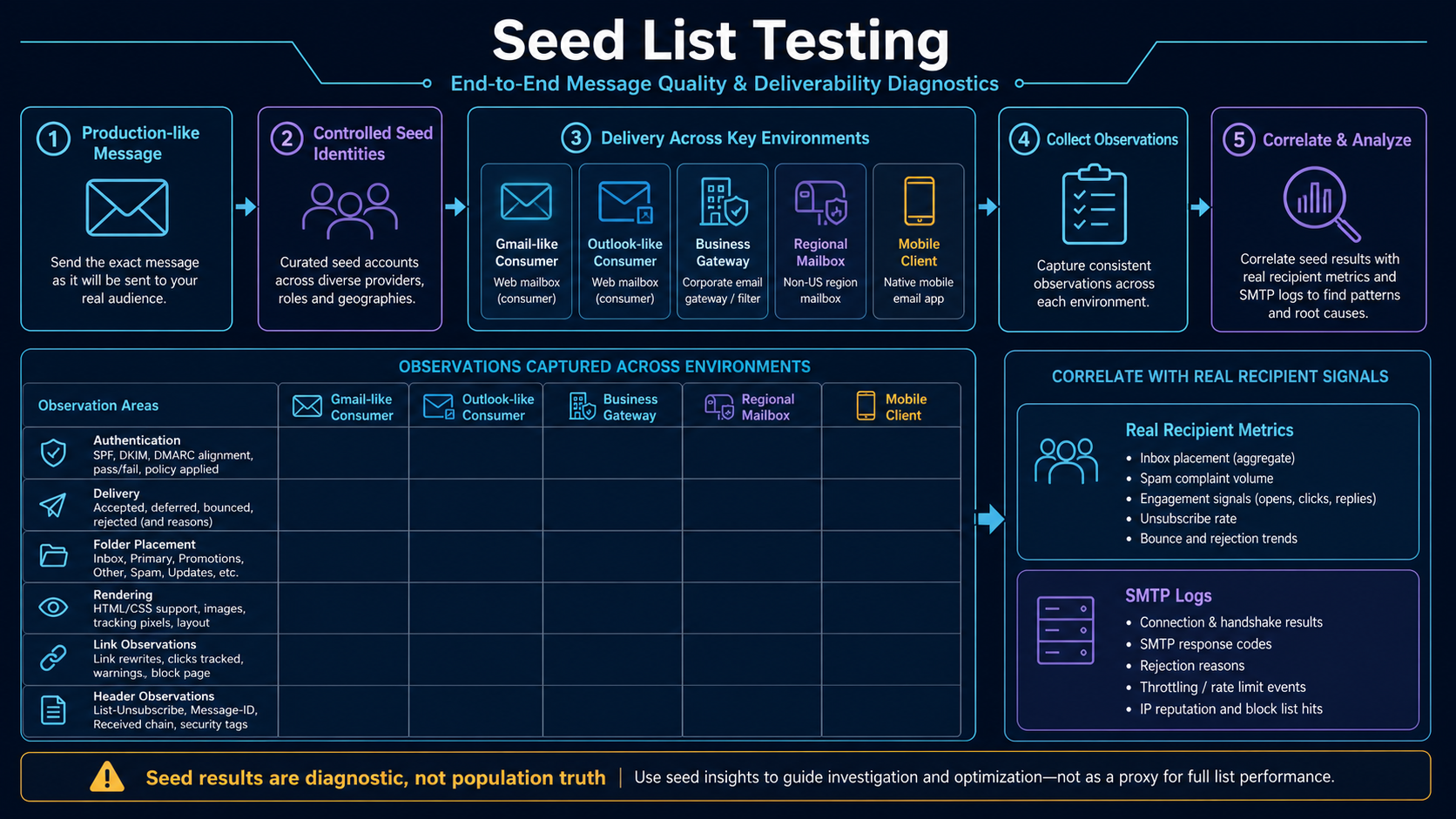
Start with production telemetry where it is reliable, then include strategically important clients and known high-risk engines. Test at least a desktop client, a mobile app, a webmail client and dark mode. A screenshot service can broaden coverage, but it does not replace keyboard review, screen-reader structure, live-link testing or a real message delivered through the production sending path.
Why a browser preview is not an email test
Browser rendering is the wrong baseline because inboxes are not ordinary web pages. JavaScript is unavailable, external resources may be proxied, forms are inconsistently supported and CSS support varies. A design that depends on a background image, a custom web font or a complex selector may degrade differently across clients.
The objective is not pixel identity. It is a message whose hierarchy, meaning and primary action survive reasonable differences. Define “must match,” “may differ” and “must remain usable.” A rounded corner may be optional; a hidden price, unreadable dark-mode logo, missing unsubscribe link or unreachable CTA is a release blocker.
Build a production email rendering QA workflow
- Define audience and risk. Use client-family, device and mode information without pretending tracking identifies every recipient perfectly. Add regulated, high-revenue and accessibility-sensitive messages to the highest QA tier.
- Validate MIME first. Confirm multipart/alternative order, character encoding, transfer encoding, plain-text content, headers, line length and message size before visual inspection.
- Create a representative matrix. Select desktop, mobile, webmail and dark-mode combinations that exercise different rendering engines. Record versions and viewport sizes so failures can be reproduced.
- Send through the real path. Deliver a production-equivalent message with the same link rewriting, image host, headers and personalization logic. An editor preview misses transport-side transformations.
- Inspect content hierarchy. Check from name, subject, preview text, reading order, heading hierarchy, body text, CTA visibility, footer, address and unsubscribe controls.
- Exercise failure states. Block images, enlarge text, narrow the viewport, disable animation, use a long localized string and test missing optional profile data.
- Test interaction and accessibility. Open every unique link, verify keyboard focus where relevant, inspect alt text, avoid image-only meaning and confirm color contrast remains adequate after mode changes.
- Record and gate the release. Classify defects by impact, capture the exact client and build, fix release blockers and document accepted cosmetic variance. Re-test the final compiled message.
Classify rendering defects by recipient impact
| Observed difference | Classification | Release action |
|---|---|---|
| Minor spacing or unsupported rounded corner | Cosmetic variance | Document if hierarchy and action remain clear |
| CTA text is clipped or hidden | Functional blocker | Fix and retest all clients sharing the engine |
| Dark mode makes text and background indistinguishable | Accessibility blocker | Adjust colors/assets and test forced transformations |
| Remote images are blocked but alt text explains the message | Expected fallback | Verify dimensions and continue |
| Plain-text part is stale or contains broken URLs | Content and compliance defect | Regenerate it from the final content and retest |
Worked rendering failure: desktop, mobile and dark mode
A retailer’s new order-status email looks correct in its browser preview. In one desktop client, the layout stacks differently but remains readable. In dark mode on a mobile app, however, the transparent black logo disappears and the white CTA text is placed on a color that the client also lightens. Image blocking also removes a shipment date that exists only inside a graphic.
The team treats the desktop spacing as acceptable variance, but blocks release for the lost identity, low-contrast CTA and image-only date. It adds a bounded logo asset, places the date in live HTML text and adjusts the CTA palette. The final production message is resent through the same link-rewriting path and the entire affected client family is checked again.
Evidence to retain for every rendering release
- Matrix coverage: client family, app or browser, operating system, mode, viewport, text scaling and test timestamp.
- Build identity: template commit, compiled message checksum, content version, personalization fixture and sending stream.
- Defect evidence: expected behavior, actual behavior, severity, affected clients, screenshot or recording and reproducible steps.
- Transport checks: MIME parts, encoded size, redirect targets, image responses, authentication results and unsubscribe behavior.
- Release evidence: approver, accepted variances, blocker closure and checksum of the message that was actually released.
Email rendering QA mistakes that hide defects
- Testing only screenshots: static images cannot prove reading order, keyboard behavior, live URLs, animation fallback or tracking transformations.
- Chasing pixel identity: cosmetic parity can consume time while real accessibility and functional failures remain.
- Using placeholder-short content: real names, localized copy, prices, legal text and dynamic modules expose overflow and fallback defects.
- Ignoring the plain-text part: it is a separate representation and should be useful, current and free of template debris.
- Testing the editor instead of the sent message: the ESP may inline CSS, rewrite links, add headers or change MIME construction.
Pre-send rendering release checklist
- Choose the matrix from audience evidence, rendering-engine diversity and message risk.
- Validate MIME, character encoding, plain text and total encoded size.
- Use realistic long, short, missing and non-ASCII personalization fixtures.
- Check image-blocked, dark-mode, narrow-screen and enlarged-text states.
- Verify every unique destination and the unsubscribe mechanism in the sent copy.
- Confirm live-text meaning, reading order, alt text and sufficient contrast.
- Classify differences as cosmetic, functional, accessibility, content or compliance.
- Retest the final compiled production message and retain release evidence.
Build a client matrix from audience and rendering risk
Rendering coverage should represent distinct engines and business risk, not a long unowned screenshot list. Start with audience evidence, then include environments known to transform CSS, colors, images, links or MIME aggressively.
| Environment | Primary risks | Minimum live checks |
|---|---|---|
| Desktop application | Restricted CSS, DPI scaling, background images and layout fallback | Hierarchy, CTA, width, font fallback and image-blocked state |
| Consumer webmail | Style filtering, link rewriting, clipping and category UI | Inbox snippet, full message, links, footer and raw headers |
| Native mobile app | Narrow viewport, text scaling, touch targets and dark mode | Small widths, zoom, orientation and action reachability |
| Business gateway plus mailbox | Security banners, URL protection, quarantine and HTML rewriting | Warning placement, link destination, attachment and reply behavior |
| Image-blocked mode | Missing meaning and collapsed dimensions | Live text, alt text, dimensions and CTA comprehension |
Record the application, operating system, viewport, dark-mode state and text-scaling setting. Review the matrix after audience, client or template changes. A client with little audience share can still belong in the critical tier when it is used by regulators, high-value customers or support teams.
Validate the MIME message before judging pixels
The visual layout is only one representation. A production message should have coherent headers and multipart structure, a useful plain-text alternative, declared character encoding and safe transfer encoding. Inspect the message after the ESP has compiled personalization, inlined CSS and rewritten links.
Content-Type: multipart/alternative; boundary="alt-boundary"

--alt-boundary
Content-Type: text/plain; charset=UTF-8

Readable plain-text message and complete destinations

--alt-boundary
Content-Type: text/html; charset=UTF-8

<!doctype html>...responsive accessible HTML...
--alt-boundary--| MIME defect | Recipient symptom | Release action |
|---|---|---|
| Missing or stale text part | Text-only clients show nothing useful or an old offer | Regenerate it from final content and verify URLs |
| Wrong charset | Names, currency or localized copy is corrupted | Use UTF-8 consistently and test non-ASCII fixtures |
| Broken boundary or encoding | Raw markup or truncated content appears | Block release and inspect the final wire message |
| Oversized encoded body | Client clipping or slow loading | Reduce markup, repetition and unnecessary data |
Use resilient email HTML with an explicit fallback
Email HTML is constrained. Use table-based structural layout where broad compatibility requires it, inline critical styles, include image dimensions and keep the primary meaning in live text. Enhancements may improve capable clients, but the fallback must remain useful.
<table role="presentation" width="100%" cellspacing="0" cellpadding="0">
  <tr><td align="center" style="padding:24px">
    <table role="presentation" width="600" style="width:100%;max-width:600px">
      <tr><td style="font:16px/1.5 Arial,sans-serif">
        <h1 style="margin:0 0 16px">Clear promise</h1>
        <p style="margin:0 0 20px">Useful live-text explanation.</p>
        <a href="https://example.test/action?utm_source=nitwings.com">Complete the task</a>
      </td></tr>
    </table>
  </td></tr>
</table>
The example is deliberately simple. Production code still needs the text alternative, tracked destination, visible unsubscribe where applicable, localization fixtures and client QA. Do not depend on JavaScript, remote forms or essential information stored only inside a background image.
Test accessibility as recipient behavior
| Control | Test method | Release blocker |
|---|---|---|
| Reading order | Linearize and review with a screen reader | Content becomes confusing when columns stack |
| Headings | Navigate by heading and compare with visual hierarchy | Bold paragraphs imitate headings without structure |
| Images | Block images and inspect alternative text | Offer, date, price or action disappears |
| Links | Read link text out of context and test focus | Repeated vague labels or unreachable action |
| Contrast and scaling | Use dark mode, forced colors and enlarged text | Text disappears, overlaps or requires horizontal scrolling |
Decorative images should use empty alternative text. Informative images need concise equivalent meaning rather than filenames. Mark layout tables as presentational so assistive technology does not announce structural rows and columns as data.
Test dynamic content, localization and failure fixtures
The tidy default subscriber rarely exposes production defects. Maintain a reusable fixture set and run it through the same compilation service used for live mail.
| Fixture | Purpose | Expected behavior |
|---|---|---|
| Missing optional profile fields | Exercise fallback rules | No empty greeting, duplicate punctuation or blank module |
| Long name, product and location | Expose wrapping and overflow | Layout expands without clipping the CTA |
| Non-Latin and right-to-left text | Verify encoding and direction | Correct characters, punctuation and reading order |
| Maximum module count | Test message length and clipping | Priority content and footer remain reachable |
| Unavailable item | Exercise decision-time data changes | Safe default replaces the invalid module |
| Images or tracking blocked | Test privacy and failure paths | Message remains useful and destination works |
Keep every fixture free of real customer data. Version it with the template so a defect can be reproduced after content, localization or data-contract changes.
Use release tiers and reproducible defect records
Not every message needs the same manual depth. A password reset or regulated notice receives the full critical matrix. A stable editorial template can use automated smoke checks plus rotating manual coverage. A text-only operational alert may need MIME, link and accessibility review without a large visual matrix.
Every defect should record the compiled-message checksum, client, operating system, mode, viewport, fixture, expected behavior, actual behavior and severity. Fix the source template, then send a newly compiled message through the production path. A locally edited screenshot is not proof of the released artifact.
- Blocker: identity, required disclosure, unsubscribe, meaning or primary action is missing.
- Major: a material audience cannot read or complete the intended task.
- Minor: cosmetic difference with preserved hierarchy and function.
- Accepted variance: documented client limitation with an adequate fallback.
Store accepted variances by template and client so the same harmless difference is not reopened every release. Revisit them when client engines or audience distribution changes.
Design and test dark mode without hiding the message
Dark mode is not one predictable transformation. Some clients preserve declared colors, some partially transform backgrounds and text, and others apply broader changes. Build a message that remains understandable when the palette changes instead of trying to force every client into an identical screenshot.
<meta name="color-scheme" content="light dark">
<meta name="supported-color-schemes" content="light dark">
<style>
@media (prefers-color-scheme: dark) {
  .email-surface { background:#16201d !important; color:#f4f7f6 !important; }
  .email-button  { background:#63d1b0 !important; color:#10201b !important; }
}
</style>
Treat these declarations as enhancements, not universal controls. Test transparent and opaque logo variants, live text placed over images, borders that may disappear, icons whose meaning depends on color and buttons whose foreground and background may both be transformed. A bounded logo canvas can protect identity where a transparent dark mark would vanish, but the asset still needs an informative or deliberately empty text alternative.
Review light and dark states with images enabled and blocked. Confirm that legal text, preference links, prices, status labels and the primary action remain visible. Record client-specific cosmetic differences only after meaning, contrast and interaction have passed.
Automate deterministic checks before the client matrix
Automation cannot predict every mailbox rendering engine, but it can prevent avoidable defects from consuming manual test time. Run deterministic checks on the final compiled artifact, not only the template source.
| Automated preflight | Evidence | Failure action |
|---|---|---|
| MIME and encoding parse | Both alternatives decode and boundaries close correctly | Block the send |
| Link inventory | Unique destination, redirect chain and approved scheme | Repair broken or unexpected destinations |
| Required-content check | Identity, address, preference and unsubscribe controls exist | Block the applicable message class |
| Image inventory | HTTPS source, dimensions, alternative text and response status | Fix missing assets or inaccessible meaning |
| Size budget | Raw and transfer-encoded bytes by MIME part | Reduce markup and retest clipping risk |
| Fixture compilation | Long, missing and non-ASCII values render without template errors | Correct data contracts and fallbacks |
Save the preflight result with the compiled-message checksum. Manual screenshots, raw headers and accessibility observations must reference the same checksum; otherwise the team may approve one artifact and release another. After link rewriting or provider-side CSS processing, repeat the checks that can be affected by that transformation.
Test the final received MIME artifact
The editable template is not the release artifact. Personalization, CSS inlining, link rewriting, image proxying, tracking insertion, transfer encoding, footer injection and outbound gateways can change what reaches the recipient. Capture the final message from representative receiving accounts and calculate a checksum for the decoded MIME plus a separate checksum for important rendered assets.
release_id: order-confirmation-2026.08.29.4
template_commit: 91d3...
fixture: long-name-non-ascii-no-optional-image
message_id: <[email protected]>
received_eml_sha256: ...
html_part_sha256: ...
plain_part_sha256: ...
redirect_manifest_version: 12
image_manifest_version: 8
Retest after any compiler, ESP, CDN, tracking, template or gateway change. A screenshot of an editor preview cannot prove the MIME, links or received headers used in production.
Map client engines instead of chasing device names
| Environment | Rendering risk to exercise | Evidence |
|---|---|---|
| Gmail web and mobile | Supported selector/property subset, media queries, image proxy and account context | Received test plus Google CSS support reference |
| Classic Outlook for Windows | Word-based HTML validation/rendering, table layout and limited CSS | Versioned desktop test |
| New Outlook/web-based clients | Different engine and rollout behavior from classic Outlook | Separate environment record |
| Apple Mail/iOS Mail | WebKit rendering, privacy image fetch and dark-mode transformation | Client/mode/version test |
| Enterprise gateway plus client | URL rewriting, image blocking, banners and attachment transformation | End-to-end tenant test |
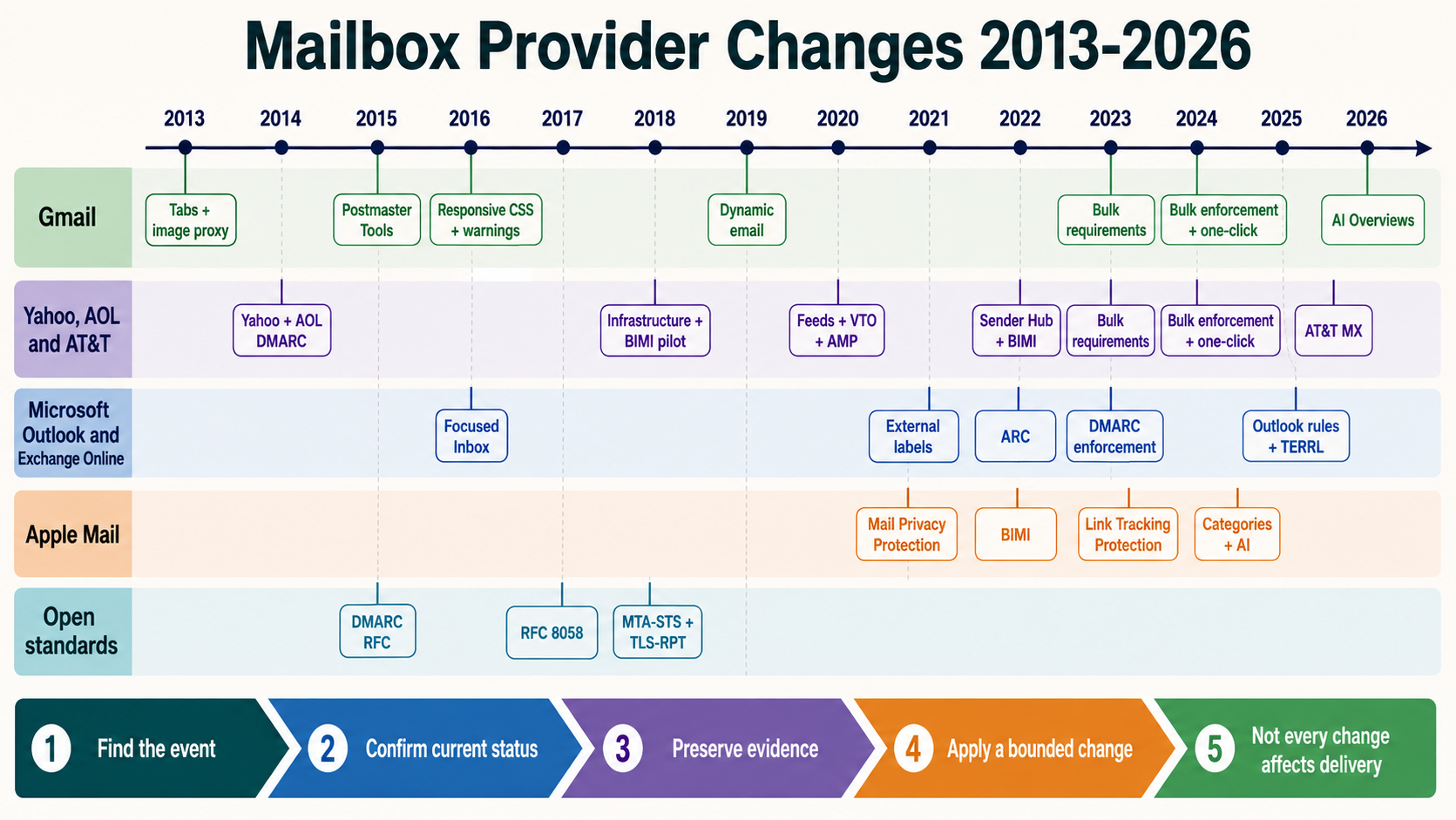
Client labels are not permanent engine guarantees. Maintain the matrix as versioned evidence and review it after major client releases or audience changes.
Use a resilient HTML foundation
Use semantic live text for essential meaning, a constrained content width, presentation tables only where email compatibility requires them, explicit image dimensions, robust system-font fallbacks and progressive enhancement. Unsupported CSS should degrade to a usable message.
<table role="presentation" width="100%" cellspacing="0" cellpadding="0">
  <tr>
    <td align="center">
      <table role="presentation" width="600" class="container">
        <tr>
          <td class="content">
            <h1>Your order is confirmed</h1>
            <p>Order 12345 will ship by 2 September.</p>
          </td>
        </tr>
      </table>
    </td>
  </tr>
</table>
Do not add role="presentation" to data tables. Keep actual headings and meaningful link text. The plain-text part must independently communicate the purpose and URLs.
Test content states that break layouts
| Fixture | Failure exposed |
|---|---|
| Long personal and company names | Overflow, wrapping and button expansion |
| Non-ASCII and right-to-left content | Encoding, direction and punctuation order |
| Missing optional profile fields | Empty headings, duplicate punctuation and broken conditional blocks |
| Large price and localized currency | Column width and decimal alignment |
| Long translated CTA | Fixed-height buttons and clipping |
| One-item and many-item loops | Divider, border and repeated-ID defects |
| Expired or unavailable product | Fallback content and stale destination |
Fixtures should be deterministic and privacy-safe. Store the data version with the compiled artifact so a defect can be reproduced after customer records change.
Test dark mode as a color-system transformation
Clients may invert colors, partially transform backgrounds, preserve some inline colors or treat transparent assets differently. Test light, dark and forced-color states on real clients. A logo with transparent dark lettering can disappear; a CTA may lose contrast; a product image may gain an unintended white box.
- Keep essential text as live text rather than embedding it in an image.
- Give logos bounded light/dark-safe treatments where brand policy permits.
- Check foreground/background contrast after actual client transformation.
- Do not depend on one meta tag or CSS declaration to force identical behavior everywhere.
- Test image-blocked dark mode because both states can occur together.
Document acceptable variance. The requirement is preserved hierarchy, identity, meaning and action, not pixel identity.
Perform accessibility checks that screenshots cannot cover
| Check | Release evidence |
|---|---|
| Reading order | Linearized content follows the intended sequence |
| Headings and labels | Describe purpose and do not skip meaningfully |
| Link purpose | Understandable from link text and context |
| Alternative text | Meaningful images described; decorative images ignored appropriately |
| Contrast | Text and controls remain distinguishable in tested modes |
| Text resize | At enlarged settings, content is not clipped or overlaid |
| Language and direction | Correct attributes and readable mixed-direction content |
Use a screen reader and keyboard on selected high-impact environments. WCAG is written for web content, so apply relevant success criteria while recognizing email-client limitations. Do not claim blanket WCAG conformance from an automated scan.
Exercise images, redirects and gateway transformations
Validate every unique visible destination and every rewritten destination. Follow the chain in an authorized test, verify HTTPS, hostname, status, final page and campaign parameters, and detect loops. Security gateways can wrap links, add banners or detonate URLs before a person clicks.
visible_url -> ESP redirect -> brand tracking domain
            -> security gateway rewrite -> final HTTPS page

record: status, redirect_count, hostname, certificate,
        query preservation, final content and test time
Test remote-image 200 responses, content type, cache policy and dimensions. Simulate a blocked image, a slow CDN and an unavailable asset. The message must remain understandable. Never use live production recipient tokens in shared QA evidence.
Automate structural checks and keep human release review
CI can parse the MIME, validate required headers and parts, find empty links, check image responses, enforce encoded-size budgets, compare known HTML invariants and submit controlled messages to the rendering matrix. Automation should produce a release manifest, not declare visual quality from code alone.
| Automated gate | Human/client gate |
|---|---|
| MIME part and charset validation | Reading order and visual hierarchy |
| Required unsubscribe/link checks | Meaning, tone and expectation |
| URL and image HTTP probes | Dark-mode transformation |
| Template/fixture checksum | Real client and assistive technology behavior |
| Encoded-size and asset budgets | Accepted variance and release decision |
Block on functional, accessibility, compliance and meaning failures. Track cosmetic differences separately. Re-run the final compiled message after any correction.
Primary references
- W3C Web Content Accessibility Guidelines 2.2
- Google for Developers: CSS support in Gmail
- Microsoft: how message format affects Outlook messages
- RFC 2046: Multipurpose Internet Mail Extensions media types
- RFC 5322: Internet Message Format